Kia Access
- 84.36K
- 4.6
- Installs
- 1.00M
- Price
- Free

Screenshots
Analysis by Reviewed APKs
Kia Access is an owner app for keeping Kia information and certain connected-vehicle tools close at hand. I see it as most useful for Kia drivers who want to check maintenance details, consult the owner’s manual, or use eligible Kia Connect features from a phone. Its appeal depends heavily on the vehicle, but when the right features are available, it brings practical ownership tasks together in one place.
A Handy Parking-Lot Companion
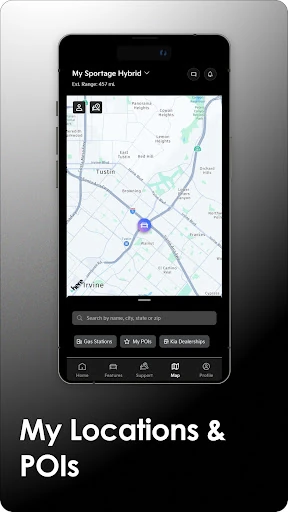
Picture finishing errands in a busy shopping center and trying to remember which row you parked in. With a Kia equipped for Kia Connect and navigation, Kia Access can help you locate the car remotely. I like that this is a specific, everyday job rather than a vague promise to make driving better. It turns the phone into a useful reference point when the parking lot looks the same in every direction.
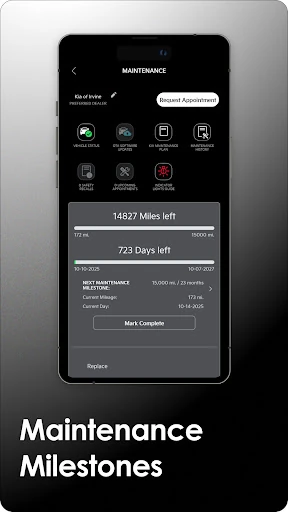
The app also has a quieter role in the routine: checking maintenance milestones or looking up a detail in the owner’s manual before heading out. When I think about an ordinary week, those are the kinds of small questions that can otherwise mean searching through paperwork or visiting a separate owner portal. Kia Access gathers vehicle information and eligible connected services, though exactly what appears depends on the car’s equipment and Kia Connect access.
Owner Tools, Not Car Shopping
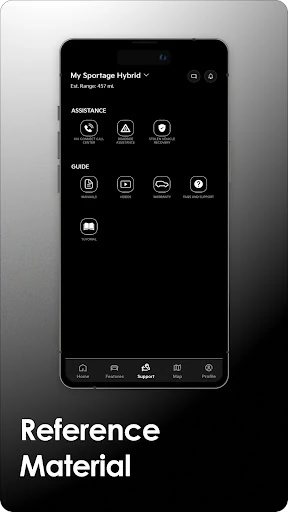
Kia Access makes the most sense beside the alternatives Kia owners already use: the printed manual, the online owner portal, and the vehicle’s own controls. It brings manual material, quick guides, videos, warranty information, and some vehicle services into a phone app. That convenience is its main distinction. I would use it to refer back to ownership information, not as a replacement for the car’s manual or for the controls built into the vehicle.
It is also not a universal remote-control app for every Kia. Remote locking, horn and light commands, location tools, climate settings, and health reports depend on Kia Connect equipment and other vehicle requirements; connected services may require an active subscription. If you drive a Kia eServices vehicle, the app description directs you to the separate Kia eServices app. So this is an ownership companion, not a general-purpose driving or repair tool.
Make It Part of Ownership
A simple way to get value from Kia Access is to open it when a real question comes up: what a dashboard-related reference says, when a maintenance milestone is due, or where the car was left. The owner’s manual and quick guides give the app a useful role even when remote functions are unavailable. I would treat it as a convenient reference shelf, rather than assuming every visit needs to involve a connected feature.
For a plug-in hybrid or electric Kia, the app’s vehicle-specific tools may add battery status, estimated driving range, charging-station locations, and charging schedules. Those details could fit naturally into planning a charge before a longer trip or checking the car while it is parked. I’d first confirm which tools apply to my vehicle, then return to the relevant information as needed. Availability varies by model, year, trim, and equipment.
More From Our News Desk

Zoom Meetings, Google Meet, or Teams: Which Is Easiest to Join?

How I Build a Free Streaming Lineup With Tubi

Why Crunchyroll Is the Default Anime App for So Many Fans

YouTube TV: A Practical Guide to Cutting Cable

Rummikub and the Small Comfort of Phone Games

TeamViewer Remote Control or AnyDesk for Helping Family?
Who Will Find It Useful
I’d recommend Kia Access to Kia owners who like having vehicle documents and ownership information on their phone, especially drivers whose cars support Kia Connect. The combination of reference material, maintenance milestones, and eligible remote tools gives it several practical reasons to stay installed. Owners of plug-in hybrid and electric models may also appreciate the charging-related information and controls described for those vehicles.
It may be less compelling if you do not own a Kia, if you prefer paper manuals and in-car controls, or if your vehicle does not support the connected features you want. Even among Kia owners, the experience is not identical from one car to another. I’d approach it as a helpful companion whose usefulness grows with vehicle compatibility, not as a single app that unlocks the same capabilities for every model.
Kia Access is developed by Kia America and is listed on Google Play in the Productivity category. It has more than one million installs and a 4.6-star rating from about 84,000 ratings. The app is free to download, with no in-app purchases or ads indicated in the supplied app facts. Its content rating is Everyone.
The app first appeared on July 26, 2018, and its listed last update was January 23, 2026. The current version and Android requirement can vary, so check Google Play for the details that apply to your device. Kia Connect features have separate availability requirements, and continued access to the full suite may require a paid Kia Connect subscription after any complimentary period.
A Closer Look at Kia Access
Getting Started
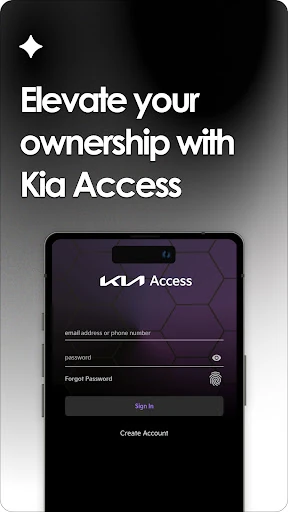
My first impression is that Kia Access is organized around being an owner, not around browsing cars or comparing models. The app’s central promise is to bring vehicle information and selected services into one phone-based place. An owner account can be created from the app, and the app also points owners toward Kia’s owner portal. That setup makes sense for someone who wants to connect their car details with the information they use.
Before expecting remote controls, I’d check whether the specific Kia has Kia Connect and the equipment those tools require. Some features need navigation as well, and connected services can depend on a subscription and cellular and GPS coverage. That means the useful first step is understanding the car’s eligibility, rather than assuming that installing the app alone provides every function. Kia’s feature availability can differ by model, model year, and trim.
Useful in Ordinary Moments
Day to day, I can imagine opening Kia Access for a quick reference rather than making it part of every drive. If I want to revisit a maintenance milestone or find a video or quick guide, it puts those ownership materials within reach. The manual and warranty information give the app value even on a day when I have no reason to use a connected service. That practical reference role feels like its most broadly useful one.
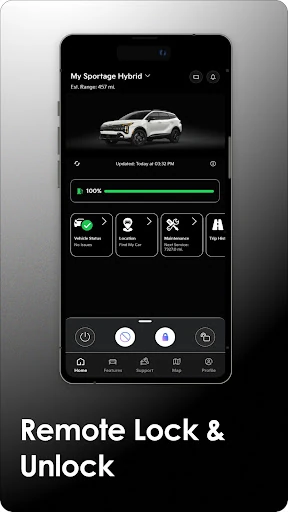
When a vehicle supports the relevant Kia Connect functions, the experience can extend beyond reading. The app description includes remote door locking and unlocking, horn and lights, vehicle location, health reports, and cabin-temperature controls for eligible cars. Those are useful possibilities, but they are not a uniform feature set. I would think of each one as conditional on the vehicle and service, rather than as a standard control panel for every Kia.
Features With a Clear Purpose
The standout feature for me is the mix of reference material and vehicle-specific tools. Owner’s manuals, quick guides, videos, warranty information, and maintenance milestones address the routine questions that come with keeping a car. For equipped vehicles, health reports add another way to review vehicle information. Kia notes that these reports are not a substitute for scheduled maintenance and require initial activation, so I would treat them as an extra reference, not a reason to skip regular care.
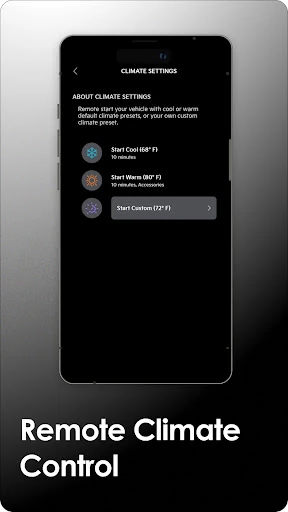
The location and remote-control features are easy to understand in practical terms. A compatible Kia may let an owner send a location to the navigation system, find the car, lock or unlock doors, or use the horn and lights remotely. Some vehicles may support setting cabin temperature. The description also cautions that remote climate control is not supported by every vehicle with Kia Connect, which is a useful reminder to check the exact car.
A Charging-Day Routine
For a plug-in hybrid or electric Kia, I’d build a small routine around the app’s charging tools. Before setting off, I could check battery status and estimated range, then use the charging-station location feature when planning where to stop. If the car supports it, scheduling charging times could be useful when deciding when the vehicle should charge. These are targeted tasks, not a substitute for checking route details or the vehicle itself.
The same approach works for non-electric ownership: keep Kia Access in mind when a manual detail or maintenance milestone comes up, then use any eligible connected controls for the situations where they help. I’d avoid opening the app just to browse; its value is in answering a specific question or taking a supported action. A few purposeful visits are likely more useful than expecting it to become a daily dashboard.
Compatibility Sets the Limits
The biggest limitation is that the app’s most eye-catching features depend on the car. Kia Connect availability, navigation equipment, model year, trim, subscription status, and coverage can all affect what works. Some vehicles do not support remote climate control, and the description notes regional limitations for certain model years in Massachusetts. Owners should check Kia’s current compatibility information for their vehicle rather than infer support from the app’s general feature list.
There are also sensible boundaries around remote use. Kia says to use connected features only when safe, and cellular and GPS coverage is required for most of them. Remote climate control should not be used in an enclosed or partially enclosed area without ventilation. For me, those cautions reinforce that the app is a convenience layer, not a reason to use a phone while driving or to overlook the car’s own instructions.
Kia Access is a useful, focused companion for Kia owners who want vehicle information and eligible connected services in one place. Its reference materials and maintenance milestones can help even when remote features are not part of the picture. The experience is strongest when the owner’s vehicle supports the tools they actually want to use.
I’d suggest giving it a try if you own a compatible Kia and are comfortable checking vehicle-specific availability. If you mainly want a universal remote-control app, or your car lacks the connected equipment you need, expectations should stay modest. Kia Access is most convincing as a practical extension of Kia ownership, not a replacement for the car’s manual or regular maintenance.
Kia Access Frequently Asked Questions
What is Kia Access used for?
Kia Access brings owner resources and vehicle information together, including manuals, quick guides, videos, warranty details, and maintenance milestones. Eligible Kia Connect vehicles may also support features such as vehicle health reports, remote door controls, finding the car, and cabin-temperature settings. Plug-in hybrid and electric models may have additional battery and charging tools.
Which phones and devices support Kia Access?
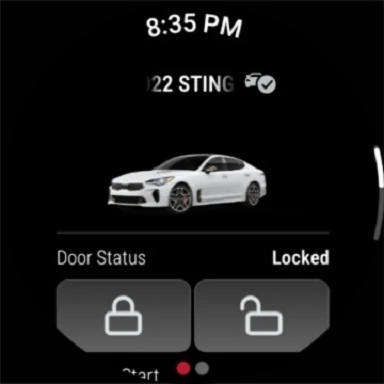
Kia Access is an Android app on Google Play, and the app description also says it is available for Wear OS. The Android requirement can vary, so check the Google Play entry for the version that applies to your device. Kia eServices users are directed to use the separate Kia eServices app.
What Android version does Kia Access require?
The required Android version can vary. Check Kia Access on Google Play for the current requirement and compatibility details for your phone. Keep in mind that installing the app does not mean every connected-vehicle feature will work: availability also depends on the Kia’s equipment, model details, service access, and, for most features, cellular and GPS coverage.
Does Kia Access cost money or include purchases?
Kia Access is free to download, and the supplied app facts indicate no in-app purchases or ads. Kia Connect is a separate consideration: some new vehicles include a complimentary subscription period, while continued access to the full suite may require a paid subscription afterward. Check Kia’s current terms for subscription details that apply to your vehicle.
Is Kia Access useful for every Kia owner?
It can be useful for Kia owners who want manuals, maintenance information, or vehicle-specific services in one place. Remote controls and other Kia Connect tools depend on the car’s equipment and availability, so the experience differs by vehicle. Owners of plug-in hybrid and electric models may also find the charging features relevant if their vehicle supports them.
Pros
- Combines manuals, quick guides, warranty information, and maintenance milestones in one owner-focused app.
- Eligible Kia Connect vehicles can access useful location and remote-control features.
- Plug-in hybrid and electric models may gain battery and charging tools.
- Free to download, with no ads or in-app purchases indicated in the app facts.
Cons
- Many of the most convenient features depend on vehicle equipment and Kia Connect availability.
- Continued access to the full Kia Connect suite may require a paid subscription.
- The app’s value is limited for people who do not own a compatible Kia.
- Category
- Productivity
- Version
- VARY











