Kaiser Permanente
- 166.88K
- 4.7
- Installs
- 1.00M
- Price
- Free

Screenshots
Analysis by Reviewed APKs
Kaiser Permanente is a health app for members who want to handle everyday care tasks from a phone, from checking test results to managing prescriptions and appointments. I like its practical focus: it brings several routine services and pieces of health information together rather than trying to be a general wellness tracker. It makes the most sense if you already use Kaiser Permanente and have a kp.org account.
A Care Task From Your Phone
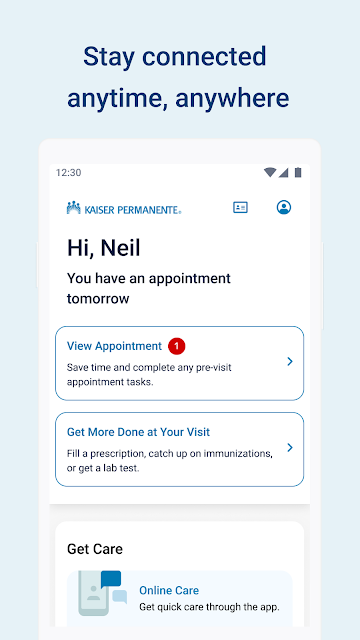
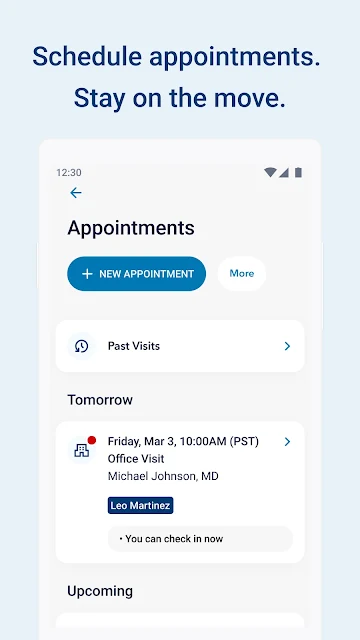
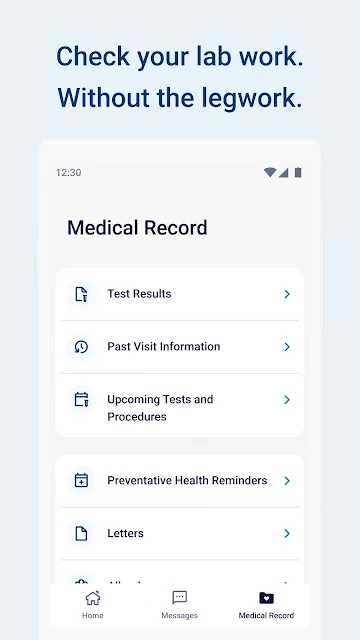
Imagine you have a routine appointment coming up and want to check when it is, then review what happened at your last visit. Kaiser Permanente puts appointment scheduling, viewing and cancellation alongside past-visit information. In the same app, you can look over medications or most lab results. That can make a quick check between errands more convenient than hunting through separate messages and paperwork.
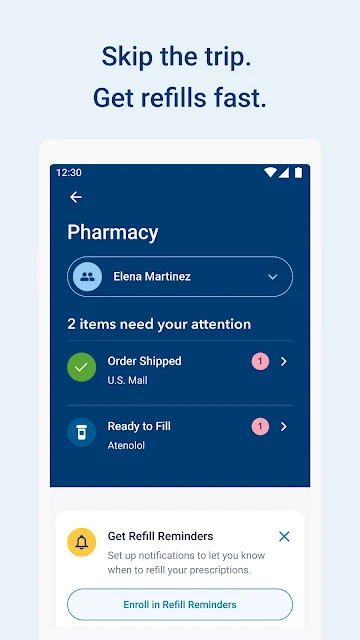
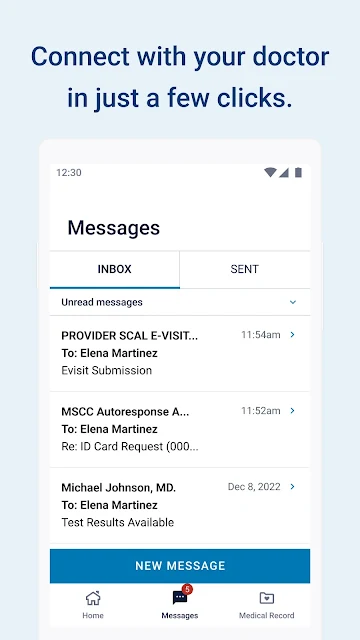
I would also find the prescription tools useful during an ordinary week. The app can handle refills for most prescriptions, show order status and display a medication list. If I had a nonurgent question, I could email my doctor's office or Member Services instead of treating every small administrative issue as a phone call. The app is for managing care tasks, not a substitute for urgent help or a conversation with a clinician when one is needed.
A Member Tool, Not a General Tracker
The clearest comparison is with a provider's patient portal: Kaiser Permanente is built around access to its own care services and member information. It combines appointment and prescription tasks with health records, doctor profiles, nearby facilities and pharmacies, and a digital membership card. That makes it more directly useful for Kaiser Permanente members than a broad fitness app or a standalone medication reminder.
It is not presented as a general-purpose health database for people receiving care anywhere, nor does its description promise a full replacement for in-person care. The available services include online, phone and in-person care, but the app's role is to help members access those options and manage routine details. People who are not Kaiser Permanente members may find little reason to use it; Washington residents outside Vancouver and Longview are directed to a different app.
Small Habits That Help
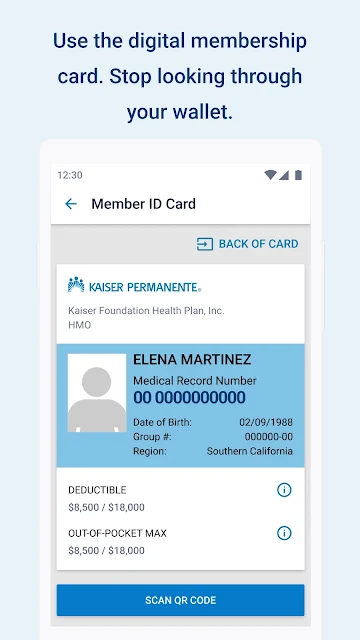
A useful habit would be to check the app before leaving for an appointment. The digital membership card is there for check-in and prescription pickup, while appointment details and past-visit information can help keep the day's care-related details together. I would also make a point of checking prescription order status after requesting a refill, rather than assuming it is ready.
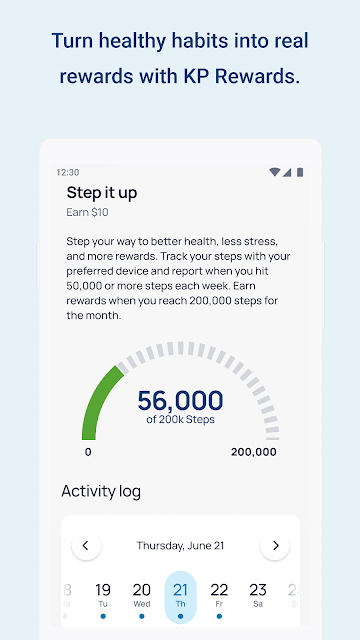
The app's personalized reminders and health information are worth checking when they arrive, especially if a routine task has slipped your mind. Members interested in Kaiser Permanente Rewards can check eligibility and enroll in the app. Optional Health Connect permissions cover steps, completed workouts, sleep duration, and mindfulness or breathing sessions for reward activities; background syncing can update those metrics without opening the app each day.
More From Our News Desk

Zoom Meetings, Google Meet, or Teams: Which Is Easiest to Join?

How I Build a Free Streaming Lineup With Tubi

Why Crunchyroll Is the Default Anime App for So Many Fans

YouTube TV: A Practical Guide to Cutting Cable

Rummikub and the Small Comfort of Phone Games

TeamViewer Remote Control or AnyDesk for Helping Family?
Who Will Find It Useful
I would recommend Kaiser Permanente to members who want a convenient mobile route to common care tasks. It is especially relevant if you regularly schedule routine appointments, refill prescriptions, check test results or need your membership card at a visit or pharmacy. Having doctor profiles and nearby facilities in the same app adds practical value when you are trying to work out where to go.
It may be less useful if you do not receive care through Kaiser Permanente, or if you want a standalone fitness tracker rather than a member account app. Rewards features may appeal to people who want to log eligible wellness activities, but the core purpose remains care access and health information. Washington residents outside Vancouver and Longview should use the separate Kaiser Permanente Washington app instead.
Kaiser Permanente is developed by Kaiser Permanente and is listed in the Health & Fitness category on Google Play. The app has over one million installs and a 4.7-star rating from around 167,000 ratings. It is free to download, with no in-app purchases or ads reported in the provided app facts.
Google Play gives the app an Everyone content rating. The supplied app facts identify version 7.12.0, a release date of January 23, 2012, and a last update date of October 15, 2026. No minimum Android version is specified in the available facts.
How It Handles Everyday Care
A Straightforward Starting Point
The first step is signing in with a kp.org account. If you have not registered for an online account yet, the app also lets you create one. That gives the experience a clear starting point: it is not a browse-first health encyclopedia, but a member tool whose usefulness depends on accessing your own account and care information.
Once signed in, the range of tasks is easy to understand. Appointments, prescriptions, health information, doctor profiles and the membership card all serve recognizable needs. I appreciate that the app's purpose is concrete; there is no need to guess whether it is mainly for workouts, symptom tracking or general education. It is centered on navigating care through Kaiser Permanente.
Routine Care, In One Place
For everyday use, the value is in having related tasks close together. You can schedule, view or cancel routine appointments, see details from past visits, and contact a doctor's office or Member Services about nonurgent matters. If a small administrative question comes up at home or while out, the app offers a direct channel without requiring you to keep a separate note of every detail.
Prescription management is another useful part of the daily picture. The app supports refills for most prescriptions, lets you check an order's status and shows a list of medications. Health information includes allergies, immunizations, ongoing conditions and most lab test results. These tools make the app a practical reference, though the description does not suggest that every record or prescription task is covered.
Useful Member Features
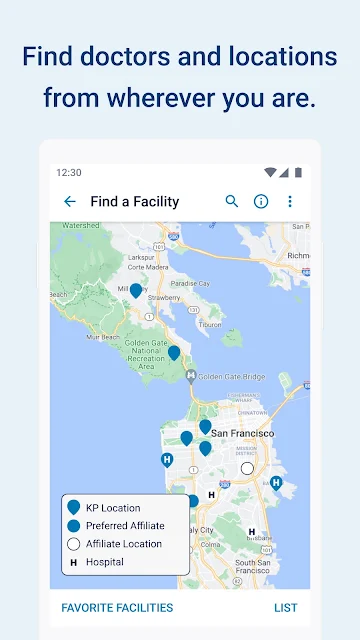
The digital membership card is one of those small features that can matter at the right moment. It can be used for appointment check-in and prescription pickup, so it is worth knowing where to find it before heading out. Doctor profiles also give members a way to browse doctors, while facility and pharmacy search can help locate nearby care-related destinations.
Kaiser Permanente also connects members with different ways to get care: online, by phone or in person. Personalized reminders and health information can appear as they become available. For eligible members, the app includes a path to check eligibility for Kaiser Permanente Rewards and enroll, with optional activity and wellness data permissions through Health Connect.
A Practical Weekly Check-In
I can see this app working best as a quick check-in rather than something that needs constant attention. At the start of a busy week, a member could review upcoming routine appointments, look at any relevant past-visit details and check whether a prescription order needs follow-up. The membership card is useful to have ready before a visit or pharmacy stop.
If a nonurgent question crops up later, the messaging option gives a route to the doctor's office or Member Services. Members using Rewards can separately check their eligibility and decide whether to grant the optional Health Connect permissions relevant to their activities. This kind of occasional, task-driven use fits the app better than opening it repeatedly without a particular need.
Keep Its Scope in Mind
The main limitation is also the app's defining focus: it is designed for Kaiser Permanente members and their care. Someone looking for a universal medical record, a broad exercise program or a general-purpose health tracker should not expect those things from this app. Its health information and services are tied to the Kaiser Permanente experience described for members.
There are also boundaries around specific features. The app handles routine appointments, and its prescription refill support applies to most prescriptions, not necessarily every one. Health records include most lab results rather than a promise of every result. And the listed care routes—online, phone and in person—are options to access care, not a claim that every issue can be resolved within the app.
Kaiser Permanente has a clear, useful role: helping members manage everyday care details without separating appointments, prescriptions, health records and membership information into unrelated tasks. Its strongest appeal is practical convenience, especially for people who already rely on Kaiser Permanente and want a mobile account they can check as needed.
I would recommend trying it if you are a Kaiser Permanente member and want those routine tools in one place. If you are outside that care system, or want a general wellness app, it is probably not the right fit. Washington residents outside Vancouver and Longview should look for the separate Washington app.
Kaiser Permanente Frequently Asked Questions
What is the Kaiser Permanente app used for?
Kaiser Permanente helps members manage routine care tasks and access health information. It supports appointment scheduling and changes, prescription refills and order-status checks, viewing many health records, messaging about nonurgent questions, and using a digital membership card. Members can also browse doctor profiles, find nearby facilities and pharmacies, and explore available care options.
Which phones and devices support Kaiser Permanente?
The app is listed on Google Play for Android. The supplied information does not identify a minimum Android version, so check the Google Play store entry on your device for current compatibility details. Washington residents outside Vancouver and Longview are directed to a separate Kaiser Permanente Washington app.
What Android version does Kaiser Permanente require?
The minimum Android version is not specified in the app facts provided here, and requirements can change as the app is updated. Check the Google Play store page for the current device requirement before installing. The app requires signing in with a kp.org account, and it offers account creation for people who have not registered yet.
Does Kaiser Permanente cost money?
The app is free to download on Google Play. The supplied app facts report no in-app purchases and no ads. Access to the app's member services requires a kp.org account, and the availability of particular care or account services may depend on your membership; check the store and Kaiser Permanente information for current details.
Is Kaiser Permanente a good fit for everyone?
It is most useful for people who receive care through Kaiser Permanente and want to manage appointments, prescriptions and health information from a phone. It is not a general-purpose health tracker or universal patient portal. Washington residents outside Vancouver and Longview should use the separate Washington app; other people can check the store for the version intended for them.
Pros
- Combines routine appointment, prescription and health-record tasks in one member-focused app.
- Digital membership card can help with appointment check-in and prescription pickup.
- Offers nonurgent messaging, doctor profiles, and nearby facility and pharmacy search.
- Optional Health Connect permissions support eligible Rewards activity tracking.
Cons
- Its main services are intended for Kaiser Permanente members, not general health-app users.
- Refills cover most prescriptions, and health records include most lab results rather than all.
- Washington residents outside Vancouver and Longview need a separate app.
- Category
- Health & Fitness
- Version
- 7.12.0











