iScanner - PDF Scanner App
- 568.64K
- 4.7
- Installs
- 10.00M
- Price
- Free
Screenshots
Analysis by Reviewed APKs
iScanner - PDF Scanner App turns a phone into a tool for capturing and managing documents, from receipts and notes to contracts and ID cards. I’d consider it for students, remote workers, and anyone who needs a clean digital copy while away from a desk scanner. Its appeal is broader than scanning alone, with PDF editing and OCR alongside capture. The main thing to weigh is how much of that toolkit you actually need.
A scan between errands
Picture bringing home a receipt you need to keep, then realizing your paper pile is already getting hard to search. With iScanner, I can use the phone to capture the receipt, let the app adjust its edges, and save a digital file rather than tuck another slip into a drawer. The same basic routine suits a signed form or a page of class notes: capture it, check the result, and keep the copy with the rest of my documents.
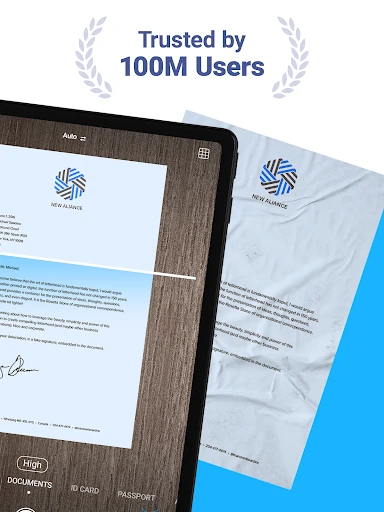
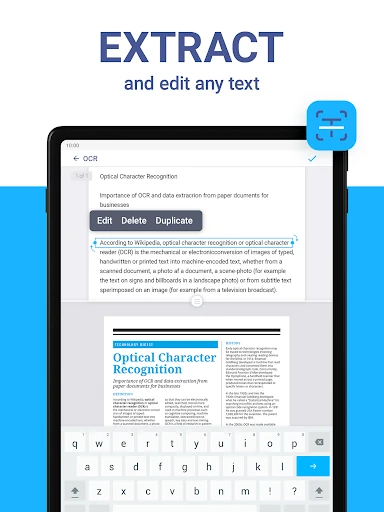
For a longer document, the multiple-page scanner is the more useful part of that routine. I can collect several pages into a PDF instead of ending up with a camera roll full of separate pictures. Automatic straightening and image cleanup are intended to reduce the fuss of getting a readable result. If I need to reuse the words later, OCR can recognize text in more than 20 languages, which gives the scan a job beyond simple archiving.
More than a camera scan
A regular camera app is fine when I only need a quick snapshot, and a traditional scanner makes sense when I’m already at a desk with a stack of paper. iScanner sits between those options: it is built for turning documents into organized files on the go, then offers tools to edit, combine, sign, or protect them. That makes it more capable than a basic photo capture, though it also means there are more tools than a one-off scan may require.
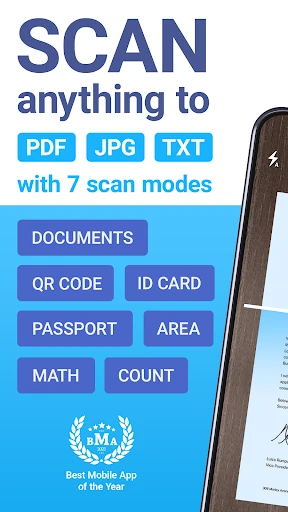
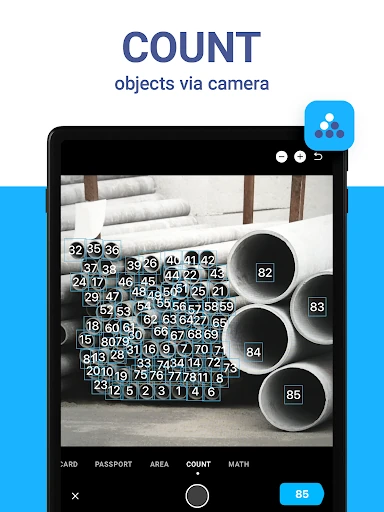
I wouldn’t treat it as a full desktop office suite or as a replacement for every specialist tool. Its focus is document capture and practical file handling on a phone, with additional modes such as QR scanning, math solving, area measurement, and object counting. Those extras may be handy, but the core value is still paper-to-digital work. Someone who rarely scans anything may find a simple camera app easier to justify.
Make a small scanning habit
The app makes most sense when I give scans a home instead of treating each one as a disposable export. A useful habit is to scan a receipt or form soon after receiving it, name and sort the file, and keep related pages together. iScanner’s file manager supports folders and drag-and-drop organization, while merging and splitting PDFs can help tidy documents that arrive in the wrong shape.
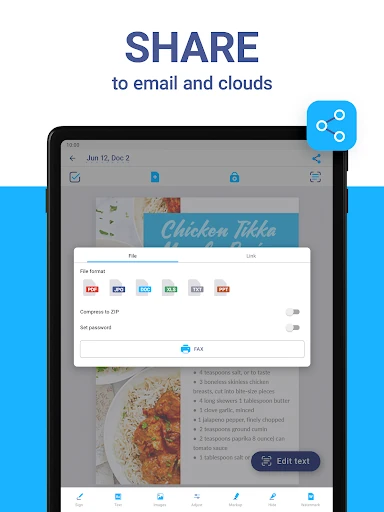
I’d also decide the destination format before starting a recurring task. PDFs fit multi-page paperwork, while JPG can suit a single image; the app also supports DOC, XLS, PPT, and TXT exports. For a document I’ll need to search or reuse, OCR is worth considering. For sensitive paperwork, the available PIN and PDF password-protection options provide extra controls to explore before sharing.
More From Our News Desk

Zoom Meetings, Google Meet, or Teams: Which Is Easiest to Join?

How I Build a Free Streaming Lineup With Tubi

Why Crunchyroll Is the Default Anime App for So Many Fans

YouTube TV: A Practical Guide to Cutting Cable

Rummikub and the Small Comfort of Phone Games

TeamViewer Remote Control or AnyDesk for Helping Family?
Who may find it useful
I’d recommend iScanner to people who regularly handle paper away from a dedicated scanner: students collecting notes, workers dealing with forms, or anyone trying to keep receipts and personal documents in digital form. The combination of multi-page scanning, OCR, file organization, and PDF editing gives it room to support repeat tasks, not just the occasional photo of a page.
It may be more app than necessary if you only take a document picture once in a while and never edit or organize the result. People who prefer working entirely on a computer may also get less from a phone-centered scanning workflow, though the description says files can be accessed through a web browser or platform. I’d focus on the scanning and file tools I’ll actually use before deciding whether the broader feature set suits me.
iScanner - PDF Scanner App is a productivity app from BP Mobile LLC. On Google Play, it has over 10 million installs and a 4.7-star rating from around 569,000 ratings. It is free to download, contains no ads, and offers in-app purchases priced from $0.99 to $39.99 per item. Its content rating is Everyone.
The current version is 6.11.3. The app was released on December 14, 2016, and its most recent update is dated November 2, 2026. An Android minimum-version requirement was not provided in the available app facts, so check the Google Play page for the requirement that applies to your device.
A Pocket Document Desk in Practice
Starting with a document
When I first open a scanner app, I want the main job to be obvious: point the phone at a page and get a usable file. iScanner’s central promise is straightforward capture, with automatic edge adjustment and correction intended to make the page look more like a document than a casual photo. It supports everyday material such as receipts, contracts, notes, tax forms, and photos.
The variety of tools means the experience can grow beyond that first scan. I’d start with a single page, check how the edges and clarity look, and then try a multi-page PDF if I had a packet to keep together. That is a more sensible introduction than immediately exploring every mode. The app’s breadth is appealing, but the useful first impression depends on whether its basic capture fits my routine.
The daily document loop
The everyday flow is capture, refine, and save. Automatic straightening, edge detection, deblurring, and shadow removal are meant to reduce manual cleanup, while OCR can extract recognized text from a scan. These features matter most in ordinary imperfect situations: a paper held at an angle, a page with a shadow, or a document I may want to search or edit later.
After capture, choosing how to keep the file is part of the workflow. iScanner supports PDF and JPG as well as DOC, XLS, PPT, and TXT formats. I’d use a PDF for a set of pages and consider a text-oriented export when the goal is working with recognized content. The practical advantage is having capture and several follow-up actions in one place, rather than moving immediately between separate tools.
Useful tools beyond capture
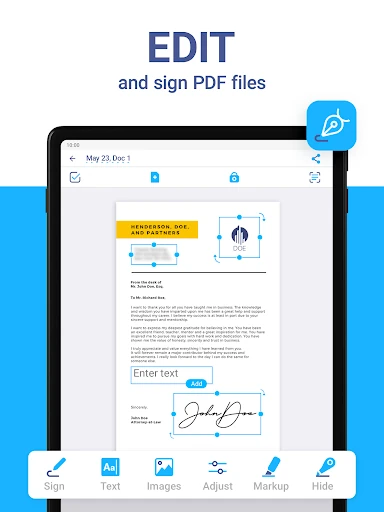
The PDF editor gives the scanner a second role. It can merge documents or split PDFs into pages, add text to forms, and support signatures, including a manually drawn signature or an inserted signature image. Watermarks and blurring sensitive information are also described. Those options make the app relevant after the camera has done its part, especially when a form needs a quick adjustment before it is sent along.
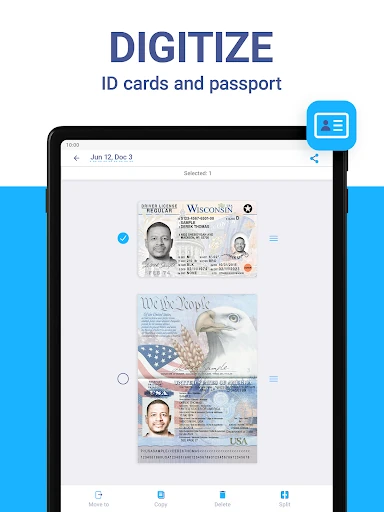
There are also specialized modes that won’t matter every day but may save a separate step when they do. The app includes scanning for ID cards and passports, QR codes, math problems, area measurement, and object counting. OCR supports more than 20 languages, and AI tools are described for summarizing, editing, and refining text. I’d regard these as useful extras rather than assume every user needs the entire collection.
A weekly paper reset
A practical routine would be to gather the loose papers that have accumulated during the week, scan the ones worth keeping, and sort them into folders. I’d combine pages from the same form into one PDF, split out a page if it belongs elsewhere, and use OCR when having recognizable text would help later. That turns a pile of one-off captures into a more deliberate digital filing habit.
For documents that need a response, I could add text or a signature before saving the finished PDF. If a file contains information I want to protect, I’d look at the PIN, password-protection, watermark, or blur options described in the app. The key is to choose safeguards and edits for the specific document instead of assuming every scan needs the same treatment.
Keep the scope in mind
The app’s range is also its main trade-off. If all I need is a quick picture, a camera app involves less commitment; if I need a specialized editing workflow, a dedicated desktop tool may be a better fit. iScanner is most compelling when scanning, converting, organizing, and making small PDF changes happen often enough to justify keeping those functions together.
Some of its more advanced capabilities and convenience features sit alongside in-app purchases, so the free download should not be confused with every tool being available at no cost. The available pricing range is broad, and individual purchase details can matter. I’d check the Google Play page for current purchase options, then judge the app by the core scan-and-file routine I expect to use.
iScanner is a capable phone-based document toolkit, not merely a way to photograph paper. Multi-page PDFs, OCR, file management, and editing give it a clear role for people who deal with forms, receipts, or notes regularly. I like that its central use remains easy to understand even with a long list of additional modes.
I’d recommend trying it if paper documents regularly interrupt your day and you want a more organized digital workflow. If you rarely scan or only need a quick picture, the extra tools may be unnecessary. Check the current in-app purchase details and device requirements in Google Play before settling into it.
iScanner Frequently Asked Questions
What is iScanner - PDF Scanner App used for?
iScanner is used to capture paper documents with a phone and save them as digital files, including multi-page PDFs. It also offers OCR text recognition, file organization, PDF editing, signatures, and modes for tasks such as QR scanning and math problems. It is aimed at document work rather than general photography.
Which devices can run iScanner - PDF Scanner App?
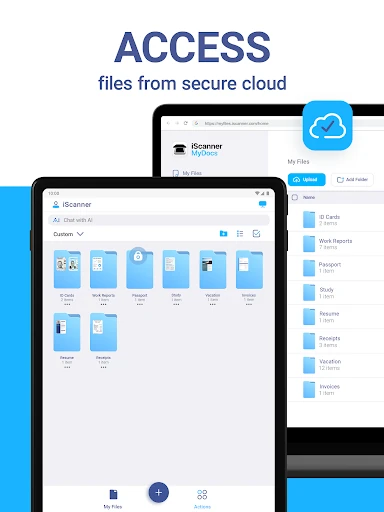
The app is available on Android through Google Play. Its description also says documents can be accessed through a web browser or platform, and that files can sync across devices. Check the store page for current device compatibility and any platform details that matter for your setup.
What Android version does iScanner - PDF Scanner App require?
The Android minimum requirement can vary with the current release and device. Check the iScanner - PDF Scanner App page in Google Play for the requirement shown for your phone or tablet before installing.
Does iScanner - PDF Scanner App cost money?
The app is free to download and has no ads, but it offers in-app purchases. Individual items are priced from $0.99 to $39.99. The available options and prices may vary, so check the Google Play page and in-app purchase details for current information.
Is iScanner - PDF Scanner App suitable for students?
It can suit students who often need digital copies of notes, assignments, or other papers. Multi-page scans, OCR, and PDF tools are relevant to those tasks. If you only need an occasional document photo, a simpler camera workflow may be enough; suitability depends on how often you use the extra tools.
Pros
- Combines multi-page scanning, OCR, and PDF editing in one document-focused app.
- Exports scans in PDF, JPG, DOC, XLS, PPT, and TXT formats.
- Includes folders, merging, splitting, signatures, and document-protection options.
- Offers specialized modes for QR codes, math, measurement, and object counting.
Cons
- The broad toolkit may feel excessive for occasional single-page scans.
- In-app purchases range from $0.99 to $39.99 per item.
- The Android version requirement needs checking against the current store page.
- Category
- Productivity
- Version
- 6.11.3











