iBreviary
- 20.93K
- 3.3
- Installs
- 1.00M
- Price
- Free

Screenshots
Analysis by Reviewed APKs
iBreviary puts Catholic liturgical texts and prayers on a phone or tablet, including the Breviary, Missal, Lectionary, and material for celebrations. I found its appeal clearest for people who already follow these forms of prayer and want the texts close at hand through the day. Its range of languages and options for saving days make it practical, though the breadth of material may feel like a lot at first.
A prayer book in your pocket
Picture a quiet moment before work: you want to turn to the day’s prayer texts without carrying a book or searching through separate references. iBreviary brings the Breviary, Missal, Lectionary, and other Christian prayers together on a phone or tablet. I like the straightforward idea behind it: open the app, find the liturgical material you need, and use the screen as a compact reading companion.
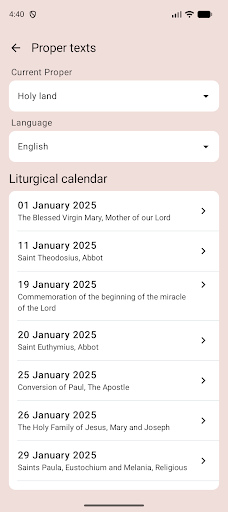
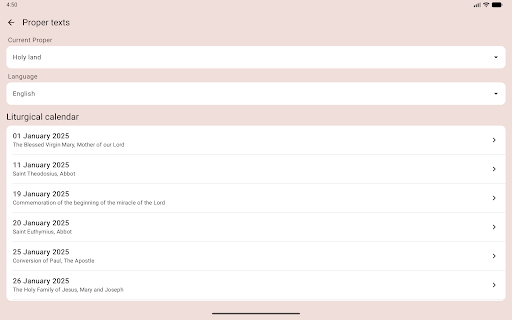
The range goes beyond one daily text. The app includes sacramental and celebration rituals, texts used in the Holy Land, and a section dedicated to saints. When I think about using it during a busy day, that breadth is useful for moving between personal prayer and looking up a particular celebration. It is a digital collection of religious texts, rather than a general-purpose reading or note-taking app.
A focused liturgical companion
Compared with carrying a printed breviary or missal, iBreviary puts several kinds of liturgical material in one place and can store selected days for later use. That makes it a natural fit for someone who wants a portable reference, especially when traveling or spending time away from an internet connection. Its multilingual texts are another reason to choose it over a single-language book.
The focus is also its boundary. iBreviary is built around Catholic prayer and liturgy; it is not a broad library for general reading, a social community app, or a multimedia devotional experience. I would not choose it expecting video, hymns, or a full calendar-planning tool. People unfamiliar with the Breviary or the liturgical texts may need some time to understand which section suits their purpose.
Make the texts comfortable
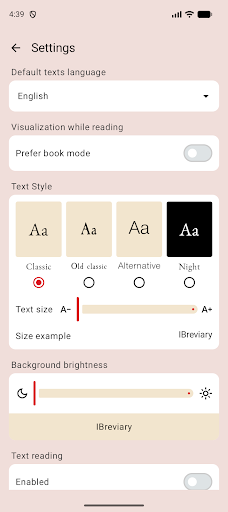
A small useful habit is to adjust the text size and reading colors early, rather than waiting until you are squinting at the screen. iBreviary lets readers enlarge or reduce text and change the background and font colors. Those options matter during a short morning reading as much as during a longer stretch of prayer, when comfortable screen reading can make the experience less tiring.
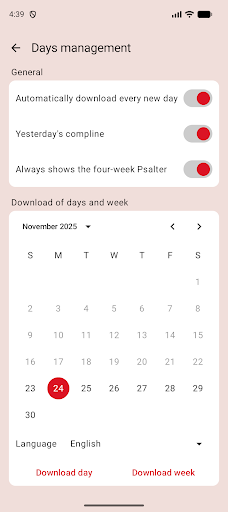
For a trip or a period with unreliable internet, the saved-day tools are worth exploring before leaving. The app describes saving individual days, managing saved days, keeping up to 14 days, and downloading an entire week. I would treat that as a simple preparation routine: choose the material you expect to need while you still have a connection, then rely on those saved texts when offline access matters.
More From Our News Desk

Zoom Meetings, Google Meet, or Teams: Which Is Easiest to Join?

How I Build a Free Streaming Lineup With Tubi

Why Crunchyroll Is the Default Anime App for So Many Fans

YouTube TV: A Practical Guide to Cutting Cable

Rummikub and the Small Comfort of Phone Games

TeamViewer Remote Control or AnyDesk for Helping Family?
Who may find it useful
I would recommend iBreviary to Catholics who regularly use the Breviary, Missal, Lectionary, or other liturgical texts and want them available on a mobile device. It may also suit readers who value having several languages and related prayer materials collected together. If you already know the texts you are looking for, the app’s broad collection can work as a handy companion to an established routine.
It may be less comfortable for someone who wants a simple, introductory guide to Catholic practice or a highly visual experience. The description emphasizes texts and reference material, so readers looking for audio, video, or a social space should look elsewhere. I would also suggest allowing a little time to browse: a wide collection is helpful, but it can take a new user a moment to find a preferred section.
iBreviary is developed by Paolo Padrini and is listed in Google Play’s Books & Reference category. It has over one million installs and a 3.3-star rating from around 21,000 ratings. The app is free, with no in-app purchases or ads, and its content rating is Everyone.
The app was released on June 4, 2010, and its listed last update is August 25, 2026. Its version varies with device. Google Play does not provide a minimum Android version in the supplied details, so check the store listing on your device for compatibility.
A closer look at daily use
Opening the collection
My first impression is of an app with a clear subject and a lot of ground to cover. iBreviary is not trying to be a general reading service: its central job is to bring Catholic liturgical texts and prayers to a smartphone or tablet. That makes the intended audience easy to understand, even if a first-time visitor may want to take a few minutes to work out which materials are most relevant.
The app’s text collection is available in multiple languages, while the application itself is available in English, Italian, Spanish, French, Romanian, Arabic, Portuguese, and Turkish. That distinction is useful: the interface language options and the languages of the liturgical texts are described separately. I would choose a familiar language first, then explore other texts if multilingual access is part of my routine.
Reading through the day
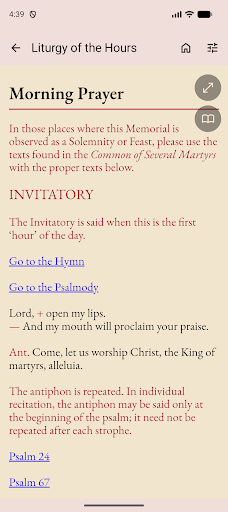
The everyday experience is centered on consulting and reading. Rather than carrying a separate book for every kind of text, I can use one app for the Breviary, Missal, Lectionary, and main Christian prayers. That makes sense for short pauses between errands or a quieter moment at home. The phone format also means the material is close by, without turning the app into a substitute for every part of a faith practice.
I especially appreciate that the experience accounts for different reading preferences. Text can be made larger or smaller, and background and font colors can be adjusted. Those are modest controls, but they can make a practical difference when I am reading in different settings. The app’s strength is less about adding novelty to prayer and more about making a substantial text collection portable and adaptable.
More than the daily office
The standout feature is the breadth of material. Alongside the Breviary and Missal, iBreviary includes a Lectionary, prayers, rituals for sacraments and celebrations, and liturgical texts used in the Holy Land. Its text offerings include Latin and the Latin Vetus Ordo, as well as other languages such as Italian, English, Spanish, French, Romanian, Arabic, Turkish, and Galician. That gives the app a wider reference role than a single daily prayer book.
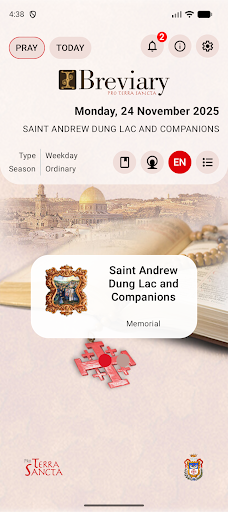
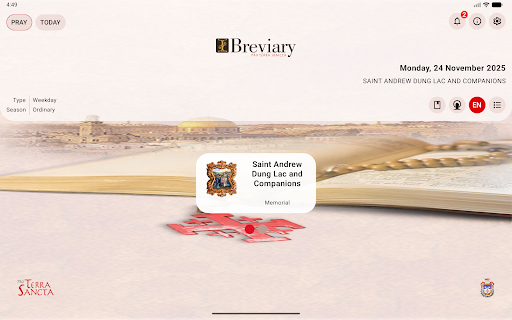
The Pro Terra Sancta material described for iBreviary adds sections for rites, Holy Land texts, information through a blog and pages related to the Franciscans’ Holy Places, and a section on saints. I see these as useful branches for readers who want more than the central prayer texts. They also reinforce that the app is a collection to explore, rather than a narrowly limited daily reading screen.
Preparing before a trip
A practical use case is getting ready for a journey where internet access may be limited. I would pick the days I expect to need and save them in advance, or download the week if that suits the trip. The app describes storage for up to 14 days and tools to select or remove saved days. That is a concrete advantage for travel, when opening a web page or finding a book may be inconvenient.
At home, I would use a lighter version of the same routine: set the text size and colors to something comfortable, then keep the relevant day’s material ready when I expect a busy schedule. There is no need to make this complicated. The point is simply to reduce the little obstacles between wanting to read and having the right text available.
Keep the scope in mind
The amount of material can be a strength and a hurdle. A reader who knows the difference between the Breviary, Missal, Lectionary, and ritual texts may appreciate having them together. Someone encountering those terms for the first time may find the collection less self-explanatory. I would give myself time to browse instead of expecting the app to serve as a step-by-step introduction.
It is also a text-centered tool, so expectations matter. Its listed features focus on prayers, liturgical readings, rituals, language choices, saved days, and reading adjustments. That is a sensible package for a portable reference, but it will not appeal equally to people seeking a broader mix of media or a general religious community. The app works best when its specific purpose matches what I want to do.
iBreviary is a substantial mobile collection for Catholic prayer and liturgical reading, with practical touches for language, text appearance, and saving material for offline periods. I like its usefulness as a portable companion, particularly for readers who already know which texts they need.
I would try it if the Breviary, Missal, or related liturgical material is part of your routine. If you want a simple introduction or a multimedia experience, its text-first focus may not be the right match. For its intended audience, the breadth and travel-friendly saved-day options make it worth exploring.
iBreviary Frequently Asked Questions
What is iBreviary used for?
iBreviary provides Catholic liturgical texts and prayers on a mobile device. Its collection includes the Breviary, Missal, Lectionary, main Christian prayers, rituals for sacraments and celebrations, and texts used in the Holy Land. It also offers multiple languages and tools for adjusting text appearance and saving days for later reading.
Which devices can run iBreviary?
iBreviary is an Android app available through Google Play, and its description says it is intended for smartphones and tablets. The supplied store details do not give a minimum Android version. Compatibility can depend on your device, so check the Google Play listing from the device you plan to use.
What Android version does iBreviary require?
The minimum Android version is not provided in the available app details. Google Play may show compatibility information for your particular device, so it is worth checking the iBreviary store page before installing. The app’s version is described as varying with device.
Does iBreviary cost money or include purchases?
iBreviary is free on Google Play and the supplied details say it does not include in-app purchases or ads. Store information can change over time, so check the current Google Play listing for the latest pricing and availability before installing.
Who is iBreviary best suited for?
It is best suited to people who want Catholic prayer and liturgical texts available on a phone or tablet, especially readers who use the Breviary, Missal, or related material. Its language choices and saved-day tools may also help in travel routines. People looking for a general introduction or a multimedia experience may prefer another kind of app.
Pros
- Brings the Breviary, Missal, Lectionary, and other prayers together in one mobile collection.
- Offers liturgical texts in multiple languages, including Latin and the Latin Vetus Ordo.
- Text size, font color, and background color can be adjusted for comfortable reading.
- Saved-day options can help prepare for travel or periods without internet access.
Cons
- The wide collection may take time to navigate if you are new to liturgical texts.
- Its text-centered focus may not suit readers looking for multimedia or social features.
- The supplied Google Play details do not state a minimum Android version.
- Category
- Books & Reference











