Got Questions?
- 11.96K
- 4.5
- Installs
- 1.00M
- Price
- Free

Screenshots
Analysis by Reviewed APKs
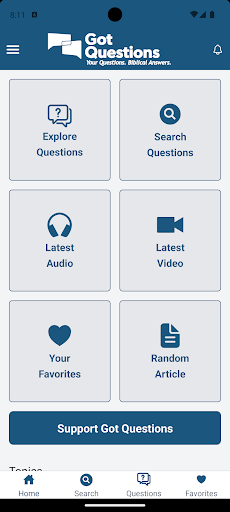
Got Questions? is a Bible reference app for people who want to look up questions about Scripture, Christian beliefs, and related topics without starting with a broad web search. It brings a large collection of articles together with search and bookmarks, and lets readers submit a question if they cannot find an answer. I like its focused purpose: it is a practical reference, not a substitute for reading the Bible itself.
Looking Up a Question
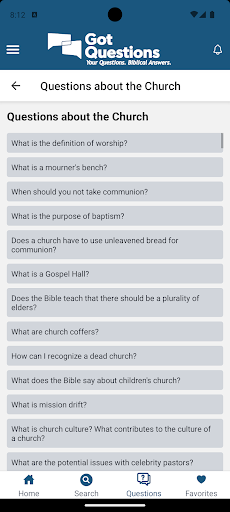
When I want to check a point raised in a conversation or study, I can open Got Questions? and search its collection rather than trying to guess which general web result will be most relevant. The app organizes more than 9,300 frequently asked Bible questions by topic, so browsing is another option when I do not have a precise phrase in mind. That makes it suited to quick lookups as well as unhurried reading.
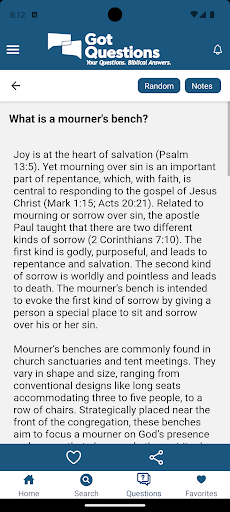
A useful small workflow is to search for the subject, open an article that addresses it, and save that article if I expect to revisit it. Bookmarks give me a way to return without repeating the search. If the question still is not covered, the app offers an option to ask it. I appreciate that this path is built into the reference experience rather than leaving the reader to start over elsewhere.
A Focused Bible Reference
Compared with a general search engine, Got Questions? has a narrower job: it gathers Bible-related questions and answers in one organized collection. That focus can be helpful when I want to explore a subject through related topics instead of sorting through unrelated search results. It is also different from a Bible-reading app. The material described here is a set of answers and articles, not a replacement for the experience of reading a Bible translation.
I would treat it as a reference for exploring questions, not as an all-purpose religious community or a live discussion service. Its built-in option to submit an unanswered question is useful, but the app description does not present it as a conversation feed with other users. Readers who want a broad library of books, a study group, or a full Bible text may prefer a different kind of tool alongside this one.
Make It a Handy Reference
I would get the most from Got Questions? by saving articles that connect to questions I revisit, rather than relying on memory to find them again. Bookmarks are especially handy when a topic comes up across several reading or discussion sessions. Searching first and browsing by topic when a query is vague also makes sense: one approach is direct, while the other helps when I know the general subject but not the wording.
The app can automatically download new or updated articles, which helps keep its reference collection current without requiring me to track changes manually. I would make a habit of checking the saved articles when I return to a subject and using the question-submission option only after searching the existing collection. Those small steps keep the app in its intended role: a convenient place to consult and revisit Bible-related answers.
More From Our News Desk

Zoom Meetings, Google Meet, or Teams: Which Is Easiest to Join?

How I Build a Free Streaming Lineup With Tubi

Why Crunchyroll Is the Default Anime App for So Many Fans

YouTube TV: A Practical Guide to Cutting Cable

Rummikub and the Small Comfort of Phone Games

TeamViewer Remote Control or AnyDesk for Helping Family?
Who May Find It Useful
I would recommend Got Questions? to readers who regularly encounter questions about the Bible and want a dedicated reference on their Android device. It should also suit someone who prefers to browse by topic, keep a few useful articles bookmarked, or look for an existing answer before submitting a question. Its focused collection is appealing if a general search feels like too wide a starting point.
It may not suit people looking primarily for a Bible text, a social discussion space, or a broad general-knowledge search tool. The app is centered on its collection of articles, so its value depends on whether that kind of reference is what you need. I would use it as one resource among others, particularly when I want to explore an answer and then continue reading or discussing the subject elsewhere.
Got Questions? is developed by GotQuestions.org and is listed in Google Play in the Books & Reference category. It has more than 1 million installs and a 4.5-star rating from around 12,000 ratings. The app is free to download, with no in-app purchases and no ads. Its content rating is Everyone, making its store classification suitable for a broad audience.
The app first appeared on June 16, 2010. Google Play describes its current version as varying with the device. The Android version required and the date of the most recent update are not included in the available store details, so I would check the Google Play page on the device you plan to use for current compatibility information.
A Practical Home for Bible Questions
A Clear Starting Point
When I first opened an app built around questions, I expected the collection itself to matter more than elaborate extras. Got Questions? describes a straightforward reference setup: articles are arranged by topic, searchable, and available to bookmark. That gives me a clear way to begin, whether I arrive with a particular question or only a subject I want to explore.
I also like that the app has an option for questions not already covered. It gives a reader a next step without implying that every possible question has a ready-made article. The description does not spell out every setup screen or navigation detail, so I would not judge it on imagined interface flourishes. The useful first impression is its defined purpose and the tools tied to that purpose.
Reading and Returning
Day to day, search is the feature I would reach for when a question is already clear in my mind. Topic organization is useful when the wording is uncertain or when I want to move from one related subject to another. I find that combination more practical than forcing every lookup into a single search box, especially during a casual reading session when a question can lead to another.
Bookmarks help turn an occasional lookup into a reference habit. I can keep an article close at hand if I expect a topic to come up again, rather than searching for the same answer each time. The collection is presented as articles, so I would expect the main experience to be reading and consulting material at my own pace, not interacting with a live stream.
Useful Reference Tools
The strongest feature is the scale and organization of the question collection: more than 9,300 frequently asked questions are grouped by topic. That gives readers more than a handful of introductory answers to browse. Search adds a direct route into that material, while bookmarks make chosen articles easier to access later. Each tool supports the same basic task instead of pulling attention toward an unrelated activity.
Automatic downloading of new or updated articles is another practical inclusion. It means the app can refresh its article collection automatically, rather than asking me to remember to check each entry. And when an answer is missing, there is an option to ask a question. Together, these details make it a more complete reference workflow than a static list of articles, while keeping the focus on finding and reading answers.
A Simple Study Routine
For a low-key routine, I would keep Got Questions? nearby while reading or discussing a Bible passage. If a question comes up, I can search the collection, then browse its topics if the first phrasing does not lead me to the right subject. When I find an article I may want to revisit, I can bookmark it. That is a modest workflow, but it avoids turning a quick question into a long detour.
Later, I would return to those saved articles as a starting point for further reading or conversation. If the collection does not address a question, the app gives me the option to submit it instead of pretending every subject is already covered. Automatic article downloads also fit this routine: the reference can receive new or updated material without my needing to make a separate update habit part of each study session.
Keep Its Scope in Mind
The main limitation is also the app’s defining choice: it focuses on questions and answers about the Bible. That is useful when I want this particular reference, but it will not serve every reading need. Someone looking for a Bible text itself or a general library should not assume that the app covers those jobs simply because it belongs in a books and reference category.
I would also keep the question feature in proportion. It offers a way to ask about something missing from the collection, but the available description does not promise an immediate reply or a community discussion. For practical use, I would search the existing articles first and treat the submission option as a follow-up. That expectation makes the app’s strengths clearer and avoids mistaking it for a live-answer service.
Got Questions? makes sense as a focused Bible-question reference. Its searchable, topic-organized collection, bookmarks, automatic article downloads, and question-submission option all support a straightforward habit of looking up and revisiting answers. I found the appeal less in novelty than in having those reference tools gathered around one clear purpose.
I would recommend it to Android readers who want a dedicated place to explore Bible-related questions. If you need a Bible text, broad research tool, or live discussion platform, it is better viewed as a companion rather than a complete solution. For its specific job, it offers a useful and approachable starting point.
Got Questions? Frequently Asked Questions
What is Got Questions? used for?
Got Questions? is a Bible reference app with more than 9,300 frequently asked questions organized by topic. You can search articles, bookmark them for easier future access, and use an option to ask a question if you do not find an existing answer. It is intended for exploring Bible-related questions rather than serving as a general-purpose search or reading app.
Which devices can run Got Questions?
Got Questions? is available for Android through Google Play. The Android version required can vary by device or change over time, so check the Google Play page for the current requirement before installing. The app’s version is also described as varying with the device. The available information does not describe an iOS or desktop version.
Does Got Questions? cost money?
Got Questions? is free to download on Google Play. It does not offer in-app purchases and does not contain ads according to the available app details. Store terms can change, so it is worth checking the Google Play page for the latest cost information before installing.
Can I ask a question in Got Questions?
Yes. The app includes an option to submit a question if you cannot find its answer in the existing articles. It also provides search and topic organization, so I would check those first. The app description does not promise an immediate response, so treat submitting a question as an additional option rather than a live-answer feature.
Who is Got Questions? best suited for?
It may suit Android readers who want a focused collection of Bible-related questions and answers, with search and bookmarks for regular reference. It may not be the right fit if you mainly want a Bible text, broad research library, or live discussion community. Its Everyone content rating indicates a broad store classification, but individual reading interests will still vary.
Pros
- A large collection of Bible questions is organized by topic and can be searched.
- Bookmarks make it easier to return to useful articles later.
- Automatic article downloads and a question-submission option support ongoing reference use.
- Free to download, with no ads or in-app purchases.
Cons
- Its focus on Bible questions means it is not a general reference library.
- The question-submission option is not described as a live discussion or instant-answer service.
- The Android version requirement can vary by device, so store compatibility is worth checking.
- Category
- Books & Reference











