FOX Nation: Celebrate America
- 19.77K
- 3.9
- Installs
- 1.00M
- Price
- Free

Screenshots



Analysis by Reviewed APKs
FOX Nation: Celebrate America is a subscription streaming app for people who want a mix of news personalities, original series, movies, and documentaries. I found its appeal easiest to understand as a focused library of programs rather than a general-purpose news reader. If you already enjoy the featured hosts or want history, crime, lifestyle, and entertainment shows in one place, it has a clear purpose; the subscription is the main consideration.
A Couch-to-Commute Watchlist
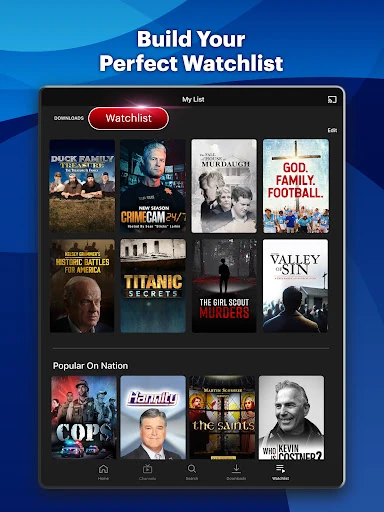
When I first imagined using FOX Nation, the natural fit was an evening on the couch: browse a few categories, pick a documentary or show, and save another program for later. The Watchlist supports that simple plan, while search and categories help narrow down a library that includes politics, history, crime and justice, faith, and entertainment. It feels made for choosing something to watch, not for quickly scanning headlines between errands.
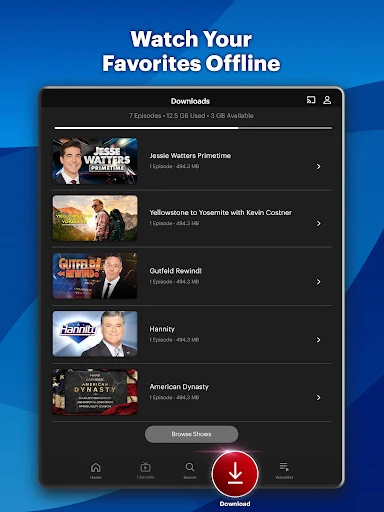
The app also suits a stop-and-start routine. I could begin watching on a phone, then continue on a tablet or connected TV, according to the service description. Downloads are available for favorite movies and shows, which can help when I want something ready for a trip or a stretch without a reliable connection. Those options make the library easier to fit around a day, rather than requiring a dedicated TV session.
A Streaming Library, Not a News Feed
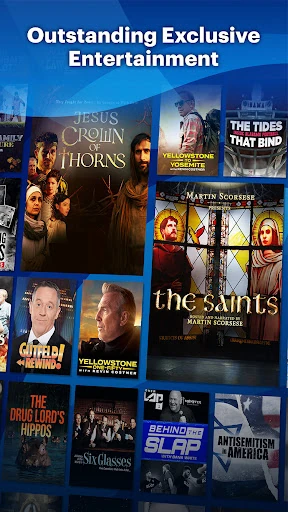
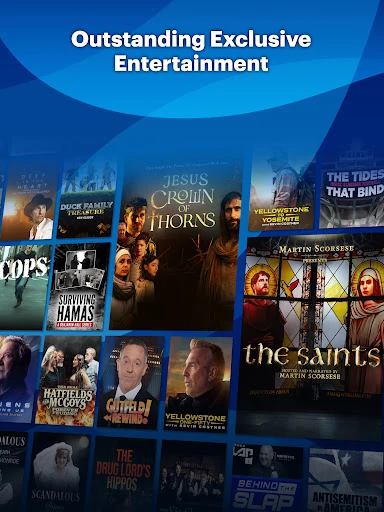
FOX Nation sits closer to a specialist streaming service than to a conventional news app. Its catalog mixes original specials, movies, documentaries, and full episodes of programs such as Hannity and Jesse Watters Primetime, which become available the morning after they air. That makes it a place to watch selected personalities and longer-form programming, rather than simply check breaking headlines or browse a broad range of written reporting.
I would not choose it as a replacement for a general entertainment service with a wide mix of unrelated shows, or as a quick source for every kind of daily news. The catalog has a defined editorial identity and named hosts, so its appeal depends on whether those programs and subjects are what you want. It is also a paid-content proposition: the app is free to install, but a subscription is required for exclusive access.
Small Habits That Help
A little organization can make a content-heavy app feel less like endless browsing. I would use search when I know the subject or program I want, then rely on the Watchlist for titles I want to return to. Categories are useful when I have a mood rather than a specific show in mind, such as wanting history one evening and lifestyle or crime programming another.
The cross-device viewing option is useful if I treat the app as part of a routine: start on a phone during a break, then pick up on a supported TV or connected device later. Recommendations based on viewing history can also help surface programs without another search. I would still treat those suggestions as prompts, not a substitute for browsing the categories when I want to choose deliberately.
More From Our News Desk

Zoom Meetings, Google Meet, or Teams: Which Is Easiest to Join?

How I Build a Free Streaming Lineup With Tubi

Why Crunchyroll Is the Default Anime App for So Many Fans

YouTube TV: A Practical Guide to Cutting Cable

Rummikub and the Small Comfort of Phone Games

TeamViewer Remote Control or AnyDesk for Helping Family?
Who Will Get the Most From It
I would recommend FOX Nation to viewers who already follow its featured personalities or enjoy its particular blend of news-related programs, documentaries, and entertainment. The catalog covers subjects including politics, history, crime and justice, lifestyle, and faith, so there are several ways to browse beyond a single daily show. Downloads, a Watchlist, and viewing across devices give regular viewers practical ways to make the service part of their routine.
It may be a poor match if you mainly want a free app for quick headlines, a neutral all-purpose news reader, or an expansive entertainment catalog with no particular editorial focus. The subscription requirement matters, too, especially if you only expect to watch occasionally. I would first consider whether the available programs and hosts are a good fit for my interests, then decide whether the paid access is worth using regularly.
FOX Nation: Celebrate America is developed by FOX News Network, LLC and is listed in the News & Magazines category on Google Play. It has more than one million installs and a 3.9-star rating from about 19,800 ratings. The app is free to install, with in-app purchases; listed in-app product prices range from $9.99 to $79.99 per item.
Google Play gives the app a Teen content rating and says its version varies with the device. The minimum Android version is not specified in the available app details, so check the store page for compatibility with your device. The app was released on November 26, 2018, and its listed last update is October 19, 2026. It contains no ads.
How FOX Nation Fits a Viewing Routine
A Focused First Look
When I first opened the idea of FOX Nation, the range of formats stood out more than any single program: live shows, original specials, movies, and documentaries all sit under one service. The first decision is less about learning a complicated tool and more about choosing what kind of viewing I want. Search and straightforward categories are the practical starting points when the catalog feels broad.
The featured names and program examples give the service a specific personality from the outset. I can picture a viewer arriving for one host and then finding a history or entertainment title to try next. That focus is helpful if the programming matches your interests, though it also means the first impression will vary a lot depending on whether those subjects appeal to you.
Watching From Day to Day
The everyday experience described by the app is built around streaming, saving, and returning. I can search for a particular program, browse by category, and add something to a Watchlist rather than trying to remember its title later. Recommendations based on viewing history offer another way to find a next show. Those tools are straightforward, but their usefulness depends on having enough interest in the library to keep exploring.
One especially practical detail is the option to start on one device and finish on another without interruption. If I begin watching on my phone and settle in with a connected TV later, that continuity is more convenient than treating each screen as a separate session. Full episodes of Hannity and Jesse Watters Primetime are available the morning after they air, which also gives those shows a defined place in a daily viewing rhythm.
Useful Viewing Features
The Watchlist is a modest feature, but it solves a real problem: finding a title during a spare moment and wanting to watch it later. Downloads serve a different purpose, letting viewers save favorite shows and movies for on-the-go entertainment. Together, these features make the service feel more suited to planned viewing than to opening an app with no idea what to watch.
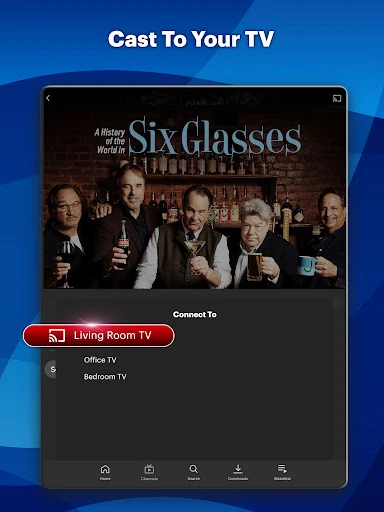
Casting is another convenience highlighted by the service. It can install, log in, and launch on a supported TV or connected device from a mobile device without extra authentication, according to the description. I also like the combination of searchable programs and simple categories in principle: one helps when I know what I want, and the other helps when I only know the kind of subject I am in the mood for.
A Simple Weekly Routine
A useful way to approach the app would be to set aside a few minutes to browse, rather than opening it only when I have time to watch. I could search for a topic, save promising movies or shows to the Watchlist, and return to that queue on a quiet evening. That keeps discovery separate from watching and reduces the feeling of having to choose from scratch each time.
For a commute or travel day, I would choose a title ahead of time and use the download feature to prepare it for on-the-go viewing. At home, I could move between a phone and a supported TV or connected device as circumstances change. Recommendations may help with the next pick after I have watched something, while categories remain useful when I want to steer toward a different subject.
Keep the Trade-Offs in View
The main limitation is the service's defined programming identity. The app brings together a particular set of hosts, shows, and subject areas, so viewers looking for a broad, editorially varied news experience may find it narrow. That is not necessarily a flaw for someone who wants this specific programming; it is simply worth weighing before treating it as a catch-all media app.
Cost is another practical consideration. The app can be installed for free, but exclusive access requires a subscription, and Google Play lists in-app product prices across a substantial range. I would look closely at the subscription choice that fits my needs before committing, especially if I expect to watch only now and then. A large library is valuable only when its contents and price make sense for your own routine.
FOX Nation: Celebrate America makes the most sense as a focused streaming home for viewers who want its mix of personalities, original programming, movies, and documentaries. Its Watchlist, downloads, search, recommendations, and cross-device viewing cover useful everyday needs without changing that central identity.
I would try it if the featured shows and subject areas already interest you, and if a subscription fits how often you watch. If you mainly need quick headlines or a more general entertainment service, I would look elsewhere. For the right viewer, it offers a convenient way to keep selected programs together.
FOX Nation Frequently Asked Questions
What is FOX Nation: Celebrate America used for?
FOX Nation: Celebrate America is used to stream programs including shows, original specials, movies, documentaries, and news-related content. It includes search, categories, a Watchlist, downloads, and recommendations based on viewing history. Full episodes of Hannity and Jesse Watters Primetime are available the morning after they air.
What devices can I use with FOX Nation: Celebrate America?
The app is available on Android, and its description also says viewers can stream using a smartphone, tablet, or supported TV or connected device. It describes continuing a program on another device and casting from mobile to supported devices. Check the store and device details for current compatibility.
What Android version does FOX Nation: Celebrate America require?
The minimum Android version can vary, and the app version itself is listed as varying with the device. Check the FOX Nation: Celebrate America Google Play page for the current compatibility details for your phone or tablet before installing.
Does FOX Nation: Celebrate America cost money?
The app is free to install and includes in-app purchases. Google Play lists in-app product prices from $9.99 to $79.99 per item, and the service says a subscription is needed for exclusive access. The available purchase options may vary, so check the store page for current details.
Who is FOX Nation: Celebrate America best suited for?
It is best suited to viewers interested in the featured personalities and its programming across politics, history, crime and justice, lifestyle, faith, and entertainment. It may be less suitable if you want a general news reader or a broad, unrelated entertainment library. The Teen content rating is listed on Google Play.
Pros
- Combines original specials, movies, documentaries, and full episodes in one streaming library.
- Watchlist, search, categories, and viewing-history recommendations make it easier to find programs.
- Downloads and cross-device viewing suit flexible, on-the-go routines.
- Casting can launch on supported connected devices from a mobile device without extra authentication.
Cons
- Its focused lineup may not suit viewers seeking a broad, varied news experience.
- Exclusive access requires a subscription despite the free app installation.
- The listed in-app purchase prices span a wide range.
- Category
- News & Magazines