Email - Fast & Secure Mail
- 324.28K
- 4.5
- Installs
- 10.00M
- Price
- Free

Screenshots



Analysis by Reviewed APKs
Email - Fast & Secure Mail is an Android email app for bringing several accounts into one place and making a busy inbox easier to work through. I see its strongest appeal for people who switch between personal and work email or spend too much time hunting for receipts and travel details. Its mix of a unified inbox, account controls, and practical sorting tools feels useful without asking you to change email providers.
A calmer inbox routine
When I first opened Edison Mail, I pictured the familiar end-of-day ritual: checking a personal Gmail account, then switching to Outlook for work, then trying to remember where a delivery notice landed. The app is built to bring multiple accounts into a unified inbox, so that kind of quick check can happen in one view instead of a string of separate apps. It supports major providers as well as IMAP accounts.
That setup is most useful in the small gaps of a normal day. I can imagine checking for a meeting change while waiting for coffee, then searching for a package update on the way home, without first guessing which mailbox to open. Edison also offers ways to find information such as bills, subscriptions, travel plans, and packages. Those tools give a crowded inbox a more practical shape than simply presenting one long stream of messages.
A mail app, not a new provider
Edison Mail is an email client for accounts you already have, rather than a replacement email address or a separate social messaging service. That distinction matters if, like me, you have accumulated addresses over the years and would rather manage them together than ask everyone to start writing to a new one. The unified inbox is the main alternative to hopping among provider apps, while account support keeps the choice of mailbox with you.
It is also not a full personal organizer just because it can surface travel, package, bill, and receipt information. Those are email-related ways to find details, not a reason to expect it to replace a calendar, a dedicated delivery service, or a document system. Some assistant features are limited to the US and UK, so the usefulness of those extras depends partly on where you live and what kinds of messages you receive.
Make the inbox yours
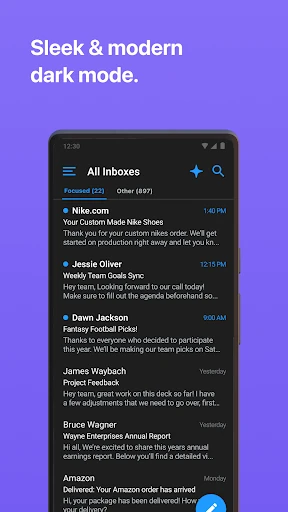
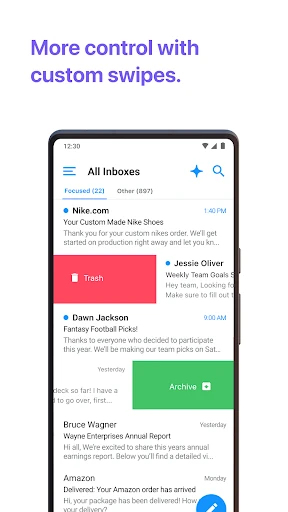
A little setup can make repeated email checks feel less fiddly. Edison lets you change swipe actions, adjust color settings, create custom templates, and turn Focused Inbox on or off. I would start with the swipe behavior I use most, then decide whether a focused view suits the way I handle messages. These are modest choices, but they can help the app match an existing routine rather than force a new one.
For a weekly reset, I would use the search and sorting options to revisit messages that contain a bill, receipt, trip detail, or package update, then use blocking or one-tap unsubscribe tools to deal with unwanted mail. It is worth taking a moment to check which accounts are connected and whether a unified view is helpful for each one. The app can handle an unlimited number of accounts, but a tidy setup still makes the inbox easier to scan.
More From Our News Desk

Zoom Meetings, Google Meet, or Teams: Which Is Easiest to Join?

How I Build a Free Streaming Lineup With Tubi

Why Crunchyroll Is the Default Anime App for So Many Fans

YouTube TV: A Practical Guide to Cutting Cable

Rummikub and the Small Comfort of Phone Games

TeamViewer Remote Control or AnyDesk for Helping Family?
Who may find it useful
I would recommend Edison Mail to someone whose email life is spread across several providers and who wants a single place to check messages. It should also suit people who routinely search their inbox for receipts, subscriptions, travel information, or delivery updates. The account flexibility and adjustable swipe actions are appealing if you want a practical mail client that can be tailored without moving your existing addresses.
It may be less compelling if you only use one account and already like that provider’s app, or if you are looking for a broader productivity suite rather than email management. The assistant features have regional limits, and the premium Edison Mail+ subscription adds a separate cost for its advanced contact-management and security features. I would compare those needs with the free app experience before deciding whether a subscription makes sense.
Email - Fast & Secure Mail is a productivity app from Edison Software. Google Play shows over 10 million installs and a 4.5-star rating from about 324,000 ratings. It is free to download and contains no ads. The app also offers in-app purchases; Google Play gives an item price range of $0.99 to $129.99.
The app is rated Everyone and its current version is 26.10.2. It was released on February 15, 2017, and was last updated on October 23, 2026. The supplied app details do not specify a minimum Android version, so check Google Play for device compatibility before installing.
A closer look at everyday email
Opening and setup
My first impression is that Edison Mail is trying to remove steps from email, not turn email into a hobby. The central idea is straightforward: connect the accounts you already use and bring their messages into a unified inbox. That is a useful starting point for anyone who has grown tired of remembering which provider holds which conversation.
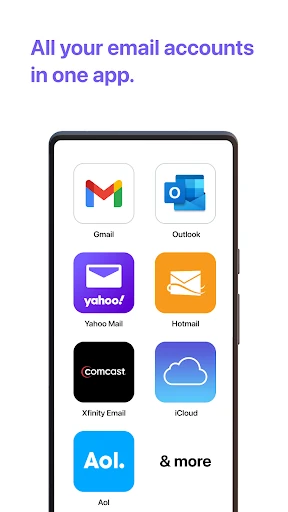
I would begin by adding only the accounts I check regularly, then see whether the combined view feels clearer than switching between provider apps. Edison supports Outlook, Yahoo, Hotmail, iCloud, Office and Outlook 365, Exchange, AOL, Gmail, and IMAP accounts. Exchange support is specified for Exchange 2010 Service Pack 2 and above, which is a helpful detail for older work setups.
The daily mail check
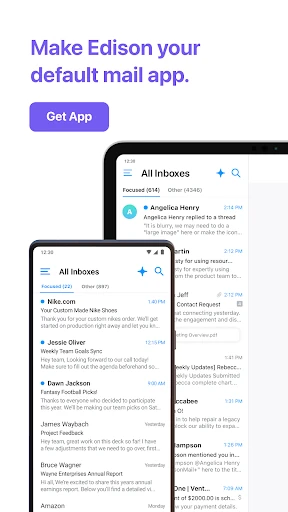
Day to day, the unified inbox is the feature I would notice most. Instead of checking several apps in sequence, I can look across connected inboxes in one view, then search for a particular detail when I need it. That can make a short morning check less fragmented, especially when personal messages and work updates arrive in different accounts.
The app also emphasizes quick searching for useful categories such as subscriptions, bills, travel plans, and packages. I like that this is tied to ordinary inbox chores rather than abstract productivity promises. If I need a receipt from last week or a delivery message, being able to focus the search on that kind of information is more practical than scrolling through every message in date order.
Small controls, useful tools
The customization options give the app some flexibility without making the basic job complicated. I can change swipe actions, create custom templates, adjust colors, and choose whether to use Focused Inbox. Templates can help when I send the same sort of reply repeatedly, while changed swipe actions can make routine message handling feel more natural.
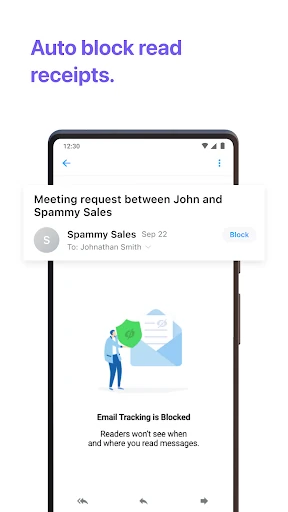
There are also tools for managing unwanted mail. Edison describes one-tap unsubscribe and sender blocking as ways to reduce inbox clutter, and it says the app does not allow targeted ads or invasive tracking pixels into the inbox. Those options are relevant when a mailbox has become noisy, though they do not turn the app into a general-purpose spam service or replace care when opening unfamiliar messages.
The assistant can surface information from commercial emails, including bills and receipts, entertainment, travel, and package alerts. That may save a search when the right kind of message arrives. Availability is limited for select assistant features in the US and UK, so I would treat these as useful extras rather than the main reason to install the app.
A practical weekly reset
A routine I would try is a quick unified-inbox check in the morning, followed by a more deliberate cleanup once a week. During the daily check, I would look for messages that need a reply and use the search tools when a specific booking or delivery detail comes up. The goal is not to process every message immediately; it is to make finding the important ones less of a scavenger hunt.
In the weekly pass, I would unsubscribe from newsletters I no longer read, block senders I do not want to hear from, and use templates for replies I regularly repeat. I would also review whether Focused Inbox helps me or just hides things I want to see. Small changes like these make the app more useful over time than simply connecting every address and leaving all its settings untouched.
Limits to keep in mind
A unified inbox is convenient, but it can also bring a lot of activity into one place. If different accounts serve very different purposes, I would be careful about whether combining them makes checks simpler or just makes the view busier. Edison does allow customization, but the benefit depends on how many accounts you actually use and how you prefer to sort incoming mail.
The regional limit on select assistant features is another practical boundary, and the more advanced Edison Mail+ features require a subscription. The app’s description also explains that some commercial email details are stored to provide assistant features, with an option in settings to opt out of anonymized research. I would review those details and the subscription terms if either is important to how I manage email.
Edison Mail’s case is simple and useful: bring existing accounts together, make common inbox searches easier, and offer a few controls for reducing clutter. I like that the feature set is rooted in everyday tasks such as finding a receipt or handling a repeated reply, rather than asking users to rebuild their whole email routine.
I would try it if I regularly juggle multiple accounts or spend time digging through commercial messages. If one provider’s app already does everything I need, there may be little reason to switch. For people who want a flexible, multi-account email client, Edison Mail is a sensible option to explore.
Email Frequently Asked Questions
What is Email - Fast & Secure Mail used for?
Email - Fast & Secure Mail is an Android email client for managing multiple accounts in a unified inbox. It supports major providers and IMAP accounts, and includes tools for searching for information such as subscriptions, bills, travel plans, and packages. It also offers customization, sender blocking, and unsubscribe tools.
Which devices and platforms support Email - Fast & Secure Mail?
The app is available for Android through Google Play. It supports accounts including Gmail, Outlook, Yahoo, Hotmail, iCloud, Office and Outlook 365, Exchange, AOL, and IMAP. Check Google Play for current device compatibility and account requirements before installing.
What Android version does Email - Fast & Secure Mail need?
The Android version requirement can vary with device compatibility and app updates. Check the Google Play page for the current minimum requirement on your device. For Exchange accounts, the app description specifies Exchange 2010 Service Pack 2 and above.
Is Email - Fast & Secure Mail free?
The app is free to download and contains no ads, with in-app purchases available. Google Play gives an in-app item price range of $0.99 to $129.99. Edison Mail+ is described as a subscription for advanced contact-management and security features; check Google Play for current purchase details.
Who should use Email - Fast & Secure Mail?
It may suit people who manage several email accounts or often search their inbox for receipts, bills, travel details, and package messages. Someone who prefers one provider’s existing app or wants a broader organizer may not need it. Select assistant features are limited to users in the US and UK.
Pros
- Unified inbox brings supported accounts together without requiring a new email address.
- Search tools help surface subscriptions, bills, travel plans, and package messages.
- Custom swipe actions, templates, color settings, and Focused Inbox provide useful control.
- Sender blocking and unsubscribe tools can help reduce routine inbox clutter.
Cons
- Select assistant features are limited to users in the US and UK.
- Edison Mail+ adds a subscription cost for advanced contact and security features.
- Combining many accounts may make the inbox feel busier rather than simpler.
- Category
- Productivity
- Version
- 26.10.2











