ElevenReader - Voice Reader
- 55.89K
- 4.5
- Installs
- 1.00M
- Price
- Free

Screenshots
Analysis by Reviewed APKs
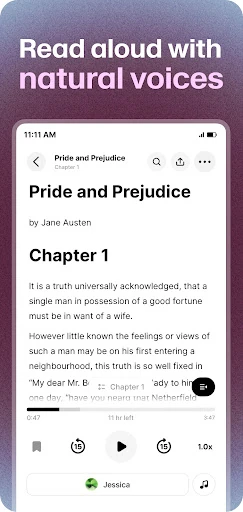
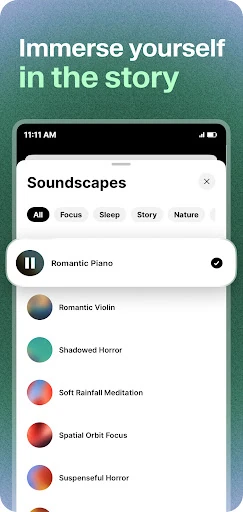
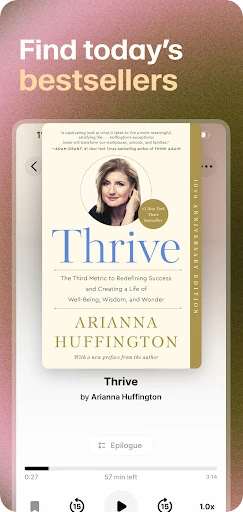
ElevenReader - Voice Reader turns books, PDFs, documents, articles, and pasted text into spoken audio. I see it as a practical fit for people who want to keep up with reading while commuting, doing chores, or taking a break from a screen. Its main appeal is the range of listening controls and natural-sounding narration; it works best as a flexible read-aloud companion, not a replacement for every kind of audiobook.
Reading During the Day
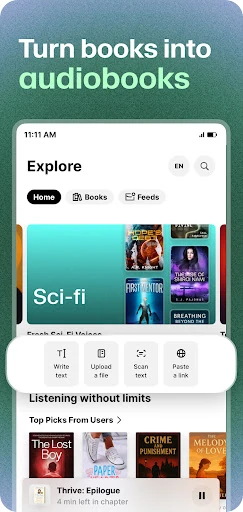
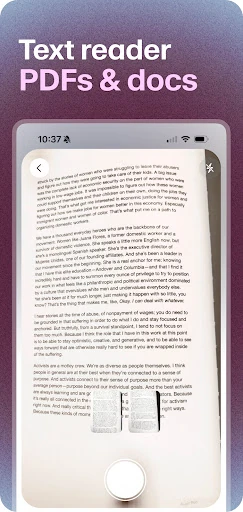
When I want to get through a long article but have errands to run, ElevenReader offers a straightforward change of pace: open a web link or add text, then listen instead of staying glued to the page. The same idea applies to a PDF or an eBook with text. I can picture it fitting into a bus ride, a walk, or a stretch of household chores when reading with my eyes is inconvenient.
The useful part is that this is not limited to one source of reading. I can bring in documents, paste text, open web links, or choose from books, then listen with a voice and speed that suit the moment. Text highlighting can help me follow along when I am looking at the screen, while bookmarks and notes give me ways to return to useful passages instead of treating every session as disposable.
A Reader, Not a Library
The obvious comparison is an audiobook app, but ElevenReader has a broader read-aloud job. It can turn written material such as a PDF, a news story, or a blog into audio, alongside books. That makes it more adaptable when my reading list includes both leisure and practical material. Its audio approach can also feel more personal than a basic device voice, with different voices and playback speeds to choose from.
I would not treat it as a full substitute for a conventional audiobook service or a focused eBook reader. Its strength is converting text into narration, not changing how I organize every part of my reading life. Someone who wants only professionally recorded audiobooks may prefer a dedicated audiobook catalog; someone who needs to study a document closely may still want to read it on screen. ElevenReader sits between those habits.
Small Habits That Help
I get more from a read-aloud app when I make it part of a routine rather than saving it for a rare long session. I might queue an article before a walk, slow the voice down for a dense report, or pick a quicker speed for familiar material. ElevenReader offers playback speeds from 0.25x to 3x, so there is room to adjust without forcing every text into the same listening pace.
For material I expect to revisit, I would use the available text highlights, bookmarks, or notes as I go. A pronunciation dictionary can help tailor how specific words are spoken, while a sleep timer suits a quiet listening session before bed. These tools are most useful when they support a simple routine: add the text, choose a voice and speed, then save the passages that deserve another look.
More From Our News Desk

Zoom Meetings, Google Meet, or Teams: Which Is Easiest to Join?

How I Build a Free Streaming Lineup With Tubi

Why Crunchyroll Is the Default Anime App for So Many Fans

YouTube TV: A Practical Guide to Cutting Cable

Rummikub and the Small Comfort of Phone Games

TeamViewer Remote Control or AnyDesk for Helping Family?
Who Will Get the Most From It
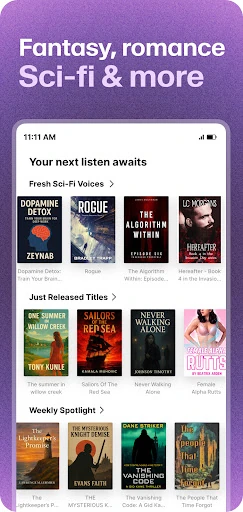
I would recommend ElevenReader to people who already have written material they want to hear: students with notes or PDFs, commuters with articles, and readers who like to switch between a screen and audio. It is also a reasonable option for anyone curious about listening to classics or trying different narration voices. The ability to work with several kinds of text gives it uses beyond a single book collection.
It may be less appealing if you want only a polished, professionally narrated audiobook catalog, or if you prefer to read every page yourself and rarely listen to text. Listening quality and voice choice matter a lot in a reader like this, so I would try a short piece before committing to a long one. Its many controls are useful, but people who want a bare-bones player may find them more than they need.
ElevenReader - Voice Reader is developed by Eleven Labs Inc and is in the Books & Reference category on Google Play. It has over 1 million installs and a 4.5-star rating from about 56,000 ratings. The app is free to download and contains no ads. Google Play lists in-app purchases, with individual items priced from $0.49 to $100.00.
The app is rated Everyone and requires Android 7.0 or later. The current listed version is 1.4.90. It was released on July 18, 2024, and its last update was February 3, 2026. Those details provide a useful compatibility check before installing, particularly if you use an older Android device.
A Flexible Way to Listen to Text
A Clear Starting Point
When I first opened ElevenReader, the core idea was easy to understand: supply something written and let the app read it aloud. That simple premise matters because text-to-speech tools can feel technical when the first step is unclear. Here, the supported starting points include uploading documents, pasting text, opening a web link, or importing files, giving me a few ways to begin with material I already have.
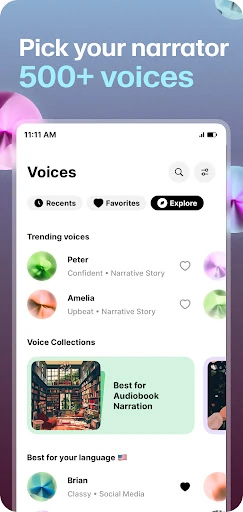
The range of possible reading is part of the first impression. I can think of a book for a relaxed session, a study note for review, or an article that I would otherwise postpone. There are voices in 32 or more languages, so the app is not limited to English-language listening. I would start with a short sample and adjust the voice and pace before handing it a lengthy document.
Listening in Practice
Day to day, the value is less about making every page sound like a finished audiobook and more about giving text another route into my schedule. A newsletter can become something to hear while I am moving around; a report can be listened to when I need a screen break. The speed range, from 0.25x to 3x, gives me room to slow down for unfamiliar material or move faster through lighter reading.
Text highlighting is a thoughtful companion to the audio. When I have the screen available, following the words visually can make a listening session feel more connected to the source. I also like that bookmarks and notes are part of the described toolkit, since longer reading is easier to manage when I can mark a passage for later. These options make the app more than a voice that simply starts and stops.
Voices and Reading Tools
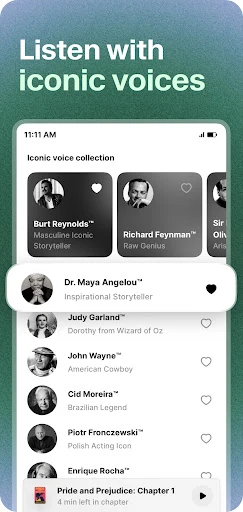
The voice selection is one of the app's distinctive ideas. ElevenReader describes narration in 32 or more languages and offers expressive voices for books and other text. It also presents some audiobooks in recognizable voices, including names such as Maya Angelou and Richard Feynman. That is an unusual angle for a read-aloud app, though the practical question for me remains whether a particular voice sounds comfortable over a full chapter.
The smaller controls can matter just as much as the voices. A personal pronunciation dictionary lets users guide how words are spoken, and a sleep timer supports listening at bedtime. Clipping and sharing are also described, alongside highlighting, bookmarks, and notes. I would not expect every tool to matter in every session; the appeal is having several ways to shape narration around the text and the occasion.
A Routine for Long Text
For a realistic study or work routine, I would add a PDF or paste in notes, choose a voice, and begin at a slower speed while checking the highlighted text. If a section contains a name or technical word that sounds off, the pronunciation dictionary offers a way to customize it. I would bookmark or note the passages I need to revisit rather than trying to remember every useful detail after listening.
For a more relaxed routine, I would open an article or book, set a comfortable speed, and use the sleep timer if I am listening before bed. A queue of articles can also make news and blog reading easier to fit around other tasks. The point is not to listen constantly, but to make selected reading available when a screen is inconvenient or when audio suits my attention better.
Keep Expectations Grounded
Text-to-speech depends on the material being read, and I would not assume every book, PDF, or web page will sound equally smooth. A natural voice can make narration more pleasant, but it does not turn every source into a studio-produced audiobook. For especially important or complicated text, following along on screen and checking the original wording remains sensible.
The app also has a broad set of controls, which may be unnecessary for someone who only wants to press play. In-app purchases are available, even though the app is free to download and has no ads. I would check the current Google Play details for purchase options and compatibility, then try a short piece before building a long listening habit around it.
ElevenReader is at its best when I treat it as a bridge between written material and the moments when reading with my eyes is inconvenient. Its support for documents, books, links, and pasted text gives it a useful range, while voice options, speed controls, and reading tools add flexibility without changing that central job.
I would recommend giving it a try if you want to listen to more of the text already in your life, especially articles, notes, and PDFs. If you mainly want traditional audiobooks or a very simple player, compare that need with what the app offers before settling in. For mixed reading and listening, it is a practical companion.
ElevenReader Frequently Asked Questions
What is ElevenReader - Voice Reader used for?
ElevenReader turns written material into spoken audio. You can use it with books, PDFs, documents, news, blogs, pasted text, and web links. It offers voice and speed choices, plus features such as text highlighting, bookmarks, notes, a pronunciation dictionary, and a sleep timer for different listening routines.
Which devices can run ElevenReader - Voice Reader?
ElevenReader is available for Android through Google Play. The listed minimum requirement is Android 7.0. If you are checking a particular device or a newer platform, availability and compatibility may vary, so it is worth checking the current Google Play details before installing.
Does ElevenReader - Voice Reader cost money?
The app is free to download and contains no ads, but it offers in-app purchases. Google Play lists individual purchase prices from $0.49 to $100.00. The available options and prices may change, so check the current store listing for the details that apply to your account.
What Android version does ElevenReader - Voice Reader need?
ElevenReader requires Android 7.0 or later according to its Google Play details. The listed app version is 1.4.90, and the last update was February 3, 2026. Requirements and versions can change with updates, so check Google Play if you are deciding whether it will work on an older device.
Who should try ElevenReader - Voice Reader?
It may suit readers who want to listen to documents, articles, books, or study material, especially when they are commuting or taking a break from screens. Its multiple voice and playback options offer room to personalize listening. If you want only professionally narrated audiobooks or prefer reading everything on screen, it may be less suited to your habits.
Pros
- Reads books, PDFs, documents, web links, and pasted text aloud.
- Offers voices in 32 or more languages and speeds from 0.25x to 3x.
- Includes highlighting, bookmarks, notes, a pronunciation dictionary, and a sleep timer.
- Free to download and has no ads.
Cons
- In-app purchases range from $0.49 to $100.00 per item.
- Text-to-speech may not replace the feel of professionally narrated audiobooks.
- Its many listening tools may be more than a basic read-aloud user needs.
- Category
- Books & Reference
- Version
- 1.4.90











