DeepSeek - AI Assistant
- 352.62K
- 3.7
- Installs
- 100.00M
- Price
- Free

Screenshots
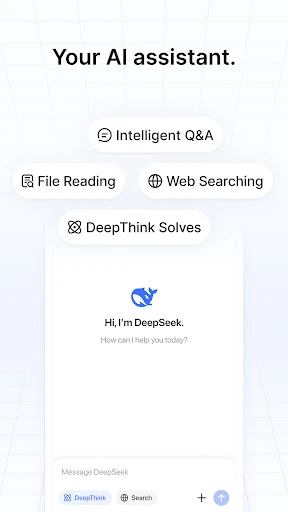
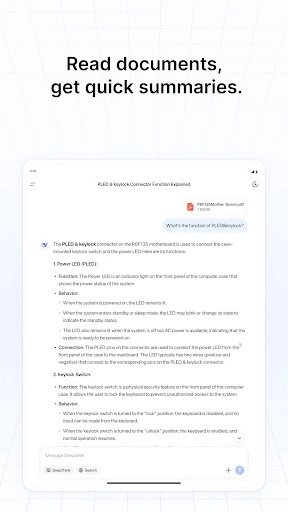
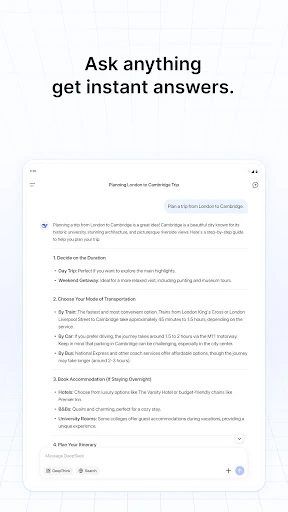
Analysis by Reviewed APKs
DeepSeek - AI Assistant is a general-purpose AI assistant for people who want help thinking through questions and everyday problems on an Android phone. I see it as a convenient place to ask for a quick response rather than a specialized productivity system. Its simple pitch is appealing: access DeepSeek’s flagship model for free. My overall take is that it is worth trying if you value an assistant you can consult on demand.
A Handy Thinking Partner
When I have a small question in the middle of the day, I do not always want to open a browser, sort through a row of pages, and piece together an answer myself. An AI assistant offers a different starting point: I can put the question into ordinary language and see what comes back. DeepSeek is presented for that kind of problem-solving, with faster responses and more capable features as part of its appeal.
I can picture using it while planning the day, trying to understand an unfamiliar topic, or looking for a fresh way to approach a task. The useful habit is to treat the response as a first pass, not an automatic final answer. I would ask a clear question, read what the assistant gives me, and follow up when I need more detail. That keeps the app practical without expecting it to do every bit of thinking for me.
Assistant, Not Search Engine
The obvious alternative is a conventional web search: it points me toward pages, while an AI assistant is meant to respond directly to a question. Those approaches can complement each other. I might start with DeepSeek when I want a conversational answer or help framing a problem, then turn to other sources when I want to inspect information for myself. That distinction matters more than treating one tool as a universal replacement for the other.
DeepSeek is described as an assistant for solving problems and making daily life more efficient, not as a dedicated calendar, project tracker, or specialist research database. I would not choose it expecting those focused tools or verified answers on every subject. Its strongest role is a flexible place to ask for help. If my task depends on detailed source checking or a very specific workflow, I would pair it with the right tool.
Make Questions Work Harder
A little care in how I ask can make an AI assistant more useful. Rather than sending a vague prompt such as “help me plan,” I would explain what I am trying to accomplish and mention the constraints that matter. For example, I might ask for a simple way to organize a busy afternoon, then narrow the request if the first answer does not fit. Clear context gives the assistant a better chance of responding to the actual problem.
I would also build a small habit of checking the answer against what I already know, especially when a decision has consequences. If the response feels too broad, I can ask a more focused follow-up instead of accepting a generic suggestion. That approach suits DeepSeek’s general assistant role without assuming special tools that are not part of its stated feature set. It turns a quick prompt into a more deliberate exchange.
More From Our News Desk

Zoom Meetings, Google Meet, or Teams: Which Is Easiest to Join?

How I Build a Free Streaming Lineup With Tubi

Why Crunchyroll Is the Default Anime App for So Many Fans

YouTube TV: A Practical Guide to Cutting Cable

Rummikub and the Small Comfort of Phone Games

TeamViewer Remote Control or AnyDesk for Helping Family?
Who Might Like DeepSeek
I would recommend DeepSeek to people who like having an AI assistant within reach for questions, problem-solving, or a bit of help getting started. It may suit students, busy workers, and curious everyday users who want to try an assistant powered by DeepSeek’s latest flagship model. The free price also makes it easy to explore without committing to a purchase, and the app’s broad purpose leaves room for different kinds of questions.
It may be less satisfying for someone who wants a specialized productivity suite, a conventional search-results experience, or a tool whose responses never need checking. The app is also not a substitute for careful judgment when a question is important. I would approach it as a flexible helper, not an authority. If that balance sounds right, it is a reasonable app to test; if you want a narrowly defined workflow, a dedicated app may fit better.
DeepSeek - AI Assistant is a Productivity app from DeepSeek. On Google Play, it has over 100 million installs and a 3.7-star rating from around 353,000 ratings. The app is free, with no in-app purchases and no ads. Its content rating is Teen. The listed version is 2.7.5, and the release date is January 8, 2025.
The app’s last update is dated November 5, 2026. I would check Google Play for the current Android requirements and any changes to the app details before installing, since those can vary over time. The available information describes it as powered by DeepSeek’s latest flagship model and says it is offered for free. The developer is DeepSeek.
A Closer Look at Everyday AI Help
A Straightforward First Step
When I first opened an AI assistant, the main question for me was whether I could get to the useful part without making a project out of setup. DeepSeek’s description keeps the focus on interacting with the assistant, rather than presenting a long list of specialized tools. That makes the basic idea easy to grasp: bring it a problem or question and see whether its response helps move things along.
The stated draw is access to DeepSeek’s latest flagship model, with faster responses and more powerful features. Those are the terms DeepSeek uses to describe the experience, not a promise that every question will be answered perfectly. I would judge the app by how well its replies serve my particular needs. For a first visit, a familiar question is a sensible way to see whether its style works for me.
Everyday Questions
The day-to-day appeal of a general assistant is its flexibility. I can imagine opening DeepSeek when I want to make sense of a problem, get a starting point for an idea, or ask about something I have just encountered. The app is positioned to help users solve problems and live more efficiently, so these informal, practical questions fit its stated purpose better than expecting a full productivity system.
What I would pay attention to is whether the answer addresses the question I actually asked. If it misses the point, I would clarify what I mean or add the relevant context. That is a useful way to work with an assistant without assuming every response will be complete on the first try. DeepSeek’s value is not just speed; it is whether the exchange helps me make progress.
The Model Is the Draw
The feature DeepSeek emphasizes most is the model behind the assistant. Its description says the app is powered by the company’s latest flagship model and highlights faster responses and more powerful features. For an everyday user, that is the central reason to try it: ask the assistant for help and see whether the answers are useful for the questions that come up in your own routine.
I would keep expectations grounded, though. A model label does not tell me how every response will hold up, and a quick answer is not automatically a correct one. The practical benefit is having an AI assistant available for a range of problems, with the option to ask in natural language. I would use it to explore ideas or get a first response, then bring my own judgment to the result.
A Simple Daily Routine
One practical routine would be to keep DeepSeek in mind for moments when I am stuck, rather than opening it just because it is there. I might use it to break down a question that feels too broad, or to ask for a useful first step on a task. If the initial response is not quite right, I would restate the problem with the details that matter and see whether that improves the exchange.
I would finish by checking whether the answer has actually helped. Sometimes a response may give me a clearer way to think about a question, even if I still need to do the next step myself. Other times, I may need a different source or a more focused tool. That modest routine suits an assistant better than expecting it to manage my whole day or replace every other way I find information.
Keep Its Limits in View
DeepSeek’s broad assistant pitch is also its main limitation: a general tool will not necessarily match the depth or structure of an app built for one particular job. I would not assume it includes dedicated planning, organization, or research features based on its description. If I need a specific workflow, I would compare it with an app designed around that task instead of trying to make a general assistant cover every need.
I would also avoid treating an AI response as unquestionable. A fast answer can still require a second look, especially if I am relying on it to understand something important. This is a normal consideration when using an AI assistant, not a reason to dismiss it. Used as a starting point for thinking and problem-solving, DeepSeek has a clear purpose; used as a substitute for personal judgment, it asks too much of the tool.
Finally, a 3.7-star rating from around 353,000 Google Play ratings suggests that user experiences are not uniformly glowing, even though installs exceed 100 million. Ratings cannot tell me exactly how the app will work for my needs, but they are a useful reminder to try it for myself. Since it is free and has no ads or in-app purchases, a low-pressure test is straightforward.
DeepSeek - AI Assistant makes sense as an on-demand place to bring questions and everyday problems. Its appeal is easy to understand: a free assistant powered by DeepSeek’s flagship model, with a broad problem-solving purpose. I would use it as a helpful first stop, while keeping the final judgment and any needed fact-checking in my own hands.
I recommend giving it a try if you want a flexible AI assistant and are comfortable evaluating the answers you receive. It is a less natural fit if you need a specialized productivity tool or expect a conventional search experience. With no ads or in-app purchases, DeepSeek is easy to sample and judge against the questions you actually ask.
DeepSeek Frequently Asked Questions
What is DeepSeek - AI Assistant used for?
DeepSeek - AI Assistant is a Productivity app intended to help users solve problems and make everyday life more efficient. It is powered by DeepSeek’s latest flagship model and is designed for interaction with an AI assistant. I would use it to ask questions or get a starting point, while checking responses rather than treating them as automatically definitive.
Which devices can run DeepSeek - AI Assistant?
The app is available on Android through Google Play. The Android version requirement can vary as the app is updated, so check the Google Play entry on your device for current compatibility details. The available information does not establish other supported platforms, so I would not assume the Android app’s availability means the same app is offered elsewhere.
What Android version does DeepSeek - AI Assistant require?
The Android version requirement can vary with app releases and device compatibility. Check Google Play from the Android device you plan to use for the current requirement. The app is listed as version 2.7.5, but that version detail alone does not determine which Android versions it supports.
Is DeepSeek - AI Assistant free, or does it have purchases?
DeepSeek - AI Assistant is free on Google Play. It has no in-app purchases and contains no ads according to the available app details. Store information can change, so it is sensible to check Google Play for the current terms before installing, but there is no purchase price or in-app product price provided here.
Who is DeepSeek - AI Assistant suitable for?
It may suit people looking for a general AI assistant to help with questions and everyday problem-solving. Its content rating is Teen. I would recommend it to users who are comfortable assessing AI responses for themselves; it may not suit someone seeking a dedicated specialist tool or expecting every answer to be complete without further checking.
Pros
- Free to use, with no in-app purchases or ads.
- A general-purpose assistant for questions and everyday problem-solving.
- Powered by DeepSeek’s latest flagship model, according to its description.
- More than 100 million Google Play installs.
Cons
- A general assistant may not replace focused productivity or research tools.
- AI responses still call for personal judgment and checking.
- Its 3.7-star Google Play rating indicates mixed user feedback.
- Category
- Productivity
- Version
- 2.7.5











