Clipboard Manager
- 6.88K
- 3.1
- Installs
- 1.00M
- Price
- Free
Screenshots
Analysis by Reviewed APKs
Clipboard Manager is a productivity app for keeping a history of copied text so I can find and reuse it later instead of copying the same thing again. It suits people who regularly move text between messages, notes, and other apps. My overall take is that it focuses on a simple, useful job: saving clips, organizing them, and making them easier to retrieve when the clipboard has moved on.
A second chance to paste
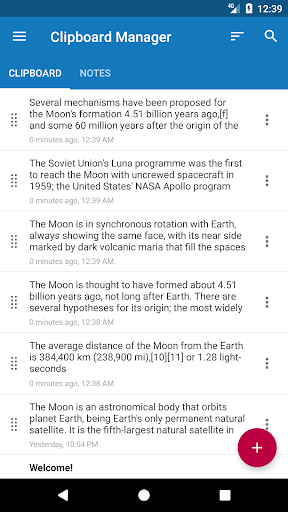
When I first opened Clipboard Manager, the appeal was easy to picture: I copy a line from one app, then copy something else before I have pasted the first line where it belongs. With this app, copied text is saved to a history, so I can return to an earlier clip instead of starting over. That is handy during an ordinary task like moving a few details from a conversation into a note.
I can also imagine using it while drafting a message or filling in a document, when I need to switch between a recent snippet and something copied earlier. The app describes automatic saving from the clipboard, plus a confirmation for new notes. That gives the history a practical role in the background, while still leaving me with a way to add and revisit notes deliberately.
A clipboard, not a notebook
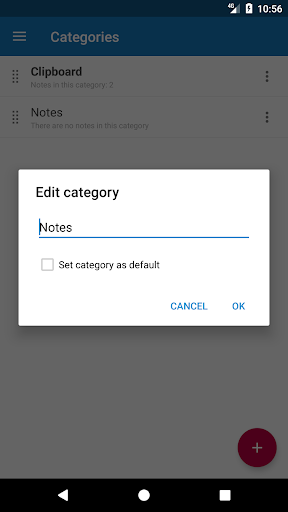
Compared with repeatedly copying and pasting through the phone's standard clipboard, Clipboard Manager is aimed at keeping a longer, searchable record. Categories, ordering, and search offer ways to make that record more manageable. I see the distinction as convenience: it helps when copied text needs to stay available for later, rather than only for the next immediate paste.
It is not a full note-taking or document-editing app, and the description centers on clips and notes rather than composing long pieces of work. I would use it alongside the apps where I write or communicate, not as a replacement for them. If I only copy one item at a time and rarely need it again, a dedicated history may feel like more organization than my routine requires.
Keep useful clips findable
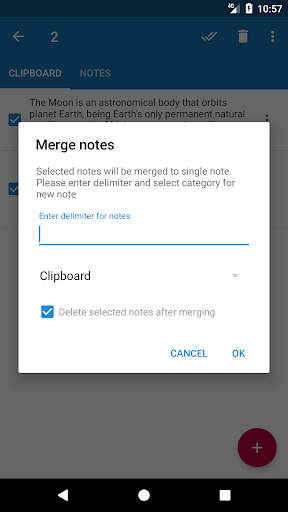
A little organization can make a clipboard history more useful than an undifferentiated stream. I would sort recurring snippets into categories, then use search when I remember a word but not exactly when I copied the text. The app also supports ordering and merging notes, which can help when several related pieces end up in the history and I want to tidy them up.
For everyday use, I would treat the history as a temporary working shelf rather than a place to save everything forever. The app offers automatic cleanup for clipboard content, the default category, and trash, and it says clipboard clearing is off by default. I would review those options to match my habits, especially if I regularly need older clips.
More From Our News Desk

Zoom Meetings, Google Meet, or Teams: Which Is Easiest to Join?

How I Build a Free Streaming Lineup With Tubi

Why Crunchyroll Is the Default Anime App for So Many Fans

YouTube TV: A Practical Guide to Cutting Cable

Rummikub and the Small Comfort of Phone Games

TeamViewer Remote Control or AnyDesk for Helping Family?
Who may find it useful
I would recommend Clipboard Manager to people who copy text throughout the day and often wish they could recover something they copied a few minutes ago. It may be especially useful when a routine involves gathering short bits of information from different places, then pasting them into messages or notes. Search and categories give those users more ways to get back to a clip than relying on memory.
It may not suit someone who wants a full-featured writing space, or someone whose clipboard use is occasional and straightforward. Its rating on Google Play is 3.1 from around 6,900 ratings, so I would approach it as a practical utility rather than assume it will fit every workflow. Ads are present, too, which may matter if I prefer a completely uninterrupted interface.
Clipboard Manager is a free Android productivity app from devdnua. On Google Play, it has over a million installs and a 3.1-star rating from around 6,900 ratings. The app is marked as containing ads, and it does not offer in-app purchases. Its content rating is Everyone.
The current version is 2.5.9. The app was released on March 26, 2015, and was last updated on May 20, 2024. The supplied store details do not give a minimum Android version, so I would check the Google Play page for device compatibility before installing.
How Clipboard Manager Fits Into Daily Copying
A straightforward first impression
The premise is simple: copy text anywhere and it is added to the app's history. I like that the core purpose does not require learning a complicated system before it becomes useful. A new-note confirmation is also described, giving the app a way to acknowledge an addition rather than making the history feel entirely automatic.
I would start by copying a few ordinary snippets and then opening the history to see how I naturally want to find them again. From there, categories and ordering are available if the list starts to grow. The setup experience described is centered on saving and managing text, not on building a large project or configuring a detailed workspace.
The daily clipboard loop
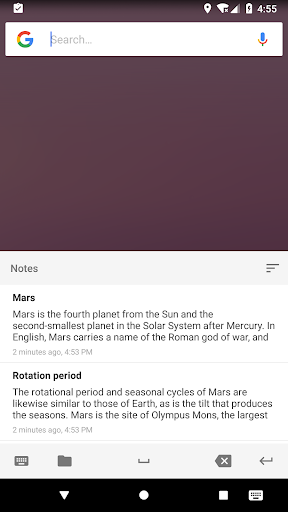
The useful cycle is copy, let the clip enter the history, and return to it when needed. That can save a small amount of repeated effort across a day, particularly when I have several bits of text to move between apps. Fast access to recent notes is part of the feature set, so the most recent material has a clear place in that workflow.
Search becomes more valuable as the history fills up. Instead of trying to remember the order in which I copied several items, I can look for a word in the note. The app also supports copying and pasting notes, which keeps the focus on reusing text rather than simply storing a record that I never touch again.
Useful ways to manage clips
Categories are one of the more practical features for anyone who keeps recurring text around. I could separate clips by the kind of task they belong to, then use search or ordering to narrow down what I need. The description says categories and notes can be created without a stated limit, though in practice I would keep the system simple enough to browse.
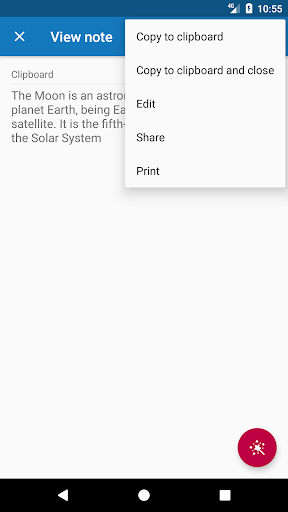
The app can share one note or several, and it can merge notes. Those options give me ways to move a clip outward or bring related material together. There are also import and export to a file, plus optional automatic cloud backup. These are useful management tools, but they do not change the app's central role as a clipboard history.
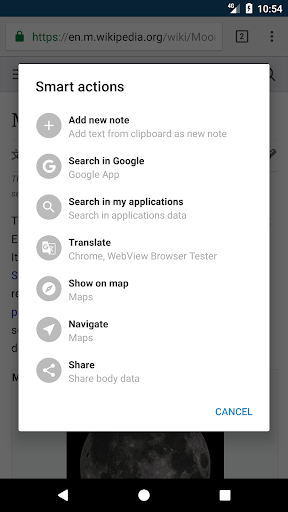
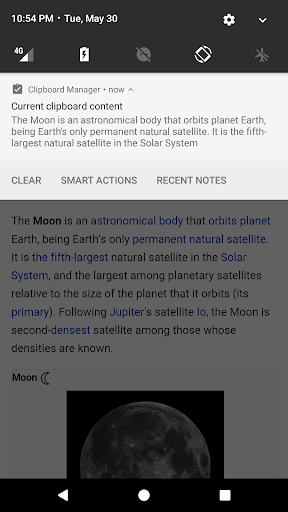
Smart actions and note viewing are also included in the described feature set. Since the details of smart actions are not spelled out, I would not build a workflow around a particular behavior before trying it. The more clearly described tools—search, categories, cleanup, sharing, and backup—are enough to explain why someone might keep the app around.
A simple working routine
For a practical routine, I would let the app collect clips while I work, then use search when I need something I copied earlier. If I notice a useful snippet that I expect to reuse, I would put it in an appropriate category rather than leave every item in the same default group. That keeps the history helpful without turning organization into a separate project.
At the end of a task, I would consider whether old clipboard content should remain available or be cleared. Clipboard clearing is off by default, and automatic cleanup can be adjusted for clipboard content, the default category, and trash. Checking those choices against my own habits is more sensible than assuming that every old clip should be kept or removed.
Keep expectations in check
The app's focus is text history and note management, so I would not expect it to replace a general notes app or provide a full writing environment. The supplied description emphasizes copying, saving, finding, sharing, merging, and cleaning up notes. That focused scope is a strength for a narrow task, but it may feel limited to someone looking for broader document tools.
Ads are part of the free app, and its Google Play rating is 3.1 stars. Those are worth weighing alongside the convenience of a saved clipboard history. I would also take a moment to understand the cleanup options before depending on the app to retain older material, since automatic clearing is optional and cleanup settings affect how long clips remain handy.
The app includes optional automatic cloud backup and file import and export, but I would treat those as additional ways to manage data, not as a reason to assume every setup works the same way. If compatibility matters, I would check the store page for my Android device. A clipboard manager is most useful when its behavior fits the way I actually copy and reuse text.
Clipboard Manager makes a routine phone task more forgiving by keeping copied text available after the next copy replaces it. Search, categories, cleanup, sharing, and backup add useful ways to manage that history without changing its basic purpose. The ads and modest rating are reasons to keep expectations measured, but the feature set is clear and practical.
I would try it if I often lose track of copied snippets or move text between apps throughout the day. If my clipboard use is occasional, I would probably stick with the simpler tools already at hand. For regular copiers, it is a focused utility worth considering, provided its cleanup options and ad-supported format suit the routine.
Clipboard Manager Frequently Asked Questions
What is Clipboard Manager used for?
Clipboard Manager saves copied text to a history so it can be found and reused later. Its described tools include search, categories, ordering, sharing, merging notes, and cleanup options. I would think of it as a helper for managing copied snippets, rather than a replacement for a full writing or note-taking app.
Which phones can run Clipboard Manager?
Clipboard Manager is an Android app. The supplied details do not specify a minimum Android version, so compatibility depends on the device and current store requirements. I would check its Google Play page before installing if I need to confirm that it supports a particular phone or Android release.
Does Clipboard Manager cost money?
The app is free on Google Play and does not offer in-app purchases. It does contain ads. Store details can change over time, so it is worth checking the current Google Play page for the latest information before downloading.
Does Clipboard Manager clear saved clips automatically?
The app offers automatic cleanup for clipboard content, the default category, and trash. The description says automatic clipboard clearing is turned off by default. I would review the available cleanup choices and set them according to how long I want copied items to remain in the history.
Who should try Clipboard Manager?
It may suit people who copy text often and need to retrieve earlier snippets instead of repeatedly copying them. Search and categories can help as a history grows. Someone who rarely reuses copied text, wants a broader writing app, or dislikes ads may prefer a different approach.
Pros
- Keeps copied text in a history for later retrieval and reuse.
- Search, categories, and ordering help make a growing collection easier to navigate.
- Supports sharing, merging, importing, exporting, and optional automatic cloud backup.
- Offers cleanup options, with automatic clipboard clearing off by default.
Cons
- Contains ads, which may interrupt an otherwise focused utility.
- Its 3.1-star Google Play rating suggests the experience may not suit everyone.
- A clipboard history may be unnecessary for people who rarely reuse copied text.
- Category
- Productivity
- Version
- 2.5.9











