Cronometer: Calorie Counter
- 59.80K
- 4.6
- Installs
- 5.00M
- Price
- Free
Screenshots
Analysis by Reviewed APKs
Cronometer: Calorie Counter is a food diary and nutrition tracker for people who want more detail than a daily calorie total. It suits anyone curious about meals, macros, or a wider range of nutrients, including people working toward weight or fitness goals. My overall take is that it puts careful nutrition tracking at the center, while still offering faster ways to log when a full entry feels like too much.
A Day in the Food Diary
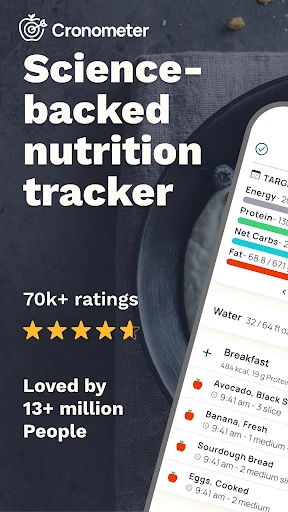
When I first imagined using Cronometer day to day, I pictured an ordinary weekday: breakfast at home, a quick lunch between tasks, and dinner made from a few ingredients. The food diary gives each meal a place, and search or barcode scanning can help turn those meals into entries. Instead of ending the day with one calorie number, I can look at calories, macros, and a broader set of nutrients.
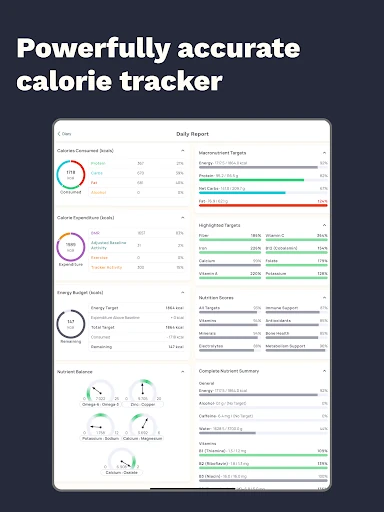
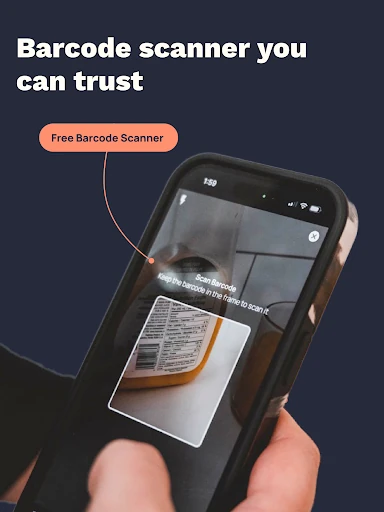
That extra detail changes the feel of logging. After adding a meal, I can compare intake with personalized targets and see how protein, carbohydrates, fat, fiber, vitamins, and minerals are represented. A packaged snack is an easy candidate for barcode scanning; a home-cooked meal may call for searching or entering a saved recipe. The diary is most useful when I want a record I can review, not just a quick guess.
More Than a Calorie Counter
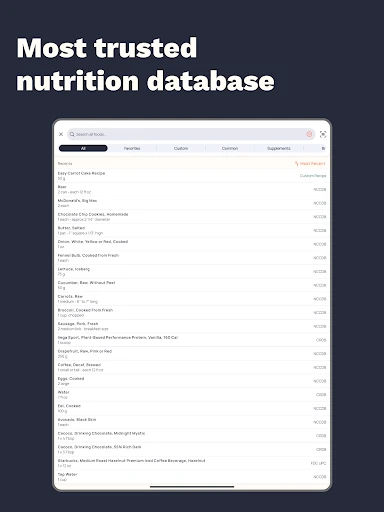
The obvious alternative is a basic calorie counter that focuses on totals and perhaps a few macros. Cronometer takes a more detailed approach, with tracking for more than 95 nutrients and compounds and a curated food database that includes verified entries. That makes it a better fit for someone who enjoys seeing the nutritional shape of a day, rather than simply checking whether a calorie target was met.
It is not a meal-planning service or a substitute for professional nutrition guidance. Its central job is recording food and making the resulting data easier to inspect. People who dislike logging, want only a rough estimate, or find detailed numbers distracting may prefer a simpler approach. I’d also keep the app’s insights in perspective: they describe what has been logged, and their usefulness depends on the quality of those entries.
Small Habits, Better Records
A few small habits make detailed tracking feel less like a second job. I’d log meals close to when I eat them, scan a barcode for packaged foods, and save custom foods or recipes that come up repeatedly. Repeating a familiar meal can reduce the amount of searching on busy days. It also makes the diary more consistent than trying to reconstruct an entire day from memory at bedtime.
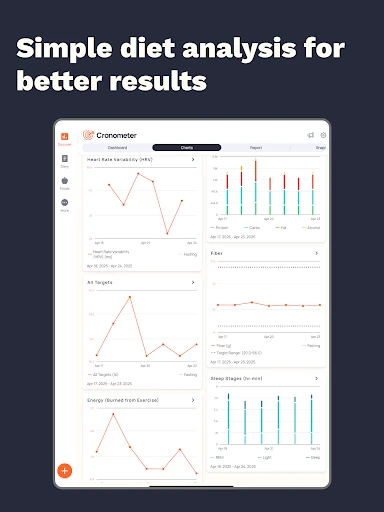
It helps to decide which numbers matter before opening the app. Someone watching protein or fiber can focus there, while another person may want to compare a wider range of nutrients with their targets. Charts and reports can help reveal trends over time, and fasting entries can sit alongside the food diary for users who track eating windows. A steady, realistic routine is more useful than trying to record every detail perfectly.
More From Our News Desk

Zoom Meetings, Google Meet, or Teams: Which Is Easiest to Join?

How I Build a Free Streaming Lineup With Tubi

Why Crunchyroll Is the Default Anime App for So Many Fans

YouTube TV: A Practical Guide to Cutting Cable

Rummikub and the Small Comfort of Phone Games

TeamViewer Remote Control or AnyDesk for Helping Family?
Who May Enjoy Tracking
I’d recommend Cronometer to people who like understanding what is behind a nutrition total. It can suit someone tracking macros, comparing meals with personal targets, or simply becoming more attentive to a range of nutrients. The food diary, saved recipes, barcode scanning, and reports give different ways to build a record, so users can choose a level of detail that fits their routine.
It may not suit someone who finds food logging tedious or who would rather keep nutrition tracking deliberately simple. The amount of information can be a lot if all you want is a rough calorie tally. Features such as photo and voice logging, fasting tools, and more advanced reports are part of the Gold offering described in the app information, so users interested in those extras should weigh that against their own habits.
Cronometer: Calorie Counter is made by Cronometer Software Inc. On Google Play, it has over 5 million installs and a 4.6-star rating from about 59,800 ratings. The app is free to download and contains ads. Google Play also offers in-app purchases, with items priced from $2.99 to $89.99.
The app has an Everyone content rating. Its version varies with the device. It was released on July 13, 2016, and its recorded last update was November 2, 2026. The Gold subscription is described as unlocking additional tools, including an ad-free experience; subscription payments are handled through Google Play and renew automatically unless cancelled in time.
What Detailed Food Tracking Feels Like
Starting With a Meal
When I first opened a nutrition tracker, the question I wanted answered was simple: can I record a normal meal without turning it into a project? Cronometer offers several ways to begin, including searching the food database and scanning a barcode. That choice matters because breakfast from a package and a homemade lunch rarely call for the same kind of entry.
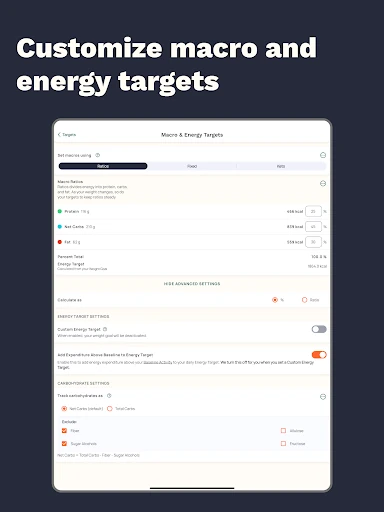
The app’s emphasis is clear from the start: it is a food diary with nutrition analysis, not just a place to jot down meals. Entries can be compared with personalized targets, and the available detail extends beyond calories and macros. I’d take a moment to set targets that make sense for my own tracking goals, then add foods as I go rather than trying to configure everything at once.
The Everyday Logging Loop
The core routine is straightforward in concept: record what you eat, then review the totals and nutrient breakdown. On an ordinary day, I’d search for a meal or ingredient, use a barcode for a packaged item, and check the diary later to see how the entries add up. Saving custom foods and recipes can help when a dish appears regularly, while repeating meals cuts down on duplicate work.
Accuracy depends in part on choosing a suitable database entry and recording portions thoughtfully. The app describes its database as curated and includes verified foods, which is useful context when comparing options. Still, detailed output cannot fix an inaccurate entry. I’d treat the diary as a record to maintain with reasonable care, rather than expecting every meal to be captured perfectly without attention.
A Wider Nutrient Picture
What stands out is the breadth of the tracking. Along with calories, protein, carbohydrates, and fat, Cronometer can track fiber, vitamins, minerals, and more than 95 nutrients and compounds. That gives a curious user a fuller view of a day’s food than a calorie-only summary. Personalized targets provide a point of comparison, while charts and reports help make longer-term patterns easier to inspect.
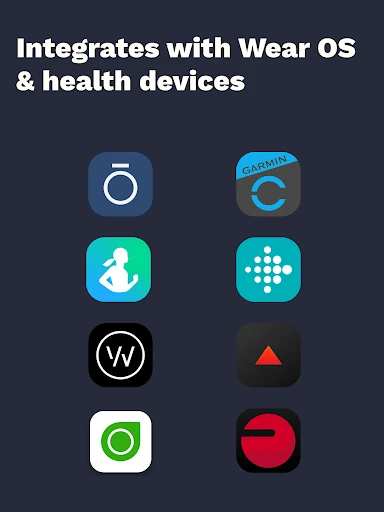
The app also brings together tools for related routines. Its description includes a fasting tracker for logging fasting windows and eating periods, plus connections with Health Connect, Wear OS, and services including Fitbit, Garmin, Oura, WHOOP, and Dexcom. Activity, sleep, heart rate, and energy expenditure data may be imported through connected services. These options add context for users who want nutrition and other health data in one place.
A Routine That Sticks
For a practical routine, I’d start with the meals I already eat and track them for a few days before changing anything. I might scan a packaged lunch, search for ingredients in a home-cooked dinner, and save a recipe that I expect to use again. At the end of the day, a quick review can show whether I have missed an entry and which parts of the nutrition breakdown I want to pay attention to.
A weekly check-in can be more helpful than refreshing totals throughout the day. Charts and reports are available for looking at trends, and the diary makes it possible to compare one day’s entries with another. If I use fasting tracking, I can record the window alongside meals. The useful habit is keeping a consistent record without letting tracking become the whole point of eating.
Details and Trade-Offs
The same depth that makes Cronometer appealing can make it feel busy. Someone who only wants a quick calorie estimate may not need a large nutrient breakdown, personalized targets, or reports. Detailed tracking also asks for repeated effort: meals need to be logged, choices need to match the food, and recipes may take work to enter before they become convenient to reuse.
Some of the more advanced tools are part of Cronometer Gold, including AI photo and voice logging, fasting tracking, recipe importing, macro scheduling, custom charts and reports, nutrition scores, and an ad-free experience. The free app contains ads, and in-app purchases are available. I’d check the current Google Play details before choosing a subscription, especially if a particular extra is the main reason for trying the app.
Cronometer is a strong choice for people who want a careful food diary and more nutritional context than a calorie total can provide. I like the combination of food logging, nutrient targets, and reports, along with practical shortcuts such as barcode scanning and saved recipes. Its detail is a feature, but also the main reason it will not suit everyone.
I’d recommend trying it if you enjoy tracking and want to examine meals across a wider range of nutrients. If you prefer minimal logging, a simpler counter may feel more comfortable. Start with a few familiar meals, see whether the extra information helps, and decide from there whether the available Gold tools are worth exploring.
Calorie Counter by Cronometer Frequently Asked Questions
What is Cronometer: Calorie Counter used for?
Cronometer is used to log meals and track calories, macronutrients, and a wide range of other nutrients. It also lets users compare intake with personalized targets and review trends through charts and reports. The app includes food diary tools such as search, barcode scanning, custom foods, and recipes, with additional features available through its Gold offering.
Is Cronometer: Calorie Counter available on Android?
Yes. Cronometer: Calorie Counter is available on Google Play for Android devices. Its version varies with the device. The Android version requirement can vary, so check the Google Play store details for the current compatibility information for your phone or tablet.
Does Cronometer: Calorie Counter cost money?
The app is free to download, contains ads, and offers in-app purchases. Google Play shows in-app items priced from $2.99 to $89.99. Cronometer Gold adds tools such as an ad-free experience and advanced tracking features. Subscription options and terms may vary, so check the current Google Play information before purchasing.
Can I use Cronometer: Calorie Counter without Gold?
The app is free to download, and its description includes food diary logging and barcode scanning among its features. Gold is described as unlocking additional tools, including AI photo and voice logging, fasting tracking, and custom charts and reports. The exact current feature availability is worth checking in the Google Play store.
Who is Cronometer: Calorie Counter best for?
It may suit people who want to track meals in detail and compare calories, macros, and other nutrients with personal targets. It can also be useful to users who like reviewing nutrition trends. People who find food logging tedious or want only a simple calorie estimate may prefer a less detailed tracker.
Pros
- Tracks calories, macros, and a broad range of nutrients in one food diary.
- Barcode scanning, saved foods, and recipes offer practical ways to log meals.
- Personalized targets and reports help make recorded nutrition easier to review.
- Can connect with several health and fitness services for additional data.
Cons
- The detailed nutrient information may feel like too much for casual tracking.
- Consistent results depend on logging meals and selecting suitable food entries.
- Ads are present, while several advanced tools require Cronometer Gold.
- Category
- Health & Fitness











