Blue Letter Bible
- 19.36K
- 4.6
- Installs
- 1.00M
- Price
- Free

Screenshots
Analysis by Reviewed APKs
Blue Letter Bible is a Bible reader and study app for people who want more than a page of scripture on their phone. I found its appeal in the way reading and reference tools sit together: translations, commentaries, language resources, and personal notes all support a closer look at a passage. It suits regular readers and curious students, though its depth can feel like a lot at first.
A study session in your pocket
When I first opened Blue Letter Bible, I thought of the familiar moment when a verse catches my attention during a quiet reading break. Instead of switching between a Bible app and a browser to chase a word or check a commentary, I could stay with the passage and use the study resources attached to the experience. That makes the app especially useful for an unhurried reading session at home or a few minutes between errands.
A practical session might start with reading a chapter, then comparing translations when a phrase feels unclear. From there, the lexicon and dictionaries can help explore a word, while commentaries offer additional perspectives. I like that the app supports both a quick check and a deeper dive; I do not have to turn every reading into a research project. The tools are there when curiosity takes over, without changing the basic purpose of reading.
Reader first, reference shelf too
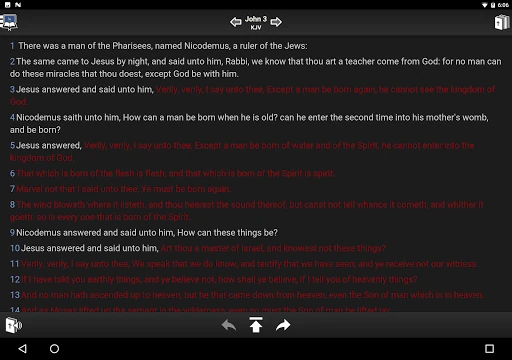
Compared with a plain Bible reader, Blue Letter Bible is much more of a study desk. Its collection includes more than 15 Bible versions, parallel views, text commentaries, dictionaries, word searches, and Hebrew and Greek resources. That breadth gives me a reason to stay in one app when I want context. It feels less like a minimalist reading tool and more like a reader with a substantial reference shelf built around the text.
That distinction also sets expectations. I would not choose it as a general-purpose note app, a social reading community, or a simple tool whose only job is to display a passage with as few options as possible. The extra material is the point, but it can make the experience feel busy if all I want is a quick verse lookup. Readers who enjoy investigating context are more likely to appreciate its approach.
Small habits, better study
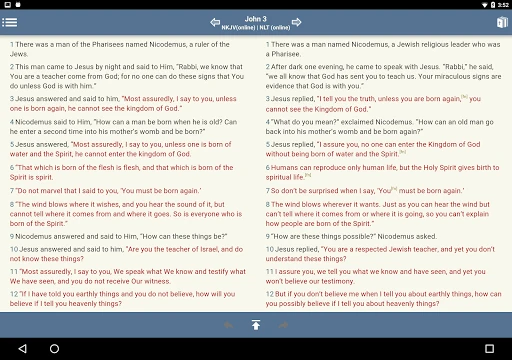
I get more from an app like this by giving each study session a small question to answer. I might compare two Bible versions, look up a word, and then stop rather than opening every reference available. Blue Letter Bible has enough resources to encourage a long detour, so choosing one focus helps keep reading purposeful. The parallel Bible view is useful when a comparison is the question, rather than something I need to do every time.
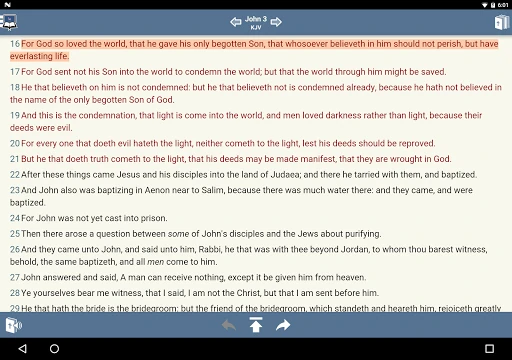
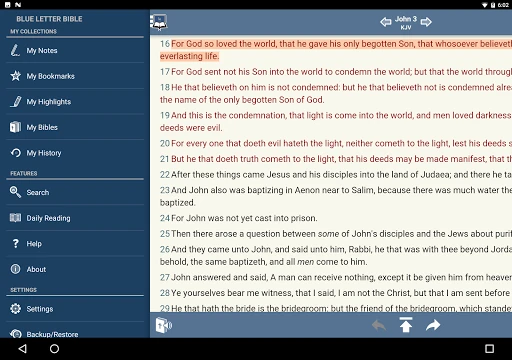
For ongoing study, notes can be organized into notebooks, favorite verses can be tagged and collected in custom folders, and highlights can use customized colors. I would settle on a few consistent tags and colors instead of making a new system for every passage. Adjustable font size and line height also make it easier to shape the reading view around my preference. These small choices help the app feel personal over repeated sessions.
More From Our News Desk

Zoom Meetings, Google Meet, or Teams: Which Is Easiest to Join?

How I Build a Free Streaming Lineup With Tubi

Why Crunchyroll Is the Default Anime App for So Many Fans

YouTube TV: A Practical Guide to Cutting Cable

Rummikub and the Small Comfort of Phone Games

TeamViewer Remote Control or AnyDesk for Helping Family?
Who will get the most from it
I would recommend Blue Letter Bible to readers who regularly ask what a passage means in context, enjoy comparing translations, or want reference material close at hand. Bible study groups and individual readers can use its commentaries, language resources, and note-taking tools to support their own reading. The ability to save verses and organize notes is particularly handy for someone returning to a topic over several days rather than treating every session as isolated.
It may be less comfortable for someone who wants a very spare reader with no extra choices, or who prefers to do all study through printed books and paper notes. The depth can invite more tapping and browsing than a straightforward reading session needs. I would still consider it for occasional reference, but its strongest fit is for people willing to explore the tools gradually and make the app part of a regular study routine.
Blue Letter Bible is developed by Blue Letter Bible and is listed on Google Play in the Books & Reference category. It has more than 1 million installs and a 4.6-star rating from around 19,000 ratings. The app is rated Everyone. Those figures offer a useful snapshot of its reach and user response, though store ratings naturally reflect individual preferences and experiences.
The app is free to download, with no in-app purchases or ads according to its Google Play details. Its listed version is 1.87.22 build 2122. The release date is January 31, 2015, and the last update shown is October 15, 2026. A minimum Android version was not supplied in the provided facts, so check the Google Play entry for the requirement that applies to your device.
How Blue Letter Bible Works in Practice
Getting oriented
My first impression was that Blue Letter Bible is built for people who like to follow a question wherever it leads. The reader is the starting point, but the app also offers a broad set of study materials, so there is more to explore than a page of text. I would begin with a familiar passage rather than trying to learn every tool at once. That gives the interface a clear purpose from the outset.
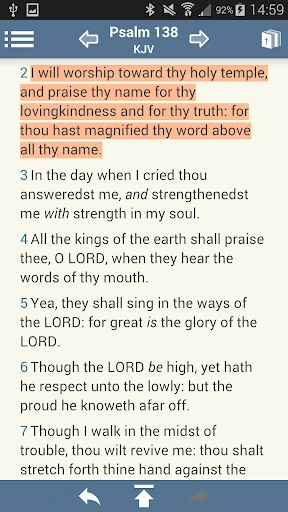
There is no need to personalize everything before reading. Font size and line height are adjustable, and the app also lets readers show or hide footnote and verse markers and words of Christ in red. I would make only the reading changes I actually want, then try other options as a question arises. Starting simply makes the more specialized resources feel like helpful additions instead of a checklist to get through.
Reading, then looking closer
In day-to-day use, the central rhythm is straightforward: read a passage, notice something worth checking, and follow up with a related resource. The app includes Bible versions, text commentaries, dictionaries, and word searches, alongside Hebrew and Greek lexicon tools. That mix supports different kinds of curiosity. Sometimes I may want another translation; at other times, I may want to investigate a word or see what a commentary says.
I appreciate that this approach can suit both short and longer sessions. A quick reading break can remain just that, while an evening set aside for study can take advantage of the deeper references. The main trade-off is attention: a reader can easily follow one new question into another. I would treat the additional material as optional support, not a requirement to consult every tool before moving on.
Tools with useful depth
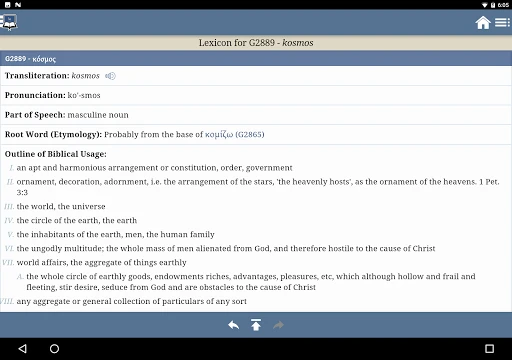
The original-language resources are among the features that distinguish the app from a basic reader. Its Hebrew and Greek lexicon can support word study, while dictionaries and encyclopedias provide other reference routes. Blue Letter Bible also includes the Treasury of Scripture Knowledge and more than 8,000 text commentaries by over 40 authors. That is a substantial collection to draw on when I want to look beyond the immediate wording of a verse.
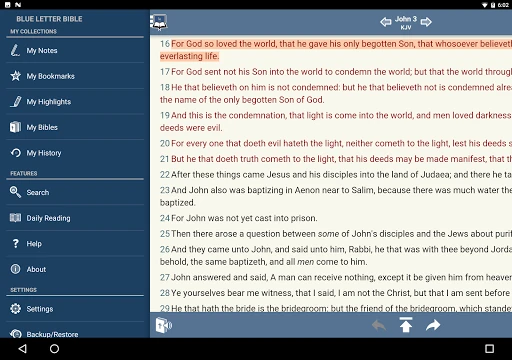
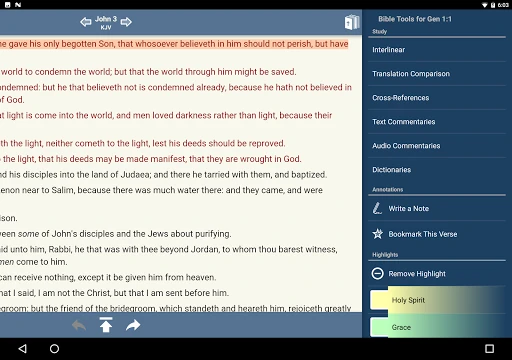
I also like the practical personalization features. Notes can be kept in notebooks, favorite verses can be tagged and grouped into custom folders, and highlights can use unlimited customized colors. Parallel Bible views put versions side by side, which is useful when I want to compare wording without treating each translation as a separate reading task. Together, these features make the app feel suited to study that builds over time.
A routine that sticks
A routine I would use is to read a short passage, choose one point that stands out, and write a note about it in the relevant notebook. If the wording prompts a question, I can compare Bible versions or consult a dictionary or commentary. I would then tag a verse only when I expect to revisit it. That keeps saved material useful instead of turning every chapter into a collection of marks and folders.
For a longer session, I would set aside time to follow one topic through the available reference tools. Parallel versions can help when comparing how a passage is expressed, and the lexicon can support a closer look at a Hebrew or Greek term. I would finish by saving a concise note or highlighting a verse for later. This makes the app's range feel manageable and gives the next session a natural starting point.
Depth has a trade-off
The obvious limitation is that a large collection of tools can make a simple reading task feel more involved than it needs to be. If I open the app only to check one verse, I may not want to think about commentaries, word searches, and study references. A reader who values a quiet, stripped-back screen may find the app's breadth distracting, even though those resources are precisely what make it useful to others.
The amount of material also calls for some selectivity. More references do not automatically make a study clearer, and I would avoid opening tools just because they are available. The app is best when I bring a question and use the resources that fit it. For anyone who wants only a minimal text display, a simpler reader may be a better match; for an engaged student, the depth is a worthwhile trade.
Blue Letter Bible earns its place as a study-focused reader by bringing translations, commentaries, language references, and personal organization into one app. I found its strongest appeal in the option to move from reading to research without losing sight of the passage. Its depth rewards a little patience, especially for someone who wants to build a steady habit rather than browse every feature at once.
I recommend it to regular Bible readers who enjoy asking follow-up questions and keeping notes or verses organized. If your priority is a very simple reader, its extra tools may feel like more than you need. For everyone else, starting with one passage and one question is a sensible way to see whether its approach fits.
Blue Letter Bible Frequently Asked Questions
What is Blue Letter Bible used for?
Blue Letter Bible is a Bible reading and study app. It offers more than 15 Bible versions, text commentaries, Hebrew and Greek lexicon resources, dictionaries, word searches, and parallel Bible views. Readers can also take notes in notebooks, tag favorite verses, create custom folders, and highlight passages with customized colors.
What devices can run Blue Letter Bible?
Blue Letter Bible is available on Android through Google Play. The supplied details do not specify an Android minimum version, so check the Google Play entry for the requirement that applies to your device. Device compatibility can depend on the current store requirements, which are worth checking before installing.
What Android version does Blue Letter Bible require?
The minimum Android version is not provided in the app details available here. Requirements can vary as the app is updated, so check Blue Letter Bible's Google Play entry for the current compatibility information for your phone or tablet. The listed app version is 1.87.22 build 2122.
Does Blue Letter Bible cost money?
Blue Letter Bible is free to download on Google Play. Its store details say it contains no in-app purchases and no ads. Store information can change, so it is worth checking the current Google Play entry before installing if you want to confirm the latest cost and purchase details.
Is Blue Letter Bible suitable for beginners?
It can suit beginners who want to read scripture and explore extra context at their own pace. The range of study tools may feel busy if you prefer a very simple reader, so I would start with basic reading and open references only when a question comes up. Readers who enjoy deeper study may find more to use over time.
Pros
- Combines Bible reading with commentaries, dictionaries, and original-language study tools.
- Offers parallel Bible views and more than 15 available Bible versions.
- Supports notebooks, verse tags, custom folders, and customizable highlighting.
- Free to download, with no ads or in-app purchases.
Cons
- The many study resources can feel overwhelming during a quick reading session.
- Readers looking for a minimal, distraction-free Bible may prefer a simpler app.
- Exploring several references can turn a short session into a lengthy detour.
- Category
- Books & Reference
- Version
- 1.87.22 build 2122











