Bible Hub
- 121.20K
- 4.9
- Installs
- —
- Price
- Free

Screenshots
Analysis by Reviewed APKs
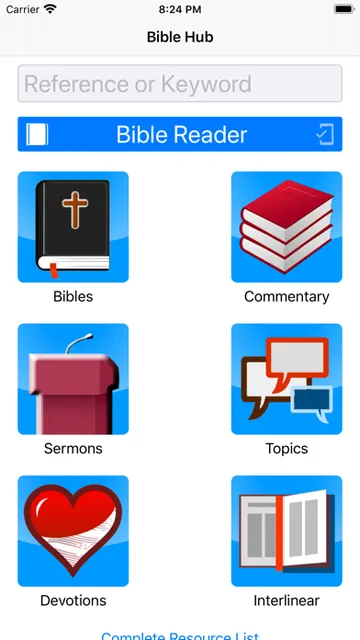
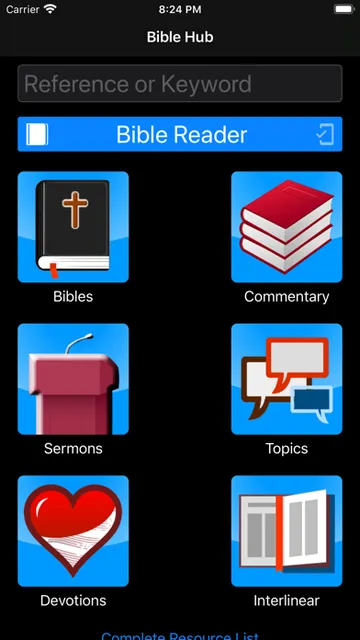
Bible Hub brings Bible reading and reference material together in one iOS app, with an offline reader alongside online Bibles, search, commentaries, devotions, topics, and interlinear resources. I see it as a useful fit for readers who want to move from a passage to related study material without switching apps. Its broad mix is practical, though using all of it depends on an internet connection.
From a Question to a Passage
Imagine having a few minutes before the day gets busy and wanting to look up a verse you remember only in part. Bible Hub puts search near the center of its offering, so the app is suited to that sort of quick reference as well as longer reading. Once I have a passage in mind, I can turn to the online Bible resources or consult related study material rather than treating the verse as an isolated result.
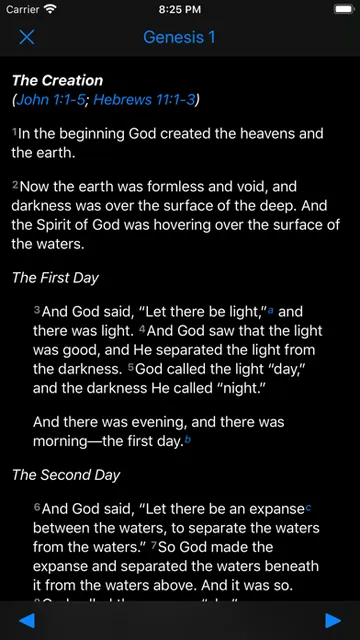
For a quieter session, I could open the offline Bible reader and read without needing the full set of online features. If a phrase prompts a question, the app also offers commentaries, topics, and interlinear material for further exploration. That makes the basic rhythm appealing: find a passage, read it, and follow a question into a reference resource. The internet connection still matters for all the app's features, so offline reading is not the same as offline access to everything.
A Reader and Reference Shelf
Bible Hub is more than a plain digital Bible, but it is not just a quiet reading space either. It brings together an offline reader, online Bibles, search, commentaries, devotions, topics, and interlinear resources. That range makes it more useful for someone who regularly wants context or cross-references than an app focused only on opening a text and reading straight through.
The trade-off is that a broad reference collection is not necessarily the simplest choice for someone who wants only a minimal reader. Nor does the provided feature set make this a general note-taking or planning tool; I would approach it as a Bible reading and study resource. For focused study, its different kinds of material can be valuable. For a distraction-free reading routine, the extra options may feel like more than the job requires.
Make Short Sessions Count
I would get the most from Bible Hub by keeping a small question in mind for each session. A quick search can help locate a passage, while the commentaries, topics, and interlinear resources offer ways to continue when I want more context. That gives a short visit a natural shape without requiring me to work through every available reference tool each time I open the app.
For regular reading, the offline reader is a useful option when I expect to be away from a reliable connection. I would still plan on being online when I want to use the app's full set of features, since the description says an internet connection is needed for all of them. Keeping that distinction in mind helps set realistic expectations: offline reading is available, but the complete study experience relies on connectivity.
More From Our News Desk

Zoom Meetings, Google Meet, or Teams: Which Is Easiest to Join?

How I Build a Free Streaming Lineup With Tubi

Why Crunchyroll Is the Default Anime App for So Many Fans

YouTube TV: A Practical Guide to Cutting Cable

Rummikub and the Small Comfort of Phone Games

TeamViewer Remote Control or AnyDesk for Helping Family?
Who Will Find It Useful
I would recommend Bible Hub to readers who like to look beyond the text of a passage and consult different kinds of Bible reference material. The mix of search, online Bibles, commentaries, devotions, topics, and interlinear resources can suit someone who moves between casual reading and study. It also makes sense for readers who want an offline Bible reader available within the same app.
It may be a less natural fit for someone who wants only a very simple reading experience, or who expects every feature to work without an internet connection. The app's breadth is its main draw, but that breadth can make it feel like a reference shelf rather than a single-purpose reader. I would choose it when having several study resources together matters more than keeping the experience narrowly focused.
Bible Hub is an iOS app from developer John Isett. On the App Store, it has a 4.9 rating from around 121,000 ratings. The app is free to download, and its content rating is 4+. It is listed as version 1.2.6, with a release date of March 18, 2016.
The current listed minimum requirement is iOS 15.0. The app's most recent update date is January 28, 2024. Its free download makes it easy to try the reader and reference tools, while the app description notes that an internet connection is needed to use all features. Store details can change, so it is worth checking the App Store before installing.
A Closer Look at Bible Hub
A Broad First Impression
When I first consider Bible Hub, what stands out is the range packed into a single Bible app. It is not limited to reading: the description also points to search, online Bibles, commentaries, devotions, topics, and interlinear resources. That combination gives the app a clear reference-minded identity. A reader can start with the text and have several directions to go when a passage raises a question.
The offline Bible reader also gives the app a practical reading option when connectivity is inconvenient. I would not mistake that for a fully offline version of the entire experience, though. The description makes clear that all features require an internet connection. It is a useful distinction to understand early, especially if I plan to use more than the reader during a commute or while traveling.
Reading and Looking Things Up
Day to day, Bible Hub seems best suited to a mix of short lookups and more deliberate reading. Search addresses the moment when I have a passage or subject I want to find, while the reader supports spending longer with the text. If I want to continue beyond reading, the available reference options give me a reason to stay in the same app rather than reaching for a separate resource immediately.
I like that this setup can accommodate different amounts of attention. Some days I may only want to find a passage; on others, a commentary or topic reference may be a better next step. The app's usefulness depends on how often I want that range. A reader who rarely consults study material may not need so many options, while a curious reader may appreciate having them close at hand.
Tools Beyond the Text
The study resources are the features that give Bible Hub its broader character. Commentaries offer one route for exploring a passage, while topics provide another way to approach material. Interlinear resources add a further reference option. The app also includes devotions, giving readers a different kind of material alongside its Bible and study content.
Search is another important part of the mix because it can connect a reader's question with the app's Bible resources. I find that useful in principle for both quick reference and a more exploratory session. The description does not make every feature sound identical in purpose, and that is a strength: a reader can choose between reading, searching, and consulting different forms of supporting material based on what they need that day.
A Simple Study Routine
A practical routine could start with a passage I want to read, using the offline reader if I know I may not have a connection. When online, I could use search to locate a passage or topic and then decide whether a commentary, devotion, or interlinear resource is relevant. I like this sequence because it starts with the text and lets the extra material serve a specific question.
For a brief session, I would keep the goal modest: find one passage, read it, and follow just one useful reference trail. For a longer study period, I could spend more time comparing the available material and exploring related topics. The app supports both kinds of use through its mix of reading and reference tools, though the online parts naturally require connectivity.
Keep Connectivity in Mind
The main limitation to keep in view is the difference between an offline reader and offline access to the complete app. Bible Hub's description says an internet connection is needed to use all features. That means I would not count on commentaries, online Bibles, search, devotions, topics, or interlinear resources being available without a connection, even though offline Bible reading is part of the app.
The other consideration is focus. Bible Hub brings together many types of material, which can be helpful when I want to study but may feel like extra choice when I only want to read. That is a matter of preference rather than a flaw. The app is at its strongest for people who will make use of its reference side as well as its reader.
Bible Hub's appeal is straightforward: it combines Bible reading with a wide range of study and reference material, including an offline reader. I like that it can serve both quick lookups and longer sessions. The important caveat is that a connection is needed for the full feature set, so offline reading should not be mistaken for fully offline study.
I would recommend giving Bible Hub a try if you want search, reading, and Bible reference resources together on iOS. If your priority is a very simple reader, its breadth may be unnecessary. For readers who regularly follow questions from a passage into related material, the combination is a practical one.
Bible Hub Frequently Asked Questions
What is Bible Hub used for?
Bible Hub is a Bible reading and reference app. It includes an offline Bible reader, online Bibles, search, commentaries, devotions, topics, and interlinear resources. I would use it to read passages, find material through search, or explore supporting references. The description says an internet connection is needed to use all features.
Is Bible Hub available on iPhone and iPad?
Bible Hub is an iOS app available through the Apple App Store. The listed minimum requirement is iOS 15.0. Check the App Store for current compatibility information for a particular device, since requirements and availability can vary over time.
What iOS version does Bible Hub require?
The listed minimum operating system requirement for Bible Hub is iOS 15.0. If you are unsure whether your device meets that requirement, check its iOS version and the app's current App Store information before downloading.
Does Bible Hub cost money or offer in-app purchases?
Bible Hub is free to download on the App Store. Store details can change, so check the current App Store page for the latest information about cost or any in-app purchase options before installing.
Is Bible Hub suitable for casual Bible reading?
It can suit casual readers, since it includes a Bible reader as well as search and other resources. The wider set of commentaries, devotions, topics, and interlinear material may be most useful to people who want to explore beyond reading. A connection is needed for all features, while the app also offers an offline reader.
Pros
- Combines Bible reading with search, commentaries, devotions, topics, and interlinear resources.
- Includes an offline Bible reader for reading without relying on a connection.
- Offers both quick reference and deeper study options in one iOS app.
- Free to download from the App Store.
Cons
- An internet connection is needed to use the app's full set of features.
- The range of reference options may feel excessive for readers seeking a minimal reader.
- Offline reading does not mean every study resource is available offline.
- Category
- Books & Reference
- Version
- 1.2.6











