Bible Gateway
- 40.28K
- 2.7
- Installs
- 1.00M
- Price
- Free

Screenshots
Analysis by Reviewed APKs
Bible Gateway is a Bible reading, listening, and study app for people who want Scripture close at hand, whether they are following a reading plan or looking up a passage during the day. I like that it combines many translations with audio and practical study options. It can work for a quick daily reading or a more involved study, though ads and paid extras shape the experience.
A Passage for the Day
When I imagine using Bible Gateway in an ordinary routine, it is easy to picture a few minutes with my phone before breakfast. I can open the Bible, choose a translation, and read a passage without needing a separate study reference beside me. If I have a particular verse in mind, searching by verse, keyword, or topic gives the app a more direct job than simply browsing.
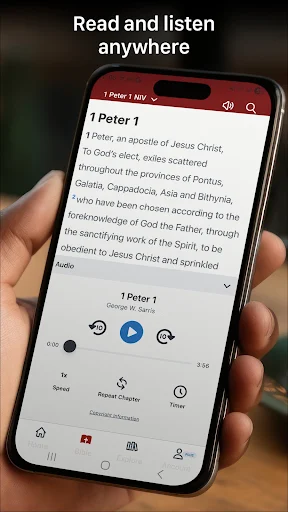
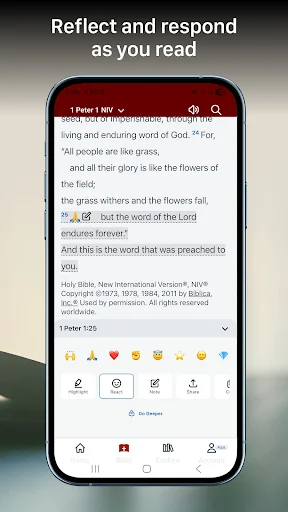
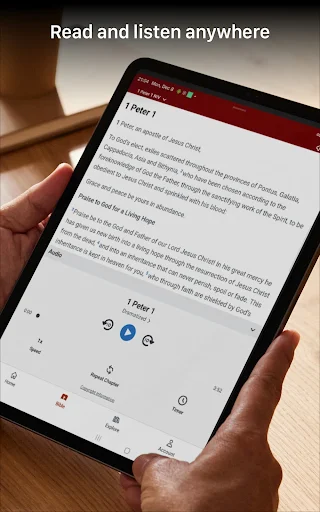
On a bus ride or during a walk, audio offers another way to keep going when looking at a screen is inconvenient. Bible Gateway includes audio Bibles in multiple languages, so listening can fit around other parts of the day. Later, I can return to reading and use a free account to highlight a verse or add a note, keeping a small thread of continuity between sessions.
More Than a Bible Reader
Bible Gateway sits between a straightforward digital Bible and a broader study resource. Its large selection of translations makes it useful when I want to read familiar wording or compare how a passage appears in another version. Search, audio, reading plans, notes, and highlights add useful routines without making every visit about an in-depth study session.
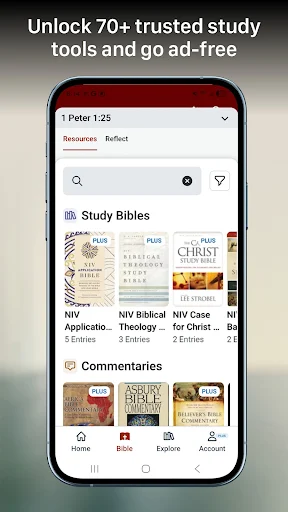
It is not a general-purpose reading app or a replacement for a printed Bible in every setting. Nor should I expect every study resource to be included in the free experience: Bible Gateway Plus is the paid route to a collection of study tools and removes ads. Someone who only wants a basic text reader may find the extras unnecessary, while a dedicated scholar may still want other reference materials.
Small Habits That Help
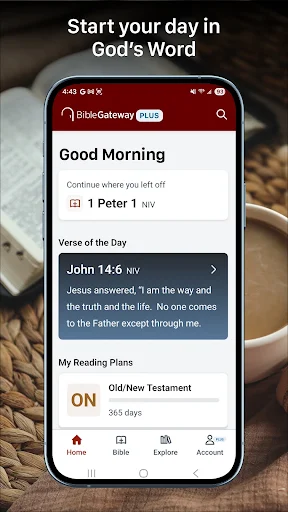
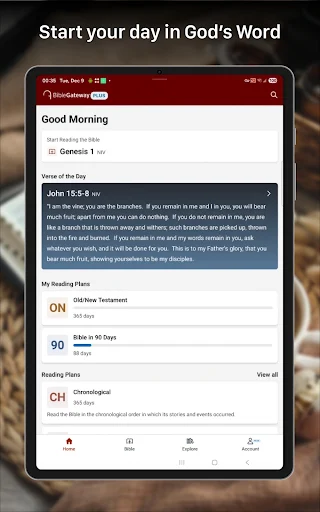
A little consistency can make the app more useful than opening it only when I need to find a quotation. I would choose a reading plan for a regular routine, then use its progress tracking to see where I am rather than relying on memory. The Verse of the Day is another low-effort starting point when I have time for one short passage but not a longer reading session.
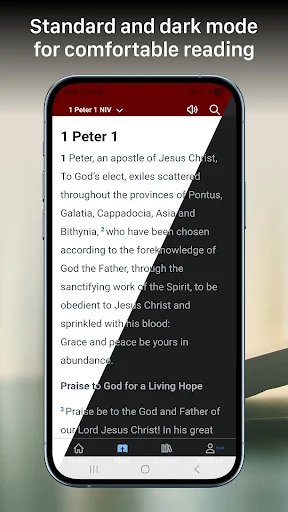
For study, I would save highlights and notes with a free account so they sync across devices. Searching for a topic or verse is handy when a question comes up, and comparing translations can give a different view of the wording. On a tablet, the side-by-side reading option supports that comparison. Dark mode is a practical choice for reading at night.
More From Our News Desk

Zoom Meetings, Google Meet, or Teams: Which Is Easiest to Join?

How I Build a Free Streaming Lineup With Tubi

Why Crunchyroll Is the Default Anime App for So Many Fans

YouTube TV: A Practical Guide to Cutting Cable

Rummikub and the Small Comfort of Phone Games

TeamViewer Remote Control or AnyDesk for Helping Family?
Who May Find It Useful
I would recommend Bible Gateway to readers who want several ways to engage with Scripture in one app: reading, listening, searching, and following a plan. It can suit someone establishing a regular habit as well as someone who already knows which translation they prefer and wants quick access to others. The free account features are especially relevant to people who want to keep notes and highlights in sync.
It may be less appealing to readers who want an entirely ad-free experience without paying for an upgrade, or who need only a very simple text reader. The range of choices can also be more than a casual reader needs. Bible Gateway Plus is aimed at people who value study resources such as commentaries and study Bibles, rather than everyone who opens the app for a brief daily reading.
Bible Gateway is developed by HarperCollins Christian Publishing and is listed in Books & Reference. Google Play shows over 1 million installs and a 2.7-star rating from about 40,000 ratings. The app is free to install and includes ads. Those figures offer a quick sense of its reach and reception, but the best fit still depends on whether its mix of reading, audio, and study tools matches your routine.
The app offers in-app purchases, with listed items ranging from $3.99 to $69.99 each. Its Google Play content rating is Everyone 10+. The current version is 200.2.0; the recorded release date is August 8, 2012, and the last update date is October 30, 2026. These dates and version details can change as the app is updated.
A Flexible Scripture Routine
A Direct Start
My first impression of Bible Gateway is that it is built around getting to Scripture in different ways, rather than treating the Bible as a static text file. The app supports reading, audio, and study, and its updated design is described as focused on reducing friction. That goal makes sense for a tool people may open briefly several times a day.
A useful first step is choosing a preferred translation and deciding whether I want to read, listen, or search. The app includes more than 200 Bible translations and audio Bibles in over 15 languages, according to its description. That breadth is appealing, although it also means the experience can feel more involved than a one-translation reader.
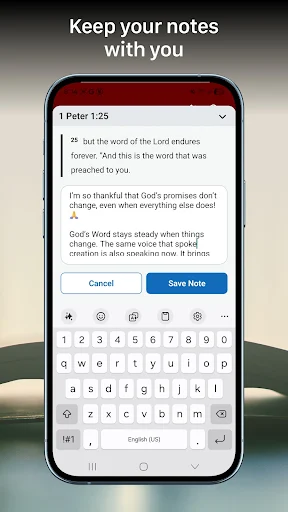
Creating a free account is optional for basic use, but it matters if I want highlights, notes, and reactions to sync across devices. I would set that up early if I planned to use those features regularly, rather than adding notes first and sorting out account habits later.
Everyday Reading
For a quick lookup, searching by keyword, verse, or topic is the app's most practical shortcut. It turns a vague memory of a phrase into a targeted search, or lets me jump straight to a known reference. Once I am at a passage, I can stay with the text or switch to audio if reading is not convenient.
Reading plans and progress tracking give longer use a bit of structure. I can treat the app as a daily reading companion instead of opening it only to settle a question. The Verse of the Day offers a smaller entry point, while translation choice lets me keep a familiar version or look at another one when I want to compare wording.
The everyday experience is not just about getting through a passage. Highlights and notes give me a way to mark what stood out, and a free account keeps those items in sync. That can be useful over time, though it does mean the app is more rewarding when I build a modest habit around it.
Tools for Comparing
The translation range is a defining feature. Bible Gateway names familiar options including NIV, KJV, ESV, NKJV, NASB, AMP, and MSG among its 200-plus translations. Having them available in one app is convenient when I want to compare wording without switching between separate products or relying on a single printed edition.
Audio is another meaningful option rather than a minor add-on. The app describes more than 30 Audio Bibles in English, Spanish, Chinese, and other languages, alongside audio Bible support in over 15 languages overall. That gives listening a place in the same routine as reading, whether I am at home or away from a desk.
For tablet users, the ability to read two Bible versions side by side makes comparison more immediate. Dark mode supports comfortable reading at night, and the Verse of the Day offers a small daily prompt. These are focused conveniences; they do not change the app's central purpose, but they make it easier to adapt that purpose to different moments.
A Simple Weekly Routine
One practical routine would be to begin the week by choosing a reading plan, then return each day to continue and check progress. If a phrase catches my attention, I can highlight it or attach a note through my account. When I have more time, I can search a topic or compare the passage in another translation rather than letting the question disappear.
On a busy day, I could switch from reading to audio and still keep the same broader habit. At night, dark mode is an option for a quieter screen. These small choices help the app fit around an existing schedule instead of demanding a long, uninterrupted study block every time I open it.
If I use a tablet, I would save side-by-side reading for passages where wording differences are worth looking at closely. The free features are enough for a basic reading and note-taking routine. Bible Gateway Plus becomes relevant when I specifically want its study resources or an ad-free experience.
Keep the Trade-Offs in View
Ads are part of the free experience, so readers who find interruptions distracting should weigh that against the cost of Bible Gateway Plus. The upgrade is also the route to over 60 study resources, including study Bibles, commentaries, dictionaries, and word studies. That is a substantial collection, but it is a paid layer rather than something to assume comes with every free download.
The number of translations and tools is a strength, but it can also feel like more choice than someone needs for a short daily reading. A reader looking for a minimal interface may prefer a simpler Bible app. Conversely, people who want extensive study material may want to consider whether the Plus resources cover the references they personally use.
Google Play shows a 2.7-star rating from about 40,000 ratings, which is a modest public score. Ratings do not explain every person's experience, but they are worth considering alongside the feature set. I would try the free app with a realistic daily task before deciding whether its layout and paid extras suit me.
Bible Gateway brings reading, audio, translation comparison, search, and personal study notes together in a flexible package. I like that it can serve a quick lookup one day and a planned reading routine the next. Its main compromises are ads in the free experience and a broad feature set that may be unnecessary for people who want only a plain text reader.
I would recommend trying it if you want Scripture access plus options to listen, compare translations, or follow a plan. Readers who value study resources may also want to look at Bible Gateway Plus. If you prefer a very minimal app or an ad-free experience without an upgrade, the free version may not be your ideal fit.
Bible Gateway Frequently Asked Questions
What is Bible Gateway used for?
Bible Gateway is used to read, listen to, and study the Bible. It offers many translations, audio Bibles, search by keyword, verse, or topic, reading plans, and tools for highlighting and taking notes. A free account can sync those personal items across devices. Bible Gateway Plus adds access to study resources and removes ads.
Which devices and platforms support Bible Gateway?
Bible Gateway is available as an Android app through Google Play. Its description also refers to syncing account items across devices and describes a side-by-side reading feature for tablets. The available device experience can depend on the product version and platform, so check the store listing for current compatibility details.
What Android version does Bible Gateway require?
The Android version requirement can vary as the app is updated. Check the Bible Gateway page on Google Play for the current minimum requirement and compatibility with your device before installing. The app's current version and update details may also change over time.
Does Bible Gateway cost money?
Bible Gateway is free to install and contains ads. It offers in-app purchases, with listed items ranging from $3.99 to $69.99 per item. Bible Gateway Plus is described as the paid option for an ad-free experience and access to study resources. Check Google Play for current purchase details.
Is Bible Gateway suitable for beginners?
It can suit beginners as well as people who already study the Bible, since it combines reading, audio, search, and reading plans. Its large selection of translations and study options may take some exploring, though. Someone seeking only a very simple reader may find the feature set broader than necessary.
Pros
- Combines Bible reading, audio, search, and reading plans in one app.
- Offers more than 200 translations, including several widely used versions.
- Free account supports synced highlights and notes across devices.
- Tablet users can compare two Bible versions side by side.
Cons
- The free experience contains ads, while ad removal requires an upgrade.
- Its many translations and study options may feel excessive for casual readers.
- Google Play shows a 2.7-star rating from about 40,000 ratings.
- Category
- Books & Reference
- Version
- 200.2.0











