Barnes & Noble NOOK
- 175.90K
- 4.4
- Installs
- 10.00M
- Price
- Free
Screenshots
Analysis by Reviewed APKs
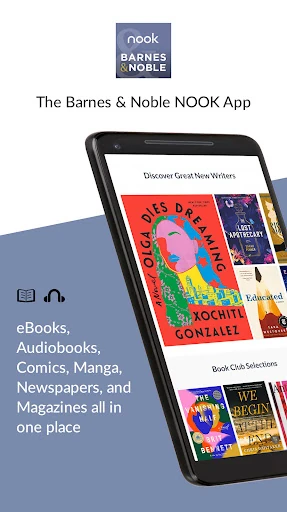
Barnes & Noble NOOK is a reading and listening app for Android phones and tablets, with a large catalog of ebooks, audiobooks, comics, manga, and magazines. I see it as a good fit for readers who want their digital books, notes, and listening in one place, especially if they already use Barnes & Noble. Its reading adjustments and device syncing make it flexible, though the experience is centered on the NOOK library.
A Book for the Commute
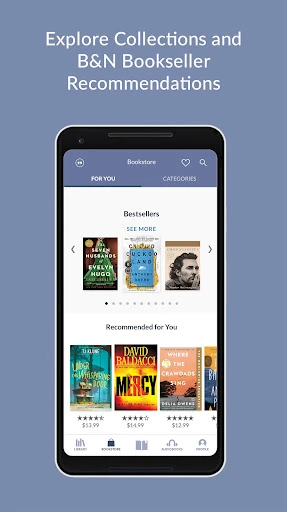
When I want something to read on a bus ride, I can browse the NOOK catalog, look through recommendations, and download a sample before deciding whether a title suits me. If I already have digital content purchased from Barnes & Noble, it appears in the app. That makes NOOK useful both for choosing something new and for picking up a book I have already bought, without carrying a separate reader.
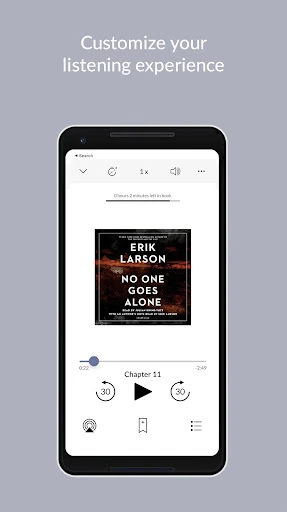
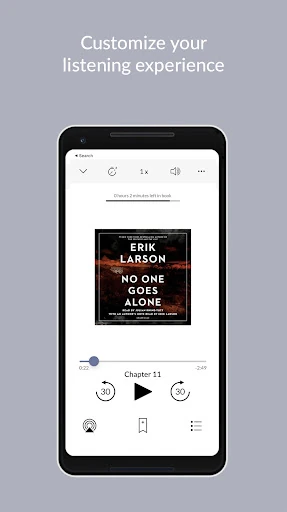
The experience also works when the commute turns into a walk or drive. I can switch from reading to an audiobook, adjust narration speed, and set a sleep timer for listening later at home. Android Auto support gives the app a place in compatible car routines, too. I like that these options are part of the same library rather than requiring a separate app just to listen to a book.
A Reading App, Not a Storefront
Compared with a dedicated e-reader, NOOK offers more variety in one app: ebooks sit alongside audiobooks, graphic novels, comics, manga, and magazines. It also brings in recommendations and free samples, so browsing can be part of the experience rather than something done elsewhere. Readers who already have Barnes & Noble digital purchases have a particularly straightforward reason to use it, since that content appears in the app.
Still, I would not treat NOOK as a general-purpose note-taking tool or a place to organize unrelated documents. Its shelves, bookmarks, highlights, and notes are built around reading and listening to its digital content. It is also not a standalone physical book service: the app focuses on digital media. If your main goal is a simple, distraction-free text reader with no interest in a broader catalog, some of its discovery and library features may be more than you need.
Small Habits That Help
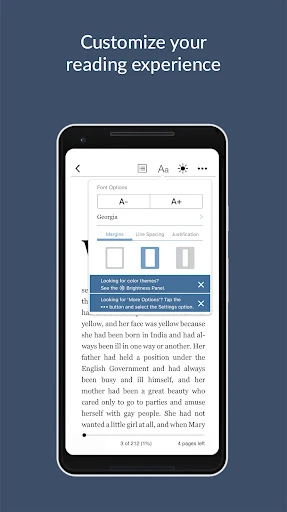
I get more from NOOK when I take a minute to tune the page before settling into a long reading session. Font style, line spacing, margins, page animations, background color, and screen brightness can all be adjusted. A few small changes can make a book more comfortable to read in different settings, such as a bright room during the day or a dimmer space at night.
I also like to use samples and the Wishlist as a low-pressure way to keep track of possible next reads. Custom shelves can separate books by mood, topic, or what I want to read soon. Notes, highlights, and bookmarks help me return to a useful passage, while syncing carries reading progress and those saved details across devices. These habits are most helpful when I use NOOK regularly rather than only opening it once in a while.
More From Our News Desk

Zoom Meetings, Google Meet, or Teams: Which Is Easiest to Join?

How I Build a Free Streaming Lineup With Tubi

Why Crunchyroll Is the Default Anime App for So Many Fans

YouTube TV: A Practical Guide to Cutting Cable

Rummikub and the Small Comfort of Phone Games

TeamViewer Remote Control or AnyDesk for Helping Family?
Who May Enjoy NOOK
I would recommend Barnes & Noble NOOK to readers who want ebooks and audiobooks together, particularly people with digital purchases from Barnes & Noble or an interest in browsing its catalog. It suits a mix of reading styles: someone can adjust the page for a long evening chapter, sample a new title, organize a library into shelves, or listen to an audiobook with a sleep timer. Families may also appreciate that profiles keep individual reading activity separate.
It may be less appealing to someone who wants only a bare-bones ebook viewer or who does not want to use Barnes & Noble’s digital library. The range of content and customization is useful, but it can feel like extra choice if all you need is one book at a time. Families should also consider whether profiles and child controls match their needs. The app supports accessibility features through Android assistive technology, including TalkBack and screen magnification.
Barnes & Noble NOOK is developed by Barnes & Noble and is available for Android. The app is free to install, and the store information reports no in-app purchases or ads. Its content rating is Teen. The version is shown as varying with device, so the exact version can differ between devices. The release date is July 22, 2010.
On Google Play, Barnes & Noble NOOK has over 10 million installs and a 4.4-star rating from around 176,000 ratings. The supplied store information gives October 22, 2026 as the last update date. No minimum Android version is provided in the available details, so check Google Play for device-specific compatibility before installing.
A Flexible Home for Digital Reading
Settling In
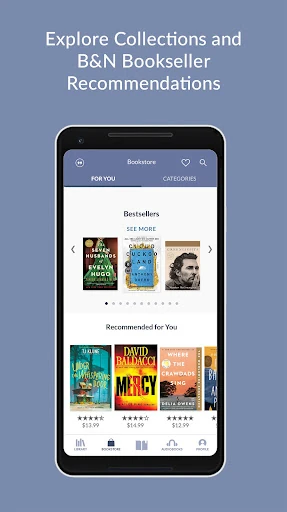
My first impression is that NOOK is designed to be both a library and a discovery space. It brings together books already purchased from Barnes & Noble with ways to browse new releases, bestsellers, promotions, and recommendations. The catalog spans familiar fiction and nonfiction as well as comics, manga, and magazines, so it is not limited to conventional novels.
I would start by opening the library and finding a title I already own, then adjust the reading display to my liking. If I am unsure about a new book, a free sample gives me a chance to try it before committing. The app also offers more than 75,000 free ebooks and over 10,000 free audiobooks, which makes exploration possible without starting with a paid title.
The Daily Reading Loop
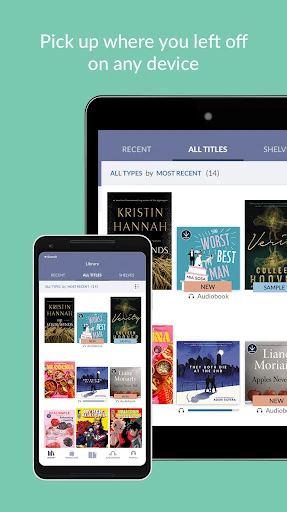
In day-to-day use, the most useful promise is continuity. NOOK syncs books, bookmarks, notes, highlights, and reading position across devices, so I can move between a phone and tablet without having to remember where I stopped. That matters most when reading in short bursts: a chapter at lunch, a few pages at home, and another stretch before bed.
The reading tools are practical rather than flashy. I can search within a book, look up words in the in-app dictionary, and save a passage as a note or highlight. Adjusting margins, line spacing, font, or background can make a difference over a long session. Content can be stored on the device or in the cloud, giving readers a choice about where their library lives.
Reading and Listening Options
The range of content is one of NOOK’s clearest strengths. Alongside ebooks, the app offers audiobooks, graphic novels, comics, manga, and magazines. Barnes & Noble describes a library of over four million ebooks and more than 300,000 audiobooks. Those numbers point to a broad catalog, while the available free titles and samples give readers a way to explore before choosing what to add.
The listening tools feel considered for real routines. Narration speed is adjustable, and a sleep timer can stop playback around a chosen bedtime routine. Android Auto support is available for listening in the car. On the reading side, the app includes page animation options and brightness adjustment, plus the ability to share favorite highlights through social networks. These features serve different habits without changing the app’s central job.
A Simple Weekly Routine
A useful routine could begin with browsing recommendations once a week, saving promising titles to the Wishlist, and downloading a sample when something catches my eye. Once I choose a book, a custom shelf can keep it with other current reads. During the week, bookmarks and highlights help me return to interesting passages, and syncing means I do not have to keep track of progress manually.
For a household, Profiles add another layer. Family members can share an account while keeping customized experiences, and reading position, notes, bookmarks, and highlights are saved for each profile. Content such as ebooks, audiobooks, magazines, newspapers, and comics can be shared across profiles without buying it again. Child Profiles let parents control what each child sees, which may be useful when several people use the same account.
Limits to Keep in Mind
NOOK is most compelling when its catalog and Barnes & Noble purchases are relevant to you. The app can display purchased digital content, but that does not make it a neutral reader for every kind of personal file. Its features are geared toward reading and listening within the NOOK library. If your books are spread across unrelated services, this app may not be the one place that gathers everything.
There is also a difference between a free app and a completely free reading habit. NOOK includes free ebooks and audiobooks, plus samples, but readers may want other titles from the catalog. The supplied app details do not give catalog prices, so those can vary and are worth checking before choosing a title. Finally, the Android version requirement varies by device and should be checked on Google Play.
Barnes & Noble NOOK is a capable digital reading companion with a useful mix of ebooks, audiobooks, customization, syncing, and family profiles. I especially like the way it supports both quiet reading sessions and hands-free listening, while still offering practical tools such as samples, shelves, and in-book search.
I recommend it to Android readers who want to use Barnes & Noble’s digital library and appreciate having reading and listening in one place. If you only want a minimal ebook viewer, or need a reader built around unrelated content, the app’s broader catalog focus may not be a match.
Barnes & Noble NOOK Frequently Asked Questions
What is Barnes & Noble NOOK used for?
Barnes & Noble NOOK is used to read ebooks, graphic novels, comics, manga, and magazines, as well as listen to audiobooks on Android phones and tablets. It includes reading adjustments, bookmarks, notes, highlights, custom shelves, samples, and syncing across devices. It also brings Barnes & Noble digital purchases into the app.
Which devices can run Barnes & Noble NOOK?
Barnes & Noble NOOK is described for Android smartphones and tablets. Its exact Android version requirement can vary by device, so check Google Play for compatibility with your phone or tablet before installing. The app also supports Android Auto for audiobook listening in compatible car setups.
Does Barnes & Noble NOOK cost money?
The app is free to install, and the supplied Google Play details report no in-app purchases or ads. NOOK includes free ebooks, free audiobooks, and samples. Other digital content may have its own price, which can vary; check Google Play and Barnes & Noble’s catalog for current details.
Can I use Barnes & Noble NOOK with my family?
NOOK offers Profiles, which let family members share an account while keeping customized experiences and separate reading positions, bookmarks, highlights, and notes. Content can be shared across profiles. Child Profiles allow parents to control what each child sees, making the app worth considering for households that share digital reading.
Is Barnes & Noble NOOK a good fit for every reader?
It is a strong option for Android readers who want ebooks and audiobooks together, especially if they use Barnes & Noble digital content. The app also has accessibility support through Android features such as TalkBack and screen magnification. Readers seeking only a very simple viewer may prefer a more focused app.
Pros
- Combines ebooks, audiobooks, comics, manga, and magazines in one reading app.
- Syncs books, bookmarks, notes, highlights, and reading position across devices.
- Offers extensive reading adjustments, custom shelves, samples, and in-book search.
- Profiles support separate family reading experiences and child content controls.
Cons
- Its strongest fit is readers invested in Barnes & Noble’s digital library.
- Some catalog content may cost extra even though the app is free to install.
- The Android version requirement can vary by device.
- Category
- Books & Reference











