Ancestry: Family History & DNA
- 194.58K
- 4.6
- Installs
- 10.00M
- Price
- Free

Screenshots
Analysis by Reviewed APKs
Ancestry: Family History & DNA is a mobile research tool for building a family tree, exploring historical records and keeping family stories together. It suits curious beginners as well as people who already have names and dates to investigate. I like that it gives you useful ways to start for free, while making the divide between basic browsing and deeper paid research clear. It feels most rewarding when you treat it as a gradual project.
A Small Clue, A Bigger Story
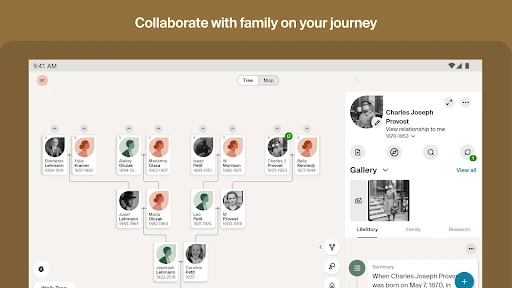
Imagine sitting with a relative after dinner and hearing a name you have never written down before. With Ancestry, you can search for that person, add family members to your tree and look through suggested hints without waiting until you are back at a computer. The app also lets you add photographs and stories, so the tree can become more than a set of names. That makes it useful in the moment a family memory comes up.
I would use the free tools to record what I already know, then return to a hint or record when I have time to check it carefully. Ancestry describes free access to tree building, census searching, more than 1.1 billion free records, photo uploads and ancestor life stories on a map. That is enough to make an initial exploration feel purposeful, even if a particular search does not immediately uncover a new branch.
Research Tool, Not Family Chat
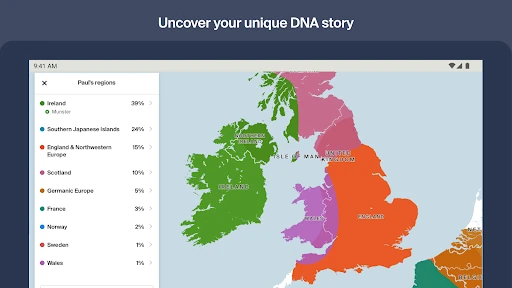
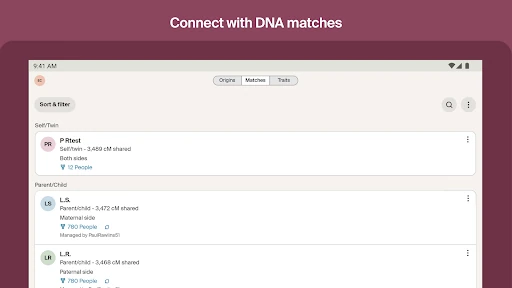
Compared with keeping names in a notes app or a paper chart, Ancestry gives family details a tree structure and connects them with records, images and suggested discoveries. You can also collaborate with friends and family, and the app supports messages from other Ancestry members. If you have taken an AncestryDNA test, the app can show ethnicity results and DNA matches, bringing another kind of information alongside your family research.
That breadth does not make it a general-purpose social network or a quick answer machine. Genealogy involves checking names and relationships, and a hint is something to review rather than accept automatically. The app is also not only a DNA-results viewer: tree building and record searching are central parts of its purpose. People who simply want a casual family photo album may find its research focus more involved than they need.
Make Research Manageable
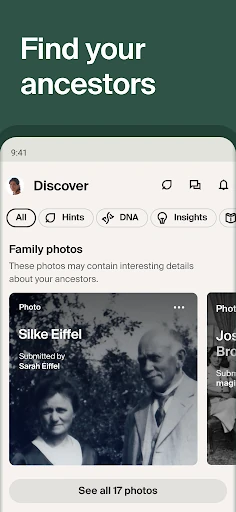
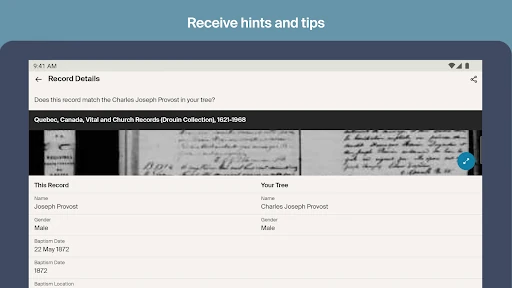
A useful habit is to add one well-supported person or detail at a time, rather than racing to fill every branch. When a hint appears, the Discover feed lets you review it, dismiss it or save it for later. That makes it easier to keep a short list of promising leads without turning every spare minute into a research session. Photos and stories can add context while the facts are still fresh in your mind.
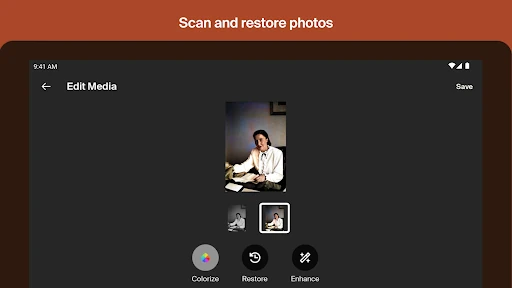
I would also make a note of what a relative actually remembers before searching, then compare that information with records and hints in the app. Scanning or uploading family pictures can give a tree a more personal feel, while the map view offers another way to explore ancestors’ life stories. If DNA features are relevant to you, combining results with a tree may add context; they are optional rather than a prerequisite for using the app.
More From Our News Desk

Zoom Meetings, Google Meet, or Teams: Which Is Easiest to Join?

How I Build a Free Streaming Lineup With Tubi

Why Crunchyroll Is the Default Anime App for So Many Fans

YouTube TV: A Practical Guide to Cutting Cable

Rummikub and the Small Comfort of Phone Games

TeamViewer Remote Control or AnyDesk for Helping Family?
Who May Enjoy Ancestry
I would recommend Ancestry to anyone who wants a practical place to start recording family relationships and gradually investigate them. It is especially appealing if you have old photographs, a few family names or stories from relatives that you would like to preserve. Beginners can start with free tree-building and record tools, while people who want broader record access can consider the optional trial or subscription.
It may be less satisfying for someone expecting instant, definitive answers from a single search, or for someone who only wants to browse a finished tree without adding or checking information. The app also offers DNA-related tools, but taking a DNA test is not necessary to build a tree. If you are mainly looking for a lightweight place to store photos, its records, hints and research workflow may feel like more than you need.
Ancestry: Family History & DNA is developed by Ancestry.com and is available on Google Play. It has more than 10 million installs and a 4.6-star rating from about 195,000 ratings. The app is rated Everyone. Its recorded release date is November 2, 2011, and the listed current version is 18.21.1.
The app is free to download and includes in-app purchases. Individual in-app products are priced from $0.99 to $169.99. It does not contain ads. The listed last update date is October 29, 2026. Google Play provides the current availability and purchase details for the app.
A Family Tree That Grows With You
Getting Started With What You Know
When I first opened Ancestry, the basic promise was easy to understand: start with a relative, build a tree and follow possible leads. You do not need to arrive with a complete family history. The app is designed to let you add family members as you go, which lowers the pressure to have every date and relationship figured out before starting.
The first useful step is to enter the names and details you can support, then see what the app suggests. Ancestry also offers genealogy videos through Ancestry Academy to help people get started with research. I like that the app’s entry point can be a single relative’s name, rather than a complicated research plan; the project can grow as you learn more.
The Everyday Research Rhythm
Day to day, Ancestry works best as a place to revisit small questions. You might add a family member after a conversation, search census records, or check the Discover feed for new hints based on your tree. If a suggestion needs more thought, you can save it instead of resolving it on the spot. That pacing makes sense for family history, where useful information often arrives in pieces.
I also appreciate that the app gives you more than one way to engage with a family story. You can add photos or written stories, look at ancestors’ life stories on a map and receive messages from Ancestry members. Those options make the tree feel more personal than a bare list of names, while keeping the main activity focused on recording and exploring family history.
Records, Hints And DNA
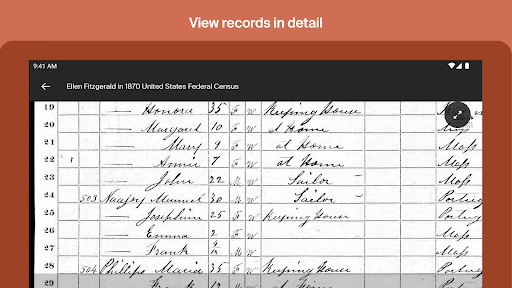
The most distinctive part of the experience is the combination of a family tree with records and hints. Ancestry says its free features include searching census records and accessing more than 1.1 billion free records. A free trial or paid subscription offers access to more than 30 billion records and additional research features. Those different access levels matter: the app can be useful for a starter project without making every record available for free.
For people who have taken an AncestryDNA test, the app can activate a kit, show ethnicity results and display DNA matches. It also offers Personal Traits, which can be added to DNA results to explore more than 35 traits related to fitness, nutrients, senses and appearance. These tools broaden the family-history experience, but they are distinct from the basic tree-building workflow.
A Routine For Family Stories
A low-pressure routine could be to spend a few minutes after a family visit recording one new name, story or photograph. Later, you can check the tree for hints and decide which ones seem worth investigating. I would keep the details from a conversation in the tree while they are easy to remember, then use records as a way to explore rather than treating a suggested match as settled fact.
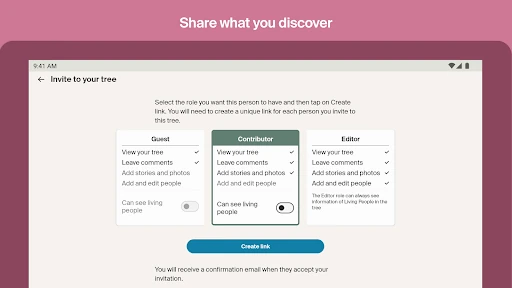
This approach also makes collaboration more natural. A relative might recognize a person in a photo or add a story you did not know, while you keep the shared family project organized in one place. The app supports collaboration with friends and family, and its features for uploading or scanning photos make it practical to bring older material into the tree as you go.
Keep Expectations Grounded
The biggest practical limit is that deeper research may involve a subscription. The free version offers meaningful starting tools, but access to more than 30 billion records and some expanded discovery features is described as available through a free trial or paid subscription. If you are planning a long research project, it is worth understanding which tools are included before relying on a particular record or feature.
The other limit is inherent to family history: an app can organize evidence and point toward leads, but it cannot make uncertain family details certain by itself. You may need patience to compare names, dates, stories and records. DNA features also apply to people who have taken an AncestryDNA test. For everyone else, building a tree, uploading pictures and exploring available records remain the core ways to use the app.
Ancestry is a capable place to collect family names, photographs and stories, then use hints and records to explore what might connect them. I like its gradual approach: you can begin with a small amount of information and add to the tree over time. Free features make it approachable, while subscriptions open up broader record access for people ready to dig deeper.
I would try it if you enjoy family research or want to preserve details that might otherwise stay in conversation. Go in expecting a project that rewards careful checking, not an instant family-history answer. If your interest is limited to DNA results or photo storage, the wider research experience may be more than you need.
Ancestry Frequently Asked Questions
What is Ancestry: Family History & DNA used for?
Ancestry is used to build and explore a family tree, search records, review hints and preserve family photos and stories. People can also collaborate with family or friends. If you have taken an AncestryDNA test, the app includes DNA-related features such as ethnicity results and matches. You can begin with family history tools without using the DNA features.
Which devices can run Ancestry: Family History & DNA?
Ancestry: Family History & DNA is available as an Android app through Google Play. The minimum Android version can vary with app updates and device support, so check the Google Play store page on your device for the current requirement. The app’s description includes features for phone and tablet use.
Does Ancestry: Family History & DNA cost money?
The app is free to download and includes in-app purchases. The listed in-app product range is $0.99 to $169.99 per item. Some features are free, while access to more than 30 billion records and other expanded research features is available through an optional free trial or subscription. Check Google Play for current purchase details.
Do I need an AncestryDNA test to use Ancestry?
No. You can build a family tree, search available records, receive hints and add photos or stories without using DNA features. AncestryDNA tools, including ethnicity results and DNA matches, are for people who have taken an AncestryDNA test. The DNA options add another way to explore family history but are not required for the app’s basic research.
Is Ancestry: Family History & DNA good for beginners?
It can suit beginners because you can start with one relative’s name and add people to a tree as you learn more. Free tools include tree building, some record searching, hints and photo uploads. Deeper record access may require a trial or subscription, and family-history research still takes time to review and compare information.
Pros
- Build a family tree and add photos or stories as new information comes in.
- Free tools include census searching, hints and more than 1.1 billion records.
- A Discover feed lets you review, dismiss or save family-history hints.
- Optional DNA features connect test results with family-tree research.
Cons
- Access to broader record collections and some features requires a trial or subscription.
- Hints are leads to review, so research can take patience and careful checking.
- DNA tools are relevant only to people who have taken an AncestryDNA test.
- Category
- Books & Reference
- Version
- 18.21.1











