Amharic Keyboard
- 894
- 4.3
- Installs
- 100.00K
- Price
- Free

Screenshots
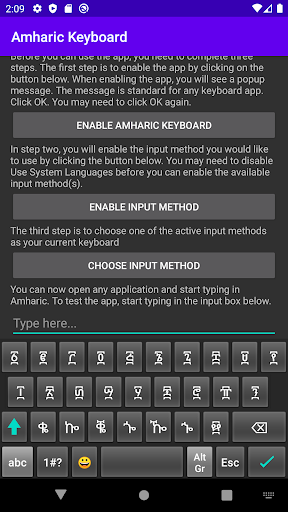
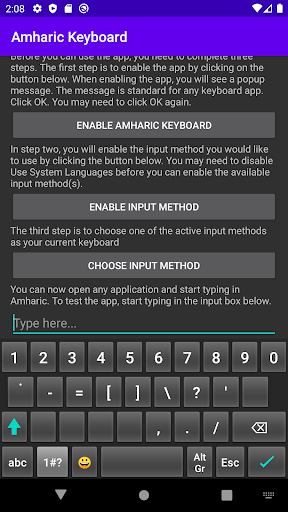
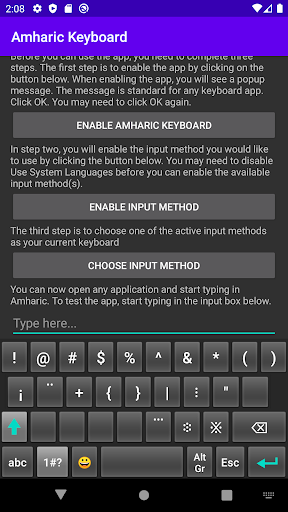
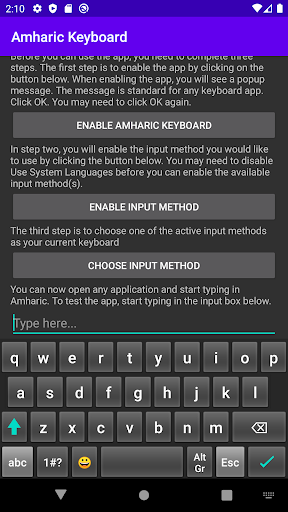
Analysis by Reviewed APKs
Amharic Keyboard is a mobile keyboard for writing in Amharic, with English, emoji, and other languages also supported. I see it suiting people who regularly message family, friends, or colleagues in Amharic and want a dedicated way to type it on a phone or tablet. Its choice of input layouts is a practical plus, though newcomers may need a little time to find the approach that feels natural.
A Message in Amharic
When I picture using Amharic Keyboard in an ordinary day, it is for replying to a relative while waiting for a bus or sending a quick note between errands. Instead of leaving the conversation to find another way to enter Amharic, I can use a keyboard made for that language. Emoji support also means a short, friendly reply need not feel limited to plain text.
The app supports Amharic characters and punctuation, and offers word and next-word suggestions in Amharic. That combination is useful when I am composing more than a few words, rather than only sending a familiar greeting. I would expect to spend some time learning the layout at first; once its key arrangement becomes familiar, the keyboard’s main purpose is straightforward: make everyday Amharic writing available where I type.
A Keyboard, Not a Translator
The obvious alternative is the keyboard already on the phone, especially for someone who already has a comfortable way to type Amharic there. Branah Keyboard’s appeal is its selection of HBN, Phonetic, and Ordered layouts, plus support for English and 96 other languages. That gives users different ways into the typing experience, rather than assuming one arrangement will suit everyone.
I would treat this as a typing tool, not a translation app or a writing assistant. The supported details center on entering text, punctuation, emoji, and suggestions; there is no basis to expect it to translate a message or compose one for me. It makes the most sense for people who need Amharic input regularly, rather than someone looking for occasional translation or broader document features.
Find Your Input Rhythm
A useful first habit is to try the available layouts before settling on one. HBN, Phonetic, and Ordered offer choices, and the best fit depends on what feels easiest to remember and use. I would test them with a few everyday phrases, including punctuation, rather than judging by the layout’s name alone. A little exploration up front can save repeated pauses once I am typing in an actual conversation.
For longer messages, I would make deliberate use of the Amharic word and next-word suggestions while checking the result as I go. Emoji is available when a message calls for a lighter tone, and physical keyboard input is supported for people who prefer typing that way. These are modest habits, but they help make the keyboard useful across quick replies and more considered writing.
More From Our News Desk

Zoom Meetings, Google Meet, or Teams: Which Is Easiest to Join?

How I Build a Free Streaming Lineup With Tubi

Why Crunchyroll Is the Default Anime App for So Many Fans

YouTube TV: A Practical Guide to Cutting Cable

Rummikub and the Small Comfort of Phone Games

TeamViewer Remote Control or AnyDesk for Helping Family?
Who may enjoy it
I would recommend Amharic Keyboard to anyone who writes in Amharic often on an Android phone or tablet and wants a dedicated keyboard with several input layouts to try. It should also appeal to people who move between Amharic and English, use emoji in everyday chats, or sometimes type with a physical keyboard. Its focus is clear, and that matters more here than a long list of unrelated tools.
It may be less compelling for someone who already likes their current Amharic keyboard or only needs a translation now and then. People unfamiliar with the available layouts should expect a bit of practice before typing feels fluid. I would also look elsewhere if the main need is voice dictation or advanced layout customization: those features are not part of the supported description, so they should not be assumed.
Amharic Keyboard is a productivity app from BRANAH. On Google Play, it has over 100,000 installs and a 4.3-star rating from 894 ratings. The app is free, with no in-app purchases and no ads. Its content rating is Everyone, making the store’s age category broad, although individual preferences about keyboard apps are still worth considering.
The current version is 6.1. Amharic Keyboard was released on April 23, 2014, and its last update was April 21, 2024. The available facts do not specify a minimum Android version, so anyone with an older device should check the Google Play compatibility details before installing.
A Closer Look at Everyday Typing
First Setup Impressions
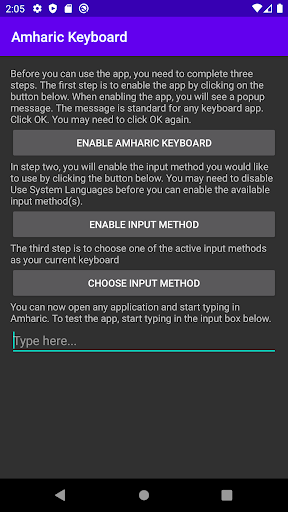
When I first opened a keyboard app like this, the important question would be how quickly I could get from installation to a usable Amharic layout. Branah points users to setup instructions, which is helpful when keyboard configuration is unfamiliar. Rather than guessing through the process, I would follow those directions and then test the keyboard in a message or other place where I normally type.
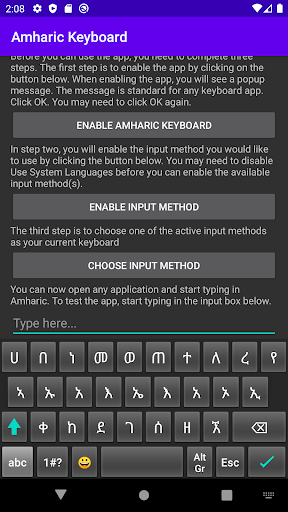
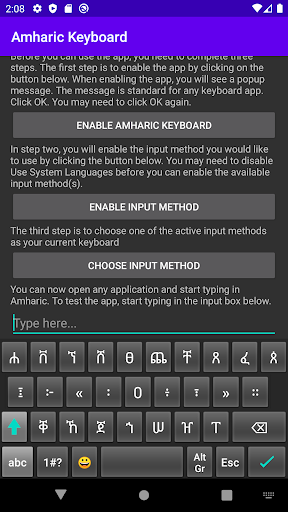
The first meaningful choice is among HBN, Phonetic, and Ordered. I would not assume that one is automatically best for every user; the practical test is whether I can find characters without breaking my train of thought. A few minutes spent trying each option can reveal which arrangement fits my familiarity and typing habits.
The Everyday Experience
Day to day, the value is having Amharic input available alongside English and other supported languages. Branah describes support for Amharic and 96 other languages, so the keyboard is intended for more than a single-language typing routine. I can see that being useful in a chat where the language changes between messages, though the exact mechanics of changing languages are not detailed in the available information.
Suggestions are the feature I would pay closest attention to during longer messages. Amharic word suggestions and next-word suggestions can help keep a sentence moving, while character and punctuation support matter when a message needs more than a string of basic words. I would still read over the text before sending; suggestions are a convenience, not a substitute for checking what I typed.
Layouts and Input Options
The three named layouts are the standout practical choice: HBN, Phonetic, and Ordered. Having alternatives matters because people approach a script and its keys in different ways. I like that the app presents more than one input method, especially for someone who is still figuring out a comfortable routine. The best layout is the one that makes accurate typing feel repeatable, not the one with the most appealing label.
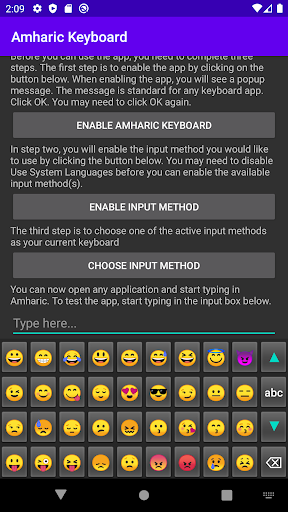
Emoji and physical keyboard support broaden the ways the app can be used. Emoji makes sense for casual messages, while physical input is relevant when a phone or tablet is paired with an external keyboard. The description also notes support for characters and punctuation. Those details make the app feel oriented toward actual communication, not just typing isolated words for practice.
A Simple Daily Routine
For a practical routine, I would pick one layout and use it for several real conversations before deciding whether it suits me. I would start with a short reply, then try a longer message with punctuation, and notice whether the suggestions help or distract. This is a more useful test than changing layouts after every small frustration, since familiarity can make a new arrangement feel easier.
If I also type on a physical keyboard, I would try that input method during a longer writing session. For casual messaging, emoji is there when appropriate; for a more careful note, I would focus on the words and punctuation and review the finished text. Keeping the keyboard in these familiar tasks makes it easier to judge whether it genuinely fits my routine.
Keep Expectations Grounded
The main limitation is that a dedicated keyboard still asks the user to learn its layout. Someone who types Amharic only rarely may find that effort hard to justify, particularly if their existing keyboard already works well. The available description names three layouts, but does not establish that users can rearrange keys to make a custom layout. I would choose based on what is actually offered rather than expecting extensive personalization.
I would also keep the app’s job in perspective. It supports typing, language input, emoji, punctuation, and Amharic suggestions; it is not described as offering voice dictation or translation. That is not a problem if typing is the need, but it may disappoint someone expecting a broader language tool. Checking compatibility in Google Play is sensible for devices running older Android versions.
Amharic Keyboard has a focused purpose and a useful set of choices for reaching it. I like the combination of three layouts, Amharic suggestions, emoji, and physical keyboard support. The trade-off is a learning period, and people already happy with another keyboard may not gain enough to switch.
I would recommend giving it a try if Amharic is part of your regular phone or tablet conversations and you want to compare different input layouts. If you need translation, dictation, or a keyboard that requires no adjustment, this is probably not the right fit. For dedicated Amharic typing, its straightforward focus is the point.
Amharic Keyboard Frequently Asked Questions
What is Amharic Keyboard used for?
Amharic Keyboard is used to type Amharic on a phone or tablet. It supports characters and punctuation, emoji, and word and next-word suggestions in Amharic. The app also supports English and 96 other languages, and offers HBN, Phonetic, and Ordered layouts. It is a keyboard for entering text, not a translation tool.
Which devices can use Amharic Keyboard?
Amharic Keyboard is an Android app for phones and tablets, and it also supports physical keyboard input. The minimum Android version is not specified in the available facts, so check the Google Play entry for compatibility with your device. Support for a physical keyboard may be useful if you prefer typing that way.
Is Amharic Keyboard free?
Yes. Amharic Keyboard is free on Google Play, with no in-app purchases and no ads according to the available app facts. Store details can change over time, so it is sensible to check the Google Play entry for current information before installing.
What Android version does Amharic Keyboard require?
The minimum Android version is not provided in the available facts. Requirements can vary as app and device compatibility changes, so check the Google Play entry from the device you plan to use. The app’s current version is 6.1.
Who should try Amharic Keyboard?
It is best suited to people who regularly type Amharic on an Android phone or tablet and want a choice of input layouts. English, emoji, and physical keyboard support may also be useful in a mixed-language routine. It may be less suitable if you want translation or voice dictation, or if you rarely type in Amharic.
Pros
- Offers HBN, Phonetic, and Ordered layouts for different Amharic typing preferences.
- Includes Amharic word and next-word suggestions, plus character and punctuation support.
- Supports emoji, English, 96 other languages, and physical keyboard input.
- Free to use, with no in-app purchases or ads.
Cons
- Learning a new layout may take time, especially for occasional Amharic typists.
- The supported feature set is focused on typing rather than translation or dictation.
- The minimum Android version is not specified in the available app facts.
- Category
- Productivity
- Version
- 6.1











