Alarm Clock for Me
- 825.13K
- 4.2
- Installs
- 50.00M
- Price
- Free
Screenshots
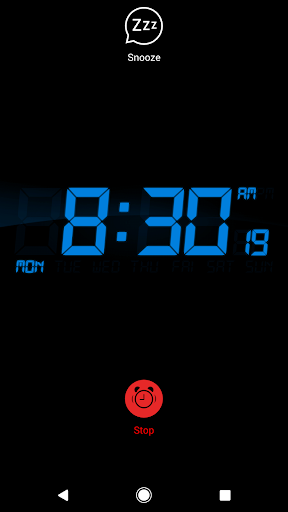
Analysis by Reviewed APKs
Alarm Clock for Me turns an Android phone or tablet into a bedside clock and a flexible alarm for everyday routines. I can set alarms for different days, choose music, and use options such as snooze or a gradual fade-in. It suits people who want more control than a basic clock provides. After looking through its features, my take is that it offers useful variety without being a sleep-tracking app.
A More Flexible Morning
When I first considered how this app fits a normal weekday, the appeal was having the morning routine in one place. I could set an alarm for work, another for a day when I need to be up earlier, and choose a sound that feels less abrupt than a sudden, loud tone. The app supports as many alarms as needed, so changing plans does not mean replacing one alarm every night.
A typical setup might be to place the phone on a bedside table, choose a favorite song or another available alarm sound, and set snooze or vibration according to preference. Nightstand mode can keep the time visible while the device is charging, and brightness adjustment is there for a dark room. The app says alarms can ring in the background, which suits a phone that is not left open on its main screen.
More Than a Basic Clock
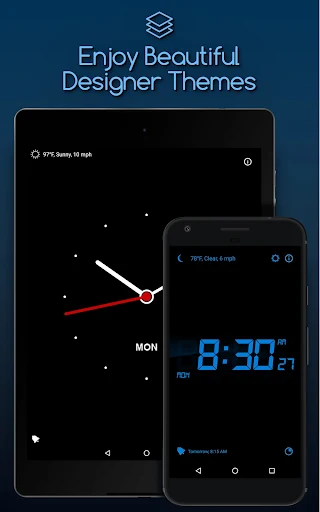
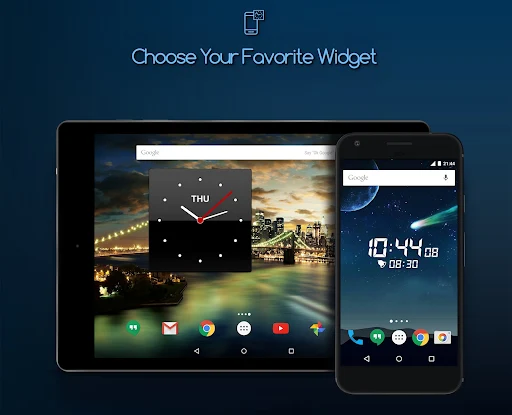
Compared with the clock app that already comes with a phone, Alarm Clock for Me puts more emphasis on bedside presentation and ways to shape the wake-up. It combines alarms with a nightstand display, home-screen clock widgets, a sleep timer for music or sounds, and optional bedtime reminders. That makes it a reasonable choice if I want one clock app to cover both a morning alarm and a little wind-down routine.
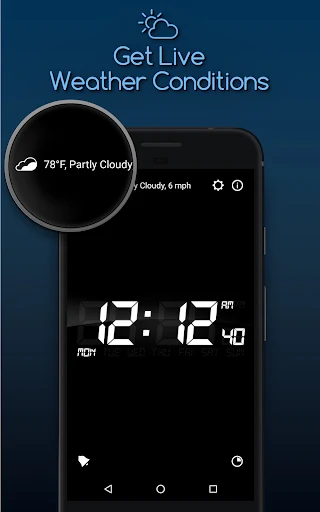
It is not a sleep diary or a health app: the described features focus on alarms, clocks, and audio timers rather than tracking sleep patterns. Nor is it a substitute for a dedicated weather service; it offers a current temperature check, with location permission relevant to automatically selected forecasts. If I only need one simple alarm and no bedside display or customization, the default clock may already do enough.
Small Habits That Help
I would get more from the app by setting up recurring alarms ahead of time rather than changing them half-asleep. Separate alarms can cover a workday, an appointment, or an unusually early start, and the option to add as many as needed leaves room for that. A quick evening check of the active alarms is a practical habit, especially when tomorrow's schedule is different from today's.
The less obvious options suit small routine tweaks. I could set a sleep timer when listening to music before bed, then use a bedtime reminder as a prompt to wind down. In the morning, a dimmer clock display can be more comfortable in a dark room, while fade-in, vibration, and snooze let me adjust the wake-up experience. These are choices to test, not guarantees of an easier morning.
More From Our News Desk

Zoom Meetings, Google Meet, or Teams: Which Is Easiest to Join?

How I Build a Free Streaming Lineup With Tubi

Why Crunchyroll Is the Default Anime App for So Many Fans

YouTube TV: A Practical Guide to Cutting Cable

Rummikub and the Small Comfort of Phone Games

TeamViewer Remote Control or AnyDesk for Helping Family?
Who May Like This Clock
I would recommend Alarm Clock for Me to people who use their phone as a bedside clock and want more than a single alarm tone. Music alarms, multiple alarms, nightstand mode, brightness controls, and home-screen widgets give it practical range for a shared household routine or a changing personal schedule. The sleep timer and bedtime reminder may also appeal to someone who likes a simple audio wind-down before turning in.
It may not suit someone who wants sleep tracking, detailed health insights, or a tool devoted only to weather; those are not the app's central job. People who prefer the simplest possible interface may also find the extra display and alarm options unnecessary. Since notifications are required for alarms and timers to ring, anyone unwilling to allow notifications should consider whether the core use will work for them.
Alarm Clock for Me is a productivity app from Mosaic Srl. On Google Play it has more than 50 million installs and a 4.2-star rating from about 825,000 ratings. It is free to download, contains ads, and offers in-app purchases; the stated price is $2.99 per item. The content rating is Everyone.
The supplied app details identify version 2.85.3, with a release date of March 5, 2013, and a last update date of June 4, 2026. The minimum Android version is not included in the available app details, so check Google Play for the requirement that applies to your device. These store figures and compatibility details can change over time.
Making a Phone Work Bedside
First Look and Setup
When I first opened the app, I thought of it less as a replacement for a clock face and more as a bedside routine tool. Its stated focus is straightforward: set alarms, choose how they sound, and use the phone as a visible clock. The number of options means I would spend a little time deciding which ones I actually want, rather than turning every setting on at once.
Permissions are tied to particular uses. Notifications are required for alarms and timers to ring, while music and audio access supports choosing alarm sounds. Location is relevant to automatically selected weather forecasts, and calendar access can link alarms and timers to calendar events. Camera access is optional for choosing pictures in countdown timers. I can deny optional permissions and still use the rest of the app.
The Everyday Alarm
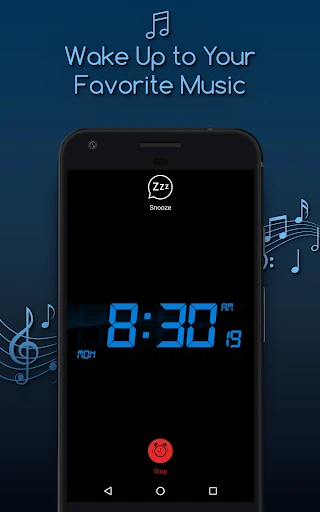
The main day-to-day job is setting an alarm and choosing what happens when it goes off. Alarm Clock for Me supports unlimited alarms, favorite music, and options including vibration, fade-in, and snooze. I like that those controls address different preferences: a gradual sound may feel gentler, while vibration can be useful when I do not want the alarm to rely on volume alone.
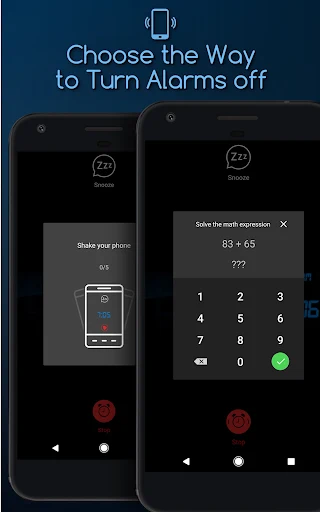
There are also two alternative ways to dismiss an alarm: a math challenge or a shake option. Those give the wake-up a more active feel than tapping a standard stop button, though they will not appeal to everyone. I would choose the least irritating method that still gets me properly awake, then keep the alarm setup simple enough to manage when I am tired.
Details That Stand Out
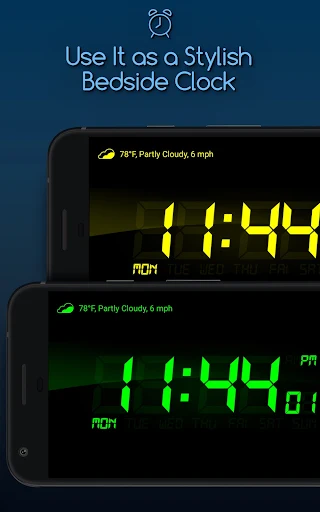
Nightstand mode is one of the more practical extras. It lets the device show the time while charging, turning a phone already on the bedside table into a bedside clock. Brightness adjustment matters here, since a bright screen can be distracting in a dark room. The app also supports vertical and horizontal orientation, with an option to keep the clock from rotating along with the device.
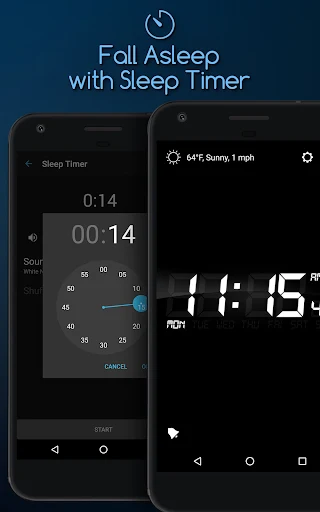
The sleep timer is another useful addition for people who listen to music or sounds as they settle down. It can stop playback after a chosen duration, rather than leaving audio running all night. Home-screen clock widgets provide another way to see the time, while the bedtime reminder and gentle pre-alarm offer prompts around the edges of the main alarm routine.
A Simple Evening Routine
For a realistic routine, I would start by checking the next day's schedule and setting the necessary alarms before bedtime. If I have a regular work morning, I can leave that alarm in place and add another for an earlier appointment. Choosing the sound, snooze, and fade-in in advance avoids making those decisions in the morning, when I am much less patient.
If I plan to listen to audio while winding down, I can use the sleep timer and set a bedtime reminder as a nudge to start getting ready for bed. Then I can put the phone on charge in nightstand mode and lower the display brightness. This routine uses several features without requiring me to treat the app as a detailed sleep coach or constantly adjust settings.
Limits to Keep in Mind
The app's range is also its main trade-off: people who only need a basic repeating alarm may have little reason to use the widgets, alternate dismissal methods, or bedtime prompts. A bedside display also depends on using the phone in that role, which will not suit everyone. Ads and optional in-app purchases are part of the free app's store details, so the experience is not simply a bare, paid clock.
There are a few practical permissions to think about. Notifications are required for alarms and timers, while some other access is optional and linked to specific features. If I want music alarms, I need the relevant music and audio access; automatic weather selection uses location. The app describes alarms as working in the background, but I would still make sure notifications are allowed before depending on it for an important morning.
Alarm Clock for Me is a capable bedside clock for people who want multiple alarms, music, a nightstand display, and a handful of ways to make waking or winding down feel more personal. I especially like the practical mix of brightness control, sleep timer, and alarm options. Its extras are useful, but they are not a reason to expect sleep analysis or health tracking.
I would try it if the default clock feels too limited and I want my phone to serve as a more customizable bedside companion. If all I need is one uncomplicated alarm, I would stick with the simplest option that already works. Either way, I would check notification permissions and test an alarm before relying on it for an important start.
Alarm Clock for Me Frequently Asked Questions
What is Alarm Clock for Me used for?
Alarm Clock for Me turns an Android device into an alarm clock and bedside display. It supports multiple alarms, music alarms, snooze, vibration, fade-in, and alternate dismissal methods. It also includes a sleep timer for music or sounds, clock widgets, a bedtime reminder, and a nightstand mode. Its described role is everyday timing, rather than sleep tracking.
Which devices can run Alarm Clock for Me?
Alarm Clock for Me is an Android app for Android devices such as phones and tablets. The available details do not give a minimum Android version, and requirements can change with updates. Check the Google Play page for the current compatibility information for your device before installing or updating.
Does Alarm Clock for Me cost money?
The app is free to download on Google Play, but it contains ads and offers in-app purchases. The supplied price for an in-app item is $2.99. Purchases and prices can vary or change, so check the current Google Play information for the options and pricing shown in your region.
Does Alarm Clock for Me need special permissions?
Notifications are required for the app's alarms and timers to ring. Other permissions are optional and relate to particular features: music and audio for choosing alarm sounds, location for automatically selected weather forecasts, and calendar access for linking alarms or timers to events. The app says its other features remain usable if optional permissions are denied.
Is Alarm Clock for Me a good fit for me?
It may suit someone who wants several alarms, a customizable bedside clock, or audio and reminder options in one app. It may be more than necessary for someone who only needs one basic alarm, and it is not described as a sleep tracker. Since notifications are essential to its core function, allow them if you rely on its alarms.
Pros
- Supports unlimited alarms, with music, snooze, vibration, and fade-in options.
- Nightstand mode, brightness controls, and clock widgets suit bedside use.
- Includes a sleep timer, bedtime reminder, and alternate alarm dismissal methods.
- Optional permissions are linked to features such as weather and music alarms.
Cons
- Ads and in-app purchases are part of the free app.
- Extra settings may be unnecessary for people who want one basic alarm.
- Notifications must be enabled for alarms and timers to ring.
- Category
- Productivity
- Version
- 2.85.3











