Zepp
- 1.42M
- 4.4
- Installs
- 10.00M
- Price
- Free
Screenshots
Analysis by Reviewed APKs
Zepp is Amazfit’s companion app for tracking workouts, daily activity, sleep and other health-related measurements, with meal logging and smartwatch setup in the same place. I’d look at it if I used an Amazfit watch, band or ring and wanted more context than the device display alone provides. Its broad mix of tracking and device tools is useful, though some features depend on connected hardware and others are optional extras.
A Day With Zepp
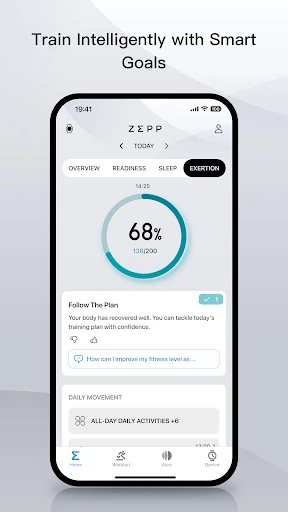
When I first opened Zepp, I pictured using it as the place I check after a normal day rather than as a screen I stare at during every workout. An Amazfit device can send over activity and health measurements, and the app brings them together with training information. After a walk or run, I could review details such as distance, pace and speed, then look back at steps and calories as part of the wider picture.
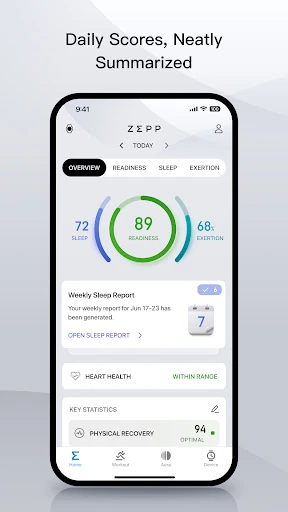
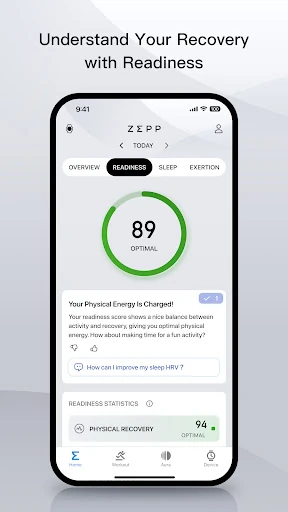
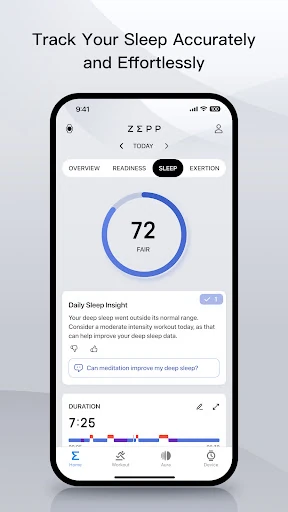
The daily routine works just as well around sleep and recovery. In the morning, the app’s sleep information can show duration, stages, breathing and recovery quality, while heart rate and other available metrics add context. If I’m planning a harder session, that gives me something to reflect on before I lace up. It’s useful as a record of patterns, not a verdict on whether I’m healthy or ready to train.
More Than A Watch App
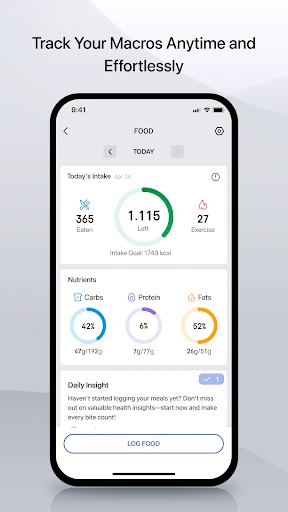
Compared with a basic step counter or a fitness app focused on workouts alone, Zepp covers several jobs at once: it collects device data, organizes activity and sleep, and helps manage an Amazfit wearable. It also includes meal logging, with photo-based macro estimates and a manual entry option. That breadth makes it appealing if I want one place to check several parts of a routine instead of keeping separate records.
The trade-off is that Zepp is not a general-purpose replacement for every fitness or health service, and it is not a medical device. Much of its tracking is tied to Amazfit hardware, though meal logging does not require a watch. I wouldn’t choose it expecting a complete training plan or clinical interpretation. It is better understood as a companion for personal fitness tracking and device management.
Small Habits That Help
I’d get more from Zepp by checking it briefly at consistent times instead of dipping in whenever I feel curious. A quick morning look at sleep, followed by a post-workout review, creates a manageable rhythm. Logging meals as they happen can also make the nutrition record easier to keep current; if a photo isn’t convenient, the app supports manual entry. The point is a useful history, not perfect data entry.
It also helps to treat the numbers as prompts for reflection. I might compare training pace over time or notice how a night’s sleep looks alongside the next day’s activity, without turning one reading into a big conclusion. If I use an Amazfit watch, band or ring, I’d keep its software updated through the app and explore the watch faces or mini apps when I have a specific need.
More From Our News Desk

Zoom Meetings, Google Meet, or Teams: Which Is Easiest to Join?

How I Build a Free Streaming Lineup With Tubi

Why Crunchyroll Is the Default Anime App for So Many Fans

YouTube TV: A Practical Guide to Cutting Cable

Rummikub and the Small Comfort of Phone Games

TeamViewer Remote Control or AnyDesk for Helping Family?
Who Might Like Zepp
I’d recommend Zepp to Amazfit owners who want a single companion for daily movement, workouts, sleep information and wearable setup. It has enough range to serve someone who enjoys reviewing training details as well as someone who mainly wants a simple record of steps and rest. The meal logging tools may also suit people who want to keep an informal nutrition log alongside their activity, with either photo or manual entry.
It may be a weaker fit for someone without an Amazfit device who wants a wearable dashboard, or for anyone seeking medical assessment rather than general fitness tracking. The feature mix can also feel like more than a casual step counter needs. If you prefer not to log food or review health metrics, much of the app’s appeal may go unused; the most relevant parts depend on your device and habits.
Zepp is developed by Zepp, Inc. On Google Play, it has more than 10 million installs and a 4.4-star rating from about 1.4 million ratings. The app is free to download, contains ads and offers in-app purchases. Google Play lists in-app items from $0.05 to $89.99 each, so the price of optional purchases can vary.
Google Play rates Zepp Everyone. The current listed version is 10.10.5-play, with a release date of December 13, 2016, and a last update of October 30, 2026. The minimum Android version is not included in the available app details, so check the Google Play page on the device you plan to use.
A Closer Look At Everyday Tracking
Getting Started
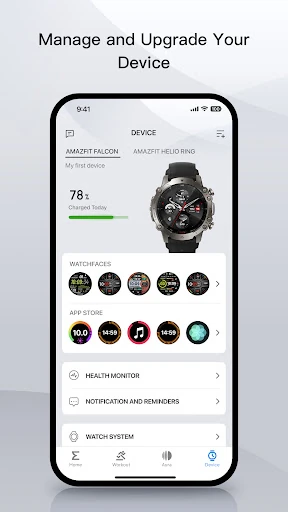
My first impression is that Zepp is meant to be a home base, not just a workout timer. It supports Amazfit watches, bands and rings, and provides a place for device software updates and other wearable choices. That makes setup feel connected to the hardware: the app’s usefulness grows when there is an Amazfit device sending activity and health information to it.
There is also a way to use some features without a watch. Meal tracking, for instance, can be done in the app, and the description says users can photograph a meal for calorie and macronutrient estimates or enter it manually. That gives a curious new user a small piece of the experience to try before deciding how much of the broader device-based tracking they want.
Daily Tracking
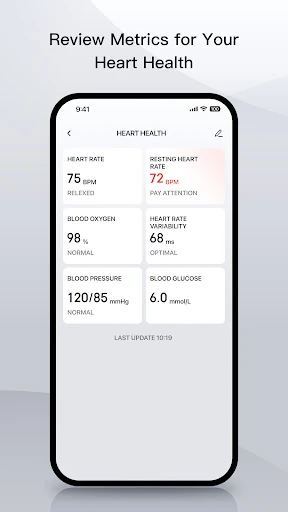
In everyday use, Zepp’s appeal is the range of information it can gather. Depending on the connected device and available measurements, it can cover steps, calories burned, heart rate, sleep, stress and blood oxygen, alongside exercise details such as pace, distance and speed. Strength logs and recovery insights are also part of its training focus, which gives regular exercisers more to review than a simple activity total.
I like the idea of having workout history and sleep information close together, since they often shape how a training week feels. The app presents measurements and scores as accessible feedback, but I’d still use them as general context rather than certainty. Personal tracking is most useful when it helps me notice patterns and ask better questions about my routine.
Useful Extras
A standout is that Zepp combines wearable management with health and fitness records. The app can provide software updates for an Amazfit smartwatch, band or ring, and its Zepp Store offers downloadable mini apps and watch faces. Those aren’t the main reason I’d open it every day, but they make it more practical than a dashboard that only displays measurements.
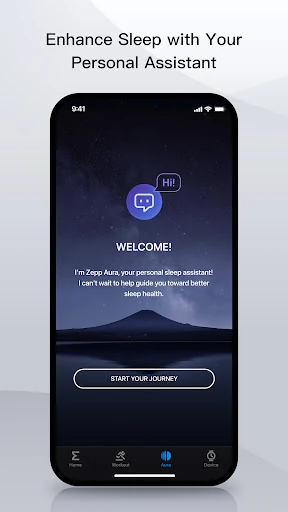
The food log is another distinctive addition. I can use a meal photo to estimate calories, weight and macronutrients, or enter the meal manually. Zepp also includes a core version of Zepp Aura, while a paid Premium subscription offers further wellness features such as deeper health assessments, a wellness assistant and sleep music. Availability can depend on region.
A Simple Weekly Rhythm
For a practical routine, I’d check sleep once in the morning, then leave the app alone until after a workout or walk. At that point, reviewing distance, pace or other available session details gives the activity a little more context. On days when I’m tracking food, I’d log meals around the time I eat rather than trying to reconstruct the whole day later.
Once a week, I’d look back for broad patterns rather than getting caught up in a single score. Are activity levels consistent? Does the training record show progress I care about? Does sleep information give me a reason to adjust how I approach the next session? That kind of review makes Zepp feel like a useful notebook, not a source of instructions.
Keep Its Limits In Mind
Zepp’s breadth can be a plus, but it also means the app may feel busy if all I want is a quick step count. Some information relies on an Amazfit device, while the app’s meal logging and wearable-management features serve different needs. I’d focus on the parts I’ll actually use and avoid turning every available number into a daily task.
The app’s own description is clear that Zepp is for general fitness and health management, not medical use. Its readings and recovery information should not be treated as a diagnosis or a substitute for professional care. Paid Zepp Aura Premium is optional, and the basic app experience includes access to tracked device data and core Aura features.
Zepp makes the most sense as an all-in-one companion for people already using Amazfit hardware. I like that it brings workouts, daily activity, sleep and device settings together, with meal logging as a useful extra. It asks for a little attention to get the most from its broad set of tools, but it can support a steady, practical tracking routine.
I’d recommend trying it if an Amazfit watch, band or ring is part of your day and you want a fuller record of activity and recovery. If you only need a bare-bones pedometer or expect medical guidance, it is probably more app than you need. Treat its measurements as general fitness information, and use the features that genuinely fit your habits.
Zepp Frequently Asked Questions
What is the Zepp app used for?
Zepp is an Amazfit companion app for tracking fitness and health-related information, including activity, workouts, sleep and available measurements from connected devices. It can also log meals, manage software updates for Amazfit wearables, and offer watch faces and mini apps. Its purpose is general fitness and health management, not medical diagnosis.
Which devices and platforms support Zepp?
Zepp is available on Android through Google Play and is designed to work with Amazfit smartwatches, bands and rings. Some app features, including meal logging, can be used without a watch. For the Android version required by your particular device, check the Google Play page, since requirements may vary.
What Android version does Zepp require?
The Android version requirement may vary by release and device. Check Zepp’s Google Play page from the phone you plan to use for the current compatibility details. The app’s listed version is 10.10.5-play, but that number does not by itself tell you which Android versions are supported.
Is Zepp free, and does it have purchases?
Zepp is free to download and includes in-app purchases. Google Play lists in-app items priced from $0.05 to $89.99 each. The description says its core experience is free and that an optional Zepp Aura Premium subscription adds features; check Google Play for current purchase details and prices.
Is Zepp a good fit for every fitness user?
It is most useful for people who want to track activity and workouts or manage an Amazfit wearable, with sleep and meal logging as additional tools. It may not suit someone seeking only a basic step counter or medical advice. Zepp is intended for general fitness and health management, not as a medical device.
Pros
- Brings workout, activity and sleep information together for Amazfit users.
- Includes meal logging by photo or manual entry.
- Supports wearable software updates, watch faces and mini apps.
- Offers core Zepp Aura access without requiring Premium.
Cons
- Many tracking features depend on an Amazfit wearable.
- Its broad feature set may be excessive for simple step tracking.
- Premium wellness features require an optional subscription.
- Category
- Sports
- Version
- 10.10.5-play