Street View Earth Map
Listed on Google Play as “Gps Map Navigation & Direction”
- 103.47K
- 4.2
- Installs
- 5.00M
- Price
- Free

Screenshots
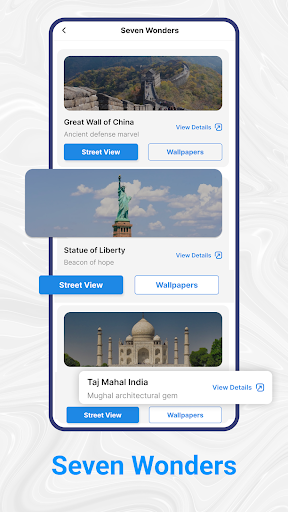
Analysis by Reviewed APKs
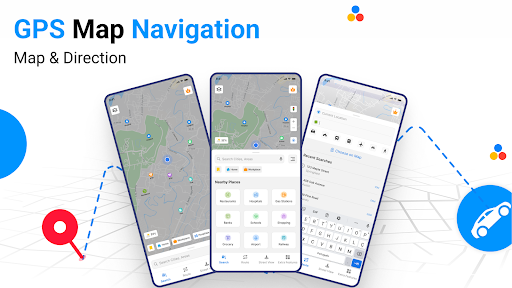
Gps Map Navigation & Direction is a travel and navigation app for people who want route guidance alongside street-level and satellite map views. It covers driving, walking, cycling, and public transport, with tools for finding nearby places and checking traffic. I like the idea of having route planning and destination browsing together, though the number of options makes it worth approaching as a practical travel aid rather than a simple map.
Planning a New Route
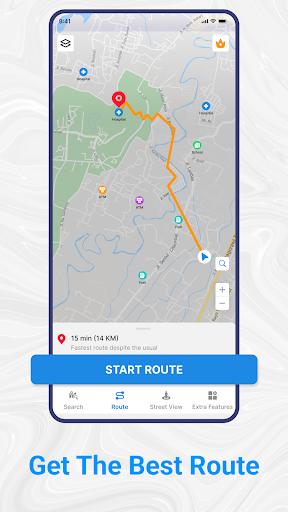
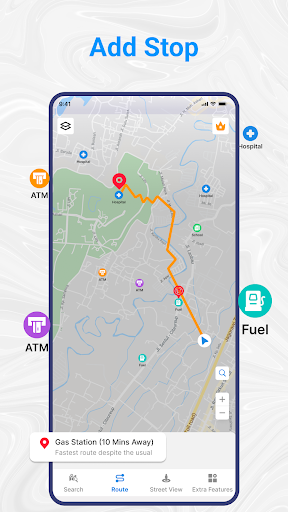
Imagine heading across town to a restaurant you have not visited before. With Gps Map Navigation & Direction, you can search for a nearby place, look at its location on the map, and plan a route there. Street and satellite views offer different ways to get your bearings, while voice guidance is intended to help once you set off. That combination is useful when the address alone does not tell you much about the destination.
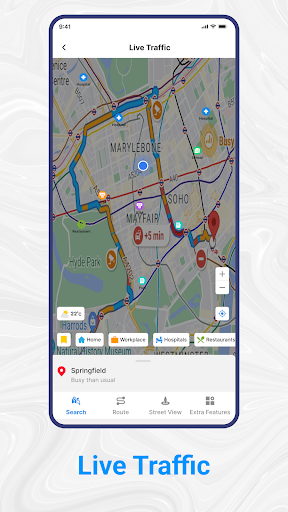
I would use the app before leaving, especially if I were unfamiliar with the neighborhood or deciding whether to walk or drive. The description also includes cycling and public transport routes, so the route planner is meant for more than car trips. Traffic information can help you consider congestion, and the map views give you another way to understand the area before committing to a route.
A Map With More Context
A basic map is often enough when I already know where I am going. This app aims to add context: street-level viewing, satellite imagery, route guidance, traffic updates, and searches for places such as restaurants, ATMs, hospitals, shopping malls, and airports. That makes it more of a travel companion for planning and orientation than a bare route line from one address to another.
It is not a travel diary, a booking service, or a specialist tool for comparing destinations. Its focus is getting around and exploring nearby places. If all I need is a quick look at a familiar route, the extra map views and place searches may be more than I need. But for unfamiliar trips, those additional ways to inspect a destination can be useful.
Small Habits That Help
I find it helpful to search for the destination before setting off, rather than waiting until I am already on the move. A quick look at street or satellite imagery can make a place feel more recognizable, and checking the suggested route gives me a chance to think about the journey in advance. If traffic is relevant, the app's traffic information is another part of that pre-trip check.
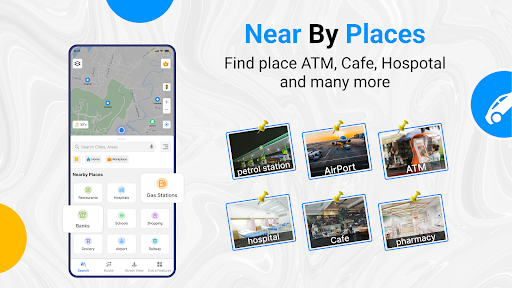
For a new area, I would also use nearby-place search as a starting point instead of typing a full address immediately. The app can search categories including restaurants, hospitals, and ATMs, then provide navigation toward a result. Switching between travel modes can help when the plan changes from driving to walking. These small checks make the app's range of tools feel purposeful rather than distracting.
More From Our News Desk

Zoom Meetings, Google Meet, or Teams: Which Is Easiest to Join?

How I Build a Free Streaming Lineup With Tubi

Why Crunchyroll Is the Default Anime App for So Many Fans

YouTube TV: A Practical Guide to Cutting Cable

Rummikub and the Small Comfort of Phone Games

TeamViewer Remote Control or AnyDesk for Helping Family?
Who Might Find It Useful
I would recommend Gps Map Navigation & Direction to people who often travel somewhere unfamiliar and want route guidance plus a way to inspect the destination. Drivers may appreciate the voice directions and traffic information, while walkers and cyclists can use the route planner for their trips. The nearby-place search is also handy when the destination is flexible, such as looking for an ATM or restaurant in the area.
It may be less appealing if you want only a very minimal map, or if you do not need to explore places around your route. The feature set is broad, so some travelers may prefer to keep their routine simple and use only directions. The app contains ads and offers in-app purchases, which are worth considering if you prefer an uninterrupted, no-purchase experience.
Gps Map Navigation & Direction is a free Android maps and navigation app from Blynx PTY Limited. Google Play shows over 5 million installs and a 4.2-star rating from around 103,000 ratings. The app is rated Everyone. Its recorded release date is September 27, 2018, and its latest update was November 19, 2025.
The current version is 2.3.5. The app contains ads and offers in-app purchases, with listed items ranging from $0.49 to $9.99. The minimum Android version is not included in the available app details, so check Google Play for the requirement that applies to your device.
A Closer Look at Everyday Navigation
Getting Oriented
The first impression is that this is meant to be more than a directions screen. Its central promise brings together maps, street views, satellite imagery, and navigation, which can be appealing when a trip starts with uncertainty about the place itself. I would begin by searching for a destination and looking at its surroundings before choosing how to get there.
The description presents the app as suitable for several kinds of travel, including driving, walking, cycling, and public transport. That broad scope gives it an approachable starting point: think about the destination and the way you want to travel. The app's stated global map coverage also suggests it is designed for trips beyond one local area.
Guidance on the Go
Day to day, the core job is route guidance. The app describes turn-by-turn voice navigation for following a route, with traffic information to help users keep an eye on congestion. That is a practical pairing for a drive across town: voice directions can keep attention on the journey, while traffic updates add context when road conditions affect the trip.
The route planner is not limited to driving. Walking and public transport are named options, and cycling is also included among the supported travel uses. That flexibility matters when a trip changes shape—for example, when I park and continue on foot. The app's appeal is having these route choices alongside maps, rather than treating navigation as a single-mode task.
Views Beyond the Route
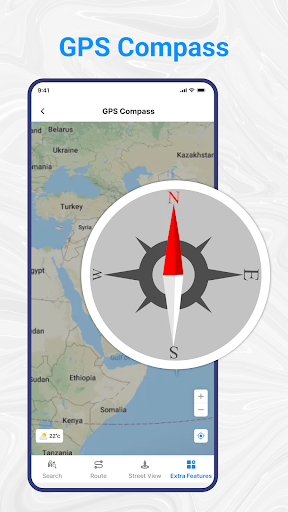
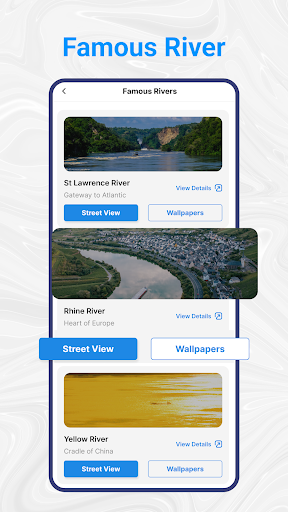
Street and satellite views are the features that give the app its browsing side. The description highlights live street view and 360-degree satellite views, as well as 3D satellite imagery. These views are intended to make roads, buildings, and public spaces easier to explore. For someone arriving somewhere new, seeing the surroundings can add useful context to a route.
Nearby-place search is another standout because it connects exploration with getting somewhere. The app names restaurants, ATMs, hospitals, shopping malls, and airports as examples of searchable places. Rather than finding a point and stopping there, a user can look for a relevant destination and navigate to it. That is a natural fit for errands or an unplanned stop while traveling.
A Simple Trip Routine
For a routine trip, I would start by searching for the destination and checking what is around it. If the place is unfamiliar, I would switch between map views to get a better sense of the streets and buildings nearby. Then I would choose the travel mode that fits the day and review the route before beginning navigation.
On a longer drive, traffic information and voice guidance are the features I would keep in mind. For a short walk, the route planner and a nearby-place search may be enough. The point is not to use every option on every journey; it is to use the map view or search that answers the question I have at that moment.
Things to Keep in Mind
The app's range is a strength, but it may also feel like more than a minimalist directions tool. Street and satellite views, multiple travel modes, traffic information, and place search all serve different needs. If you want only a quick route, you may not make use of much beyond navigation. A little focus on the task at hand can keep the extra options from feeling like clutter.
The app contains ads and offers in-app purchases, so users who strongly prefer an ad-free or purchase-free experience should factor that in. Google Play lists purchases from $0.49 to $9.99 per item. Android requirements can vary with device and app updates, so it is sensible to check the store before installing, especially on an older phone.
Gps Map Navigation & Direction combines route planning with ways to inspect places before arriving. I especially like the practical mix of voice guidance, traffic information, several travel modes, and nearby-place searches. Its breadth will be most useful to people who regularly navigate unfamiliar areas, rather than anyone looking for the simplest possible directions screen.
I would give it a try if street or satellite views and place discovery matter alongside navigation. Keep the ads and optional purchases in mind, and check the device requirement in Google Play. For travelers who want one app to help plan a route and get a feel for the destination, it looks like a useful option.
Street View Earth Map Frequently Asked Questions
What is Gps Map Navigation & Direction used for?
Gps Map Navigation & Direction is a maps and navigation app for planning routes and exploring destinations. It describes street and satellite views, voice-guided navigation, traffic information, and searches for nearby places such as restaurants, ATMs, hospitals, shopping malls, and airports. The route planner is intended for driving, walking, cycling, and public transport.
Which devices can run Gps Map Navigation & Direction?
Gps Map Navigation & Direction is an Android app available through Google Play. The minimum Android version can vary by device and app update, so check the Google Play page for the requirement that applies to your phone or tablet before installing.
Does Gps Map Navigation & Direction cost money?
The app is free to download and contains ads. It also offers in-app purchases, with listed items ranging from $0.49 to $9.99 each. Purchase options may vary, so check Google Play for the current details before buying anything.
Does Gps Map Navigation & Direction include navigation?
Yes. Its described features include route planning and turn-by-turn voice guidance, plus traffic information. It supports route planning for driving, walking, and public transport, and the description also names cycling as a travel use. Available options and requirements can vary, so the Google Play page is the best place to check current app details.
Who should try Gps Map Navigation & Direction?
It may suit travelers who want directions along with street or satellite views and a way to find nearby destinations. Its several travel modes can also be useful for trips that involve more than driving. People who prefer a very simple map, or who dislike ads and optional purchases, may find its broader feature set less appealing.
Pros
- Combines route guidance with street and satellite views for destination research.
- Supports route planning for driving, walking, cycling, and public transport.
- Nearby searches include useful everyday places such as ATMs and restaurants.
- Voice guidance and traffic information add practical context to journeys.
Cons
- The range of map and travel features may feel excessive for simple directions.
- Contains ads and offers in-app purchases.
- The Android version requirement should be checked in Google Play.
- Category
- Maps & Navigation
- Version
- 2.3.5