Qibla Finder Compass 100%
- 108.36K
- 4.4
- Installs
- 10.00M
- Price
- Free

Screenshots
Analysis by Reviewed APKs
Qibla Finder Compass 100% is a practical direction-finding app for Muslims who want help orienting themselves toward the Kaaba before prayer, whether at home or while traveling. It combines a compass and map view, with an augmented-reality option and nearby mosque locations. After looking at how its tools fit into an ordinary routine, I see it as a focused utility: useful when you need a bearing, with a few setup details worth getting right.
A quick check before prayer
When I imagine using Qibla Finder in an everyday routine, the useful moment is just before prayer in an unfamiliar room: perhaps a hotel, a relative’s home, or a quiet corner at work. I would open the compass or map, check the direction it indicates, and adjust my position before settling in. The point is not to turn preparation into a project; it is to get a clear reference when the room itself offers no obvious cue.
For a first check, I would keep the phone level and give the compass a moment to settle. The app uses the phone’s location and sensors, and its description says the compass can work without an internet connection. If the direction seems off, there is a “Find my position” option, and the location marker can be moved manually. Those small steps make this feel like a practical tool rather than a one-tap answer that needs no attention.
A compass, not a prayer planner
The obvious alternatives are a physical compass, a map, or a general-purpose navigation app. Qibla Finder is more focused: its purpose is to show the direction of Makkah, with compass and map modes built around that task. The augmented-reality view adds another way to orient the phone, while the nearby mosque feature can be handy when you are away from your usual area. I would reach for it when direction is the question.
It is not a full prayer-planning or religious-learning app based on the features described. There is no need to treat it as a replacement for a familiar routine, a physical compass, or local guidance if you prefer those. Its value is narrower and clearer: identify a bearing, then let you decide how to use that information. That focus keeps the app easy to understand, though people looking for a wider set of religious tools may want something else.
Small habits for steadier readings
A few simple habits make the app more useful. I would use it on a flat surface, keep it away from metal objects and electromagnetic fields, and make sure location access is available. The description specifically warns that nearby magnetic interference can affect compass results. If a reading looks unusual, I would check the position again rather than assuming the first direction is right. A little patience is more practical than repeatedly turning the phone in a hurry.
I would also choose whichever display makes sense for the moment: a traditional compass when I want a quick bearing, or a map when I want more visual context. If my location needs correction, the app offers a way to detect it again and allows the marker to be adjusted. Once I have a reliable reading in a place, I can use that as a reference for the next time I open the app there, while still checking the result.
More From Our News Desk

Zoom Meetings, Google Meet, or Teams: Which Is Easiest to Join?

How I Build a Free Streaming Lineup With Tubi

Why Crunchyroll Is the Default Anime App for So Many Fans

YouTube TV: A Practical Guide to Cutting Cable

Rummikub and the Small Comfort of Phone Games

TeamViewer Remote Control or AnyDesk for Helping Family?
Who may find it useful
I would recommend Qibla Finder to Muslims who want a dedicated phone tool for checking prayer direction at home, during a trip, or in an unfamiliar building. The combination of compass and map gives a couple of ways to interpret the bearing, and offline compass use can be helpful when a data connection is unavailable. Someone who prefers a quick, single-purpose utility may appreciate that the central task is easy to identify.
It may be less appealing to people who expect a complete prayer schedule or a broad collection of religious resources; those are not among the described features. The compass also depends on the phone’s location and sensors, so users should be comfortable checking permissions and paying attention to surroundings that can interfere with readings. If you prefer a non-digital compass or already have a trusted method, this app may simply be an occasional backup.
Qibla Finder Compass 100% is published by CNT Interaktif Bilgi Tek. Yaz. San. ve Tic. A.S. On Google Play, it has over 10 million installs and a 4.4-star rating from around 108,000 ratings. The app is free to download, contains ads, and offers in-app purchases priced from $0.49 to $39.99 per item. Its content rating is Everyone.
The current version provided is 3.9.0. The app was released on April 28, 2016, and its last update date is October 7, 2026. A minimum Android version is not included in the available app details, so check the Google Play store page on your device for compatibility information. Store requirements and purchase details can change over time.
How the Direction Tools Work
Opening and getting oriented
When I first open an app like this, I want to understand the main job without hunting through unrelated material. Qibla Finder presents a specific purpose: indicate the direction of the Kaaba, using a compass or a map. The description also offers an augmented-reality mode. That gives the first impression of a compact utility, rather than an app built around a long series of setup tasks or a crowded collection of services.
The first practical step is location access, since the app uses GPS to determine where the phone is. The description says that the phone’s GPS function should be working properly and advises allowing location access. I would handle that before relying on the displayed bearing. This is a modest setup requirement, but it matters: an app cannot give a useful location-based direction if it is working from an incorrect or unavailable position.
The everyday compass experience
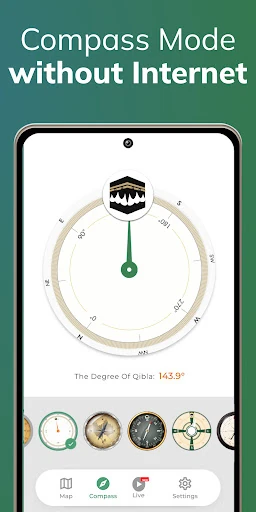
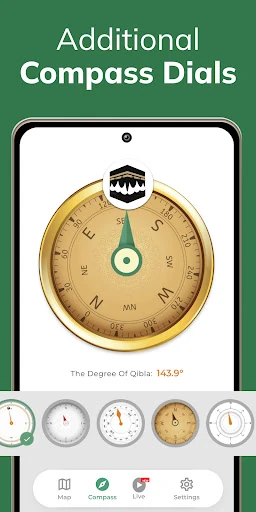
Day to day, the compass is the most direct part of the experience. It uses the phone’s sensors to show a direction, and the description says that this compass function works offline. That can make it convenient in a place with weak service, although GPS and sensor behavior still matter. I would hold the phone flat, as the app recommends, and use the display as a reference rather than rushing through the check.
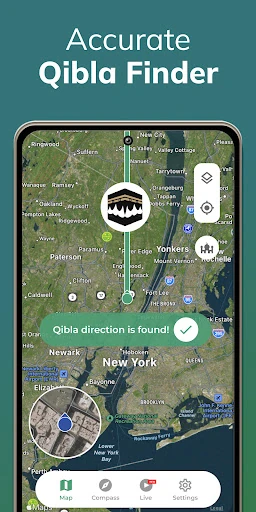
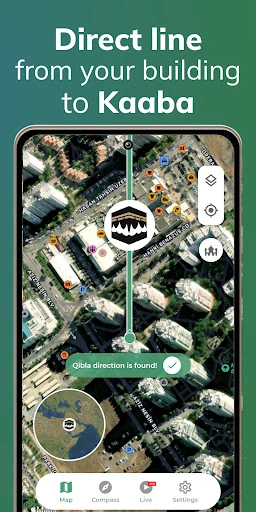
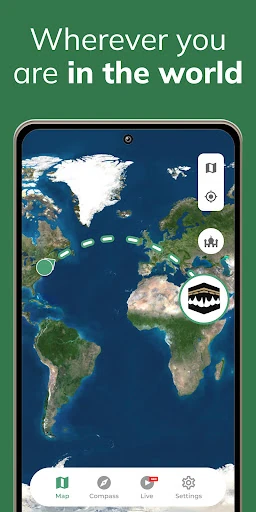
The map provides a different way to make sense of the same task. Instead of relying only on a compass-style indicator, I can look at the direction in relation to a map and the marked position. If the location marker needs adjustment, the app says it can be moved manually. I like that the described options cover both a quick bearing and a more visual check without changing the app’s basic purpose.
Features with a clear purpose
The augmented-reality mode is the feature that stands out most on paper. The description says that pointing the phone brings up an animated prayer rug in the camera view to indicate the Qibla direction. That approach may feel more intuitive to someone who finds a compass hard to interpret, especially in a new room. It is still a direction aid, but it changes the way the bearing is presented rather than adding a separate planning tool.
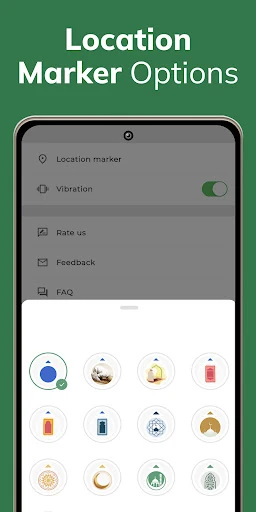
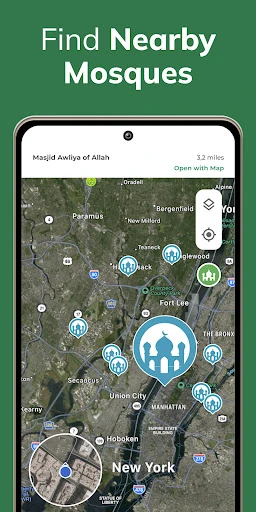
The nearby mosque feature is another useful extra for people who are away from familiar surroundings. The app also offers different map or compass modes and a customizable location marker. These are supportive options, not the main event. Sharing the app through social networks is included too, though I see that as less central to a personal check before prayer. The strongest features are the ones that help establish or understand the direction.
A sensible travel routine
For travel, I would make a quick check after reaching a hotel or other temporary place, while I have a moment to get oriented. I would allow location access, hold the phone level, and compare the compass with the map if I wanted a second visual reference. If the position marker looks misplaced, I would use the app’s position tools before relying on the result. This routine is simple enough to repeat without turning every check into a lengthy setup.
Offline compass use is particularly relevant in this kind of routine. The description says an internet connection is not required to see where Makkah is through the compass function. I would still make sure the phone can determine location and that its sensors are behaving normally. If readings seem inconsistent, I would try again away from metal or electronic interference. The app’s own guidance makes clear that surroundings and phone conditions can affect the compass.
Limits to keep in mind
A compass app is only as helpful as the location and sensor information it receives. Qibla Finder’s description specifically mentions magnetic fields, metallic objects, GPS issues, and phone problems as possible sources of trouble. That means a result should not be treated as magically precise in every setting. I would use the flat-surface advice, check the location, and try again if the direction seems wrong, especially in an environment full of electronics.
There are also practical expectations to set. The described feature set centers on direction, maps, an AR view, and nearby mosques; it does not describe prayer times or saved multiple locations. The app contains ads and has optional in-app purchases, which may matter to people who prefer an uninterrupted or entirely free experience. For a narrowly focused direction check, those trade-offs may be manageable, but they are worth knowing before making it part of a routine.
Qibla Finder Compass 100% makes sense as a dedicated direction tool, with compass and map views, offline compass use, and an AR option giving it a few useful ways to approach the same task. I especially like that its guidance acknowledges the real-world factors that can affect a phone compass, rather than suggesting that setup never matters.
I would try it if I wanted a focused Qibla reference on my Android phone and was willing to check location and sensor conditions. It is less suited to anyone seeking a broader prayer companion. Keep the phone level, check the reading when something seems off, and treat the app as a practical aid rather than a substitute for your preferred method.
Qibla Finder Frequently Asked Questions
What is Qibla Finder Compass 100% used for?
Qibla Finder Compass 100% helps users find the direction of the Kaaba in Makkah for prayer. It offers compass and map modes, an augmented-reality direction view, and a feature for locating nearby mosques. Its compass function is described as usable offline, while location and phone sensors help determine the direction.
Which phones can run Qibla Finder Compass 100%?
The app is available for Android through Google Play. A specific minimum Android version is not included in the provided details, and compatibility can depend on the device and current store requirements. Check the Google Play store page from your phone to see whether your device meets the current requirements before installing.
Does Qibla Finder Compass 100% cost money?
The app is free to download and includes ads. It also offers in-app purchases, with listed item prices ranging from $0.49 to $39.99. Prices and available purchase options can change, so check the Google Play store page for the current details before deciding whether to buy anything.
Does Qibla Finder Compass 100% need internet?
The app description says its compass can show where Makkah is without an internet connection. It also says the phone’s GPS function should be working properly and that location access is needed for the app’s location-based use. Phone sensors and nearby magnetic interference can affect the compass, so follow the app’s setup guidance.
Who is Qibla Finder Compass 100% best suited to?
It may suit Muslims who want a focused way to check the direction of prayer at home or while traveling, especially those who like having both compass and map views. It may not suit someone looking for a wider prayer-planning app, since the described tools focus on direction and nearby mosques. The content rating is Everyone.
Pros
- Compass and map modes offer different ways to check the direction toward Makkah.
- The compass function is described as working offline, useful when internet access is limited.
- Augmented-reality view and nearby mosque search add practical options for unfamiliar places.
- Location marker adjustment can help when the displayed position needs correction.
Cons
- Compass readings can be affected by metal objects, electromagnetic fields, or phone sensor issues.
- Location access and a properly working GPS function are important for reliable positioning.
- The app contains ads and offers in-app purchases despite being free to download.
- Category
- Maps & Navigation
- Version
- 3.9.0