Phone Tracker By Number
- 1.02M
- 4.3
- Installs
- 50.00M
- Price
- Free

Screenshots
Analysis by Reviewed APKs
Phone Tracker By Number is a location-sharing and phone-finding app for people who want to locate their own connected devices or share their location with consenting contacts. I see its value in practical moments: checking where a misplaced phone was last detected, coordinating a meetup, or getting an alert when a connected device reaches a saved place. It has useful tools, though location sharing depends on everyone opting in and setting permissions.
When a Phone Goes Missing
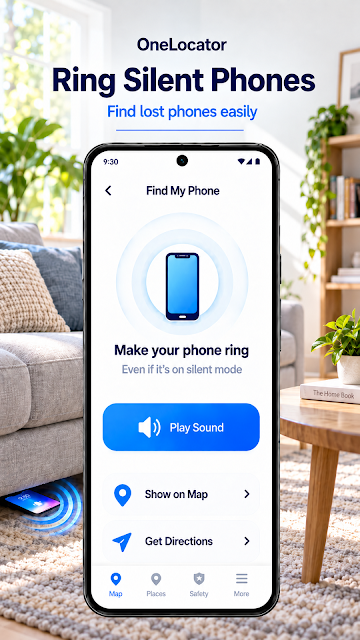
When I imagine reaching for my phone after getting home and finding an empty pocket, the app’s lost-phone tools are the most immediately useful. I can check the current or last known location of a connected device, then use the ringing command to help find it, even if the phone is set to silent. That is a more focused response than retracing every step before checking where the device was last detected.
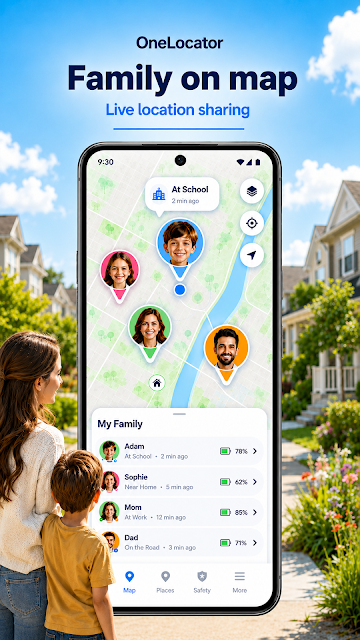
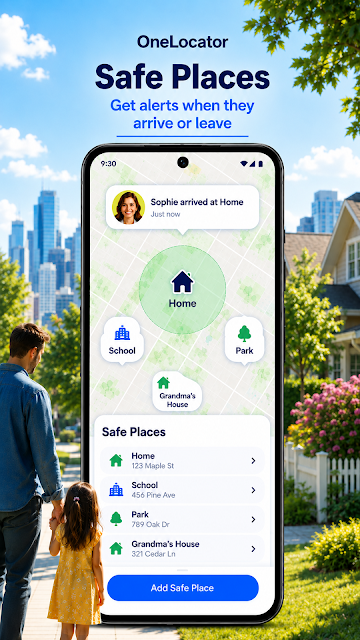
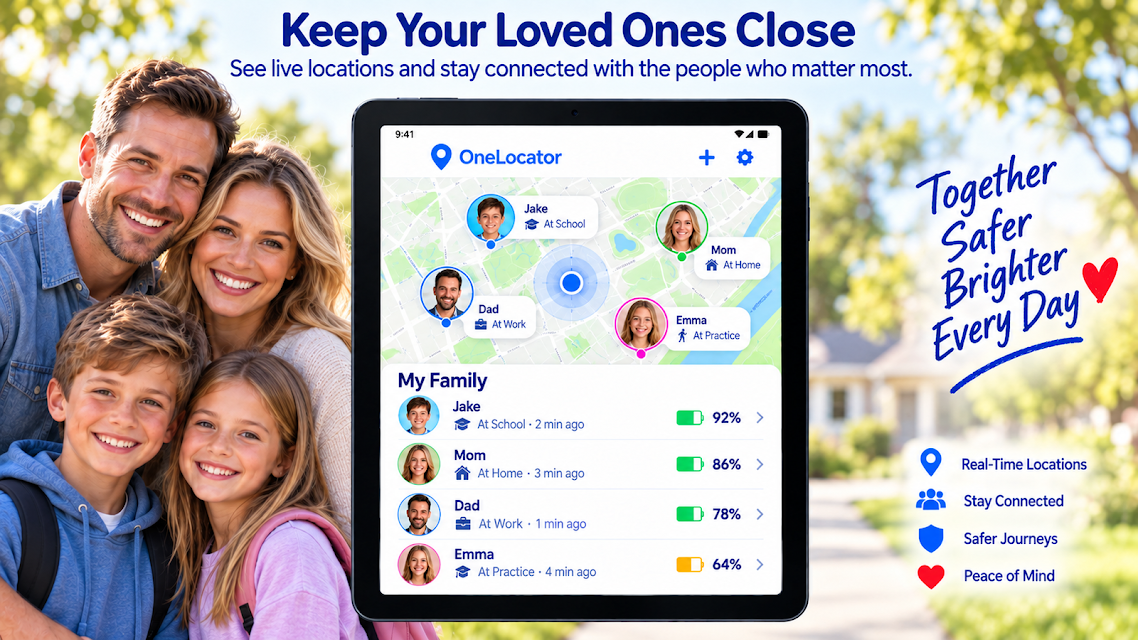
The app also makes sense in a family routine where people have agreed to share locations. For a trip across town, I could check a contact’s shared location instead of sending several “where are you?” messages, or set a Safe Zone around a meeting point and receive an arrival or departure notification. This depends on the other person accepting an invitation, installing the app, and granting the permissions needed for sharing.
A Locator, Not a Spy Tool
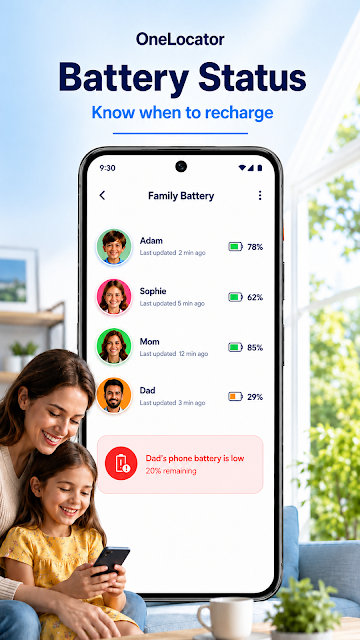
Compared with relying on a phone’s last remembered spot or coordinating entirely by text, Phone Tracker By Number brings location checks, place alerts, and a ring command together. It can also show recent locations and battery status for a connected device. Those additions are useful when the question is practical—where was the phone last detected, and might its battery be running low?—rather than simply wanting a map on screen.
This is not a way to secretly follow someone. The app describes sharing as voluntary and says the invited person must accept, install it, and grant permissions; users can stop sharing. It is also not a replacement for direct conversation or a dependable account of every movement. Location updates depend on the device and its settings, and the app is intended for your own devices, devices you are authorized to manage, and sharing between consenting people.
Small Habits That Help
I would start by connecting only the devices and people I actually need, then review which permissions are necessary for the features I plan to use. Location access supports GPS updates and place alerts, while notifications are needed for arrivals, departures, SOS messages, and low-battery warnings. If I only want to locate a misplaced phone, I would keep the setup focused instead of turning on every option by default.
For regular use, saved places can make the app less fiddly: a home, office, parking area, or meeting point can each become a Safe Zone. I would check the battery status before relying on a device for a long outing, and remember that movement information uses Physical Activity permission. If a feature stops working, I would review permissions in the phone’s settings before assuming the location itself is wrong.
More From Our News Desk

Zoom Meetings, Google Meet, or Teams: Which Is Easiest to Join?

How I Build a Free Streaming Lineup With Tubi

Why Crunchyroll Is the Default Anime App for So Many Fans

YouTube TV: A Practical Guide to Cutting Cable

Rummikub and the Small Comfort of Phone Games

TeamViewer Remote Control or AnyDesk for Helping Family?
Who May Find It Useful
I would recommend Phone Tracker By Number to people who often misplace their phones, families or friends who want to share locations by mutual agreement, and anyone coordinating travel or meetups with connected devices. Its strongest case is a small, clearly defined routine: check a device’s last location, ring it when it is nearby, or receive a notification when someone reaches a saved place.
It may be a poor fit for someone who wants location access without another person’s knowledge, since sharing requires an accepted invitation and can be stopped by the user. It is also less appealing if you rarely need location tools or would rather avoid granting location and notification permissions. Movement details and location updates are useful context, not a reason to treat the app as an exact record of every activity.
Phone Tracker By Number is a Maps & Navigation app from Family Locator inc. On Google Play it has over 50 million installs and a 4.3-star rating from around 1.02 million ratings. The app is free to download, contains ads, and offers in-app purchases priced from $1.99 to $14.99 per item. Its content rating is Everyone.
The current version is 7.42. The app was released on August 17, 2014, and was last updated on October 19, 2026. The Android version requirement is not included in the available app details, so check Google Play for the requirement shown for your device before installing.
The Details Behind Everyday Location Sharing
Getting Connected
My first impression is that the app is built around a handful of concrete jobs rather than one broad map feature: finding a phone, sharing a location, setting place alerts, and checking device status. That gives it a clear purpose. Before using the shared-location tools, though, there is a small coordination step: the invited contact has to accept, install the app, and grant the permissions needed for the connection.
Permissions are worth approaching deliberately. Location access supports GPS updates, history, Safe Zones, and location details in an SOS alert. Notifications cover arrival and departure messages, SOS alerts, low-battery warnings, sharing updates, and device-status notices. Physical Activity permission may support movement information and help reduce unnecessary location updates. The app says permissions can be managed in device settings, and some functions may not work when required access is disabled.
The Daily Location Check
In day-to-day use, the most straightforward task is checking the latest available GPS location of a connected phone on a private map. That can help narrow down where a device was left, whether it is hidden nearby or was forgotten somewhere on the way home. The wording “latest available” matters: the location is a useful clue, but it is tied to what the connected device has been able to report.
For a phone that is likely close by, the ring command is a practical next step. The app says it can send a high-volume ringing command even when the connected phone is in silent mode. I like that this addresses a very familiar annoyance instead of asking me to keep staring at a map. If the device is farther away, its current or last known location and recent locations provide a different kind of help.
Alerts and Device Details
Safe Zones give location sharing a useful routine. I could save places such as home, an office, a gym, a parking area, or a meeting point, then receive an alert when a connected device arrives or leaves. This is more purposeful than repeatedly checking someone’s location throughout the day. It turns a specific place change into a notification, provided the device is connected and the necessary permissions are enabled.
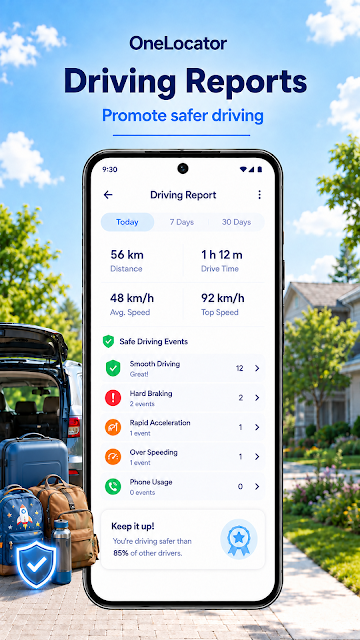
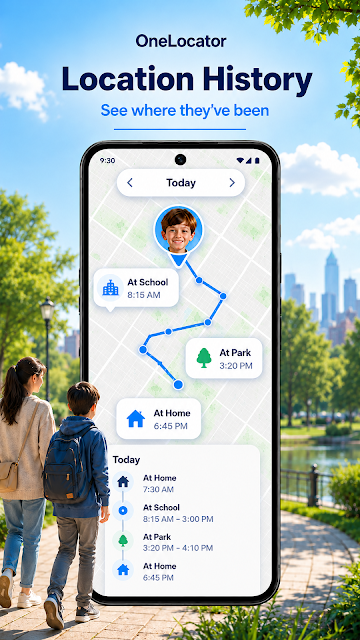
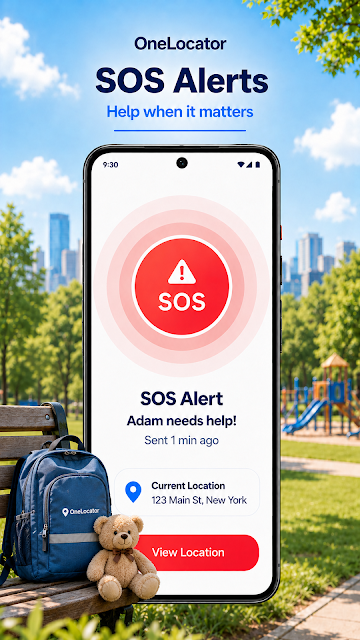
The other notable tools add context around a connected device. Location history lets users review recent locations and visited places; battery status shows a device’s charge and can provide a low-battery alert. The app also offers available movement and driving-speed information, while SOS can send an alert and the device’s available location to selected trusted contacts. These are distinct tools, not evidence that every update will be immediate or complete.
A Simple Trip Routine
For a group outing, I would keep the routine simple: ask the people involved to connect voluntarily, agree on when location sharing is useful, and choose a meeting point as a Safe Zone. During the trip, a shared location can help with coordination, while an arrival notification may save a round of messages. If someone is concerned about their phone running low, the battery status and low-battery alert offer another practical check.
After the outing, users can stop sharing when it is no longer needed. That ability makes temporary coordination feel more appropriate than leaving a location connection running indefinitely. If the concern is a misplaced phone rather than a group trip, I would use the same practical sequence in reverse: check its latest or last known location, review recent locations, and try the ring command if it may be nearby.
Limits to Keep in Mind
The app’s usefulness depends on connected devices and consenting users. A contact must accept an invitation, install the app, and grant the required permissions before sharing can begin. Turning off a needed permission can make related features unavailable. That setup is a reasonable privacy boundary, but it also means this is not an instant way to locate any phone number or a person who has not agreed to share.
Location and movement information should be treated as practical context. The app describes the map as showing the latest available GPS location and also offers a last known location, which leaves room for gaps between updates. Safe Zone alerts, battery warnings, and SOS messages likewise depend on the relevant device settings and connection. The app’s many options are helpful, but people who only need occasional directions may find a dedicated maps app simpler.
Phone Tracker By Number brings together a useful set of location tools: finding a connected phone, ringing it in silent mode, sharing locations by agreement, and receiving place or battery alerts. I especially like the way Safe Zones and the ring command address everyday hassles rather than asking users to monitor a map constantly.
I would try it if misplaced phones or voluntary family location sharing are recurring needs, and if everyone involved is comfortable with the permissions. I would skip it for secret tracking or if location sharing feels unnecessary. Its best use is focused, consensual coordination, with realistic expectations about available updates.
Phone Tracker Frequently Asked Questions
What is Phone Tracker By Number used for?
Phone Tracker By Number helps locate connected devices and share GPS locations with trusted contacts who agree to participate. Its tools include checking a current or last known location, ringing a connected phone in silent mode, reviewing recent locations, creating Safe Zones, and receiving certain device alerts. It is intended for your own devices, devices you are authorized to manage, and consensual location sharing.
Which phones and devices work with Phone Tracker By Number?
Phone Tracker By Number is an Android app available through Google Play. The app’s sharing features are designed for connected devices, and an invited person must accept the invitation, install the app, and grant required permissions. The Android version requirement may vary by release or device, so check the Google Play store entry for the requirement that applies to your phone.
What Android version does Phone Tracker By Number require?
The Android version requirement can vary with the app release and device. The app uses permissions for features such as location updates, notifications, and optional movement information, and some features may be unavailable when required permissions are disabled. Check the Google Play store entry for Phone Tracker By Number to see the Android requirement currently shown for your device.
Does Phone Tracker By Number cost money?
Phone Tracker By Number is free to download and contains ads. It also offers in-app purchases priced from $1.99 to $14.99 per item. Purchase options can change, so check Google Play for current details before buying. The app’s basic description focuses on location tools for connected devices and voluntary sharing with trusted contacts.
Is Phone Tracker By Number suitable for family location sharing?
It may suit families or friends who want to share locations by agreement and use alerts for saved places. Sharing is voluntary: the invited person must accept, install the app, and grant the required permissions, and users can stop sharing. It is not intended for secretly tracking someone. Anyone uncomfortable with location permissions or ongoing sharing may prefer another way to coordinate.
Pros
- Combines phone location checks with a ring command for misplaced devices.
- Safe Zones can notify users when a connected device arrives or leaves.
- Voluntary sharing can be stopped by users at any time.
- Battery status, location history, and SOS add practical context.
Cons
- Location sharing requires the invited person to accept and configure the app.
- Some features depend on permissions that users may choose to disable.
- Ads and optional in-app purchases may not suit every user.
- Category
- Maps & Navigation
- Version
- 7.42