RadarScope
- 6.35K
- 3.9
- Installs
- 100.00K
- Price
- $9.99
Screenshots
Analysis by Reviewed APKs
RadarScope is a paid weather radar app for people who want to inspect storm data rather than just check whether it might rain. I see it suiting weather enthusiasts, storm spotters, and professionals who are comfortable interpreting radar products. Its main appeal is a detailed, native radar view with useful warning and mapping tools. It is more involved than a basic forecast app, but that focus is also its clearest strength.
Following a storm's approach
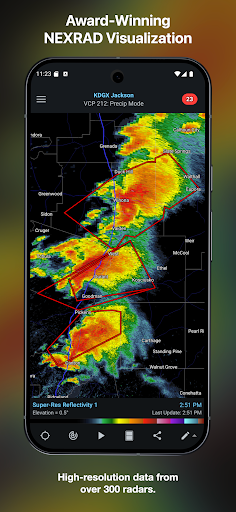
When a storm is moving toward my area, I want more than a rain icon and a general forecast. RadarScope lets me open a radar site, inspect its data, and watch a six-frame loop to see how the precipitation is changing. I can also check relevant warnings and use the distance tool to get a better sense of how far the activity is from a place I care about.
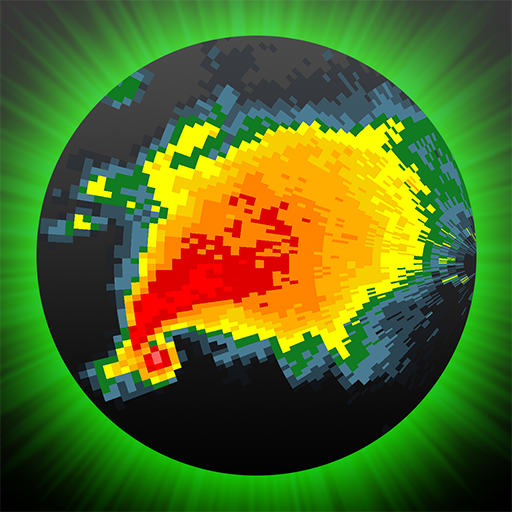
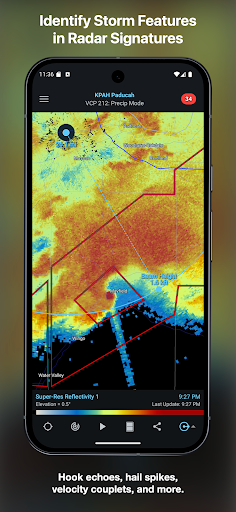
The practical difference is the level of detail. RadarScope shows radar data in its original radial format, with updates every two to ten minutes depending on the radar's scanning strategy. That makes it possible to look for features such as a hook echo or a velocity couplet, rather than relying only on a simplified map. It takes a little familiarity to interpret those views, but the app gives serious weather watchers room to look closely.
Radar first, forecast second
I think of RadarScope as a radar-analysis companion, not an all-purpose daily forecast app. Its core job is visualizing radar and related severe-weather products. If I simply want a quick overview of the day's conditions, a simpler weather app may feel more direct. RadarScope makes more sense when I want to follow a storm, inspect a warning, or understand what a particular radar site is showing.
That focus also means it is not a substitute for interpreting weather information carefully or for getting a broad, plain-language forecast. Some of the data and tools will be most useful to people who already know what they are looking at, while newcomers may need time to learn the radar products. Optional Pro subscriptions expand the available products and viewing tools, but the paid app's included features already establish its radar-centered approach.
Small habits that help
I get more from a radar app when I choose a few places I care about before bad weather arrives. With RadarScope, I can use the map and distance tools to orient myself, then return to the same region when a storm develops. Its bundled maps include boundaries, water bodies, and major highways, and are optimized for low-bandwidth use, which is helpful context when I am checking conditions on the go.
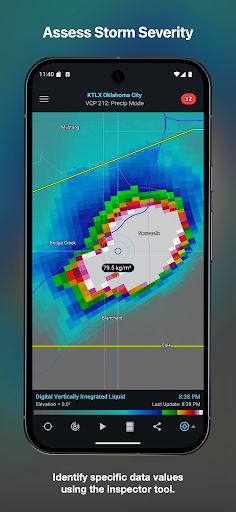
I also find it useful to treat the loop as a quick sequence, not a single dramatic image. Comparing the frames can show how a storm is moving, while the Inspector offers another way to examine what is on screen. Spotter Network and mPING integrations support storm and location reporting. Those are best approached as deliberate tools for people who have a reason to submit a report, rather than buttons to tap casually.
More From Our News Desk

Zoom Meetings, Google Meet, or Teams: Which Is Easiest to Join?

How I Build a Free Streaming Lineup With Tubi

Why Crunchyroll Is the Default Anime App for So Many Fans

YouTube TV: A Practical Guide to Cutting Cable

Rummikub and the Small Comfort of Phone Games

TeamViewer Remote Control or AnyDesk for Helping Family?
Who will get the most from it
I would recommend RadarScope to weather enthusiasts who enjoy looking beyond a basic precipitation map, and to storm spotters or professionals who need access to radar products and related warnings. The multiple radar data providers, color palette options, storm tracks, and inspection tools give experienced users plenty to work with. Its Android and Wear OS support also makes it relevant to people who want the app across those devices.
I would be more cautious recommending it to someone who wants only a simple forecast or expects every radar product to explain itself. The native radar presentation rewards curiosity and some familiarity with weather terminology. The initial purchase is only part of the possible cost, too: Pro tiers are optional subscriptions that add features. If a straightforward summary is the priority, a less technical weather app may be a more comfortable fit.
RadarScope is developed by Telvent DTN, LLC. On Google Play, it has more than 100,000 installs and a 3.9-star rating from around 6,350 ratings. The app is paid, with a listed price of $9.99, and it offers optional in-app purchases priced from $0.99 to $99.99 per item. It contains no ads, and its content rating is Everyone.
The listed Android version is “Varies with device,” and the current app version is also shown as varying with device. RadarScope was released on August 24, 2011, and its listed last update is October 26, 2026. Optional Pro subscriptions are available as annual plans for Tier One and annual or monthly plans for Tier Two; subscription prices can vary, so check Google Play for current details.
A closer look at radar in motion
Opening the radar
My first impression is that RadarScope is built around the data, not around a weather-themed landing page. The map is the working surface: choose a radar site, view its products, and start examining the conditions. The included map layers provide useful geographic reference, including political boundaries, water bodies, and major highways, without making the radar itself feel like a secondary feature.
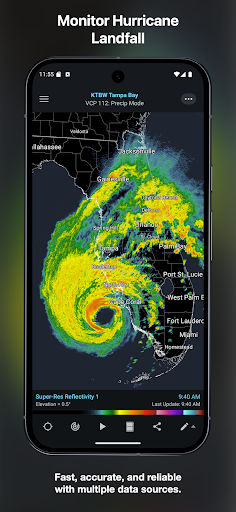
Getting oriented takes more attention than opening a basic forecast app. RadarScope offers a full suite of single-site radar products for the United States, Canada, Guam, Denmark, Finland, and Germany, with two built-in providers for radar data. That breadth is useful, but the regional and product choices mean a new user may need to spend a little time learning where to look.
The everyday radar loop
The core experience is watching radar data update and deciding what the view tells me. The included six-frame loops make movement easier to follow than a still image, and the automatic refresh interval depends on the scanning strategy, ranging from two to ten minutes. When weather is changing, I can check the loop, compare the latest frame, and use the map to keep the storm's location in context.
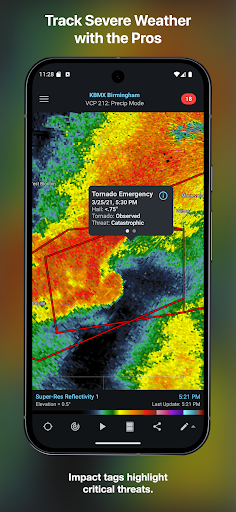
RadarScope includes several kinds of US warnings, covering tornadoes, thunderstorms, flash floods, special marine conditions, snow squalls, and extreme wind. It also includes selected severe weather warnings in Canada and Australia. NWS-generated storm tracks can show hail, TVS, and mesocyclone attributes. These products provide more to inspect than a generic warning banner, although understanding them is still up to the user.
Tools beyond precipitation
A few details give RadarScope more practical depth than a simple radar viewer. The Inspector and distance tools help me examine and orient the map, while color palette options let me change the presentation of radar data. Weather Pulse data plan integration and support for widgets add ways to use the app within a broader routine, without changing its central focus on radar visualization.
The reporting integrations are another notable part of the package. Spotter Network supports storm and location reporting, and mPING integration lets users submit weather reports to NSSL. I would treat these as purposeful options for users who need them, not as a replacement for simply following the radar. Family Library support is included, and the app is also available for Wear OS.
A useful weather check
For a practical routine, I would open RadarScope when a storm is in the forecast or when a warning appears, rather than leaving it running as a general conditions dashboard. I can select a relevant radar, look at the loop, check warnings and storm tracks, then use the map and distance tool to understand the activity relative to a place I care about. That sequence keeps the detailed tools focused on a real question.
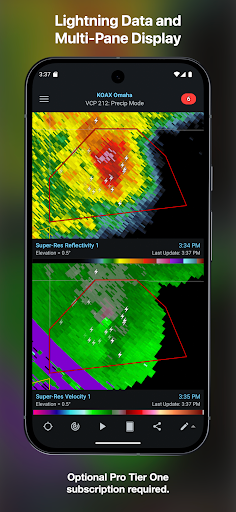
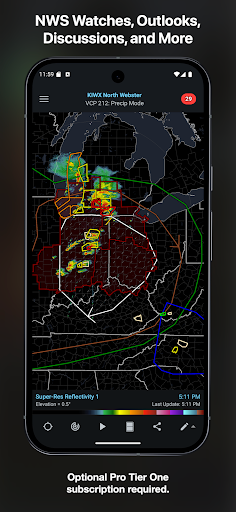
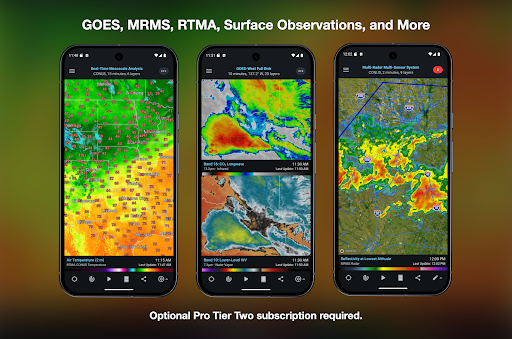
If I need more context, the optional subscription tiers add broader products. Tier One includes longer loops and items such as lightning strikes, watches, outlooks, and local storm reports. Tier Two adds still more, including satellite products and historical radar data. Those extras may suit frequent users, but I would first spend time with the included tools and decide whether the additional products match my actual routine.
Keep the scope in mind
RadarScope's biggest limitation is also its defining choice: it is specialized. A new user may find the radial presentation and terminology less approachable than a plain-language forecast, and the app does not center its experience on simple everyday summaries. The detail is valuable when I want to inspect radar, but it can be more information than I need when I only want to know whether to carry an umbrella.
There is also a cost to weigh. The app has an upfront purchase price, and optional subscriptions add capabilities at recurring cost. The included six-frame loops and radar products may be enough for occasional checks, while longer archives and expanded data are reserved for Pro tiers. I would avoid paying for a tier until I know which added tools I will actually use.
RadarScope is a focused, capable choice for people who want to examine radar and severe-weather products in detail. I like that its included tools cover meaningful everyday tasks, from following a loop to checking warnings and map distance, while optional tiers extend the experience for more demanding users.
I recommend it to weather enthusiasts and experienced spotters who value radar detail and are willing to learn the interface. If you mainly want a quick forecast, its technical focus and added subscription options may be more than you need. For the right user, though, RadarScope makes storm tracking a much more deliberate activity.
RadarScope Frequently Asked Questions
What is RadarScope used for?
RadarScope is a weather visualization app for viewing single-site radar data and related severe-weather products. It includes radar loops, selected warnings, storm tracks, inspection and distance tools, and map layers. Its focus is detailed radar viewing, so it is especially suited to weather enthusiasts, storm spotters, and professionals rather than people seeking only a simple daily forecast.
Which devices can run RadarScope?
RadarScope is available for Android and Wear OS. The Google Play information describes its Android version as varying with device, so the requirements for a particular phone or watch may vary. Check the Google Play store page on your device for current compatibility details before purchasing.
What Android version does RadarScope require?
The Android version requirement may vary by device and current app release. Check RadarScope's Google Play store page for the requirement shown for your phone or tablet. The app's listed version also varies with device, so the store is the best place to check compatibility for a specific model.
Does RadarScope cost money?
RadarScope is a paid app, listed at $9.99, and it also offers optional in-app purchases. Pro Tier One is an annual subscription, while Pro Tier Two can be annual or monthly. In-app purchase prices may vary; check Google Play for current pricing and subscription terms before buying.
Is RadarScope suitable for beginners?
It can suit a beginner who is curious about radar and willing to learn, but its detailed presentation is less straightforward than a basic forecast app. The app is most compelling for people who want to inspect radar products and warnings. If you only need a quick, plain-language weather summary, a simpler weather app may be a better match.
Pros
- Detailed native radar presentation with loops and multiple data providers.
- Includes useful warnings, storm tracks, inspection tools, and map context.
- Optional Pro tiers add expanded radar and weather products.
- Supports Android, Wear OS, widgets, and reporting integrations.
Cons
- The technical radar view can take time for newcomers to understand.
- A paid app purchase is followed by optional subscription costs.
- Its specialized focus is less suited to quick, plain-language forecasts.
- Category
- Weather