Windfinder: Wind & Weather map
- 91.18K
- 4.7
- Installs
- 5.00M
- Price
- Free

Screenshots
Analysis by Reviewed APKs
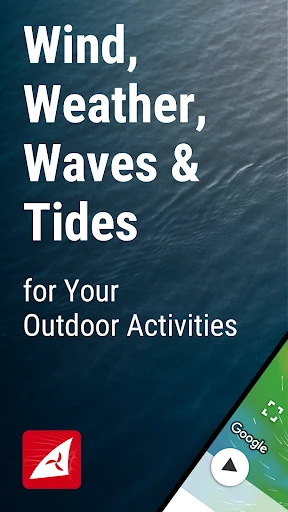
Windfinder: Wind & Weather map is a weather app built around wind conditions, with forecasts, live observations, waves and tides for locations around the world. I found it most useful for planning days on the water or checking whether a breezy outdoor plan looks promising. It has more detail than a basic weather app, though that focus makes it less suited to people who only want a quick chance-of-rain check.
Planning Around the Wind
When I’m thinking about a sailing outing, the general forecast is only part of the decision. I want to know whether the wind is building, which direction it’s coming from and what the waves and tides look like. Windfinder brings those details together for a chosen location, so I can compare the forecast with current measurements before deciding whether the day looks workable.
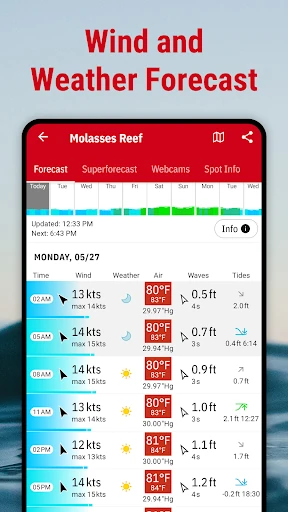
I’d use it the evening before a trip, then check again in the morning as conditions become more immediate. Forecasts cover wind and weather, while observations from weather stations add a real-time reference. Wave height, period and direction, along with tide forecasts, are useful context for water-based plans. The app doesn’t make the decision for me, but it gives me more relevant information than a broad daily forecast.
More Than a Weather Snapshot
A standard weather app is often enough when I just need to know whether to bring a jacket. Windfinder is aimed at a narrower, more weather-conscious job: comparing wind, waves and tides at places that matter to a particular activity. Its worldwide location coverage and animated wind map make it handy when I’m checking a nearby spot or looking ahead to a trip destination.
That extra focus is not automatically an advantage for everyone. If I only want a simple temperature and rain summary, the range of wind and marine details may feel like more than I need. Windfinder is also not a substitute for on-the-water judgment or a complete navigation system. I see it as a planning and conditions-checking tool, especially for people whose plans depend on wind.
Make Checks a Habit
I get more out of a forecast app when I save the places I check repeatedly. Windfinder lets me keep favorite locations, which is useful for a regular launch point, a nearby beach or a destination I’m considering for a vacation. Instead of searching from scratch each time, I can return to the same spots and compare the conditions that matter to my plans.
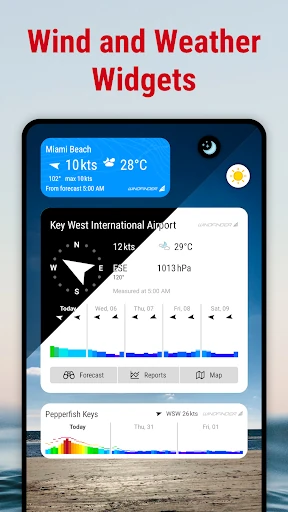
A practical routine is to check the broader wind picture first, then open the forecast for a specific favorite and look at waves or tides if the outing calls for them. I’d also pay attention to the difference between a forecast and a current station observation. Windfinder offers home-screen widgets for current conditions, while some additional widget options and forecast tools are part of Plus.
More From Our News Desk

Zoom Meetings, Google Meet, or Teams: Which Is Easiest to Join?

How I Build a Free Streaming Lineup With Tubi

Why Crunchyroll Is the Default Anime App for So Many Fans

YouTube TV: A Practical Guide to Cutting Cable

Rummikub and the Small Comfort of Phone Games

TeamViewer Remote Control or AnyDesk for Helping Family?
Who Will Get the Most From It
I’d recommend Windfinder to people who regularly plan around wind: sailors, surfers, kite and windsurfers, anglers, boat owners and anyone who wants a closer look before heading outside. The combination of location forecasts, station observations, wave information and tides gives those users several useful angles on a day’s conditions. It can also help hikers, cyclists and other outdoor planners who care about more than the headline temperature.
It may be less appealing if your weather checks are usually limited to temperature and a quick rain forecast. The detail is the point, but it can add friction when all you need is a glance. Some tools, including wind alerts and the Superforecast, require Windfinder Plus, so users who want those specific features should consider that before settling into a routine. For casual checks, the free app may be enough.
Windfinder: Wind & Weather map is developed by Windfinder and is available on Google Play for Android. The app has over 5 million installs and a 4.7-star rating from about 91,000 ratings. It is free to install, contains ads and offers in-app purchases. Google Play gives it an Everyone content rating.
The listed Android requirement is Android 7.0 or later. The current version in the supplied app details is 3.38.5. Windfinder was released on June 15, 2010, and its listed last update was January 19, 2026. In-app products are shown at prices from $0.99 to $12.99 per item.
A Closer Look at Windfinder
Opening and Getting Oriented
My first impression is that Windfinder knows what its audience is looking for. Rather than treating wind as a small line beneath the temperature, the app puts wind and related conditions at the center. The forecasts cover more than 160,000 locations worldwide, giving me a broad choice of places to check, from a nearby spot to a destination farther afield.
The interface is designed to present forecasts and reports clearly on mobile screens, and the description notes that it is intended to work with wet or cold hands. That is a practical consideration for people checking conditions outdoors. I’d begin by finding a location I care about and saving it as a favorite, then explore the available parameters rather than trying to take in every data point at once.
Checking Conditions Day to Day
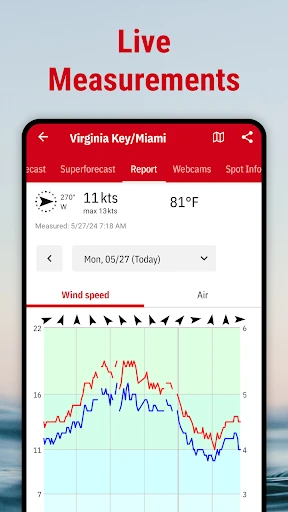
The main day-to-day loop is straightforward: choose a location, review its forecast and compare that with current observations. Wind speed and direction are joined by air temperature, felt temperature, cloud cover, precipitation and air pressure. For water activities, the additional wave and tidal information makes the forecast more specific to the outing than a general-purpose weather summary.
I like that the app distinguishes forecast information from measurements reported by weather stations. Windfinder draws on observations from more than 21,000 stations, which can give a useful current reference alongside the prediction. Those readings are still only one part of a changing weather picture, but having both views available in one place saves me from switching between separate tools.
Maps, Waves and Tides
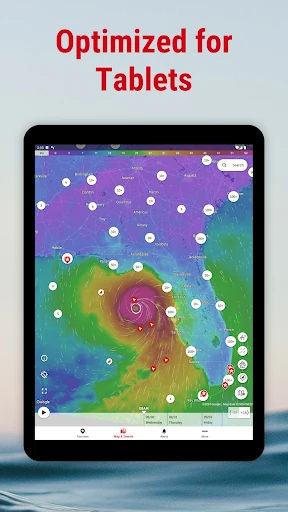
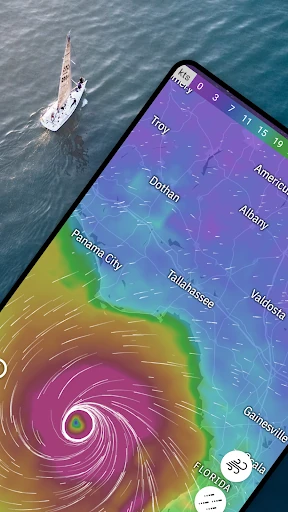
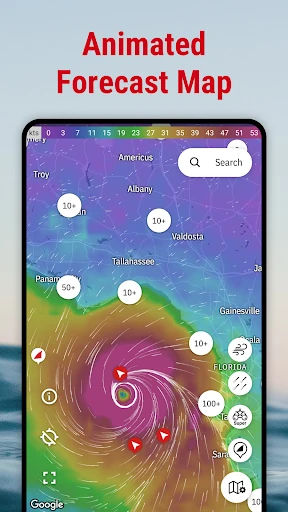
The animated wind map is one of the more distinctive ways to explore conditions. It gives a regional or global view of wind patterns, while location forecasts bring the focus back to a particular spot. The app also includes topographic maps and satellite images as aids for weather routing, helping users place conditions in a geographic context.
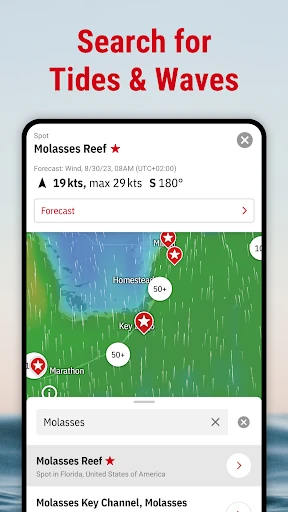
For coastal plans, the wave details are more than a single broad label: Windfinder provides wave height, period and direction. Tide forecasts cover high and low tides at locations around the world. Webcams are another feature that can add local visual context. Together, these tools make the app feel particularly tailored to people who check the weather before spending time on or near the water.
A Useful Pre-Trip Routine
For a weekend outing, I’d start by saving the likely launch or beach location, then check the wind forecast the night before. If the plan is water-based, I’d also review waves and tide timing. In the morning, I’d return to the same favorite and compare the forecast with current station observations, rather than relying on a single number from the previous evening.
Different units can make the information easier to use for different people. Wind speed is available in knots, Beaufort, miles per hour, kilometers per hour and meters per second. I’d choose the measurement system I’m comfortable reading and stick with it, especially when comparing conditions across locations. Small Wind widgets can also put current conditions on the home screen for a quicker check.
Limits and Paid Extras
Windfinder’s depth comes with a learning curve. A casual weather check can involve more parameters and map views than necessary, so I’d focus on the few that relate to my plans rather than treating every screen as essential. Forecasts and current measurements are useful planning inputs, not a promise that conditions will stay the same once I’m outside.
The free app includes ads, and Windfinder Plus is an in-app purchase for additional features. Plus includes wind alerts based on chosen conditions, the hourly high-resolution Superforecast for specified regions, a ten-day visual wind preview, more widget options and ad-free use, among other tools. Those extras could suit frequent users, but occasional checkers may be comfortable with the basic forecasts and observations.
Windfinder earns its place on my phone when wind is central to the plan. It combines location forecasts with current station observations, and adds waves, tides, maps and webcams for a fuller picture. Favorites make repeat checks easier, while the range of measurements gives regular outdoor users room to tailor their checks to the activity.
I’d choose it for sailing, surfing, fishing or other plans where wind and water conditions deserve a closer look. If you only want a quick everyday weather summary, a simpler app may feel more convenient. Windfinder is at its best for people who will use its extra detail and are willing to check conditions thoughtfully.
Windfinder Frequently Asked Questions
What is Windfinder: Wind & Weather map used for?
Windfinder is used to check wind and weather forecasts, current weather-station observations, waves and tides at locations around the world. It is especially relevant to activities such as sailing, surfing, kitesurfing, fishing and other outdoor plans affected by wind. It also includes animated wind maps, saved favorite locations and webcams.
Which devices can run Windfinder: Wind & Weather map?
Windfinder is an Android app available through Google Play. The listed minimum requirement is Android 7.0. The supplied details do not give a separate device list, so compatibility can depend on the device and its software; check the Google Play store listing for the requirements that apply to your phone or tablet.
Does Windfinder: Wind & Weather map cost money?
The app is free to install and contains ads. It offers in-app purchases, with listed item prices ranging from $0.99 to $12.99. Windfinder Plus is the paid option for additional features such as wind alerts, the Superforecast, expanded widgets and ad-free use. Current purchase details may vary, so check Google Play before buying.
What Android version does Windfinder: Wind & Weather map need?
The listed minimum is Android 7.0. The app details give version 3.38.5, but requirements and available versions can change over time or vary by device. If you are checking an older phone or a specific tablet, the Google Play store listing is the best place to confirm current compatibility.
Is Windfinder: Wind & Weather map suitable for casual weather checks?
It can be used for general wind and weather checks, but its strongest focus is detailed information for people whose plans depend on wind, waves or tides. Casual users who only need a quick temperature or rain outlook may find the extra detail unnecessary. The free app provides forecasts and observations, while some advanced features require Plus.
Pros
- Combines wind forecasts with current observations from weather stations.
- Includes wave details, tide forecasts and an animated wind map.
- Favorite locations make repeat checks and trip planning more convenient.
- Offers several wind-speed units for different preferences and activities.
Cons
- The volume of weather detail may overwhelm users seeking a quick forecast.
- Ads appear in the free app, with ad-free use included in Plus.
- Some useful extras, including wind alerts, require an in-app purchase.
- Category
- Weather
- Version
- 3.38.5