Room Temperature Thermometer
- 44.87K
- 4.4
- Installs
- 5.00M
- Price
- Free
Screenshots
Analysis by Reviewed APKs
Room Temperature Thermometer is a phone-based tool for checking indoor temperature, humidity, air quality and related weather information. I can see it suiting people who want a quick climate check or a simple record of how a room changes over time. Its online temperature sharing and history give it more to explore than a one-number thermometer, though readings depend on how the phone measures temperature.
A quick check at home
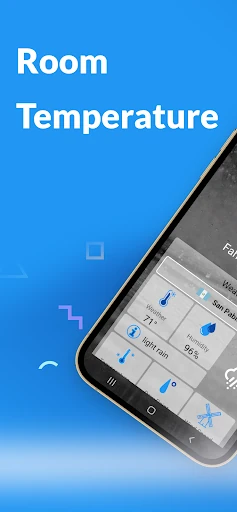
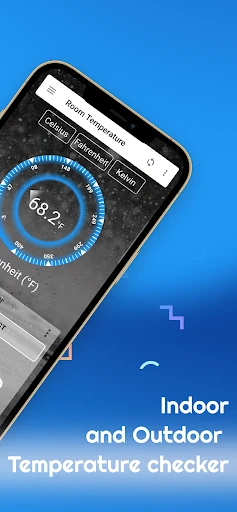
When I want to know whether a room feels chilly because of the weather or because the heating has not caught up, a room reading is a useful starting point. This app is designed to show indoor temperature, with Celsius, Fahrenheit and Kelvin options, alongside humidity and an Air Quality Index. I would use it as a quick check before adjusting the room, rather than as a reason to make a major decision.
The practical detail is that the phone may need a little time to settle. The app’s guidance is to put the device on a flat surface and leave it untouched for three to five minutes. That is less instant than glancing at a dedicated wall thermometer, but it is a manageable pause if I am checking a room while making coffee or settling in for the evening.
Phone tool, not a weather station
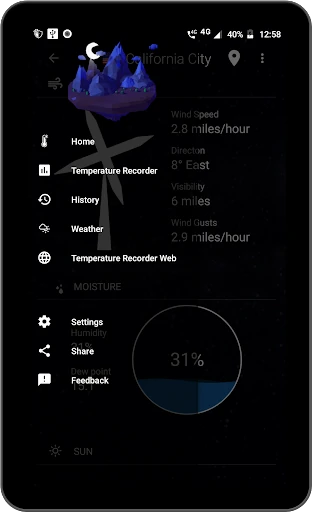
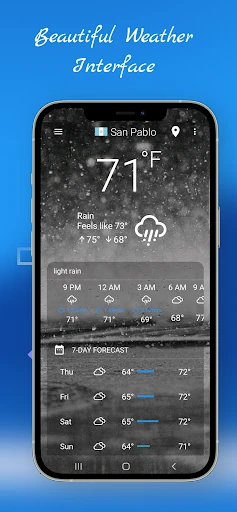
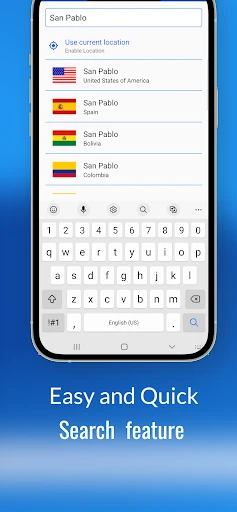
The app’s focus is indoor conditions, but it also includes outdoor weather and city search. That makes it broader than a single-purpose thermometer, while still centering the room reading. I would reach for it when I am curious about the temperature where my phone is, or want to look back at a room’s readings, rather than expecting a full weather service or a replacement for dedicated monitoring equipment.
It is also not a thermostat: the described features measure and record conditions, rather than controlling heating or cooling. Nor would I treat a phone-based estimate as interchangeable with a separate instrument in every situation. If I need a persistent reading without leaving my phone in one place, a standalone thermometer may be a better fit. This app is most appealing when convenience and extra context matter more than a dedicated device.
Make readings more useful
I would get the most out of the app by making checks under similar conditions. For a stable reading, I would place the phone on a flat surface, avoid handling it for the recommended few minutes, and check the same room at roughly the same point in my routine. That gives the history a more useful shape than a string of readings taken from different places while I am walking around.
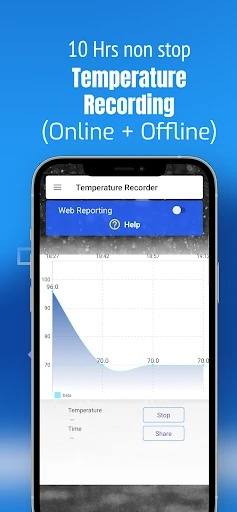
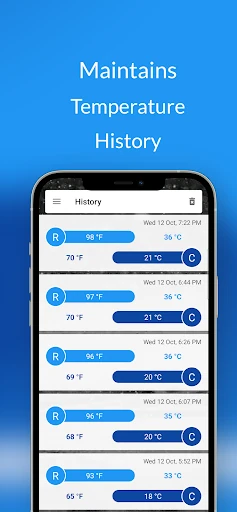
For longer checks, the app describes continuous temperature recording for more than ten hours, temperature history and CSV export. I could leave the phone in a room while I work, then review the record or export it if I want to keep notes elsewhere. City search and the outdoor weather view add context, while GPS is described as optional, so location need not be part of every use.
More From Our News Desk

Zoom Meetings, Google Meet, or Teams: Which Is Easiest to Join?

How I Build a Free Streaming Lineup With Tubi

Why Crunchyroll Is the Default Anime App for So Many Fans

YouTube TV: A Practical Guide to Cutting Cable

Rummikub and the Small Comfort of Phone Games

TeamViewer Remote Control or AnyDesk for Helping Family?
Who may find it useful
I would recommend Room Temperature Thermometer to someone who is curious about indoor conditions and already has a phone nearby. The combination of temperature, humidity, AQI, history and online viewing gives a casual user several reasons to return after the first check. It may also suit someone who wants to compare room readings over time, provided they are comfortable leaving the phone in place for a while.
It may be less suitable for anyone who needs a dedicated, always-visible instrument or expects a precise result from an immediate glance. The app itself notes that phones differ: a device with an ambient temperature sensor can use it, while another relies on an estimate. Ads are present, too, so people who prefer an uninterrupted, purpose-built tool may be happier with a separate thermometer.
Room Temperature Thermometer is developed by Master Technologis. Google Play shows more than five million installs and a 4.4-star rating from around 44,900 ratings. It is free to download, contains ads and has no in-app purchases. Its content rating is Everyone, and the current version shown in the supplied app details is 45.0.0.
The app was released on July 8, 2017, and its listed last update is October 17, 2026. Room Temperature Thermometer is an Android app, but the minimum Android version is not provided in the supplied details. Anyone checking compatibility should look at the Google Play page for the requirements shown for their device.
A closer look at room readings
First open and setup
My first impression of the idea is straightforward: this is meant to turn a phone into a handy indoor check, not ask me to install a separate sensor before I can begin. The app describes using an ambient temperature sensor when a device has one, and an estimate with calibration when it does not. That distinction matters, because the phone model can affect how the reading is produced.
The setup guidance is refreshingly practical. Instead of expecting a number to settle instantly, the app says to set the phone on a flat surface and let it sit untouched for three to five minutes. I would follow that instruction before judging a reading. It also makes clear that the app can work with or without GPS, useful if I want to check indoor conditions without enabling location.
Checking it day to day
For an ordinary check, I would open the app in the room I care about, choose the temperature unit I prefer, and let the device rest if I want a steadier result. Temperature is the headline, but humidity and AQI can add context to the same visit. I can see that being more useful than opening several separate tools just to get a broad sense of indoor conditions.
The temperature history changes the app from a one-off curiosity into something I could revisit. The description says continuous temperature recording can run for more than ten hours, giving a longer window than a quick spot check. I would still treat the record as a practical reference rather than a formal monitoring log, especially since the phone itself is doing the measuring.
More than one number
The choice of Celsius, Fahrenheit and Kelvin is a small but welcome flexibility. Most people will settle on one unit and forget about it, but having options makes the app easier to use across different preferences. Humidity measurement and an AQI safety indicator broaden the picture, while outdoor weather and city search connect the indoor check to conditions beyond the room.
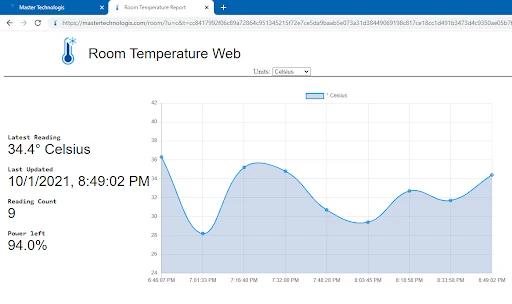
The online side is the feature that most clearly separates this from a basic thermometer display. The app says a reading recorded by the phone can be viewed through roomtemperature.io in a browser, and it also presents live room temperatures shared by users around the world, refreshed every 15 seconds. That is an unusual extra for casual comparison, though it is not necessary for simply checking one’s own room.
A simple room routine
A sensible routine would be to choose one room, set the phone down in a consistent spot, and allow it to settle before checking the reading. I might do this when I first arrive home or before turning in, then return to the temperature history if I want to see how conditions changed. Repeating the same kind of check makes comparisons easier than moving the phone between rooms every few minutes.
If I need a longer view, I could use the continuous recording feature and export temperature history as a CSV. That gives me a way to keep a record outside the app, without turning every casual glance into a project. The outdoor weather view and city search are useful side trips when I want context, but I would keep the main routine focused on the room reading.
Limits to keep in mind
The biggest caveat is the measuring hardware. Some phones have an ambient temperature sensor, while others rely on an estimate, so I would not assume every device produces the same kind of reading. Following the app’s placement and waiting advice should help with consistency, but it does not make a phone identical to a dedicated instrument designed to stay in one spot.
The app is also measurement-oriented rather than control-oriented. Its described features include recording, history and export, but not adjusting a thermostat or notifying me at a chosen threshold. Ads are part of the free app, and using the phone as a monitor means leaving it where the measurement is being taken. Those trade-offs are worth considering before relying on it as a constant room display.
Room Temperature Thermometer makes a familiar phone feel like a useful indoor check, with enough supporting information to reward more than a single opening. I especially like the combination of temperature history, unit choices and browser access to readings. The need to let a phone settle, and the difference between sensor-based and estimated readings, keep expectations grounded.
I would try it if I want a convenient way to check room conditions and occasionally review how they change. It is less compelling if I need a dedicated display, automatic climate control or a reading that does not depend on my phone. For casual home and office use, it offers a practical set of tools, with a few sensible limits.
Room Temperature Thermometer Frequently Asked Questions
What is Room Temperature Thermometer used for?
Room Temperature Thermometer is intended for checking indoor temperature, humidity and the Air Quality Index with a phone. It also includes temperature history, CSV export, outdoor weather and city search. The app describes browser access to a phone’s live reading and a view of room temperatures shared by users worldwide.
Which devices can run Room Temperature Thermometer?
Room Temperature Thermometer is an Android app available through Google Play. The minimum Android version is not included in the supplied details, and compatibility can depend on the device. Check the Google Play page for the current requirements for your phone or tablet.
Does Room Temperature Thermometer cost money?
The app is free to download and contains ads. The supplied details say it does not offer in-app purchases. Store information can change, so it is worth checking the Google Play page for the current terms before installing.
Does Room Temperature Thermometer need a temperature sensor?
The app says it uses a device’s ambient temperature sensor when available. On phones without one, it estimates indoor temperature using calibration. For a steadier reading, its guidance is to place the phone on a flat surface and leave it untouched for three to five minutes.
Is Room Temperature Thermometer right for everyday home use?
It may suit someone who wants a convenient room check, a temperature record or extra context from humidity and AQI. It is less suited to someone who needs a dedicated, always-visible thermometer or expects the app to control heating. Readings depend on the phone’s sensors or estimate, so device and use needs matter.
Pros
- Combines indoor temperature with humidity, AQI and several temperature units.
- Temperature history and CSV export offer more than a one-time reading.
- Can show a phone’s reading online and worldwide shared temperatures.
- Works with or without GPS, according to the app description.
Cons
- Some phones estimate temperature instead of using an ambient sensor.
- A stable reading requires leaving the phone untouched for several minutes.
- The free app contains ads and is not a thermostat.
- Category
- Weather
- Version
- 45.0.0