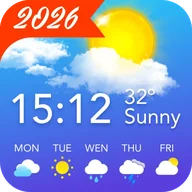
Local Weather Alerts - Widget
- 331.32K
- 4.8
- Installs
- 10.00M
- Price
- Free
Screenshots
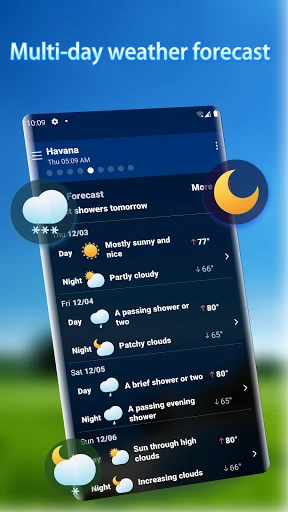
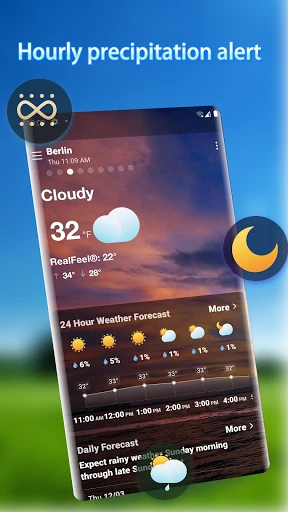
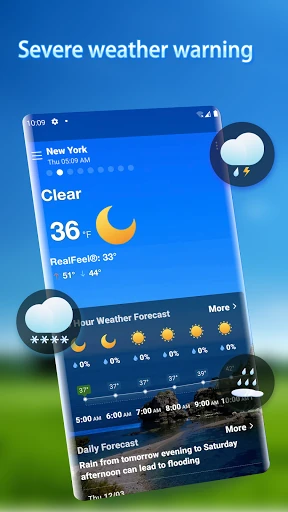
Analysis by Reviewed APKs
Local Weather Alerts - Widget brings forecasts, weather alerts, air-quality readings, radar, and widgets together for people who want a quick picture of changing conditions. I found its mix of a glanceable home-screen option and more detailed forecasts useful for planning ordinary days, from a walk to a commute. It covers plenty of ground, though the ads and paid items are worth keeping in mind.
A forecast before heading out
When I first opened Local Weather Alerts - Widget, I pictured using it during the small decision-making moments that shape a day: whether to take a jacket, move a walk earlier, or check if rain might affect the trip home. The app gathers weather information on one page, with forecasts for the coming hours and days. That makes it easier to check changing conditions without treating weather as a separate research project.
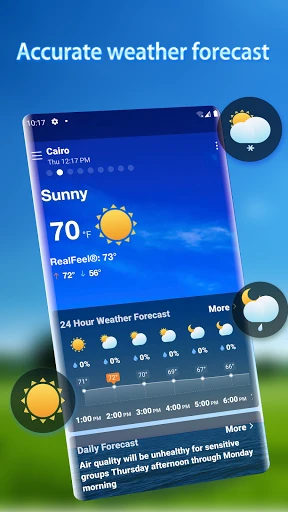
For a morning check, the hourly forecast is the most immediately practical part. The app describes weather changes hour by hour, including temperature shifts and rain or snow timing, while its broader forecast reaches 25 days. I would use the nearer forecast to shape today's plans and the longer view as a rough planning aid. Weather alerts for conditions such as rain, lightning, storms, snow, and haze add another way to keep an eye on changes.
More than a quick glance
Compared with checking a single forecast panel or relying on a basic phone widget, this app puts several kinds of weather information together: hourly and multi-day forecasts, alerts, air quality, radar, and a list of cities. That breadth suits someone who likes to look at conditions from more than one angle. The widgets offer a faster check when I do not want to open the app, while the full page is there for a closer look.
It is still a weather tool, not a travel planner or a source of broad local news. Its job is to help me follow conditions and plan around them, not to organize a whole outing. The 25-day view can be useful for spotting general patterns, but I would not treat a distant forecast as a fixed schedule. Anyone who only wants the current temperature may find the extra information and advertising less appealing.
Small habits that help
I would start by adding the cities I check most often, then use the city list when plans involve someone in another place. The app supports weather queries for different locations around the world, including by latitude and longitude. That is a handy option for places that are not easy to find by name. Keeping the shortlist focused should make routine checks quicker than scrolling through locations I rarely need.
A useful rhythm is to check the hourly forecast before leaving, then look at alerts when the weather may change. The radar map can add a visual sense of precipitation trends, while the air-quality information is another factor to review when choosing an outdoor plan. I would also put a widget where it is easy to notice and choose from the available styles. These habits make the app more useful without requiring a long daily check-in.
More From Our News Desk

Zoom Meetings, Google Meet, or Teams: Which Is Easiest to Join?

How I Build a Free Streaming Lineup With Tubi

Why Crunchyroll Is the Default Anime App for So Many Fans

YouTube TV: A Practical Guide to Cutting Cable

Rummikub and the Small Comfort of Phone Games

TeamViewer Remote Control or AnyDesk for Helping Family?
Who may find it useful
I would recommend Local Weather Alerts - Widget to people who regularly plan around the weather and like having several details in one place. It should suit commuters, walkers, and anyone who checks conditions in more than one city. The combination of hourly forecasts, alerts, radar, air quality, and home-screen widgets gives different kinds of users a few ways to make the information part of an everyday routine.
It may be less suitable for someone who wants a very minimal weather display or has little patience for ads and optional in-app purchases. The longer forecast is best treated as a broad look ahead, rather than a precise promise about a day weeks away. If the only thing you ever check is the current temperature, this app may offer more detail than you need. Its value is in the wider set of weather views.
Local Weather Alerts - Widget is a weather app from Vitality App Studios. Google Play shows more than 10 million installs and a 4.8-star rating from about 331,000 ratings. It is free to install and contains ads, with in-app purchases priced at $2.99 to $4.99 per item. Its content rating is Everyone, and the listed minimum Android requirement is Android 6.0.
The current version shown is 1.7.2. The app was released on November 11, 2020, and was last updated on December 5, 2025. The recent update notes mention user-experience improvements and a bug fix. Those details give a practical snapshot of the app's store information, alongside the free download and optional paid items.
A closer look at everyday weather planning
First look and setup
My first impression is of an app trying to keep the main weather picture together rather than splitting every detail into a separate tool. The description says weather information is gathered on one page, with options to follow multiple cities. That approach is useful when I want to scan first and decide whether I need to investigate a particular forecast or location more closely.
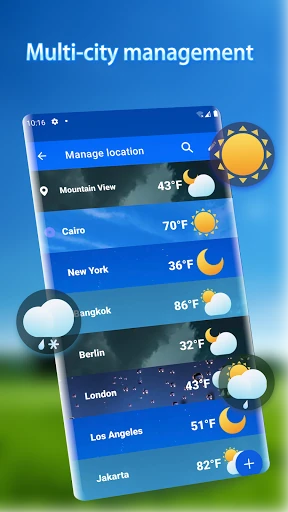
The starting point for making it personal is choosing which cities to follow. The app supports adding and removing places, and it can query weather for locations using latitude and longitude. I would begin with home and any regular destination, rather than building a sprawling list. The available desktop widgets can then provide a convenient way to keep selected conditions visible on the home screen.
Checking conditions day to day
The everyday appeal is the contrast between a quick check and a more deliberate forecast review. A widget can make the basic glance easier, while opening the app brings together hourly weather, multi-day trends, air quality, and radar. I like that this supports both a quick look before leaving and a closer check when I am weighing a change of plans.
The forecast spans 24 hours and 25 days, so it covers both immediate decisions and a longer view. For a routine like walking or commuting, the hourly detail is the part I would consult most often. The multi-day forecast is better for noticing a possible wet stretch or a shift in conditions. Keeping those different time horizons in perspective helps me use the app without overreading far-ahead predictions.
Features with practical value
Weather alerts are a notable part of the package. The app describes notifications for rain, snow, lightning, haze, and storms, which can help bring a change in conditions to my attention without waiting for a manual check. I would treat them as a prompt to look at the forecast, especially when the day's plans depend on staying outdoors.
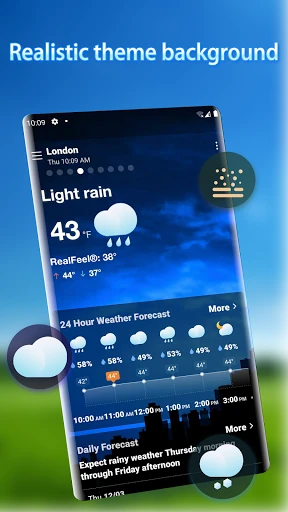
The radar map gives precipitation trends a visual form, and real-time air-quality information adds another type of local context. Neither replaces the forecast, but each answers a different question: where precipitation may be moving, or what air conditions look like. The app also offers multiple widget styles and weather backgrounds that change according to conditions, making its presentation more varied than a plain text readout.
A simple planning routine
For a typical weekday, I would check the widget while getting ready, then open the hourly view if rain or a temperature change could affect what I wear or when I leave. If the forecast suggests precipitation, I would look at the radar map for a broader sense of its trend. That sequence keeps the quick glance quick while reserving the more detailed views for days when they matter.
On a weekend, I would check the multi-day trend before settling on an outdoor plan, then revisit the nearer forecast as the day approaches. If I am coordinating with someone in another city, the city list makes that comparison part of the same routine. Alerts can help flag changing weather, but I would still check the current forecast before making a plan that depends on conditions.
Limits to keep in view
There is a lot packed into one weather app, which is an advantage for curious users but can feel like extra noise if all they want is a current temperature. Ads are part of the free experience, and optional purchases cost $2.99 to $4.99 per item. That combination may matter to anyone choosing a weather tool mainly for a clean, uninterrupted glance.
Forecasts, especially the longer-range ones, are planning aids rather than fixed outcomes. The app offers 25-day forecasts and weather alerts, but I would pay closest attention to the near-term hourly view when timing matters. Widget styles and multiple data views are useful options, yet they also mean this is a fuller-featured choice rather than a deliberately bare-bones display.
Local Weather Alerts - Widget makes a practical case for itself by combining forecasts, alerts, radar, air quality, city management, and widgets. I like the idea of a quick home-screen check backed by more detailed views when the day's weather is uncertain. The range of information is its clearest strength, while ads and the longer forecast horizon call for sensible expectations.
I would try it if weather regularly affects my commute, outdoor plans, or coordination across cities. People who want only a minimal temperature display may be happier with something simpler. For everyone else, this is a capable free-to-install option with useful everyday tools, provided the ads and optional purchases fit their preferences.
Local Weather Alerts Frequently Asked Questions
What is Local Weather Alerts - Widget used for?
Local Weather Alerts - Widget is a weather app for checking forecasts and following conditions in multiple cities. It includes hourly and multi-day forecasts, weather alerts, air-quality information, a precipitation radar map, and home-screen widgets. I would use it to check conditions before heading out, watch for changes, or compare the weather in places I regularly need to follow.
Which devices can run Local Weather Alerts - Widget?
Local Weather Alerts - Widget is an Android app available through Google Play. The listed minimum requirement is Android 6.0. The app description also refers to desktop weather widgets, meaning widgets displayed on an Android device's home screen; it does not describe a separate desktop app. For device compatibility, it is worth checking the Google Play store page for your device.
What Android version does Local Weather Alerts - Widget require?
The listed minimum Android requirement for Local Weather Alerts - Widget is Android 6.0. It is available on Google Play, where device compatibility details can be checked before installing. If you are using an older Android version or are unsure how your device handles widgets, check the store page on that device for the most relevant compatibility information.
Is Local Weather Alerts - Widget free?
Local Weather Alerts - Widget is free to install and contains ads. It also offers in-app purchases priced at $2.99 to $4.99 per item. Those store details can change, so it is worth checking Google Play for current purchase information before downloading or buying anything. The core app listing identifies both advertising and optional paid items.
Is Local Weather Alerts - Widget suitable for daily planning?
It may suit people who check weather before commuting, walking, or planning outdoor time, especially if they want alerts and several forecast views in one app. It also supports following multiple cities. Someone who only wants a minimal current-temperature display may find it busier than necessary. Forecasts are useful planning information, but distant outlooks should be treated as estimates.
Pros
- Combines hourly and multi-day forecasts with alerts, radar, and air-quality information.
- Supports multiple cities, including weather queries by latitude and longitude.
- Offers several home-screen widget styles for quick weather checks.
- Free to install, with a broad set of everyday weather views.
Cons
- Contains ads, and optional in-app purchases cost $2.99 to $4.99 per item.
- The broad collection of views may feel excessive for simple temperature checks.
- The 25-day forecast is better for general trends than firm plans.
- Category
- Weather
- Version
- 1.7.2