GoFan: Buy Tickets to Events
- 9.00K
- 4.8
- Installs
- 500.00K
- Price
- Free

Screenshots
Analysis by Reviewed APKs
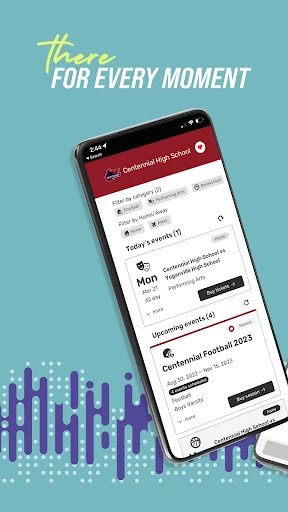
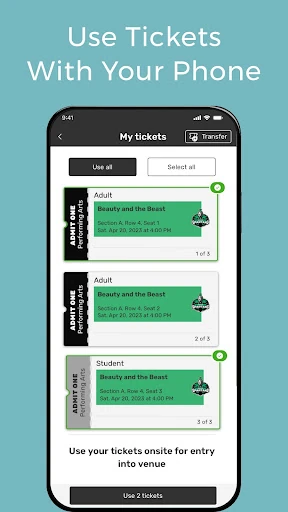
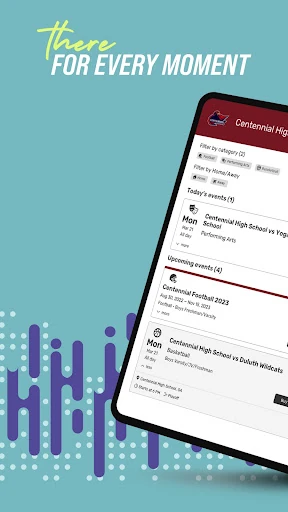
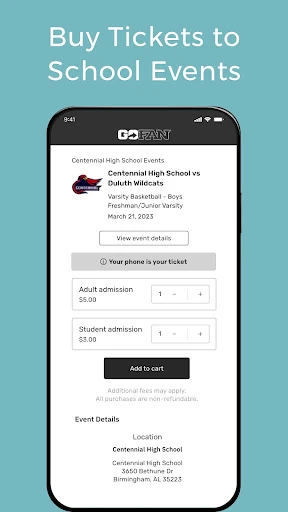
GoFan: Buy Tickets to Events is for getting tickets to local sports, performances, tournaments, and fundraisers in one place. I’d look to it when a school game or community event is coming up and I want to check whether GoFan covers it. Its focus feels practical rather than all-purpose: it connects ticket buying with the events people gather around, without pretending to replace every part of planning a night out.
A game-day ticket routine
When I’m planning to go to a school game, the first question is usually whether tickets are available before I leave home. GoFan is built for that sort of moment: it brings sports events together with performances, tournaments, and fundraisers, so I can check for the event I have in mind rather than treating ticket buying as a separate errand. It gives community events a clear place in the same routine.
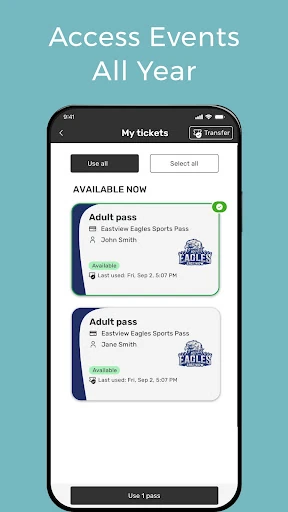
The useful part of that setup is its connection to the event itself. I can imagine checking GoFan while coordinating with family, then deciding whether to attend based on what’s available. The description also mentions a pass that can cover multiple games over a weekend, which suits tournament schedules better than thinking about each game as an isolated outing. That makes the app feel aimed at real local calendars, not just big-ticket occasions.
Local events, not everything
GoFan sits between a broad ticket marketplace and the event information people often get directly from a school or community organization. Its stated range includes sports, live performances, tournaments, and fundraising, giving it a more community-centered feel than an app focused only on concerts or professional sports. If the event I want is represented there, having ticket options in the same place could make the planning step more straightforward.
I wouldn’t treat it as a general-purpose guide to every event in town, or as a substitute for deciding what I want to attend. Its purpose is narrower: tickets and support for events that use the service. That distinction matters if I’m planning a weekend around unrelated attractions or looking for broad event recommendations. GoFan makes most sense when the school, team, program, or performance I care about is part of its world.
Make room for repeat events
A small habit that would make GoFan more useful is checking it as soon as a game or performance enters the family calendar. That gives me a chance to see whether the event is represented and consider ticket options before the day gets busy. For a tournament weekend, I’d pay particular attention to the one-pass option described for multiple games, since that may fit a packed schedule better than planning each match separately.
I’d also keep the app in mind when a local program is asking for support, not just when I want a seat. GoFan describes fundraising as part of its event mix, so it can serve both attendance and giving occasions. I wouldn’t assume every event offers every option, but checking when plans come up turns the app into a practical stop in my routine instead of something I only remember at the entrance.
More From Our News Desk

Zoom Meetings, Google Meet, or Teams: Which Is Easiest to Join?

How I Build a Free Streaming Lineup With Tubi

Why Crunchyroll Is the Default Anime App for So Many Fans

YouTube TV: A Practical Guide to Cutting Cable

Rummikub and the Small Comfort of Phone Games

TeamViewer Remote Control or AnyDesk for Helping Family?
Who may find it useful
I’d recommend GoFan to people who regularly attend school sports, tournaments, community performances, or local fundraisers. It is especially relevant if several people in a household follow the same team or program and event tickets come up repeatedly. The weekend-pass idea could also appeal to someone attending more than one game in a tournament. On Google Play, GoFan has over 500,000 installs and a 4.8-star rating from around 9,000 ratings.
It may be less useful if most of your ticket buying is for events outside GoFan’s community focus, or if you want an app that handles every part of an outing. The description centers on tickets, passes, seats, and giving; it doesn’t position GoFan as a broad trip-planning or entertainment-discovery tool. I’d treat it as a targeted option to check for the events that matter to me, rather than assuming it covers every venue or occasion.
GoFan: Buy Tickets to Events is developed by GoFan and is available on Google Play for Android. The app is free to download. The supplied store information gives it a 4.8-star rating from 8,998 ratings and more than 500,000 installs. Its content rating is Everyone, and the current version shown is 6.4.17.
The supplied details say GoFan contains no ads and offers no in-app purchases. It was released on June 12, 2023, and was last updated on October 19, 2026. The information provided does not include a minimum Android version, so check the Google Play page on your device for current compatibility details.
How GoFan Fits Into Event Days
A focused first impression
When I first opened the idea of GoFan, what stood out was its specific audience. This isn’t presented as a universal ticket wallet for every kind of entertainment; its examples are games, performances, tournaments, and fundraisers tied to communities. That focus makes the app easier to understand. I know the sort of event I’d check for, and I don’t have to read it as a catch-all planning service.
Getting started in practice begins with having an event in mind. I’d check whether a school game, show, or tournament I care about is covered, then use the ticket options available for that occasion. The description doesn’t promise a complicated setup or a particular onboarding sequence, so my first impression is about purpose rather than a specific screen: GoFan is meant to connect attendance with the local events people already follow.
The everyday ticket check
For day-to-day use, I picture opening GoFan when plans are still flexible. Maybe a weekend game is on the calendar, or a performance has caught my attention; the app’s role is to help with tickets for events in its range. That makes it a useful check before heading out, especially for someone who attends local sports or community performances more than once in a season.
I like that the event categories aren’t limited to spectatorship. A tournament may mean several games, while a fundraiser gives people a reason to contribute even when the main purpose isn’t simply finding a seat. That variety gives GoFan more than one occasion to be useful. Still, the experience depends on the event being part of the service, so I’d keep the relevant event details handy when checking.
Passes, seats, and giving
The standout idea for a busy sports weekend is the all-weekend pass described for attending multiple games. That directly addresses a familiar planning problem: a tournament schedule can involve more than one matchup, and attending each one is a different commitment from dropping in for a single game. GoFan’s description points to one pass as an option for that situation, though the particular events and terms are worth checking as plans take shape.
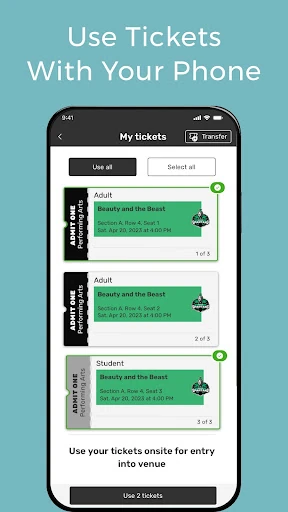
For performances, the service describes finding a seat for a show, while its fundraising angle gives teams and programs a way to receive support. Those are distinct uses, but they fit the same community-event setting. I appreciate that the app’s stated scope includes both showing up and giving. It lets me think of GoFan as a place to check for different kinds of participation, not only a purchase made before a game.
A practical weekend workflow
A realistic routine would start when a team’s schedule or a show date becomes part of my plans. I’d check GoFan for the event, look at the ticket or pass option it offers, and decide whether it suits the occasion. If the weekend includes several tournament games, I’d consider the one-pass option mentioned in the app description. Doing that early keeps the ticket question from becoming a last-minute distraction.
I’d use the same habit for a fundraiser or a performance, adjusting the goal from attending a game to supporting a program or choosing a show. GoFan’s range makes those checks relevant at different points in a community calendar. I wouldn’t assume every event has the same choices, but having one app to consult for these categories can simplify the first step of deciding how I want to take part.
Keep its scope in mind
GoFan’s main limitation is also part of its identity: it is built around events in its stated community categories, not every activity a person might want to book. If I’m looking for tickets to something outside sports, performances, tournaments, or fundraisers, I shouldn’t assume it will be the right place. Coverage is tied to the events represented, so I’d check for the specific occasion rather than plan around a general promise of availability.
There is also a difference between finding tickets and handling every detail of an outing. The description speaks to event tickets, a multi-game pass, seats for performances, and giving; it doesn’t claim to manage a whole trip or provide broad recommendations. That keeps expectations sensible. For people whose plans revolve around local teams and programs, the focused approach is a benefit. For everyone else, it may be an occasional rather than daily app.
GoFan makes a clear case for itself as a community-event ticket app. Its mix of sports, performances, tournaments, and fundraisers covers several reasons people show up for local organizations, and the multi-game pass idea is a practical fit for tournament weekends. I’d keep it in mind when a particular event is coming up, while remembering that its reach is centered on the events it serves.
I’d recommend trying GoFan if school games, community shows, or local programs are a regular part of your calendar. It is less compelling as a general ticket destination for someone whose plans rarely involve those events. The best approach is simple: check for the event you care about, see which options are available, and decide whether they fit your plans.
GoFan Frequently Asked Questions
What is GoFan: Buy Tickets to Events used for?
GoFan is for tickets to community sports, performances, tournaments, and fundraisers. Its description also mentions a pass for multiple games over a weekend, seats for performances, and giving to teams or programs. The specific options depend on the event, so I’d check the app for the occasion I have in mind.
Which devices can I use GoFan on?
The supplied information identifies GoFan as an Android app available through Google Play. It doesn’t provide details about other platforms or device types. For current compatibility with a particular Android phone or tablet, check the Google Play page, since requirements can vary.
What Android version does GoFan require?
The minimum Android version is not included in the supplied app details. Since device compatibility requirements can change, the most reliable place to check is GoFan’s Google Play page on the device you plan to use.
Does GoFan cost money or include in-app purchases?
GoFan is free to download, and the supplied information says it has no in-app purchases and contains no ads. Ticket or event-specific details can vary, so check the Google Play page and the options shown for the event you want to attend.
Is GoFan a good fit for my plans?
It may suit you if you attend local sports, tournaments, performances, or fundraisers and want to check for tickets or a multi-game pass. It may be less useful if your plans mostly involve other kinds of events. Coverage and available options can vary, so check for the specific event in the app.
Pros
- Covers community sports, performances, tournaments, and fundraisers.
- Describes a pass for attending multiple games over a weekend.
- Includes both event attendance and support for local programs.
- Free to download, with no ads or in-app purchases reported.
Cons
- Its community-event focus may not suit broader ticket-buying needs.
- Available options depend on whether the specific event is covered.
- The supplied details do not state a minimum Android version.
- Category
- Sports
- Version
- 6.4.17