Tumblr: Social Media & Art
- 375.43K
- 4.2
- Installs
- —
- Price
- Free

Screenshots
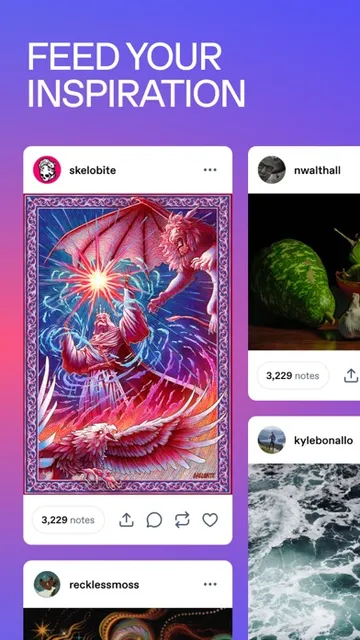
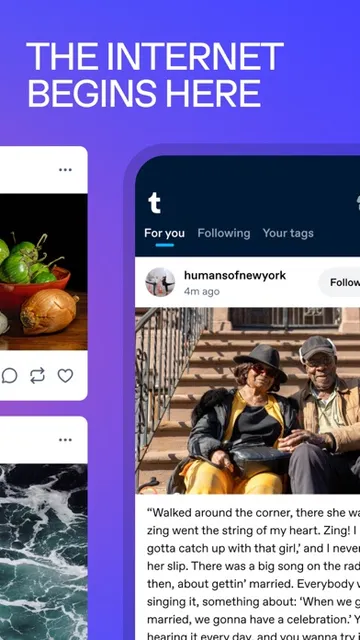
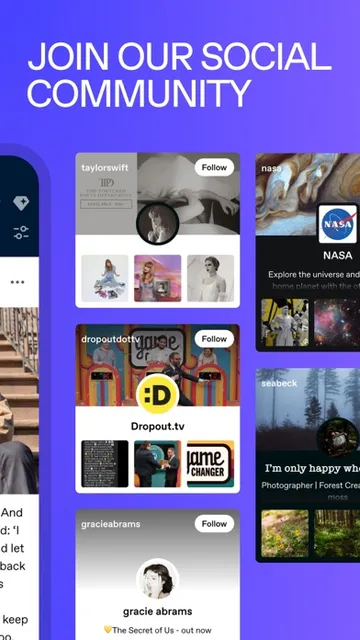
Analysis by Reviewed APKs
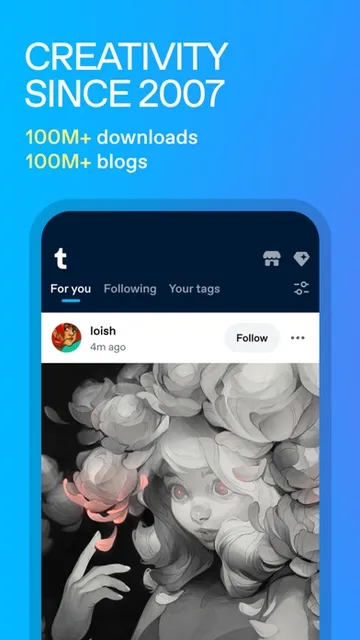
Tumblr is a social app for sharing creative work and finding communities around specific interests, from illustration and fanfiction to memes and television fandoms. I see it as a good fit for people who like browsing a personal mix of posts and adding their own writing, images, videos, GIFs, or audio. Its appeal is less about polished, uniform feeds and more about following the things that genuinely catch your eye.
A Feed for Your Interests
When I first opened Tumblr, I imagined the familiar end-of-day routine: a few minutes of scrolling after dinner, looking for art, jokes, or updates from a favorite fandom. The app is built for that kind of browsing. I could follow topics and blogs, then see a changing mix of posts on my dashboard rather than opening separate places for every interest.
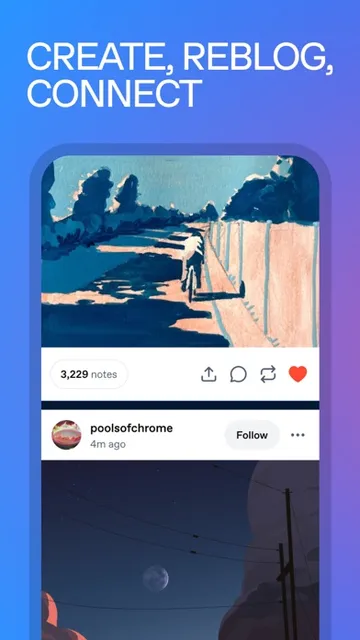
The social part is not only about publishing. When I found something I wanted to keep in circulation, reblogging offered a way to share it with my own audience, while likes provided a lighter way to respond. Tags help make posts discoverable beyond a creator's existing followers. That combination suits a casual evening scroll, but it can also help someone share original work and find people who care about the same niche.
A Different Kind of Social App
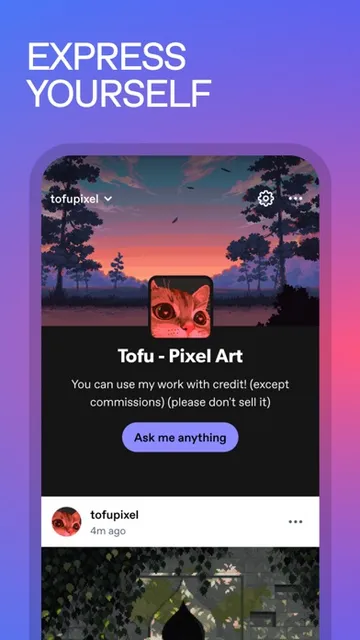
Tumblr makes most sense to me as a blend of personal blog and social feed. It accommodates short updates as well as longer writing, and posts can include images, video, GIFs, or audio. That gives creators room to build a varied blog instead of sticking to one format. The appeal is especially clear for fandom and art communities, where a drawing, a bit of commentary, and a fanfiction excerpt can sit side by side.
I would not choose it as a dedicated messaging tool or a narrowly focused portfolio service. The experience described here centers on posting, following, browsing, and reblogging, not on private conversations or professional project management. Compared with a feed focused on one kind of polished update, Tumblr leans into personal curation and niche interests. If I wanted only a chronological gallery of my own work, its broad community feed might feel like more than I need.
Small Habits That Help
I would start by following a handful of topics and blogs that reflect what I actually enjoy, rather than trying to fill my dashboard in one sitting. That makes the feed feel more personal and gives the app a clearer starting point. When an interesting post leads me to a new fandom or creator, following that account can gradually widen the mix without turning the first visit into a search project.
For sharing, I would treat tags as part of the post rather than an afterthought. A clear tag can help people find an illustration, story, or fandom post, while reblogging something inspiring can add variety to a personal blog. Tumblr also supports multiple blogs and privacy settings, so it may suit people who want to keep different creative interests organized or make a blog private. I would check those settings before posting anything personal.
More From Our News Desk

Zoom Meetings, Google Meet, or Teams: Which Is Easiest to Join?

How I Build a Free Streaming Lineup With Tubi

Why Crunchyroll Is the Default Anime App for So Many Fans

YouTube TV: A Practical Guide to Cutting Cable

Rummikub and the Small Comfort of Phone Games

TeamViewer Remote Control or AnyDesk for Helping Family?
Who Will Enjoy Tumblr
I would recommend Tumblr to people who like having several interests in one place and enjoy finding communities through the things they follow. Artists, writers, fan creators, meme fans, and curious browsers can all use its mix of post formats. Someone who wants to publish a webcomic, share photography, write about a fandom, or simply collect posts that make them smile has a reason to give it a try.
It may be less satisfying for someone who wants a very simple, single-purpose app or a tightly controlled feed centered on a narrow professional goal. Tumblr's strengths come from varied communities and content, which also means the experience depends on what a person chooses to follow. New users may need a little patience while building a dashboard that feels right. I would also suggest reviewing privacy settings before sharing material intended for a limited audience.
Tumblr: Social Media & Art is made by Tumblr, Inc. and is available for iPhone and iPad through the Apple App Store. The listed minimum requirement is iOS 17.0. The app is free to download, and its content rating is 12+. The store information gives version 47.0 and a release date of February 25, 2009.
On the App Store, Tumblr has a 4.2 out of 5 rating from around 375,000 ratings. The listed last update date is November 2, 2026. I have left out install totals and any advertising or in-app purchase details because those figures are not included in the supplied app facts.
How Tumblr Fits Into Daily Browsing
First Visit and Setup
My first impression of Tumblr is that it makes room for different kinds of expression from the outset. It is not limited to a photo or a short status: the description says people can post text, images, video, GIFs, and audio. That breadth gives a new user a few ways to participate, whether the first contribution is a quick thought, a drawing, or a longer piece of writing.
I would approach setup by thinking about what I want to see, not just what I plan to publish. Following topics I care about gives the dashboard a useful starting shape, and the option to follow individual creators can make it feel more personal over time. The app also offers privacy settings and the ability to create multiple blogs, which are useful choices to understand before settling into a posting routine.
The Everyday Experience
Day to day, Tumblr's central loop is easy to understand: browse the dashboard, follow something interesting, and react by liking or reblogging. I like that this leaves room for both passive and active use. Some days I might only scroll through art and fandom posts; on others I might add a post of my own or share something that deserves another look.
The feed can draw together large fandoms and smaller interests, so the experience is shaped by the people and topics a user follows. That makes curation important. If I am seeing too much of one subject or not enough of another, following different topics and blogs is the practical way to adjust the mix. The app's appeal is in making an assortment of interests feel like one ongoing destination.
Formats and Community Tools
The range of formats is one of Tumblr's clearest strengths. A blog can include writing, images, videos, GIFs, and audio, which works well for creative projects that do not fit one standard template. I can picture an illustrator posting finished work alongside process notes, or a fan writer sharing a short excerpt and related images without having to change platforms for each format.
Reblogging gives posts another route through the community, while likes let people respond without making every interaction a new post. Tags help connect material with people browsing related interests. Tumblr also points users toward trending tags, creative challenges, and curated art collections, giving curious visitors ways to explore beyond the blogs they already follow.
The platform's communities span subjects such as anime, gaming, music, comics, and television, alongside personal creative work. That breadth is useful when I want to follow a niche interest or discover adjacent ones. It also means the app is not just a place to display finished art; it can be a setting for following creators, joining conversations, and sharing fan-made work.
A Simple Creative Routine
A routine I can imagine is checking the dashboard during a break, saving attention for a few posts that really stand out, and reblogging one or two that I want to pass along. Later, I might add a short note or a new piece of work to my own blog. That approach keeps browsing and creating in balance instead of turning every visit into an obligation to publish.
For a longer project, I would use a blog as a home for related posts: a series of drawings, a webcomic, or writing around one fandom. Tags can help describe what I am sharing, and multiple blogs may be useful if I want distinct spaces for different interests. I would check the available privacy settings to decide how public each space should be before building that routine.
What to Keep in Mind
Tumblr's variety can be a strength and a source of clutter. A dashboard built from many interests may feel lively, but it can also become difficult to follow if I subscribe indiscriminately. I would give myself time to curate it rather than expecting the first scroll to capture exactly what I want. The experience relies on following topics and creators that fit my tastes.
It is also a community-oriented app, not merely a private notebook. Posts can be shared through reblogging, so I would be thoughtful about what I publish and how I use the privacy settings. The description mentions options for private blogs, but I would still review the settings directly when setting up a space for more personal writing.
Finally, Tumblr may not be the best match for someone who wants a strict, single-format experience. Its mix of art, fandom, writing, and casual posts is the point, but people looking for a focused portfolio or a tool devoted to one kind of task may prefer something narrower. The best fit is someone who enjoys browsing and creating within a varied social community.
Tumblr stands out as a flexible home for creative posts and interest-based communities. I like the way it combines personal blogs with a shared dashboard, and the mix of formats gives artists, writers, and fandom fans room to express themselves in different ways. Its most appealing feature is that a casual scroll can lead naturally to a creator or niche worth following.
I would recommend it to people who enjoy curating a feed and sharing work with communities, especially around art and fandom. If you prefer a tightly focused app or want a space that feels entirely private by default, take time to consider whether its social, reblog-friendly format suits you. For curious browsers and active creators, Tumblr is worth exploring.
Tumblr Frequently Asked Questions
What is Tumblr used for?
Tumblr is a social blogging app for sharing and discovering creative work and interests. People can post text, images, video, GIFs, and audio, follow topics and creators, and like or reblog posts. It can suit art, fanfiction, memes, and fandom communities, as well as casual browsing and personal blogs.
Which devices can run Tumblr?
Tumblr is available on iPhone and iPad through the Apple App Store. The supplied app information gives iOS 17.0 as the minimum system requirement. Check the App Store entry on your device before downloading, since device compatibility and requirements may vary with future updates.
Does Tumblr cost anything to download?
Tumblr is listed as free to download on the App Store. Details about any in-app purchases or other charges may vary and are worth checking on the store page before you install or make a purchase. The app's free download price does not by itself describe every possible service or transaction.
Can I use Tumblr for art and fandom?
Yes. Tumblr supports posts in several formats and is described as a place to share art, writing, and fan creations, then follow related topics and creators. Reblogging and tags help people circulate posts and find communities. It can also be used for lighter browsing, including memes and other interests.
Who is Tumblr best suited to?
I would suggest Tumblr to people who enjoy creative communities, niche interests, and a feed they can shape by following topics and blogs. It may be less suitable if you want a narrowly focused tool or dislike a varied social feed. Privacy settings are available, so review them when deciding what to share.
Pros
- Supports text, images, video, GIFs, and audio in personal blogs.
- Combines interest-based discovery with following, liking, and reblogging.
- Multiple blogs and privacy settings offer ways to shape a personal space.
- Useful for connecting creative work with niche fandom communities.
Cons
- A varied dashboard may take time and care to curate.
- Its broad social feed may not suit people seeking a single-purpose tool.
- Reblog-friendly sharing makes it important to review privacy settings.
- Category
- Social
- Version
- 47.0