Stamp Identifier
- 1.75K
- 3.5
- Installs
- 100.00K
- Price
- Free

Screenshots
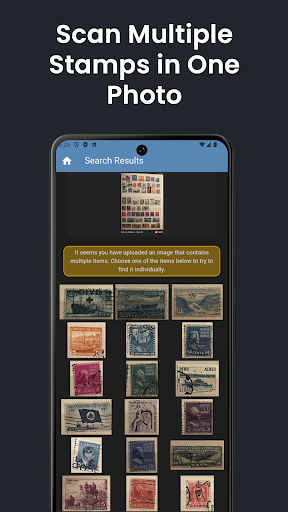
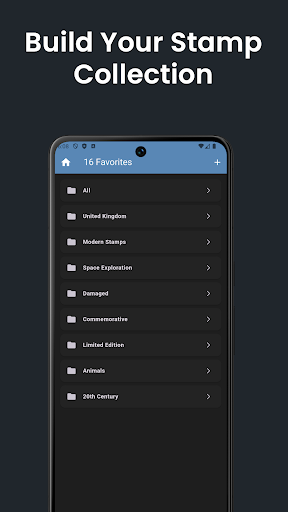
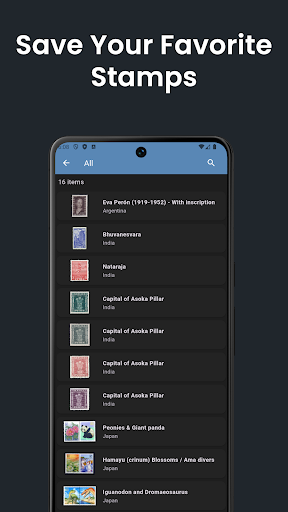
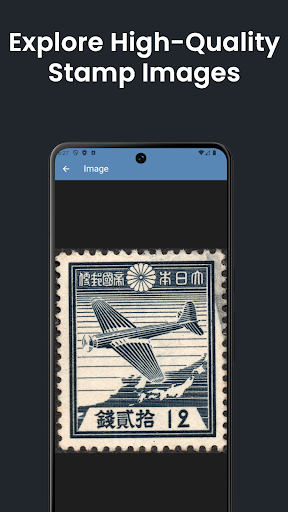
Analysis by Reviewed APKs
Stamp Identifier is a camera-based reference tool for people who want to put a name and catalog details to a postage stamp. I can see it helping both collectors sorting a box and curious beginners examining a stamp they have just found. Its most useful idea is simple: search with a picture, then check the matching catalog entry. Image quality matters, so results may take a little patience.
A stamp on the kitchen table
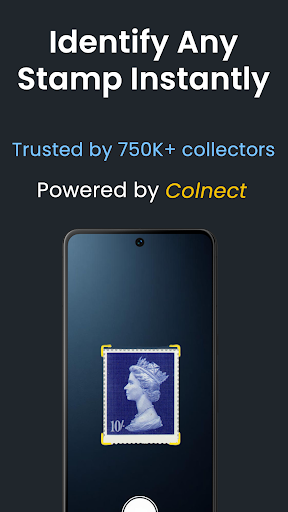
Imagine finding an unfamiliar stamp in a drawer while sorting old mail. With Stamp Identifier, I can take a photo, crop away the surrounding table or envelope, and see whether the image matches an entry in Colnect's stamp catalog. That turns a small moment of curiosity into a focused lookup, without first needing to know the country, date, or design terminology well enough to search by text.
The camera is only one way to start. I can select a stamp image already in my gallery, or share a picture from another app, which is handy if I have been browsing a collection online. The app's own instructions matter: the stamp should fill the image, and a blurry or cluttered picture can get in the way. If a search misses, there is a “Not found?” option for asking a person for help.
A lookup tool, not an album
Stamp Identifier makes most sense beside a physical collection or a folder of saved images. Rather than manually browsing catalog pages or trying several text searches, I can begin with the stamp's appearance and use the returned catalog information to narrow down what I am looking at. The favorite-stamp list is useful for keeping interesting results close at hand, especially when I want to revisit a few finds later.
It is not a full collection-management system based on the details provided here. I would not choose it as a substitute for an inventory with categories, notes, or valuation tracking, nor would I treat an image match as a definitive appraisal. Its job is identification and reference. People who want a social feed, buying and selling tools, or a complete record of every item may need other resources alongside it.
Small habits, better searches
I would make a quick photo routine part of using the app: place one stamp against a plain background, get close enough for its design to be clear, and crop tightly before searching. That follows the app's own guidance and avoids asking image recognition to sort a stamp from a busy envelope or tabletop. If a first attempt does not work, a steadier, better-framed image is a sensible next try.
For a longer sorting session, I would save promising matches as favorites instead of relying on memory to find them again. Sharing an image directly from another app can also save a step when I have already found a scan online. And when the result still does not appear right, the “Not found?” route offers a way to request human assistance and tips rather than simply abandoning the search.
More From Our News Desk

Zoom Meetings, Google Meet, or Teams: Which Is Easiest to Join?

How I Build a Free Streaming Lineup With Tubi

Why Crunchyroll Is the Default Anime App for So Many Fans

YouTube TV: A Practical Guide to Cutting Cable

Rummikub and the Small Comfort of Phone Games

TeamViewer Remote Control or AnyDesk for Helping Family?
Who may enjoy it
I would recommend Stamp Identifier to collectors who regularly come across stamps they cannot identify, and to beginners who want a low-friction place to start learning. The picture-first approach is approachable when a stamp's printed details are unfamiliar or hard to read. It also suits someone who occasionally finds an interesting stamp and wants catalog context without turning that curiosity into a major research project.
It may be less satisfying for people expecting a polished digital inventory, detailed collection accounting, or a reliable valuation tool. The supported features focus on finding stamps, viewing catalog information, and saving favorites. Results also depend on the quality and framing of the image, so anyone who wants every lookup to be effortless should keep that practical limitation in mind. It works best as one reference tool among a collector's other resources.
Stamp Identifier is made by Colnect Collectors Community and is available on Google Play for Android. It is free to install, with in-app purchases priced from $7.99 to $69.99 per item, and it contains ads. Google Play shows an Everyone content rating. The listed version is 3.0.4; the app was released on March 5, 2020, and its listed last update is November 2, 2026.
The app has more than 100,000 installs on Google Play and a 3.5-star rating from around 1,800 ratings. Those figures offer a rough sense of its reach, though they do not tell me whether a particular stamp will match well. I would check the Google Play page for current availability and purchase details before installing, since store information and in-app offerings can change.
What image-based stamp searching feels like
Starting with a picture
The central idea is easy to grasp on first use: give the app an image of a stamp and let it search for a visual match. I like that I do not need to begin by identifying a country or deciphering tiny printed text. For a casual browser, that removes some of the usual research friction; for a collector, it can be a quick first pass before checking a catalog entry more closely.
The setup for a search is flexible rather than camera-only. I can use the phone camera, choose an image from the gallery, or share a picture from another app. That gives the app a place in different routines, whether I am holding a stamp in hand or looking at a digital image. The key is still the same: provide a clear, tightly framed picture.
The everyday lookup
In day-to-day use, Stamp Identifier is best thought of as a focused search step. I bring it a stamp image, inspect the catalog information it returns, and decide whether the match is useful enough to save. That is a more natural starting point than typing search terms when I do not yet know what makes the stamp distinctive. It can make a pile of unfamiliar stamps feel a little less daunting.
The experience is not independent of the photograph. The app specifically asks users to crop out the background and avoid poor-quality images. I would take that seriously rather than expecting recognition to rescue a dim, angled, or crowded shot. When an attempt fails, the “Not found?” feature provides a route to a human response and suggestions for improving the search, which is a practical fallback.
Catalog and favorites
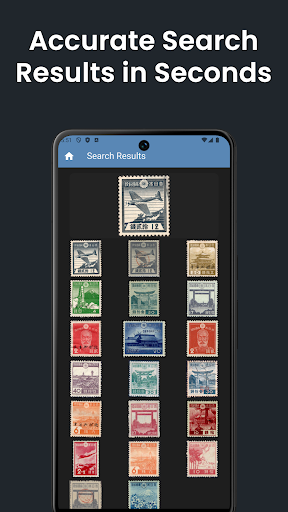
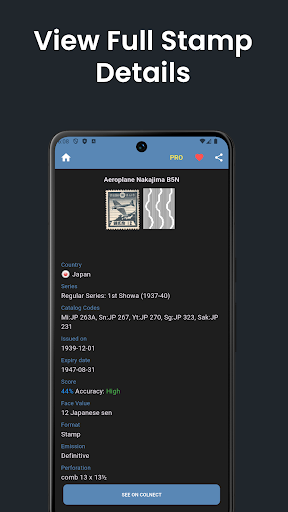
The catalog connection is the useful payoff after recognition. A match can lead to more information about the stamp through Colnect's worldwide catalog, giving a lookup more substance than simply returning a label. That context can help me learn what I have found and decide whether it is worth investigating further. The app is a starting point for identification, rather than a promise that every result answers every collector's question.
Favorites are a modest but helpful feature. If I am checking several stamps in one sitting, saving a result gives me a place to return to it later instead of trying to remember which search produced which detail. The supported feature set stays relatively focused: camera, gallery, image sharing, catalog information, favorites, and assistance when a stamp is not found. That clarity is welcome, even if it is not a full collection database.
A sorting-session routine
For a relaxed evening of sorting, I would keep the process simple: choose one stamp at a time, photograph it clearly, crop close, and search. I would check the catalog match before moving on, then add any result I want to revisit to favorites. This makes the app useful as a companion to the physical sorting itself, without expecting it to organize an entire collection automatically.
If I am already viewing a stamp image on a website or in another app, sharing that image into Stamp Identifier can be more convenient than saving it and starting over. I would still look carefully at the returned entry rather than treating recognition as the final word. When the image seems good but the search does not find anything, the built-in request for help gives me another step to try.
Keep expectations grounded
Image recognition is only as useful as the image it receives, and Stamp Identifier says as much in its instructions. Background clutter, weak image quality, or a stamp that is not fully cropped can hinder a result. That means the app may feel quick with a clean close-up and slower when I am working from an awkward photo. It is worth treating unsuccessful searches as a prompt to improve the image, not as proof about the stamp.
The app's stated focus is identification and catalog details, with a favorites list for saving items. I would not read that as a promise of valuation, collection accounting, or complete buying and selling functionality. Google Play also shows ads and offers in-app purchases, so it is not simply a feature-free reference page. For casual lookups, those trade-offs may be acceptable; regular collectors should decide whether the focused tools fit their workflow.
Stamp Identifier offers a straightforward way to turn a stamp photo into a catalog search. I appreciate the choice of camera, gallery, or shared images, along with favorites and a human-help option when recognition falls short. The main caveat is practical: a clear, closely cropped image gives the search its best chance, and the app remains a lookup companion rather than a complete collection organizer.
I would try it if I collect stamps or often find myself wondering what an unfamiliar one is. It is also approachable for curious beginners who want to learn from a picture-first search. If your priority is managing a detailed inventory or getting a dependable valuation, this is not the whole answer. For identification and catalog browsing, though, it has a useful, focused purpose.
Stamp Identifier Frequently Asked Questions
What is Stamp Identifier used for?
Stamp Identifier searches for postal stamps from an image and shows related details from Colnect's stamp catalog. You can take a picture, choose one from your gallery, or share an image from another app. It also lets you save favorite stamps and offers a “Not found?” option for requesting help when a search does not identify the stamp.
Which devices can run Stamp Identifier?
Stamp Identifier is an Android app available through Google Play. The Android version required to run it can vary with app updates and device compatibility, so check the Google Play page for the current requirement before installing. The available information describes the Android app, not an iOS or desktop version.
Does Stamp Identifier cost anything?
The app is free to install on Google Play, contains ads, and offers in-app purchases priced from $7.99 to $69.99 per item. Purchase options and prices can change, so check the current store page for details before buying anything. The core description centers on identifying stamps from images and viewing catalog information.
Does Stamp Identifier identify every stamp?
The app is designed to recognize stamps from images, but its instructions emphasize cropping away the background and using a good-quality picture. If a stamp is not found, you can use the “Not found?” feature to request a human response and tips. A clean, close image is a sensible way to improve the search.
Is Stamp Identifier right for a new collector?
It can suit a beginner who wants to identify unfamiliar stamps and explore catalog details without starting with a text search. It is also useful to collectors seeking a quick reference and a favorites list. Its described features do not amount to a complete inventory or valuation system, so people seeking those tools may want additional resources.
Pros
- Search with a camera photo, gallery image, or picture shared from another app.
- Catalog details give image matches more context than a simple identification label.
- Favorites provide a convenient way to revisit interesting stamp results.
- A “Not found?” option offers a route to human help and search tips.
Cons
- Search quality depends on cropping the stamp closely and providing a clear image.
- The described tools focus on identification, not complete collection management.
- Google Play shows ads and in-app purchases alongside the free install.
- Category
- Social
- Version
- 3.0.4