Kickstarter: Projects You Love
- 59.47K
- 4.8
- Installs
- —
- Price
- Free

Screenshots
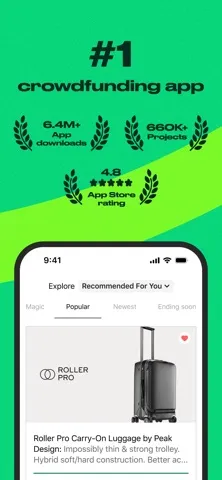
Analysis by Reviewed APKs
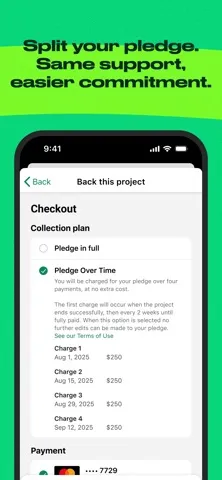
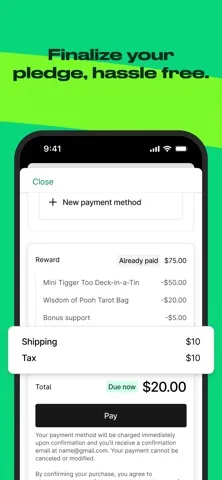
Kickstarter: Projects You Love is for finding creative projects and pledging support to the ones that catch your eye. It covers areas such as games, publishing, technology, comics, and film, so it suits curious browsers as well as people who already back projects. I like its focused purpose: discover ideas, follow the ones I support, and keep up with their updates without treating it as a general shopping app.
A Browse That Can Become Support
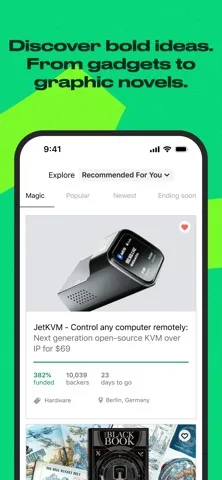
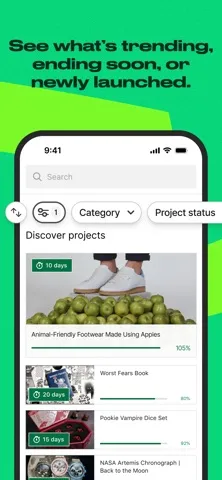
When I want something more interesting than another round of routine scrolling, I can use Kickstarter to browse creative projects from around the world. I might start with an interest in games or design, then find a book, film, or technology idea that I had not been looking for. The app’s central job is clear: help me discover projects and decide whether I want to pledge to one.
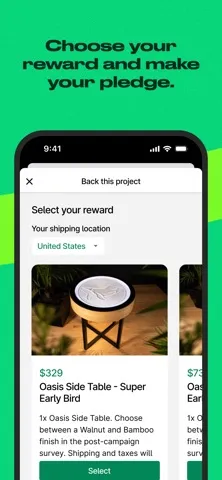
The experience makes most sense when I treat browsing and backing as connected but separate steps. Finding a compelling idea does not mean I have to support it immediately; I can explore and return when I have made up my mind. Once I do pledge, the app gives me a place to follow my backings and receive project updates and reminders, which is more useful than losing track after the initial burst of interest.
A Project Platform, Not a Store
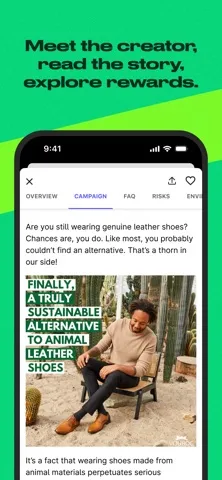
Kickstarter is a better fit for exploring creative projects than for searching a conventional store for a product I need today. Its range includes games, publishing, technology, comics, and film, and the emphasis is on ideas people are bringing forward. That gives browsing a sense of possibility, but it also means the app is not simply a catalog of ordinary retail goods.
I would not open it expecting a general social network, a broad entertainment library, or a quick way to buy everyday supplies. Its social angle is tied to discovering and supporting projects, then staying in the loop about the ones I backed. That distinction helps set expectations: it is for people interested in creative work and its progress, not for filling every shopping or community need on a phone.
Small Habits for Better Browsing
I get more from Kickstarter when I browse with a loose interest in mind rather than trying to inspect everything. A subject such as comics, film, or gadgets gives me a useful starting point, while leaving room for an unexpected project to catch my attention. Since the app spans several creative fields, a short, intentional browse can feel more manageable than treating the whole catalog as a task to finish.
My other useful habit is to distinguish projects I am merely curious about from projects I have actually backed. The app supports following backings in one place and keeping up with updates and reminders, so that follow-through matters after the discovery stage. I can check in when I want to see what is happening with those projects, instead of relying on memory or assuming that one pledge is the end of the experience.
More From Our News Desk

Zoom Meetings, Google Meet, or Teams: Which Is Easiest to Join?

How I Build a Free Streaming Lineup With Tubi

Why Crunchyroll Is the Default Anime App for So Many Fans

YouTube TV: A Practical Guide to Cutting Cable

Rummikub and the Small Comfort of Phone Games

TeamViewer Remote Control or AnyDesk for Helping Family?
Who Might Enjoy Kickstarter
I would recommend Kickstarter to people who enjoy discovering independent creative ideas and are open to supporting projects across different fields. It is particularly appealing if you already follow games, books, comics, gadgets, or films and like seeing what creators are trying to bring to life. The app’s combination of browsing, pledging, and project updates gives interested supporters a practical place to keep that activity together.
It may be less appealing if you want a straightforward store for products that are ready to buy, or if you have little interest in following creative projects after pledging. The experience is centered on projects rather than general-purpose social features or everyday shopping. I would also keep the device requirement in mind: the iOS version requires iOS 18.0, so it is not a fit for every Apple device.
Kickstarter: Projects You Love is developed by Kickstarter, PBC and is available for iOS through the Apple App Store. The app is free to download. It has a 4.8 rating from 59,473 ratings on the App Store, and its content rating is 12+. The supplied store information gives the current version as 5.38.0.
The minimum listed operating system requirement is iOS 18.0. The app was released on February 14, 2013, and the supplied last-updated date is September 28, 2026. I would check the App Store page for current compatibility and purchase details before downloading, since store information can change over time.
A Closer Look at Discovering and Following Projects
A Clear First Impression
When I first opened Kickstarter, the app’s purpose was easy to understand: discover projects, pledge to ones I care about, and keep up with what I have backed. That clarity matters because the platform covers several creative categories. Rather than making me learn a complicated tool before I can browse, it puts the basic appeal up front: there are ideas here across games, publishing, technology, comics, and film.
Getting started is most useful when I have a little patience for exploration. The app is not framed as a single-purpose catalog for one kind of product, so I may need to browse beyond my first interest to see the breadth of what it offers. I find that a welcome quality when I am curious, though it can feel less direct if I arrive with one exact purchase in mind.
Following the Projects I Back
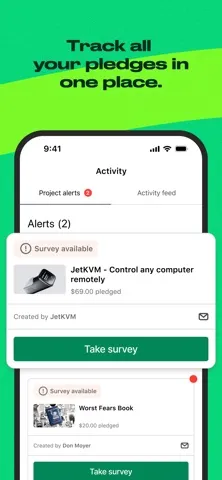
Day to day, Kickstarter has two different modes for me: discovering projects and checking in on the ones I have supported. The first is open-ended; the second is more personal, because the projects in my backing list are the ones I chose to follow. Having backings collected in one place gives me a straightforward reason to return after the initial browsing session.
Updates and reminders are part of the app’s stated role, which helps make a pledge feel like the beginning of an ongoing connection rather than a one-time action. I would use those prompts as a reason to catch up, not as a promise that every project will require the same amount of attention. The practical benefit is simply having a dedicated place to keep track of supported ideas.
Creative Categories in One Place
The breadth of project types is one of the app’s most distinctive qualities. Games, publishing, technology, comics, and film sit within the same discovery experience, so my interests do not have to stay in one lane. I can open the app looking for a creative project in one area and still come across something in another that earns a closer look.
That variety also makes the app useful for different kinds of supporters. Someone interested in gadgets may use it differently from a comics reader, but both are looking for projects they find worth backing. I appreciate that the core pattern remains consistent across those interests: browse, choose whether to pledge, and follow the projects I have supported.
A Low-Key Checking Routine
A practical routine is to browse when I have time to be curious, then return later to the projects I decided to back. That separation keeps discovery from turning into an automatic pledge. I can take a moment to consider whether a project genuinely fits my interests before supporting it, while still using the app to keep its updates and reminders within reach afterward.
For a regular check-in, I would focus on my backings rather than trying to revisit every project I have ever seen. That makes the app easier to use as part of an ordinary week: explore when something catches my attention, then check for updates on projects I chose to support. It is a small workflow, but it matches the app’s stated features without demanding constant attention.
Keep the Scope in Mind
Kickstarter’s range is a strength, but it also means the app is not built around one narrow interest. If I want only a specific kind of ready-to-buy item, browsing creative projects may take more patience than using a conventional retailer. The app is strongest when I am open to exploring ideas, rather than expecting an exact product search to be the whole experience.
The other practical limit is device compatibility. This version requires iOS 18.0, which means the requirement could rule it out for someone using an older system. Its focus is also intentionally specific: it helps with discovering and following creative projects, not with every kind of online community or shopping. Knowing that before downloading makes it easier to decide whether it fits my habits.
I like Kickstarter most as a home for curiosity that can turn into support. Its mix of creative categories gives me plenty of reasons to browse, while the backing and update features help me keep track of the projects I choose. It has a clear purpose, and it works best when I approach it as a project platform rather than a conventional store.
I would recommend it to iOS users who enjoy discovering creative work and want a dedicated way to follow projects they back. If you want ordinary shopping or have a device below iOS 18.0, it may not suit you as well. For the right audience, it makes browsing and staying connected to supported ideas feel straightforward.
Kickstarter Frequently Asked Questions
What is Kickstarter: Projects You Love used for?
Kickstarter: Projects You Love is used to browse creative projects, pledge to projects that interest you, and follow your backings. Its project areas include games, publishing, technology, comics, and film. The app also supports staying in the loop with project updates and reminders, making it useful for both discovery and keeping up with ideas you have chosen to support.
Which devices can run Kickstarter: Projects You Love?
The app is available for iOS through the Apple App Store, and the stated minimum requirement is iOS 18.0. Check the App Store page for current compatibility details for a particular device, since supported versions and requirements can vary. The supplied information does not describe other platforms, so I would check the store for the version relevant to your device.
Does Kickstarter: Projects You Love cost anything?
The app is free to download from the Apple App Store. Purchase details can vary, so check the current store page for information about any costs or in-app purchases. The app’s purpose is to let people discover and pledge to projects, so review the details of a project and the store information before deciding whether to support it.
What iOS version does Kickstarter: Projects You Love require?
Kickstarter: Projects You Love requires iOS 18.0 according to the supplied App Store information. If your device is running an earlier version, check the current App Store page to see whether compatibility details have changed or whether an update is available for your device. The listed app version is 5.38.0.
Who is Kickstarter: Projects You Love best suited to?
It is best suited to people who enjoy exploring creative projects and may want to pledge support, then follow those backings and their updates. Its categories include games, publishing, technology, comics, and film. It may be less suitable if you want a general retail app or are not interested in keeping up with creative projects after discovering them.
Pros
- Brings project discovery and following backings together in one app.
- Covers creative interests including games, publishing, technology, comics, and film.
- Updates and reminders help supporters stay in the loop.
Cons
- Its project-focused browsing is not a substitute for a conventional shopping app.
- The iOS 18.0 minimum requirement may exclude older Apple devices.
- Its broad range may feel less direct when seeking one specific kind of project.
- Category
- Social
- Version
- 5.38.0