Smith's
- 35.52K
- 4.3
- Installs
- 1.00M
- Price
- Free

Screenshots
Analysis by Reviewed APKs
Smith’s is a grocery shopping app for people who shop at Smith’s and want to handle offers, lists, pickup or delivery, and a few related errands in one place. I like that its tools connect directly to the Shopper’s Card rather than treating savings as a separate chore. It does require a Smith’s digital account, so it makes the most sense for existing or prospective Smith’s shoppers.
A List Before the Store
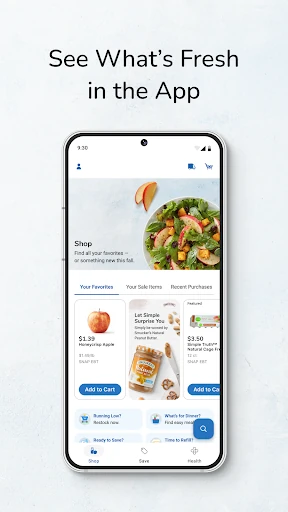
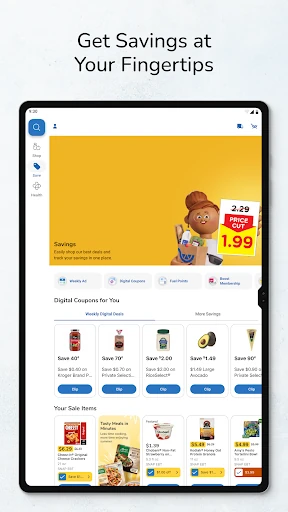
When I’m planning a grocery run, I can start by checking Smith’s Weekly Ads and adding sale items to a shopping list. I can also load digital coupons to my Shopper’s Card, so the offers are tied to the card I use for shopping. That makes the app useful before I leave home, when I’m deciding what to buy and trying to keep the list in one place.
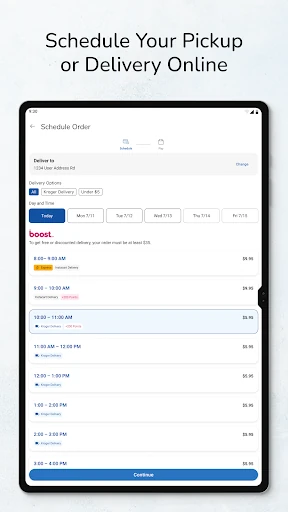
The list can serve more than one kind of trip: Smith’s describes using it for an in-store shop or to place an online order. If I want groceries brought to me or prepared for pickup, I can shop Pickup or Delivery in the app. For a regular store visit, I can still use the list as my reminder and check nearby Smith’s stores or fuel centers with the locator.
A Store-Specific Shopping Tool
Smith’s is best understood as a companion to shopping with Smith’s, not as a general-purpose grocery planner. Its ads, digital coupons, Shopper’s Card savings, fuel points, purchase history, and pharmacy tools are all centered on the retailer. If Smith’s is already part of my routine, having those pieces together can be more useful than keeping a paper list and checking offers separately.
It is less compelling if I want one app to organize shopping across multiple grocery chains, or if I do not shop at Smith’s. It also is not simply a catalog of deals: getting the listed account-linked benefits requires a Smith’s digital account and a registered Shopper’s Card. The app does offer ordering, but its purpose remains managing Smith’s shopping rather than replacing every household planning tool.
Small Habits That Help
I’d get the most from Smith’s by checking the Weekly Ads before making the week’s list. Adding sale items as I browse keeps them alongside the rest of the groceries, while loading digital coupons to the Shopper’s Card connects eligible savings to the card. The Smart Suggest feature is another place to look when I’m choosing items, though the app’s description does not spell out exactly how its suggestions are selected.
For repeat trips, purchase history can help me create standard orders, which may save time on familiar baskets. I can also check fuel points when I’m thinking about a store or fuel-center stop. These are small, practical check-ins rather than a complicated planning system. Keeping the account and card set up first is the important step: without that connection, the app’s card-based savings are harder to use.
More From Our News Desk

Zoom Meetings, Google Meet, or Teams: Which Is Easiest to Join?

How I Build a Free Streaming Lineup With Tubi

Why Crunchyroll Is the Default Anime App for So Many Fans

YouTube TV: A Practical Guide to Cutting Cable

Rummikub and the Small Comfort of Phone Games

TeamViewer Remote Control or AnyDesk for Helping Family?
Who Will Find It Useful
I’d recommend Smith’s to people who already shop at the chain and want their digital coupons, Weekly Ads, shopping list, and online ordering options together. It can also suit shoppers who want to check fuel points, find a nearby Smith’s location, or manage prescription refills through the app. The purchase-history option may be handy for someone who often buys a similar set of groceries and wants a starting point for the next order.
It may not suit someone who rarely shops at Smith’s, prefers to keep a paper list, or wants a retailer-neutral tool for comparing several stores. The account requirement is worth considering, too: to access the benefits described, users need a Smith’s digital account and a linked Shopper’s Card, which can be created during registration. If that setup feels like more trouble than the retailer-specific features are worth, the app may not earn a regular place on the phone.
Smith’s is a free Android shopping app from The Kroger Co. On Google Play it has over one million installs and a 4.3-star rating from about 35,500 ratings. It is rated Everyone. The app supports shopping features such as pickup or delivery, shopping lists, ads, digital coupons, and account-linked Shopper’s Card savings.
The listed Android requirement is version 7.1 or later, and the current version is 91.0. Smith’s was released on December 19, 2012, and its most recent update was February 9, 2026. The app is free to download, with no in-app purchases or ads reported in the supplied facts.
How Smith’s Fits Into a Grocery Routine
Getting Started
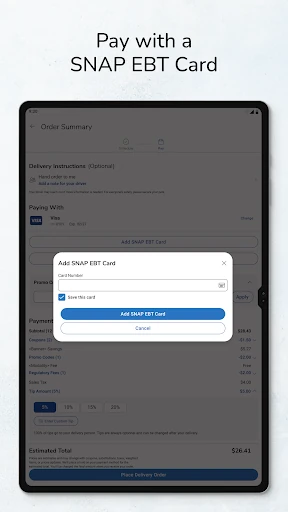
My first impression of Smith’s is that it is built around a very specific starting point: the shopper’s account and card. The app’s description says to create a Smith’s digital account and register a Shopper’s Card to access its benefits. If I do not already have a card, I can create one during registration, so the process is designed to accommodate a new shopper as well as an existing one.
That setup is worth doing before I rely on the app for a shopping trip. Coupons are loaded to the Shopper’s Card, and the savings features are tied to that account. Once the account is in place, I can use the app for lists, offers, ordering, and other Smith’s tasks. I’d treat the initial account connection as the small bit of preparation that makes the rest of the tools relevant.
The Everyday Shopping Flow
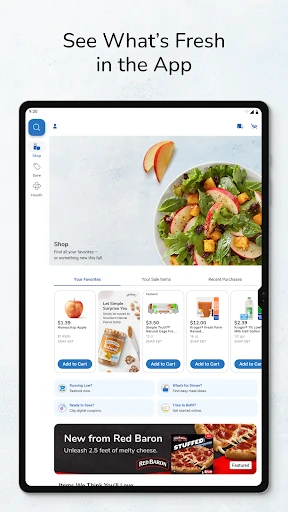
The central experience is a loop between planning and shopping. I can browse the Weekly Ads, add sale items to a list, and load digital coupons to my Shopper’s Card. That gives the list a practical job: it can guide an in-store visit or help me assemble an online order. I like that the same planning step can lead to either kind of shop instead of forcing a single route.
For a home-based order, Smith’s supports Pickup or Delivery through the app. For an in-person errand, the store and fuel-center locator can help me find a nearby location. I can also look at purchase history when I’m putting together another order. The features make most sense as connected parts of a Smith’s trip, rather than as separate utilities I’d open without a shopping need.
Useful Extras Beyond Lists
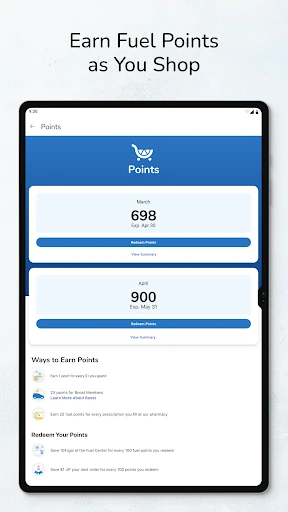
A few features reach beyond the usual list-and-coupon routine. Smith’s lets me check fuel points, locate stores and fuel centers, and view purchase history. The history can be used to create standard orders, which is particularly relevant when I’m repeating a familiar basket. These options give the app some value between grocery runs, although they remain focused on Smith’s rather than broader household organization.
The pharmacy feature is another distinct part of the package. The description says I can enter a prescription number, select a Smith’s Pharmacy, and schedule a convenient pickup time for a refill. Smart Suggest offers another way to find savings by choosing suggested items. I’d see these as helpful additions for shoppers who use the corresponding Smith’s services, not as features every grocery customer will need.
A Simple Weekly Routine
A practical routine might begin when I’m deciding what to buy for the week. I’d open the Weekly Ads, add relevant specials to my list, and load the digital coupons I want to use to my card. Then I could fill in the rest of the list with regular groceries. This is a straightforward way to make the app part of planning without turning a grocery run into a project.
Before shopping, I could choose whether to use the list in-store or build an online order for Pickup or Delivery. If I’m ordering familiar items, I’d check purchase history and see whether a standard order saves time. Afterward, fuel points or the store locator might help with another Smith’s errand. Each step is optional; the app can still be useful just for the list and offers.
Things to Keep in Mind
The biggest limitation is also the app’s defining focus: its features are built around Smith’s. The coupons, ads, card, fuel points, pharmacy refills, and location tools are most useful to people who shop at or use Smith’s services. Someone looking for a single list that works equally well across grocery retailers may find this narrower approach less convenient.
There is also an account setup step before the card-linked benefits can do their job. That is a reasonable tradeoff for shoppers who want digital coupons and rewards tied to their Shopper’s Card, but it does mean the app is not just an anonymous list pad. The supplied update notes mention bug fixes and general improvements, without describing a particular new feature, so I would judge it mainly by the established shopping tools.
Smith’s earns its place most easily for someone who already shops there. I like the way ads, coupons, lists, online ordering, purchase history, and a few useful extras all point toward the same shopping routine. The required account and card connection is a little setup, but it gives the app’s savings tools a clear purpose.
I’d try it if Smith’s is a regular stop and I want to plan trips or orders from my phone. If I shop across several chains or only want a basic universal list, I’d look elsewhere. For its intended audience, Smith’s is a practical retailer companion rather than an all-purpose shopping app.
Smith's Frequently Asked Questions
What is the Smith’s app used for?
Smith’s is a shopping app for planning and placing Smith’s grocery orders. It supports shopping lists for in-store or online shopping, Weekly Ads, digital coupons linked to a Shopper’s Card, Pickup or Delivery, fuel-point checks, and store or fuel-center locating. It also includes purchase history, standard orders, Smart Suggest, and a way to request pharmacy prescription refills.
Which phones and devices support Smith’s?
Smith’s is an Android app, and the supplied requirements specify Android 7.1 or later. It can be used on a compatible Android phone or tablet. The available information does not describe support for other platforms, so check the Google Play store entry for the current device and compatibility details before installing.
Does Smith’s cost money or include purchases?
The app is free to download. The supplied facts report no in-app purchases and no ads. To access the account-linked benefits, you need a Smith’s digital account and a registered Shopper’s Card; a card can be created during registration. Store details and terms for shopping services can vary, so check the Google Play listing for current information.
Do I need a Shopper’s Card to use Smith’s?
The app’s described savings benefits use a registered Shopper’s Card, and digital coupons are loaded directly to it. You also need a Smith’s digital account. If you do not have a card, the app says you can create one during account registration. Smith’s is most useful when you shop with the retailer or use its related services.
Who should use the Smith’s app?
I’d suggest Smith’s to regular Smith’s shoppers who want offers, lists, online ordering, fuel points, or pharmacy refill tools in one retailer-specific app. It may be a poor fit for someone who does not shop at Smith’s or wants a grocery planner shared across several chains. Check the Google Play listing for current compatibility and service details.
Pros
- Combines Weekly Ads, digital coupons, and shopping lists for Smith’s trips.
- Lists can support either in-store shopping or online orders.
- Includes fuel points, store locating, purchase history, and pharmacy refills.
- Free to download, with no ads or in-app purchases reported.
Cons
- Most features are useful only to people who shop at Smith’s.
- A digital account and registered Shopper’s Card are needed for listed benefits.
- It is not designed as a retailer-neutral grocery planning tool.
- Category
- Shopping
- Version
- 91.0