17TRACK Package Tracker
- 483.66K
- 4.1
- Installs
- 10.00M
- Price
- Free

Screenshots
Analysis by Reviewed APKs
17TRACK Package Tracker brings delivery tracking from different carriers into one place, so I can check several incoming orders without bouncing between carrier sites. It suits frequent online shoppers and anyone waiting on parcels from different parts of the world. After considering its tracking tools and practical limits, I see it as a useful organizer for shipment updates, not a replacement for a retailer’s order page or a carrier’s full service.
A parcel-checking routine
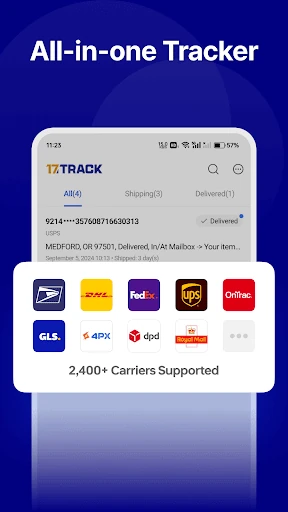
When I have several orders on the way, checking each carrier’s site can turn into a small but annoying chore. 17TRACK is built for that moment: I can add shipment tracking numbers and keep the parcels together in one place. It supports carriers including USPS, FedEx, UPS, and DHL, as well as international delivery services, so a mixed batch of orders is the kind of situation it is meant to handle.
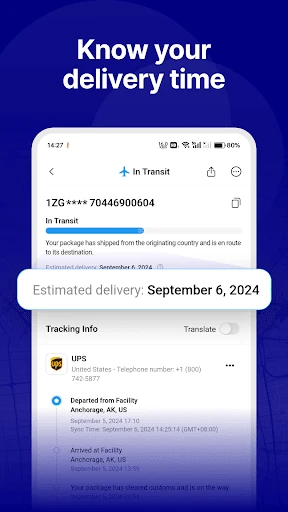
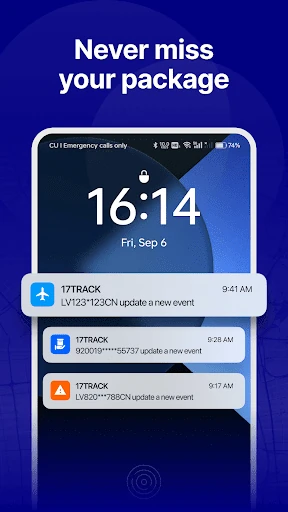
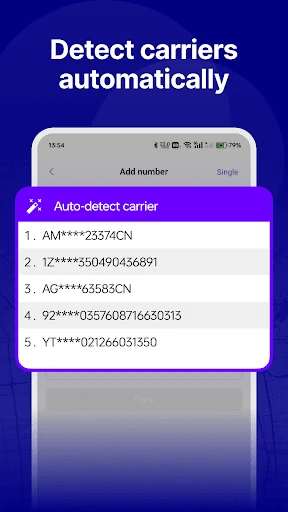
The practical rhythm is simple: add the tracking information, let the app identify a carrier when it can, then return to check for shipment updates. Notifications can help me notice a change without opening the app repeatedly. Sorting options are useful when multiple deliveries overlap. I would still check the retailer or carrier directly if I needed something beyond tracking status, but for keeping tabs on parcels, consolidation is the main benefit.
A tracker, not a store
The obvious alternatives are visiting each carrier’s tracking page or relying on order updates from individual shopping apps. Those approaches work, but they split attention across different places. 17TRACK’s appeal is its support for more than 2,500 carriers and the ability to keep shipments from different online retailers in one tracking app. It is especially relevant when orders travel internationally or when a shopper uses several stores and delivery companies.
That focus also defines what I would not expect from it. 17TRACK is for parcel tracking and organizing shipment updates, not for browsing products, placing orders, handling returns, or replacing a retailer’s customer service. A tracking status is helpful context, but it is not the same as controlling a delivery. If I had a problem with an order itself, I would still turn to the seller or carrier.
Small habits that help
I would get the most from 17TRACK by adding a number as soon as an order ships, rather than collecting several tracking emails and entering everything later. Automatic carrier detection can reduce the guesswork when I do not know which service is handling a parcel. If I have the physical parcel or its label in front of me, the barcode scanner offers another way to add tracking information.
Once there are several active shipments, sorting options can make the collection easier to scan. I would also decide whether I want notifications for delivery changes, rather than opening the app out of habit. The app supports multiple languages and cross-device syncing across Android, iOS, and web, which can help keep tracking accessible when I move between devices. Those small routines make the central list more useful.
More From Our News Desk

Zoom Meetings, Google Meet, or Teams: Which Is Easiest to Join?

How I Build a Free Streaming Lineup With Tubi

Why Crunchyroll Is the Default Anime App for So Many Fans

YouTube TV: A Practical Guide to Cutting Cable

Rummikub and the Small Comfort of Phone Games

TeamViewer Remote Control or AnyDesk for Helping Family?
Who will appreciate it
I would recommend 17TRACK to people who regularly order from multiple shops, receive international parcels, or simply get tired of checking separate carrier pages. It is also a reasonable fit for anyone who wants a single place to review several tracking numbers and receive shipment notifications. The broad carrier support is the point: the app is most useful when deliveries do not all follow the same route or service.
It may be less compelling if I only receive an occasional parcel and already find retailer updates sufficient. It also will not answer every question about an order or delivery; its role is tracking, not managing the purchase itself. People who do not want another app sending notifications can skip those alerts and check manually, though that reduces one of the conveniences. The free download makes it easy to try the basic tracking idea.
17TRACK Package Tracker is developed by 17TRACK and is available on Android. On Google Play, it has more than 10 million installs and a 4.1-star rating from about 484,000 ratings. The app is free to download and contains no ads. It offers in-app purchases, with listed items ranging from $2.00 to $99.99 each.
The app has an Everyone content rating and requires Android 5.0 or later. Its current version is 3.1.6896. Google Play gives its original release date as November 11, 2014, and its latest update as January 8, 2026; the recent changes are described as minor bug fixes.
Tracking parcels without the tab shuffle
A straightforward first step
When I first open a package tracker, I want to know whether it will save time or become one more place to maintain. 17TRACK’s central idea is clear: add tracking numbers and bring shipment information together. The description emphasizes tracking across many carriers, with automatic carrier detection intended to make adding a number less fiddly when the service is not obvious.
The barcode scanner provides a second route for adding a parcel, which is handy when I have a label available rather than a number ready to type. I would start with one active delivery and see how its status appears before moving a whole batch over. That small test is a practical way to learn whether the app fits my own mix of stores and carriers.
Checking in day to day
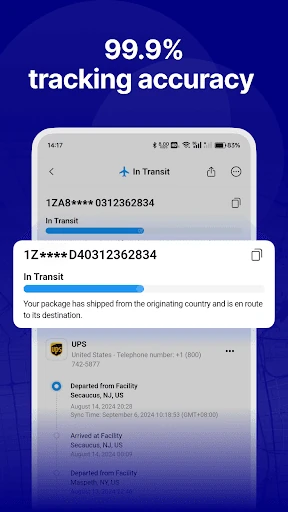
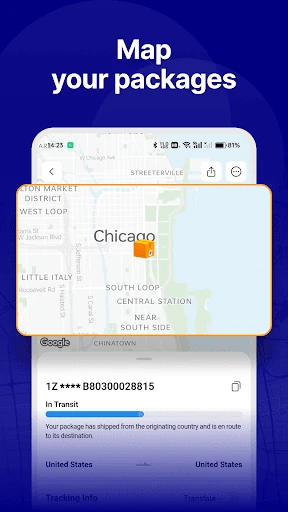
The day-to-day job is keeping an eye on shipment progress in a combined tracking space. Instead of remembering which carrier handles each order, I can return to 17TRACK to review the tracked parcels. Its stated real-time updates and instant notifications are aimed at reducing the need to refresh carrier pages just to see whether anything has changed.
I find that kind of convenience most useful during busy delivery weeks, when several orders are in transit at once. A notification can draw attention to a status change, while a manual check remains an option when I just want to see where things stand. Tracking information is still only as useful as the updates available for that shipment, so I would treat the app as a convenient overview.
Useful details beyond tracking
Carrier breadth is the standout feature on paper: 17TRACK says it supports more than 2,500 carriers worldwide, including familiar services such as USPS, FedEx, UPS, and DHL. That matters for people whose orders move between local and international delivery companies. The app also says it works with parcels from a wide range of online retailers, rather than limiting tracking to a single store.
Automatic carrier detection and barcode scanning address two different small hassles when adding shipments. Sorting options help keep multiple tracking entries organized, and multi-language support can make the app more approachable for different users. Cross-device syncing is another useful addition, with Android, iOS, and web named as supported options. Together these features support the same basic purpose: collecting shipment tracking in one place.
A weekly delivery check
A practical routine might be adding each tracking number when the shipping confirmation arrives, then checking the app once during the day instead of opening multiple carrier pages. If I am waiting for an important parcel, I can rely on notifications to flag a shipment change. For less urgent orders, I can simply open the app when I have a reason to check.
When several parcels are active, sorting options can help me make sense of the list rather than treating every delivery as equally urgent. I would remove the mental burden of remembering which carrier belongs to which order by using the app as a shared tracking reference. Syncing across supported devices can also help if I switch between Android, iOS, and web during the day.
Keep expectations practical
A tracking app cannot make a carrier update information sooner, and a parcel’s status may still depend on what the carrier provides. 17TRACK can gather tracking information across services, but that does not make it the place to resolve a missed delivery, change an order, or ask a seller about a purchase. I would keep retailer and carrier contact options in mind when a shipment needs action.
The other limit is that its value depends on how many deliveries I actually track. If I rarely shop online, maintaining a separate tracking app may not save much effort. It is also worth thinking about whether notifications suit my habits; the app offers them, but I do not need to treat every parcel update as urgent. For frequent shoppers, the consolidated view is the more persuasive reason to use it.
17TRACK Package Tracker does a useful, specific job: it collects tracking for parcels from many carriers and gives me a place to check their progress. Automatic carrier detection, barcode scanning, sorting, notifications, and cross-device syncing make that central job more convenient. Its strongest case is for people juggling multiple deliveries, not for someone looking for a complete shopping or delivery-management service.
I would recommend trying it if online orders regularly leave you checking several carrier sites. The free download and broad carrier support make the idea easy to assess against your routine. If you only wait for an occasional parcel, retailer updates may be enough. Either way, I would treat 17TRACK as a handy tracking overview, while turning to the seller or carrier for order problems.
17TRACK Package Tracker Frequently Asked Questions
What is 17TRACK Package Tracker used for?
17TRACK Package Tracker is used to track parcels from different carriers in one place. It supports tracking numbers, automatic carrier detection, barcode scanning, sorting options, and shipment notifications. The app describes support for more than 2,500 carriers worldwide, so it is intended for people who want a shared overview of local and international deliveries rather than separate carrier checks.
Which devices can run 17TRACK Package Tracker?
The Android app requires Android 5.0 or later. 17TRACK also describes cross-device syncing across Android, iOS, and web. Store availability and device requirements can vary by platform, so check the relevant store listing for the device you plan to use. The Google Play version is the Android option.
How much does 17TRACK Package Tracker cost?
17TRACK Package Tracker is free to download on Google Play and contains no ads. It offers in-app purchases, with listed items priced from $2.00 to $99.99 each. Which purchase options are available can vary, so check the Google Play listing for current details before buying anything.
Does 17TRACK Package Tracker need a recent Android version?
The Android version of 17TRACK Package Tracker requires Android 5.0 or later. That is the minimum requirement given for the app, though compatibility can depend on the specific device and current store availability. I would check Google Play from the device I intend to use for the latest compatibility information.
Who should use 17TRACK Package Tracker?
It is a good fit for people who regularly order from different shops, receive international parcels, or want one place to check shipments across multiple carriers. It may be less useful if you only track an occasional order or prefer using retailer updates alone. The app is for tracking parcels, not managing purchases or resolving order issues.
Pros
- Combines tracking for parcels from a wide range of carriers in one app.
- Automatic carrier detection and barcode scanning offer convenient ways to add shipments.
- Notifications, sorting options, and cross-device syncing support a flexible tracking routine.
- Free to download and contains no ads.
Cons
- Its usefulness is limited if you only track a parcel once in a while.
- Tracking is not a substitute for contacting a seller or carrier about an order problem.
- In-app purchases are available, with listed prices reaching $99.99 per item.
- Category
- Shopping
- Version
- 3.1.6896