Kroger
- 392.84K
- 4.5
- Installs
- 10.00M
- Price
- Free

Screenshots
Analysis by Reviewed APKs
Kroger is a grocery shopping app for browsing deals, building an order, and keeping store-related tasks together in one place. It suits people who already shop at Kroger and want to manage groceries, savings, and fuel rewards from their phone. My overall take is that its strength is breadth: it covers delivery and pickup as well as in-store shopping, with a few useful errands beyond the grocery list.
A Weeknight Grocery Run
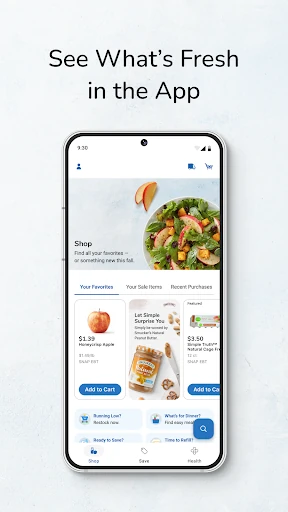
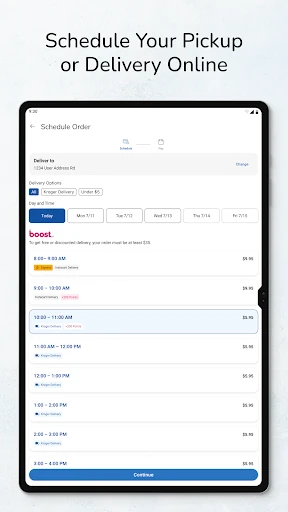
Picture the familiar midweek moment: dinner plans are taking shape, but the fridge is short on a few basics. I’d use Kroger to check the weekly ad, clip relevant digital coupons, and add groceries to a list or an online order. The app supports delivery, pickup, and in-store shopping, so the next step can depend on whether I have time to browse aisles or would rather arrange a handoff.
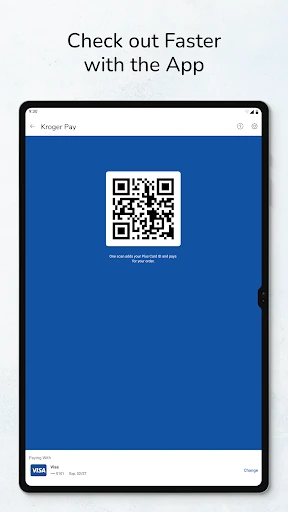
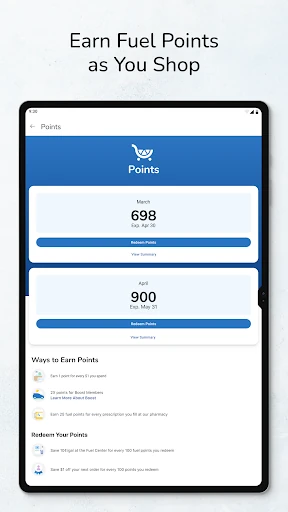
The useful part is having savings and shopping in the same flow. A coupon that catches my eye can inform what I buy, while personalized deals and bonus rewards give me another reason to check before checkout. If I’m shopping in person, Kroger Pay is available for checkout, and fuel points can be tracked and redeemed for gas savings. It’s a practical set of tools for a routine shop, not just a digital flyer.
More Than a Store Locator
Compared with a standalone grocery list or weekly-ad app, Kroger is built around completing the shop: browsing groceries, choosing pickup or delivery, and using digital savings along the way. It also brings together purchase history, favorite-item reordering, a store locator, and pharmacy prescription tasks. That range makes it most useful to people who shop with Kroger, rather than someone looking for a general-purpose planner that works across many retailers.
It isn’t a meal-planning service or a broad comparison tool for finding the cheapest item at every supermarket. Its deals, ordering, and rewards are tied to Kroger, and using the app requires a Kroger digital account. For someone who rarely shops there, much of the value may be beside the point. For a regular customer, though, putting these store-specific tasks together can save the small bits of effort that add up during a busy week.
Small Habits That Help
A simple habit is to look through the weekly ad before making a list, then clip coupons that fit what I actually plan to buy. That keeps the savings tools connected to a real shopping trip instead of turning coupon browsing into its own chore. Personalized deals and cash-back offers are also worth checking when I’m already planning an order, especially if I want to compare them with the items I normally pick up.
After a shop, purchase history can help me quickly reorder familiar items, which is handy when I’m replenishing staples rather than planning a whole new menu. I’d also make a point of checking fuel points when I’m preparing for a drive, and use the store locator if I need a nearby store or fuel center. These are modest routines, but they make the app feel more useful than opening it only at checkout.
More From Our News Desk

Zoom Meetings, Google Meet, or Teams: Which Is Easiest to Join?

How I Build a Free Streaming Lineup With Tubi

Why Crunchyroll Is the Default Anime App for So Many Fans

YouTube TV: A Practical Guide to Cutting Cable

Rummikub and the Small Comfort of Phone Games

TeamViewer Remote Control or AnyDesk for Helping Family?
Who Gets the Most From It
I’d recommend Kroger to regular customers who want one place for digital coupons, weekly ads, shopping orders, and rewards. It looks especially convenient for households that alternate between pickup, delivery, and in-store trips, since the app supports all three. People who make repeat purchases may also appreciate purchase history and quick reordering, while anyone managing pharmacy refills or looking up a fuel center can use those additional tools.
It may be less appealing if you shop at several different grocery chains and want a single independent app to organize them all. Kroger’s features are designed around its own stores and rewards, and a digital account is needed to use the app. I’d also keep expectations practical: it can help organize a Kroger shop, but it does not replace deciding what to eat or comparing every retailer’s prices.
The Kroger app is published by The Kroger Co. and is listed in the Shopping category on Google Play. It has more than 10 million installs and a 4.5-star rating from about 393,000 ratings. The app is free to download, with no in-app purchases or ads indicated in the supplied store facts. Its content rating is Everyone.
The listed app version is 99.3. Kroger was released on November 29, 2010, and its most recent update is dated October 26, 2026. A minimum Android version was not provided in the supplied facts, so check the Google Play page for current device compatibility. A Kroger digital account is required to use the app; registration for an account or rewards program requires users to be 18.
How Kroger Fits Into a Real Shopping Week
Getting Started
My first impression of Kroger is that it aims to be a working grocery companion rather than a single-purpose coupon wallet. The opening proposition is broad: shop for groceries, find savings, and handle store-related tasks. That can be appealing if I already know I shop at Kroger, though it also means the app’s usefulness depends on engaging with the store’s account and rewards setup.
A Kroger digital account is required. The app lets users create one and link a Kroger Rewards ID; people who don’t already have one receive one when they create an account and enroll in the rewards program. Registration and rewards enrollment are for adults 18 and older. It’s worth knowing that setup requirement before expecting to use the app as a casual, no-account flyer browser.
The Everyday Shop
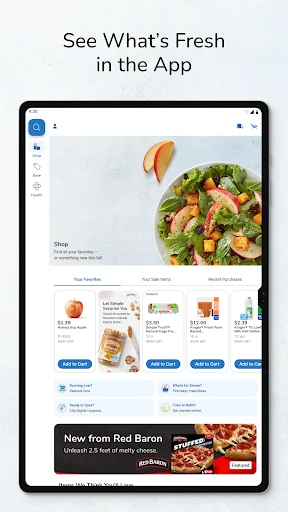
The core experience is flexible about how groceries reach me. I can shop for delivery or pickup, or use the app while shopping in a store. Kroger also describes thousands of additional grocery and household items available to shop online. That mix should suit different weeks: a planned order when time is tight, and an in-person trip when I’d rather choose items myself.
For a repeat shop, purchase history and quick reordering are particularly practical. I don’t need to treat every grocery trip as a fresh project if I’m buying familiar staples again. The app also supports a shopping list, giving me a place to keep the essentials in view. These everyday features make more sense as small conveniences than as a dramatic change to how grocery shopping works.
Savings and Store Tools
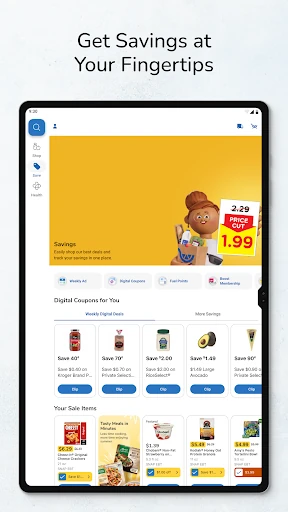
The savings features are a central reason to open the app before shopping. I can browse weekly ads, clip digital coupons, and find personalized deals, bonus rewards, and cash-back offers. The description says clipped coupons can be applied at checkout. That gives me a straightforward routine: check the available offers, select the ones that match my basket, and then shop without needing to keep a separate paper coupon pile.
Fuel points extend the app’s usefulness beyond the grocery aisle. Users can track and redeem them for gas savings, while the store locator helps find nearby Kroger stores or fuel centers. Kroger Pay is another in-store tool, described as a way to check out quickly. These features are most relevant to shoppers who already use Kroger’s stores and rewards, rather than people who only need a generic grocery checklist.
The app also includes Kroger Pharmacy tasks, including prescription refills and tracking. That makes it possible to handle a few related errands in the same store-focused app. I see that as a useful addition for customers who use the pharmacy, not a reason everyone should download it. The main draw remains grocery shopping and savings, with pharmacy and location tools rounding out the package.
A Routine That Works
For a weekly routine, I’d start by checking the ad and available digital offers before deciding what goes into the basket. Then I’d build a shopping list or place a pickup or delivery order, depending on the day. Keeping those steps together can make it easier to remember a deal while planning the shop, without needing to search through separate store materials.
Once the order or trip is done, I’d use purchase history to bring back regular staples next time. If I’m heading out, the store locator can help me find a nearby store or fuel center, and fuel points are there to check as part of the same broader routine. The approach is simple: let the app handle repeat tasks, and spend my attention on the choices that change from week to week.
Limits to Keep in Mind
The biggest limitation is also the app’s focus: it is built for Kroger. Deals, rewards, fuel points, ordering, and the store locator are useful when Kroger is part of my shopping routine, but they won’t turn it into a cross-store organizer. If my usual grocery shopping is spread across retailers, I may still need separate tools or routines for the other stores.
There is also an account requirement, and the rewards program has an adult registration requirement. People who only want to glance at an ad without setting up a digital account may find that less convenient. Store details, offers, and device compatibility can change, so it’s sensible to check the current Google Play information and Kroger’s own terms before relying on a particular option.
Kroger’s appeal is its combination of shopping options, digital savings, and store-specific extras. I like that the same app can support a planned delivery, a pickup order, or a visit to the store, while keeping coupons and rewards close to the shopping task. The pharmacy and fuel tools add practical value for customers who already use those parts of Kroger.
I’d recommend it to regular Kroger shoppers who want fewer separate steps for planning and saving. If you shop elsewhere most of the time, or want a retailer-neutral grocery tool, its focus may feel narrow. For its intended audience, though, Kroger is a capable everyday companion, particularly when used as part of a simple weekly shopping routine.
Kroger Frequently Asked Questions
What is the Kroger app used for?
Kroger is for grocery shopping and store-related tasks. It supports delivery, pickup, and in-store shopping, alongside weekly ads, digital coupons, personalized deals, fuel points, and purchase history. The app also includes a store locator and Kroger Pharmacy prescription refill and tracking tools. Its features are centered on shopping with Kroger rather than managing groceries across multiple retailers.
Which devices can run the Kroger app?
Kroger is an Android app available through Google Play. The minimum Android version was not provided in the supplied facts, and compatibility can vary by device or change over time. Check the current Google Play page for the requirements that apply to your phone or tablet before installing.
Does the Kroger app cost anything?
The app is free to download, and the supplied store facts indicate no in-app purchases or ads. Grocery orders and store offers are part of shopping with Kroger, so check the app and store terms for any details that may apply to a particular order, offer, or service.
Do I need an account to use Kroger?
Yes. The description says a Kroger digital account is required. You can create an account in the app and link a Kroger Rewards ID; if you don’t have one, you receive one when creating an account and enrolling in the rewards program. Registration and rewards enrollment require users to be at least 18.
Is the Kroger app a good fit for me?
It is a good fit if you shop at Kroger and want grocery ordering, coupons, weekly ads, and rewards in one store-focused app. It may be less useful if you rarely visit Kroger or want a tool that combines shopping across retailers. Available offers and device requirements may vary, so check the Google Play page for current details.
Pros
- Combines delivery, pickup, and in-store shopping options in one app.
- Puts weekly ads, digital coupons, and personalized savings together.
- Includes fuel points, store locations, and pharmacy prescription tools.
- Purchase history makes it easier to reorder familiar groceries.
Cons
- Its rewards and shopping tools are focused on Kroger customers.
- A digital account is required, and enrollment requires users to be 18.
- Minimum Android compatibility should be checked in Google Play.
- Category
- Shopping
- Version
- 99.3