Rexton App
- 7.42K
- 2.6
- Installs
- 500.00K
- Price
- Free

Screenshots

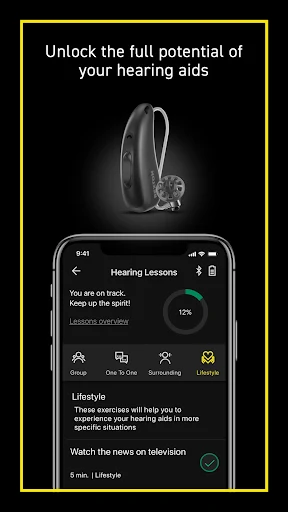
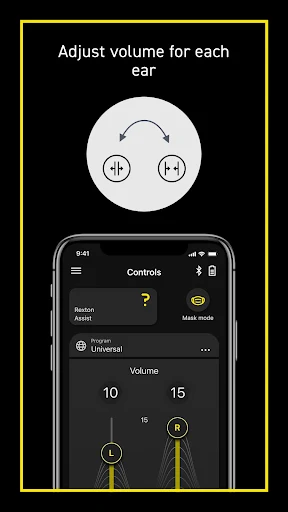
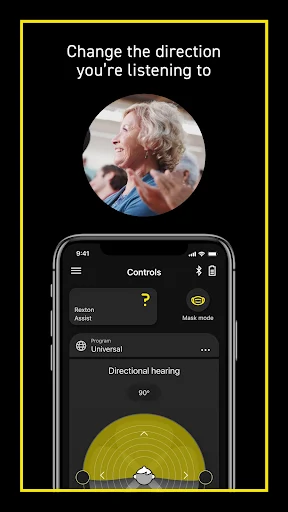
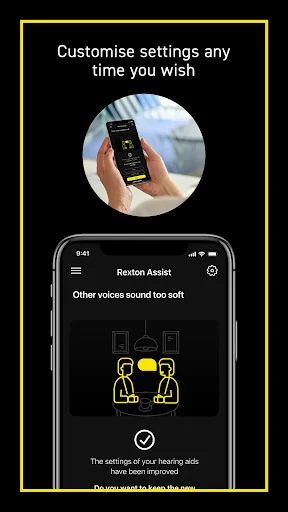
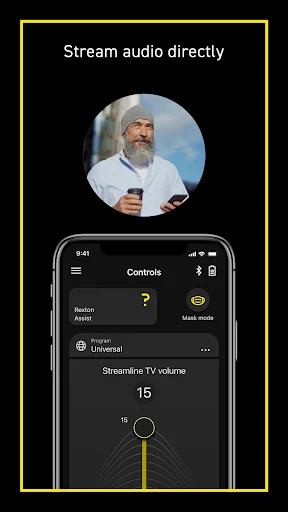
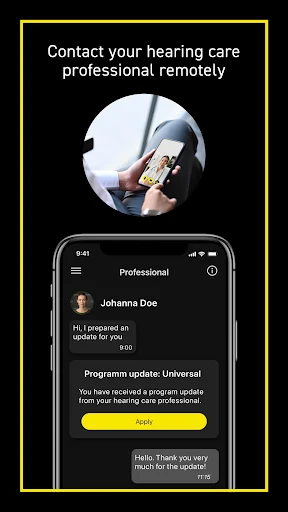
Analysis by Reviewed APKs
Rexton App is a companion for people who use compatible Rexton hearing aids, letting them adjust and check supported settings from a smartphone. I see its appeal in those small moments when reaching for the hearing aid controls is inconvenient, or when you want to keep track of how your settings are working. It is a practical tool, though what it can do depends on the hearing aids.
Adjustments on the Go
Picture settling into a café and finding the room louder than expected. With compatible paired hearing aids, Rexton App can provide phone-based controls such as volume, sound balance, and listening programs. I like the idea of making a small adjustment without handling the hearing aids themselves. The exact controls depend on the model, but the app’s core job is clear: give wearers a convenient way to manage supported settings.
A quieter moment at home can be useful for checking whether a setting feels right. The app also describes a questionnaire for documenting hearing success over time and sharing that information with an audiologist. That makes it more than a remote control, although it is not a substitute for professional input. I would treat it as a practical companion for daily adjustments and reflections, rather than a way to diagnose or treat hearing concerns.
A Companion, Not a Clinic
Compared with making every adjustment directly on a hearing aid, using a smartphone can be more convenient when the phone is already in hand. Rexton App brings supported controls together, including volume and listening programs, with some models offering more detailed options. Its place is alongside compatible Rexton hearing aids, not as a standalone sound or hearing app. It needs suitable hearing aids to do its main job.
I would not approach it as a general health tracker or as a replacement for an audiologist’s guidance. The app’s information is described as general, and its questionnaire is for documenting a user’s experience, not settling medical questions. Nor should anyone assume every feature works on every Rexton device. Brand, model, country, distributor, and service package all affect what is available.
Make Small Checks Routine
A useful habit is to make adjustments in response to a real listening situation, then notice whether the change helped. If the hearing aids support it, the app can also show battery status, warning signals, usage information, and satisfaction statistics. I would check those details at a calm moment rather than waiting until a warning becomes urgent, while remembering that the available information varies by device.
The hearing-success questionnaire can fit into a regular check-in: record how things have been going, keep an eye on changes, and bring that history to an audiologist when appropriate. The app’s guide is available through its settings menu, which is a sensible place to start if a control is unfamiliar. Small, consistent checks are likely more useful than changing several settings at once.
More From Our News Desk

Zoom Meetings, Google Meet, or Teams: Which Is Easiest to Join?

How I Build a Free Streaming Lineup With Tubi

Why Crunchyroll Is the Default Anime App for So Many Fans

YouTube TV: A Practical Guide to Cutting Cable

Rummikub and the Small Comfort of Phone Games

TeamViewer Remote Control or AnyDesk for Helping Family?
Who May Find It Useful
I would recommend Rexton App to adults who already use a compatible Rexton hearing aid and want phone-based control of its supported features. It may be especially handy for people who like making modest adjustments during the day or keeping a record of how their hearing experience is going. The app also makes sense for users who want to review device-related information that their particular hearing aids can provide.
It may be a poor fit if you do not use Rexton hearing aids, or if your device does not support the functions you expect. Users looking for medical advice should speak with a qualified healthcare professional instead. The app’s description says it is intended for people aged 18 and older, and the range of available controls depends on the hearing aid and local service availability.
On Google Play, Rexton App is published by Sivantos Pte. Ltd. and has more than 500,000 installs. It has a 2.6-star rating from 7,424 ratings. Google Play marks its content rating as Everyone, while the app’s own description says it is intended for people aged 18 and above.
The app is free to download, with no in-app purchases or ads. Its listed version is 2.8.11.16438. It was released on February 5, 2020, and was last updated on November 3, 2026. The minimum Android version is not included in the available app facts, so check Google Play for device compatibility.
A Closer Look at Everyday Control
A Focused First Impression
When I first opened the app, I would think of it as a control panel for a specific hearing-aid setup, not a broad lifestyle app. Its value depends on pairing it with a compatible Rexton device, and the range of options depends on that device. That makes a first look less about exploring a long feature list and more about finding the controls your hearing aids actually support.
I would start by checking the in-app guide, which can be opened from the app settings menu. That is a practical first step if a control is unfamiliar, particularly because the functions vary among models and service arrangements. The description also says Rexton hearing aids purchased in 2014 or later are in scope, but compatibility still depends on the specific hearing aid.
Everyday Adjustments
The day-to-day appeal is straightforward: use the phone to control paired hearing aids instead of relying only on their own controls. Basic functions can include volume, listening programs, sound balance, and a tinnitus signal. I would expect that sort of access to be most useful when the listening environment changes, such as moving from a quiet room to a busier public place.
Some controls can be adjusted separately for each hearing aid, and supported models may allow muting or directional hearing adjustments. Those options can make the app feel more tailored, but they are not universal. I would check what is available on my own device before building a routine around a particular setting.
Device Details That Help
Beyond basic controls, supported hearing aids may let the app display or adjust battery charge status and show warning signals. Device usage information and statistics about user satisfaction may also be available. I find those details potentially useful because they can add context to an adjustment, rather than leaving the wearer to rely only on memory.
A motion sensor is another feature that may be controllable on some hearing aid setups. The app also offers a tinnitus signal among its basic functions, though support and availability depend on the device. These are useful examples of the app’s range, but I would avoid assuming that every Rexton wearer will see the same features or controls.
A Simple Weekly Check-In
One workable routine would be to use the app for small, situation-based adjustments during the week, then take a moment to record how things have been going. The hearing-success questionnaire is designed to document and check progress over time, with information that can be shared with an audiologist. I would keep those notes tied to everyday experiences rather than treating them as a medical conclusion.
At the same time, I would occasionally review any supported battery or usage information and check the guide when a setting is unclear. That keeps the app’s role modest and practical: a way to manage available controls and organize observations. For questions about hearing health or treatment, the app itself points users toward a qualified healthcare professional.
Compatibility Sets the Limits
The main limitation is that features vary with the hearing aid’s make, model, and technical capabilities. Services can also depend on the distributor, country or region, and service package. That means a feature described by the app may not appear for every user, and an older or simpler device may offer a narrower set of controls.
The app is intended for Rexton hearing aids purchased in 2014 or later, but that is not the same as saying all such devices support every function. It also is not a replacement for a healthcare professional’s advice, diagnosis, or treatment. I would view it as a useful accessory when it matches the equipment, rather than a solution for people without compatible hearing aids.
Rexton App has a clear purpose: give users of compatible Rexton hearing aids a phone-based way to manage supported settings and review helpful device information. The questionnaire adds a simple way to track personal hearing experiences for discussion with an audiologist. Its usefulness rests on compatibility, so the feature set may be quite different from one wearer to another.
I would recommend trying it if you already use a supported Rexton hearing aid and want convenient access to its controls. If you need hearing advice or expect a full set of features on any device, temper those expectations and consult a qualified professional. For the right setup, it can be a practical everyday companion.
Rexton Frequently Asked Questions
What is Rexton App used for?
Rexton App lets users of compatible Rexton hearing aids control supported settings from a smartphone. Depending on the device, this can include volume, listening programs, sound balance, and other controls. It can also provide device information and a questionnaire for tracking hearing experiences. It is not a replacement for professional medical advice.
Which phones and hearing aids work with Rexton App?
Rexton App is an Android app on Google Play, and it is designed for Rexton hearing aids purchased in 2014 or later. The actual functions depend on the hearing aid’s make, model, technical features, and service availability. Check Google Play and your hearing aid information to see what is supported for your setup.
What Android version does Rexton App require?
The minimum Android version can vary by release and device compatibility. Check the Rexton App page on Google Play for the current requirement for your phone. The app’s available features can also differ according to the paired hearing aid, so meeting the phone requirement does not mean every hearing-aid function will be available.
Does Rexton App cost money?
Rexton App is free to download on Google Play, and the available app facts indicate it has no in-app purchases or ads. Store details can change, so check Google Play for current information before installing. You will also need compatible Rexton hearing aids to use its hearing-aid control functions.
Is Rexton App suitable for every hearing aid user?
It is intended for people aged 18 and above who use compatible Rexton hearing aids. The available controls vary by device, location, distributor, and service package, so it may not suit someone whose hearing aids are incompatible or lack the expected functions. For medical questions, consult a qualified healthcare professional.
Pros
- Provides smartphone access to supported hearing-aid volume and listening program controls.
- Some compatible devices offer battery, warning, usage, and satisfaction information.
- Includes a questionnaire for documenting hearing experiences over time.
- Free to download, with no in-app purchases or ads.
Cons
- Available functions vary considerably by hearing-aid model and service availability.
- Requires compatible Rexton hearing aids, limiting its usefulness as a standalone app.
- It is a control and tracking companion, not professional medical guidance.
- Category
- Medical
- Version
- 2.8.11.16438