Anatomy Learning - 3D Anatomy
- 172.01K
- 4.5
- Installs
- 10.00M
- Price
- Free

Screenshots
Analysis by Reviewed APKs
Anatomy Learning - 3D Anatomy is a hands-on atlas for exploring the human body, from bones and muscles to organs and nerves. I’d put it on the shortlist for students who learn better by turning a model than by staring at a flat diagram. Its interactive view and location quizzes make study more active, though it works best as a focused anatomy aid rather than an all-purpose medical reference.
A Closer Look at Anatomy
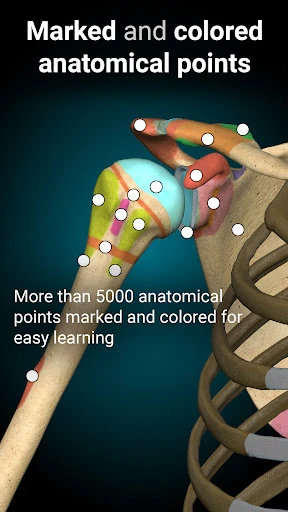
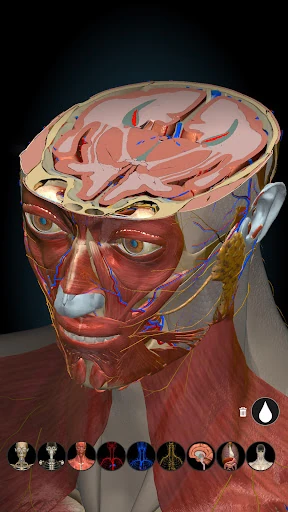
When I want to make sense of how one structure sits behind another, a flat picture can leave me guessing. Here, I can rotate the 3D model, zoom in, and remove visible structures to reveal what lies underneath. That makes a study session feel more like looking around a body than memorizing labels on a page. I can imagine using it between classes to revisit a region that was difficult to picture during a lecture.
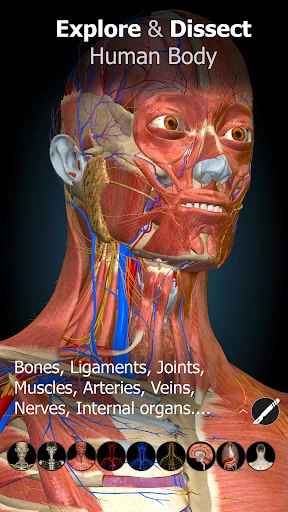
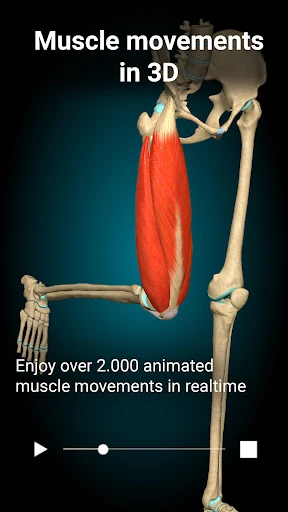
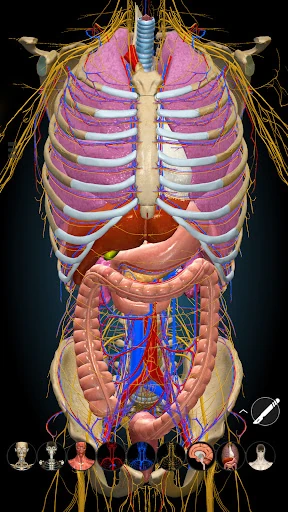
The atlas covers bones, ligaments, joints, muscles, circulation, the nervous system, sense organs, and several organ systems. I might start with the bones, then bring in muscles to understand their relationship, or switch to the heart and vessels for a separate review. The ability to turn systems on and off gives each session a manageable focus. Rather than trying to absorb the whole body at once, I can explore one layer or system at a time.
Atlas, Not a Full Course
Compared with a textbook or a page of labeled diagrams, this app’s main strength is spatial exploration. A drawing can be quick to scan, but rotating a model gives me another way to understand orientation and depth. The location quizzes add a chance to test what I recognize instead of only looking at it. I see the app as a useful companion to class notes and books, especially when a structure’s position is the part I need to clarify.
It is not a substitute for a complete medical course, clinical reference, or instructor. The supplied feature set centers on anatomy models and location quizzes, not broad medical lessons or guidance about symptoms and treatment. That distinction matters: I’d use it to study body structures, not to make health decisions. If I were preparing for an exam, I’d pair its visual exploration with the terminology and explanations required by my course.
Make Each Session Focused
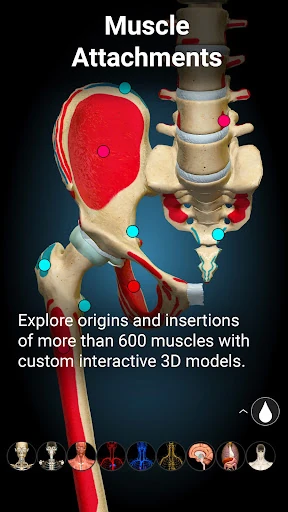
I’d get more out of the app by choosing a small question before opening it: where a muscle attaches, how a joint is arranged, or which structures surround an organ. Then I can rotate and zoom until I have a useful view, rather than wandering through every system without a goal. Removing structures is especially helpful when I want to move from the visible surface toward deeper anatomy in a deliberate sequence.
A simple study rhythm could be to inspect a system, hide or reveal structures to check my mental picture, and finish with a location quiz. Switching systems on and off helps keep the model from becoming visually busy while I concentrate on one topic. For a longer review, I’d revisit the same region from a different angle and use the quiz to see whether I can identify locations without relying only on a familiar view.
More From Our News Desk

Zoom Meetings, Google Meet, or Teams: Which Is Easiest to Join?

How I Build a Free Streaming Lineup With Tubi

Why Crunchyroll Is the Default Anime App for So Many Fans

YouTube TV: A Practical Guide to Cutting Cable

Rummikub and the Small Comfort of Phone Games

TeamViewer Remote Control or AnyDesk for Helping Family?
Who Will Get the Most From It
I’d recommend Anatomy Learning - 3D Anatomy to students studying human anatomy, particularly anyone who benefits from visual and spatial learning. Its range reaches from the skeleton and muscles to circulation, nerves, and internal systems, so there is plenty to explore across different topics. The 3D controls are the draw: being able to rotate, zoom, and reveal underlying structures gives a study session a more active feel than simply reviewing a static image.
It may be less appealing if you want a structured course with extensive lessons, or if you need an authoritative resource for clinical decisions. The described features are centered on models and location quizzes, so learners who need explanations, clinical context, or a full curriculum should use other resources alongside it. Curious general learners may enjoy exploring, too, but the app is most useful when there is a specific anatomy question to investigate.
On Google Play, Anatomy Learning - 3D Anatomy is published by 3D Medical OU. It has over 10 million installs and a 4.5-star rating from around 172,000 ratings. The app is free to download, contains no ads, and offers in-app purchases priced from $0.99 to $59.99 per item. Its content rating is Everyone.
The current version is 3.2.544. Google Play gives its release date as March 20, 2014, and its last update as September 5, 2026. The minimum Android version is worth checking on the Google Play page for the device you plan to use, since that requirement can vary.
Learning Anatomy by Moving Through It
First Look and Setup
When I first opened the app, the idea that stood out was straightforward: this is an anatomy atlas built around a model I can manipulate. The central interaction is easy to understand from the feature description—turn the view, zoom closer or farther, and change which systems are visible. That gives me a clear starting point even before I have a particular chapter or body region in mind.
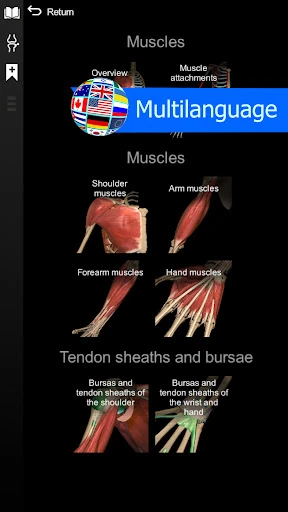
I would begin with a familiar topic, such as bones, and learn how the view responds before moving into less familiar systems. That small first session is useful because it lets me concentrate on the controls and the anatomy separately. The app also supports several languages beyond English, including Spanish, French, German, Polish, Russian, Portuguese, Chinese, and Japanese.
The Everyday Study Loop
For day-to-day use, the model invites short, question-led visits. I might check a structure after class, rotate it to understand its orientation, then zoom out to restore the wider context. The option to remove visible structures is useful when a layer blocks the thing I am trying to study. Instead of treating the atlas as a book to read from beginning to end, I can use it to answer a visual question as it comes up.
The experience is more deliberate than flipping through a diagram: each change in angle can reveal a different relationship. I’d keep sessions bounded, though. A detailed model can encourage aimless exploration, and a clear topic makes it easier to remember what I learned. Switching systems on or off also helps me keep attention on one area instead of letting the whole anatomy view compete for it.
Systems and Self-Testing
The breadth of the atlas is one of its most useful features. The listed contents include the skeleton, ligaments, joints, muscles, heart and blood vessels, central and peripheral nervous systems, sense organs, and respiratory, digestive, urinary, and reproductive systems. Having those categories in one app makes it practical to move between topics without changing the basic way I explore the body.
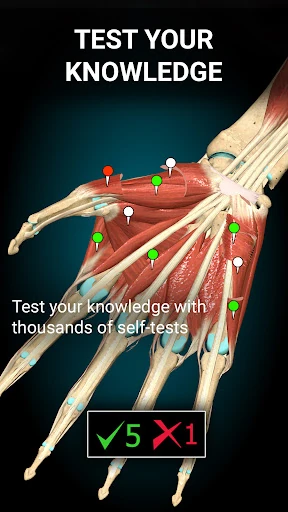
The location quizzes give the visual browsing a learning check. I like that the app is not only a model to inspect: quizzes offer a reason to recall what I have just seen. The male and female reproductive systems are both included, and the ability to switch anatomical systems on and off lets me adjust the view to suit a particular study question.
A Practical Review Routine
A routine I’d use before a study group or exam review starts with one system from my notes. I’d open that system, turn the model to find the structures named in my material, and zoom in when their positions are hard to distinguish. If one layer hides another, I’d remove structures to inspect what sits beneath, then restore a broader view to connect the parts.
I’d finish by trying a location quiz, then return to the model for any placement I could not identify confidently. That sequence—review, inspect, recall—keeps the app tied to a concrete learning task. It also avoids confusing time spent exploring with time spent remembering. For a group, the same approach could give everyone a shared visual point of reference while discussing a topic.
Limits to Keep in Mind
The app’s visual focus is a strength, but it also sets a boundary. Rotating a model can help me understand where structures sit, yet that does not automatically provide the explanations or broader context found in a textbook or course. The described feature set does not present it as a comprehensive curriculum. I would keep my class materials close when I need definitions, detailed instruction, or a fuller account of a topic.
A 3D view can also feel less efficient than a quick labeled diagram when I only need to check one name. And while location quizzes can prompt recall, they are not a replacement for every kind of assessment. The app is best approached as a visual study tool: useful for exploring relationships and testing recognition, but not something I’d rely on for clinical answers or as my only anatomy resource.
Anatomy Learning - 3D Anatomy earns its place as a focused visual companion. The combination of rotatable models, system controls, hidden layers, and location quizzes gives me several ways to work through anatomy rather than just glance at it. Its broad system coverage makes it useful across topics, while its clear emphasis on models keeps expectations grounded.
I’d recommend it to anatomy students and curious learners who want a more spatial way to study. I would not treat it as a complete course or medical reference, and I’d pair it with more explanatory materials when needed. For a specific anatomy question or a short review session, it has a practical, engaging job to do.
Anatomy Learning Frequently Asked Questions
What is Anatomy Learning - 3D Anatomy used for?
Anatomy Learning - 3D Anatomy is a 3D atlas for exploring human anatomy. You can rotate and zoom models, reveal structures underneath others, switch anatomical systems on or off, and take location quizzes. Its contents include bones, muscles, circulation, nervous systems, and several organ systems. It is intended for anatomy learning, rather than diagnosis or treatment guidance.
Which devices support Anatomy Learning - 3D Anatomy?
The app is available on Android through Google Play. Check its Google Play page for the current device compatibility details, since supported devices and requirements can vary. The supplied information does not give a minimum Android version, so it is worth checking the store page before installing it on a particular device.
What Android version does Anatomy Learning - 3D Anatomy require?
The minimum Android version can vary and is worth checking on the app’s Google Play page for your device. That page is the best place to confirm compatibility before downloading. The app’s current version is 3.2.544, but that version number does not by itself specify which Android versions a device must run.
Does Anatomy Learning - 3D Anatomy cost money?
The app is free to download and contains no ads. It offers in-app purchases, with listed items priced from $0.99 to $59.99 each. Prices and available purchases may vary, so check the Google Play page for the current details before buying anything.
Is Anatomy Learning - 3D Anatomy suitable for students?
It looks well suited to students who want to inspect anatomy visually and test their recognition with location quizzes. Its models cover many body systems and can be rotated, zoomed, and viewed with systems switched on or off. Students who need a full course, detailed clinical explanations, or medical guidance should use additional appropriate resources.
Pros
- Rotatable, zoomable models make it easier to explore anatomy from different angles.
- A wide range of body systems supports study across multiple anatomy topics.
- Structure removal and system controls help focus attention on particular layers.
- Location quizzes add a useful recall step to visual exploration.
Cons
- The model-centered approach is not a replacement for a structured anatomy course.
- A 3D view may be slower than a diagram for quick label checks.
- The supplied feature set focuses on anatomy exploration, not clinical guidance.
- Category
- Medical
- Version
- 3.2.544