MyUPMC
- 25.50K
- 4.3
- Installs
- 500.00K
- Price
- Free

Screenshots
Analysis by Reviewed APKs
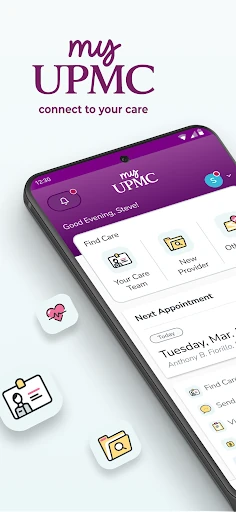
MyUPMC is a healthcare app for people who receive care through UPMC and want everyday tasks in one place. I like the idea of checking test results, handling appointments, and contacting a doctor’s office without switching between calls and paperwork. It is most useful as a companion to an existing UPMC care relationship, not as a general health tracker or a substitute for care.
Between appointments
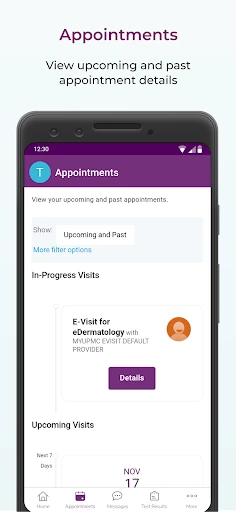
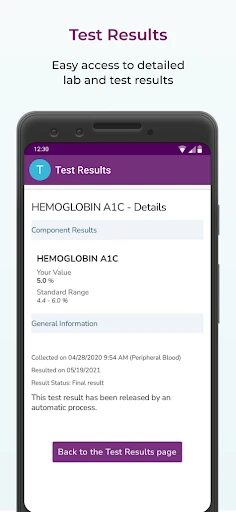
When I picture a useful day with MyUPMC, it is the quiet stretch between visits: I want to check a test result, look up a doctor’s note, or remember when an appointment is scheduled. The app brings those kinds of health details together with appointment management, so there is less need to hunt through old paperwork. I would use it when I have a specific task, rather than browse it like a news feed.
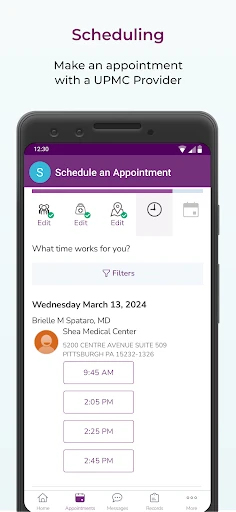
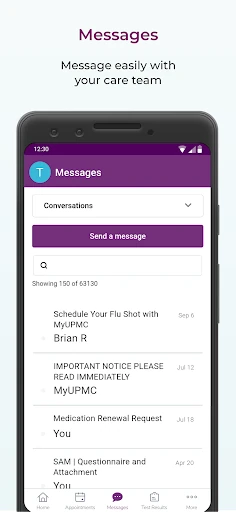
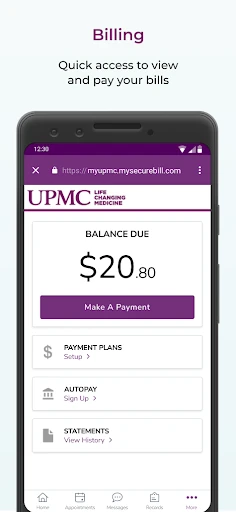
The practical advantage is that several small jobs can happen from the same mobile device. I can message a doctor’s office, review medications or immunization history, and see bills without starting each task with a phone call. If I need another provider, the app also offers a way to find UPMC doctors and request an appointment. That makes it feel like a day-to-day access point for an existing care setup.
A UPMC companion
MyUPMC makes the most sense for someone already receiving care through UPMC. A general notes app can hold a list of appointments or questions, but it cannot provide the UPMC records and doctor-office messaging described here. Likewise, a calendar can remind me when to show up, while MyUPMC is designed to help manage appointments and save them to my calendar. Its value comes from connecting those tasks to UPMC care.
That focus is also a boundary. I would not choose MyUPMC as a universal record keeper for care from unrelated health systems, or as a fitness app for tracking daily activity. Its listed tools center on UPMC providers, records, appointments, prescriptions, and bills. People without a UPMC care relationship may have little reason to keep it installed, while those who do have one may appreciate having routine administrative tasks close at hand.
Make it a small habit
A little routine can make a health portal more useful. After an appointment, I would check the app for the scheduled follow-up and save it to my calendar. When a result or doctor’s note is available, I could review it there instead of relying on a paper copy. Before contacting the office, I would also gather the question I want to ask, then use the messaging option for a direct note.
I would treat MyUPMC as a place to check, not as a reason to constantly monitor health information. A quick visit when handling a bill, reviewing a prescription, or preparing for an appointment is more realistic than opening it every day without a purpose. Keeping those tasks together can cut down on loose reminders and forgotten details. The app’s family-record access may also help people who manage health logistics for relatives.
More From Our News Desk

Zoom Meetings, Google Meet, or Teams: Which Is Easiest to Join?

How I Build a Free Streaming Lineup With Tubi

Why Crunchyroll Is the Default Anime App for So Many Fans

YouTube TV: A Practical Guide to Cutting Cable

Rummikub and the Small Comfort of Phone Games

TeamViewer Remote Control or AnyDesk for Helping Family?
Who may find it useful
I would recommend MyUPMC to UPMC patients who prefer handling routine details on a phone or tablet. The mix of records, appointment tools, doctor-office messaging, prescription renewal requests, and bill access covers many of the administrative moments that happen between visits. It may be especially handy for people who manage several appointments or help keep track of family health information.
It may not suit someone who does not use UPMC, or someone who wants a broad wellness tracker rather than a patient portal. The app is also less compelling if you prefer to handle every appointment or question by phone. Health information is personal, so comfort with viewing records and communicating through a mobile app matters too. I would see it as an optional convenience, not a requirement for receiving care.
MyUPMC is developed by UPMC and is available on Android. Google Play shows over 500,000 installs and a 4.3-star rating from about 25,500 ratings. The app is free to install, with no in-app purchases or ads indicated in the provided app details. Its content rating is Everyone.
The listed Android requirement is Android 10, and the current version is 3.27.0. MyUPMC was released on July 21, 2018, and its most recent update was December 22, 2025. The update notes describe minor changes along with other improvements and bug fixes.
A closer look at daily care tasks
A focused first impression
When I first opened the idea of MyUPMC, what stood out was its practical scope. It is built around the jobs patients often need to do after leaving an appointment: check information, manage the next visit, or contact the office. That is a more useful starting point than trying to turn a patient portal into an all-purpose health dashboard.
The app’s description points to records, appointments, messaging, prescriptions, and bills as its main territory. I would expect the most useful first step to be getting access to the relevant UPMC information, then using the app for a real task. This is not a setup I would judge by how many decorative features it offers; the everyday usefulness depends on whether its care-management tools fit my needs.
Useful between visits
Day to day, the appeal is having several kinds of UPMC information available from a mobile device. If I am wondering when my next appointment is, I can manage appointments there. If I need to check a test result or medication information, those records are among the app’s stated features. It gives routine questions a place to start without requiring a folder of printed documents.
Messaging is another practical part of the experience. I can send a message directly to a doctor’s office rather than make a call for every non-urgent administrative question. I would still use the appropriate care channel for urgent concerns, but for ordinary follow-up, a written message can be easier to compose around work or family commitments. The app is best understood as a convenience for communication, not a promise of instant replies.
Records and appointments
The strongest feature set is the combination of medical records and visit management. MyUPMC says users can access records and doctors’ notes, view test results, medications, and immunization history, and manage appointments. Those pieces work naturally together: I can check information before a visit, then keep track of what comes next afterward. That makes the app more than a simple appointment reminder.
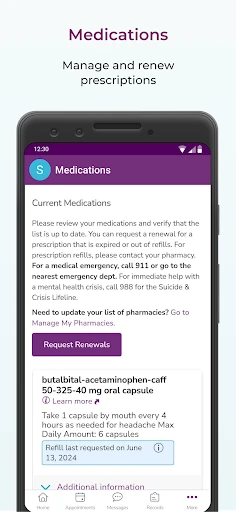
A few other tools round out the patient-admin side. Users can request prescription renewals without calling the doctor’s office, view and pay bills, and search for UPMC providers, including primary, pediatric, and specialty care. The description also includes access to family medical records. Those are concrete reasons it could earn a place on a home screen for someone coordinating care.
A simple weekly routine
A sensible routine would be to open MyUPMC when a health task comes up rather than make it another daily obligation. Before an appointment, I could review the schedule and relevant records. Afterward, I could check for notes or results and save the next appointment to my calendar. When a prescription renewal is needed, I could use the renewal request option instead of leaving myself a separate reminder to call.
For family logistics, I would use the app to keep an eye on the records and appointments I am responsible for managing. If a question comes up, I could write it down before sending a message to the doctor’s office. This kind of deliberate use keeps the app tied to real tasks and makes it easier to remember why I opened it. The point is less screen time, not more.
Keep the scope in mind
The main limitation is the app’s UPMC focus. Its provider search and communication tools are described in relation to UPMC doctors and offices, so it should not be mistaken for a single hub for every health system a person might use. If most of someone’s care is elsewhere, this particular set of tools may not help much.
There is also a difference between having health information accessible and having every question answered immediately. The app offers messaging and appointment management, but the description does not make it a substitute for talking with a clinician when appropriate. I would use it for the records and routine tasks it is designed to handle, while keeping expectations practical about what a mobile patient portal can do.
MyUPMC is a practical patient portal with a clear audience: people who receive care through UPMC and want to manage records, appointments, messages, prescriptions, and bills from a mobile device. I like that its useful features map to ordinary tasks rather than asking users to adopt a complicated new routine.
I would recommend giving it a try if you already use UPMC and want those tasks within reach. If your care is mostly outside UPMC, or you are looking for a general wellness tracker, its focused approach is less likely to be a good fit.
MyUPMC Frequently Asked Questions
What is MyUPMC used for?
MyUPMC helps people manage aspects of their UPMC care from a mobile device. Its described tools include viewing medical records, notes, test results, medications, and immunization history; managing appointments; messaging a doctor’s office; requesting prescription renewals; and viewing or paying bills. It can also help users find UPMC providers and manage family health information.
Which devices can run MyUPMC?
MyUPMC is available for Android devices, and the listed minimum requirement is Android 10. The app description also refers to mobile devices and tablets. Device compatibility can change over time, so it is worth checking Google Play for the current requirements before installing or updating the app.
Does MyUPMC cost anything?
The app is free to install, and the provided details indicate no in-app purchases or ads. Healthcare services and bills are separate from the app itself; MyUPMC includes tools for viewing and paying bills, but it is not a statement that care is free. Check Google Play for current app details and any changes.
Can I use MyUPMC without UPMC care?
MyUPMC is centered on UPMC providers, records, appointments, and doctor-office communication. Its tools are intended to help manage a UPMC care relationship, including finding UPMC doctors and requesting appointments. If you do not receive care through UPMC, the app may have limited usefulness. The store description is a good place to review its current scope.
Is MyUPMC a good fit for everyone?
It may suit UPMC patients who want to handle routine records, appointments, messages, prescription renewal requests, and bills on a phone. It may be less useful for people who use other health systems or want a general fitness and wellness tracker. As with any patient portal, whether it fits depends on your care needs and comfort using a mobile app.
Pros
- Puts appointments, records, doctor-office messages, and bills in one UPMC-focused app.
- Includes test results, doctors’ notes, medications, and immunization history.
- Offers prescription renewal requests and tools for finding UPMC providers.
- Can help users manage family health information alongside their own.
Cons
- Its usefulness is tied closely to receiving care through UPMC.
- It is a patient-management app, not a general wellness or fitness tracker.
- Messaging should not be mistaken for an immediate response channel.
- Category
- Medical
- Version
- 3.27.0











