MyHealthONE
- 8.51K
- 3.9
- Installs
- 500.00K
- Price
- Free

Screenshots
Analysis by Reviewed APKs
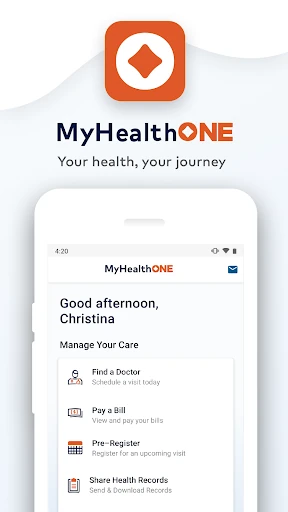
MyHealthONE is a patient health portal for keeping medical records, appointments, bills, and other care-related tasks in one mobile app. I can see it helping patients and caregivers who want a handy place to check results or handle routine paperwork between visits. Its range is practical rather than flashy: it brings several healthcare errands together, though how useful it is will depend on whether your care providers work with the portal.
A Visit, Without the Paper Chase
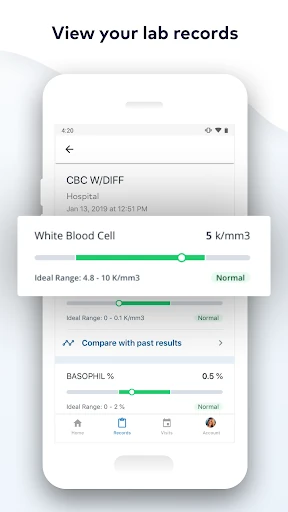
When I picture using MyHealthONE, it’s the day before a routine appointment. I want to check an available lab result, confirm the visit details, and make sure I’ve dealt with the paperwork. The app is designed to bring those jobs together with access to health records, appointment scheduling, and medical forms. That makes it more of a practical companion to care than something I’d open just to browse.
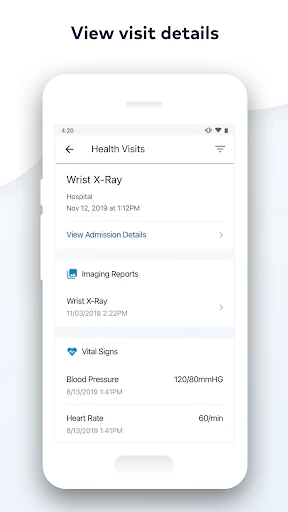
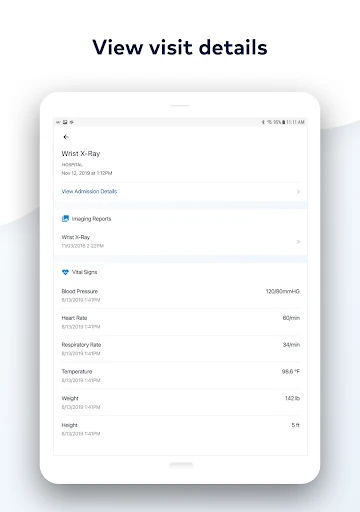
The same setup could help when I’m handling care for a family member. MyHealthONE supports managing multiple family accounts, so a caregiver can keep more than one person’s information in view. I’d use that to check a record or handle an appointment-related task, rather than relying on scattered notes and paper forms. The app also includes bill payment and imaging reports, useful details that can otherwise turn one visit into several separate errands.
A Portal, Not a Doctor
MyHealthONE sits in the patient-portal category: it’s for looking up records and taking care of administrative steps around healthcare. That makes it different from a general-purpose health tracker or a symptom-search tool. Its listed features focus on records, lab results, imaging reports, appointments, forms, and bills. I’d turn to it when I need to manage those pieces of care, not when I’m looking for exercise tracking or health advice.
Compared with keeping everything in email, paper folders, or separate provider portals, the appeal is having several patient tasks collected in one app. MyHealthONE can also integrate with other healthcare portals, although the experience will depend on the services involved. It isn’t a replacement for a clinician or an emergency-care resource. I see it as a place to organize and access care information, with the actual care still happening through your providers.
Small Habits That Help
I’d get the most from MyHealthONE by checking it around appointments instead of waiting until I’m already at the office. A quick look at available records, lab results, or imaging reports can help me keep track of what’s in the portal. If paperwork is available, handling it ahead of time may also make the day feel less rushed. The app’s tools are most useful when they become part of a simple before-and-after-visit routine.
For family care, I’d make a habit of checking which account I’m using before reviewing records or handling an appointment. The app is designed to manage multiple family members, so keeping the person and task straight matters. I’d also use its local doctor search when looking for a provider and its classes or events feature when planning a related activity. These are modest habits, but they help make the app a useful organizer rather than another icon I forget about.
More From Our News Desk

Zoom Meetings, Google Meet, or Teams: Which Is Easiest to Join?

How I Build a Free Streaming Lineup With Tubi

Why Crunchyroll Is the Default Anime App for So Many Fans

YouTube TV: A Practical Guide to Cutting Cable

Rummikub and the Small Comfort of Phone Games

TeamViewer Remote Control or AnyDesk for Helping Family?
Who May Find It Useful
I’d recommend MyHealthONE to patients who want a mobile place to review health records, check available results, schedule appointments, and manage bills or paperwork. It may be particularly handy for caregivers who need to keep track of more than one family member. The combination of records, appointment tasks, and provider-finding tools gives it a broader role than a simple document viewer, while still keeping its focus on the patient side of healthcare.
It may not suit someone whose providers do not use the services available through the app, or anyone expecting a general wellness tracker or a way to communicate with clinicians by secure messaging. Those features aren’t part of the described offering. I’d also avoid expecting a single app to replace every provider’s process: portal integration is available, but the useful connections and information depend on the healthcare services involved.
MyHealthONE is published by HCA Healthcare Inc and is a medical app for Android. Google Play shows more than 500,000 installs and a 3.9-star rating from about 8,500 ratings. The app is free to download, with no in-app purchases or ads listed. Its content rating is Everyone, making the store’s age classification broad.
The current version shown is 2.0.3. MyHealthONE was released on March 25, 2020, and its listed last update was September 26, 2026. The minimum Android version is worth checking on Google Play because requirements can vary by release and device. As with other patient portals, which information and tasks you can use may depend on the healthcare services connected to your account.
How MyHealthONE Fits Into Care
A Straightforward First Look
When I first opened the idea of MyHealthONE, what stood out was how many ordinary patient tasks it aims to gather in one place. Records, appointment scheduling, paperwork, and bill payment are familiar needs, but they often happen in different contexts. MyHealthONE’s purpose is clear: make those parts of managing care accessible from a phone, rather than adding another general health dashboard to the mix.
Getting started is best thought of as connecting the app to the healthcare information you need. The available records and services will depend on what’s connected to your account, so I wouldn’t expect every user to see the exact same set of information. That’s a practical point to keep in mind before relying on it for a particular task. The app’s value comes from the portal access it can provide, not from collecting information independently.
The Everyday Portal
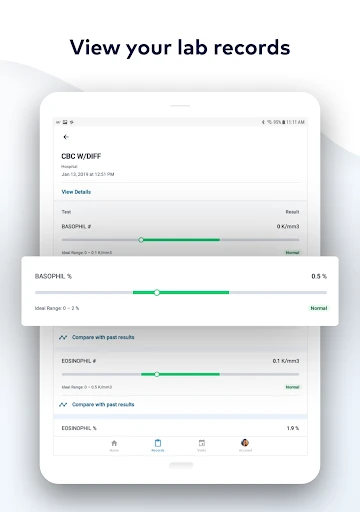
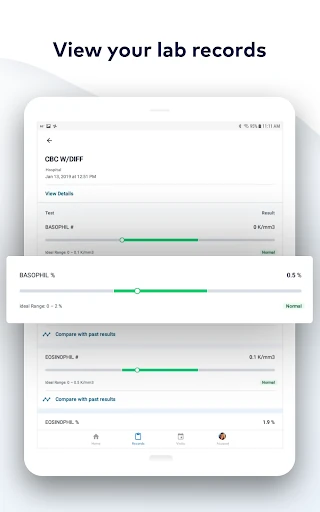
Day to day, the most useful role for MyHealthONE is as a place to check in on the administrative side of care. I can imagine opening it to review a record, look for a lab result once it’s available, or see an imaging report without digging through old paperwork. Having those options on a phone can make small tasks easier to fit into a lunch break or the quiet few minutes before an appointment.
Appointment scheduling and paperwork add another layer to that routine. Instead of treating a visit as one isolated event, the app supports some of the steps around it: preparing forms, arranging an appointment, and later keeping track of relevant information. It also includes bill payment, which makes it useful for practical follow-up. I’d still treat the app as a portal for available information, not assume every detail of care is handled there.
More Than Records
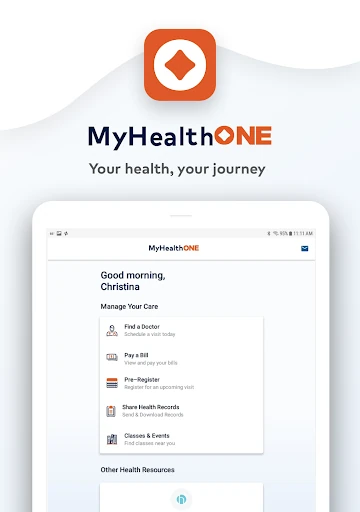
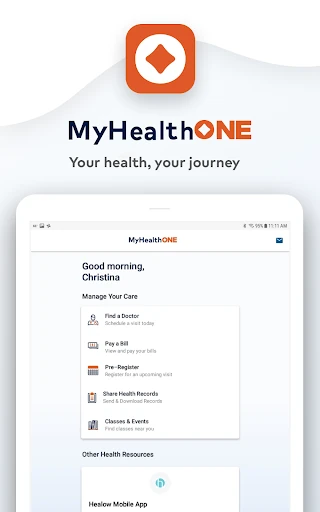
Records and results are the obvious draw, but MyHealthONE includes a few other tools that broaden its reach. It can help find local doctors, schedule appointments, and sign up for classes or events. Those features are still tied to managing healthcare, rather than being generic discovery or calendar tools. I like that the app’s scope includes both looking up information and taking a next step, such as arranging a visit.
The ability to manage multiple family members’ accounts is especially relevant for caregivers. Keeping a relative’s information alongside your own can make the app more useful than a portal limited to one person, though I’d pay close attention to which account I’m viewing. MyHealthONE also describes integration with other healthcare portals. Taken together, these features make it a broader organizer for patient and caregiver tasks, without turning it into a substitute for professional care.
A Simple Visit Routine
A routine I’d try is checking MyHealthONE a day or two before an appointment. I’d look for available records or reports, see whether paperwork can be completed, and use the scheduling tools if I still need to arrange a visit. That short check could help me notice unfinished administrative tasks before I’m headed out the door. The point isn’t to spend a long time in the app; it’s to make a few useful checks part of preparation.
After the visit, I’d return when I need to review a result, look at an imaging report, or deal with a bill. If I’m helping a family member, I’d keep the same routine but make sure I’m in the right account before taking action. This approach uses the app for the tasks it is built around and avoids treating it like a live diary of every health detail. It’s a simple, repeatable way to keep portal chores from piling up.
Keep Expectations Grounded
The main limitation is that a patient portal can only be as useful as the information and services available through it. MyHealthONE describes access to records and integration with other healthcare portals, but those connections will matter in practice. I’d check whether the care information I need is available before making the app my only place to look. The app’s broad list of tools doesn’t mean every task will apply to every account.
It’s also important to keep its role clear. MyHealthONE helps with information access and healthcare administration; the described features don’t make it a diagnostic service, a general health tracker, or a direct messaging channel. Someone seeking those functions may need a different tool or provider process. For routine patient tasks, however, its focus is sensible. I’d judge it by whether it makes records, appointments, and follow-up easier to manage.
MyHealthONE makes a practical case for itself by bringing records, results, appointments, paperwork, and bills into a patient-focused app. The family-account option and provider-related tools add value for people coordinating care. I like its clear, everyday purpose, though the experience naturally depends on the healthcare information and services available through the portal.
I’d suggest trying MyHealthONE if you want a mobile home for routine patient tasks or help keeping track of a family member’s care. It’s less compelling if you’re looking for health tracking, clinical advice, or messaging with a provider. Before relying on it for a specific job, check that the relevant information or service is available in your account.
MyHealthONE Frequently Asked Questions
What is MyHealthONE used for?
MyHealthONE is a patient health portal for accessing medical records, lab results, and imaging reports, as well as scheduling appointments, completing paperwork, and paying bills. It can also help find local doctors, manage multiple family members’ accounts, and sign up for classes or events. Which information and services are available can depend on the healthcare services connected to your account.
Which devices can run MyHealthONE?
MyHealthONE is listed as an Android app on Google Play. The minimum Android version can vary by release and device, so check the Google Play store listing for the requirement that applies to your phone. The available app information here does not establish support for other platforms, so check the relevant store if you are considering a different device.
Does MyHealthONE cost money?
MyHealthONE is free to download on Google Play, and the store facts show no in-app purchases or ads. That covers the app itself; any charges related to healthcare services or bills are separate from the app’s download price. If pricing details change, the Google Play listing is the place to check the current information.
What Android version does MyHealthONE require?
The minimum Android version can vary between releases and devices, so check the MyHealthONE page on Google Play for the current requirement before installing. The app’s listed version is 2.0.3, but that alone does not establish which Android versions it supports. Store compatibility information is the most useful guide for your specific phone.
Is MyHealthONE a good fit for caregivers?
It may suit caregivers because MyHealthONE supports managing accounts for multiple family members, alongside tools for records, appointments, paperwork, and bills. It could be less useful if the healthcare services you need are not available through the portal, or if you want general health tracking or provider messaging. Check the app and your account to see whether the relevant tasks are supported.
Pros
- Combines records, lab results, imaging reports, appointments, paperwork, and bill payment.
- Supports managing accounts for multiple family members.
- Includes local doctor search and sign-ups for classes or events.
- Free to download, with no in-app purchases or ads listed.
Cons
- Usefulness depends on which healthcare information and services are available through your account.
- It is a patient portal, not a general health tracker or diagnostic tool.
- Android version requirements should be checked on Google Play.
- Category
- Medical
- Version
- 2.0.3











