Mayo Clinic
- 12.01K
- 3.6
- Installs
- 1.00M
- Price
- Free

Screenshots
Analysis by Reviewed APKs
Mayo Clinic is a health and care-management app for people who use Mayo Clinic services or want dependable health information from its experts. It brings appointment details, medical records, care-team messaging, and educational material into one place. My overall take is that it makes the most sense as a companion to an existing care relationship, rather than a general-purpose health tracker or a replacement for talking with a clinician.
Keeping Care Details Together
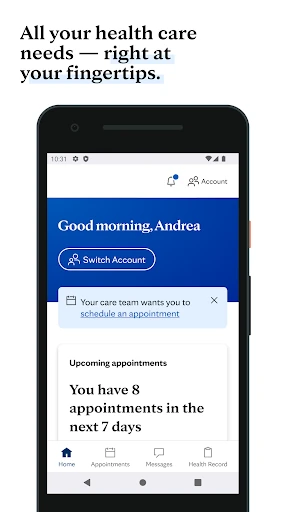
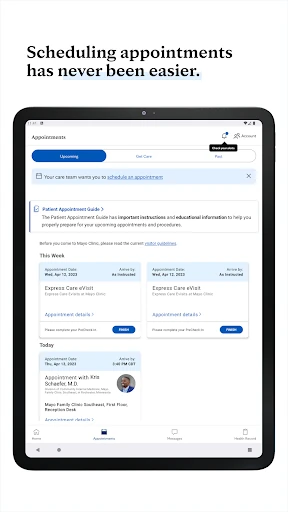
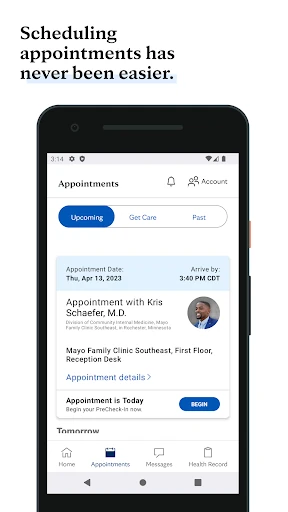
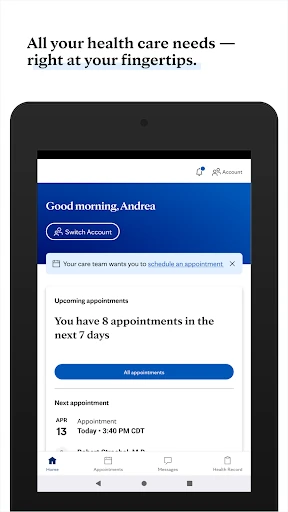
Imagine getting ready for a clinic visit while juggling work, travel, and a list of questions. The Mayo Clinic app is designed to bring practical details together: an appointment itinerary, reminders, check-in questionnaires, campus maps, and medical records. I can see the appeal of having those items available on a phone instead of searching through messages or paperwork when the day gets busy.
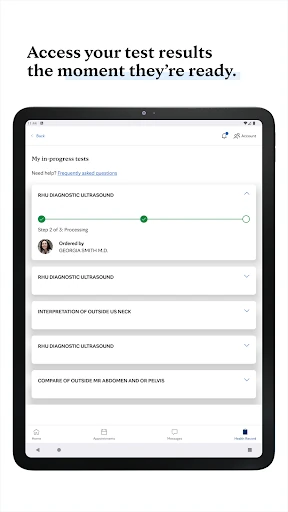
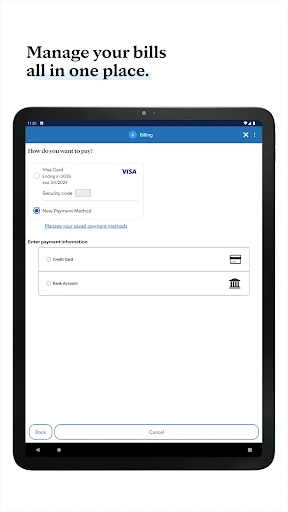
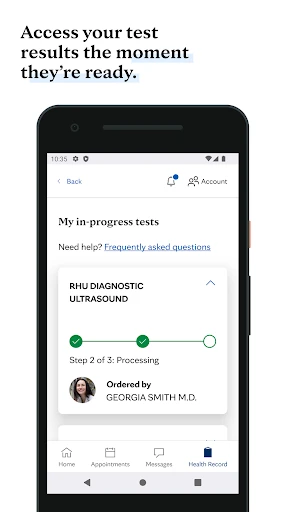
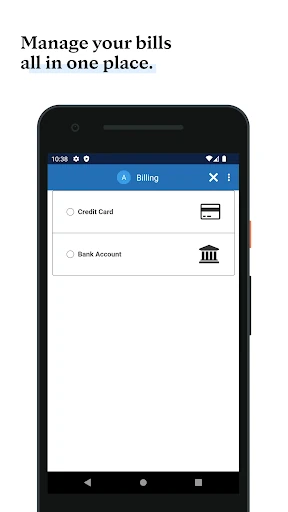
After an appointment, the same place can be useful for reviewing test results or radiology images, checking bills, and communicating with a care team through secure messaging. Those are specific, task-oriented tools, not just a stream of general wellness content. The app’s value depends on whether you are using Mayo Clinic care, but for that audience, it aims to make the in-between steps easier to manage.
A Clinic Companion, Not a Tracker
Compared with a generic health-information app, Mayo Clinic is more closely tied to care logistics. It combines appointment-related tasks and access to medical records with articles and advice on health topics. When I think about where it fits, I see a patient portal and reference library sharing one home, with the clinic relationship at the center of the experience.
That focus also defines what it is not. The app is not presented as a general fitness tracker, a diagnostic tool, or a substitute for professional care. Its wellness material includes fitness videos, recipes, and tips, but the primary purpose is access to Mayo Clinic services and information. Express Care Online is available only in select regions, so it is not a universal route to online care.
Small Habits That Help
A simple habit is to check the app before a scheduled visit, rather than waiting until you arrive. Reviewing the itinerary, reminders, questionnaire, and campus map in advance can help you know what to expect. I would also make a point of checking for available records and results after care, so the app serves as a practical reference instead of something opened only when an appointment is imminent.
For everyday browsing, the daily health insights and searchable information about diseases, symptoms, and procedures give the app another role between visits. I would use those resources to prepare questions or understand general topics, then bring important concerns to a clinician. Keeping those purposes distinct helps prevent an article or search result from being mistaken for a personal diagnosis.
More From Our News Desk

Zoom Meetings, Google Meet, or Teams: Which Is Easiest to Join?

How I Build a Free Streaming Lineup With Tubi

Why Crunchyroll Is the Default Anime App for So Many Fans

YouTube TV: A Practical Guide to Cutting Cable

Rummikub and the Small Comfort of Phone Games

TeamViewer Remote Control or AnyDesk for Helping Family?
Who May Find It Useful
I would recommend Mayo Clinic to people who receive care through the organization and want appointment details, records, results, bills, and care-team communication accessible on their phone. It may also suit readers who want health information and wellness material from Mayo Clinic in the same app. The strongest case is for someone who expects to use both the care-management tools and the informational side.
It may be less useful to someone who does not use Mayo Clinic services and mainly wants activity tracking, broad provider comparisons, or a standalone symptom checker. The app does offer searchable health information, but its care features are centered on Mayo Clinic. Anyone interested in Express Care Online should also keep in mind that availability is limited to select regions.
Mayo Clinic is developed by Mayo Clinic and is available on Google Play for Android devices running Android 9 or later. The app is version 14.2, and its release date was April 18, 2013. Google Play shows more than 1 million installs and a 3.6-star rating from about 12,000 ratings.
The app is free to download, with no in-app purchases and no ads. Its content rating is Everyone. The most recent update in the supplied app details was January 19, 2026, and the listed recent change was bug fixes.
A Closer Look at Daily Care
A Practical First Impression
When I first considered the app, what stood out was the mix of personal care tasks and general health reading. This is not just a collection of articles: the described tools include appointment scheduling, check-in questionnaires, records, and communication with a care team. That combination gives the app a clear purpose for Mayo Clinic patients, even if not every feature will matter to every user.
Getting started is most useful when there is a real care task to handle, such as preparing for a visit or looking for results. The app is described as offering access to medical information and appointment details, so I would begin by seeing which of those items are relevant to my own care. I would not expect a general health app setup to be the whole story.
The Everyday Experience
Day to day, the app’s practical side is about reducing the number of places a patient needs to check. An itinerary, reminders, records, bills, and secure messages all relate to managing care. I like that this is a concrete job: open the app to find a visit detail or follow up on a care-related task, rather than browsing without a clear reason.
The experience can also extend beyond an appointment. Searching for information about a condition, symptom, or procedure and reading daily health insights gives users a reason to return between visits. I would treat that material as useful background, not a personalized assessment. The core experience remains most compelling when the app connects that reading to the practical realities of care.
Features With a Clear Purpose
Several features stand out because they address common moments in a patient’s routine. Appointment scheduling and itinerary access cover planning; questionnaires and reminders help with preparation; test results and radiology images support review afterward. There is also secure messaging with the care team, plus access to bills. Together, those tools make the app more than a directory of health articles.
The informational side has its own range: searchable answers about health topics, daily insights, fitness videos, recipes, and wellness tips. The app also describes Express Care Online for common ailments that do not require an in-person visit, though it is available only in select regions. Sending Mayo Clinic health data to Apple Health is another listed feature, relevant to users who use that Apple app.
A Routine Around Visits
A useful routine could start a day or two before an appointment. I would check the itinerary and reminders, complete any available questionnaire, and look at the campus map if I needed it. That small bit of preparation makes sense for an app built around care logistics, and it keeps visit information close at hand when plans get busy.
After the visit, I would return to check whether relevant results or records are available, review any bill, and use secure messaging for care-team communication when appropriate. On quieter days, I might browse a health insight or search for general information to prepare a question. The point is not to turn every moment into health administration, but to use the app when it has a clear task to support.
Limits to Keep in Mind
The clearest limitation is its close connection to Mayo Clinic. People who do not receive care through the organization may find fewer reasons to use its appointment, record, and messaging tools. The app does provide health information, but that alone may not justify keeping a dedicated care app if someone is looking for a broad tracker or a general-purpose health platform.
Availability also matters. Express Care Online is limited to select regions, and the range of useful care features will depend on a person’s relationship with Mayo Clinic. The Google Play rating is 3.6 stars from about 12,000 ratings, a figure worth considering alongside the app’s specific purpose. I would judge it by how well its listed tools match my actual care needs.
Mayo Clinic brings care logistics and health information into one Android app, with useful tools for appointments, records, results, bills, and communication. Its strongest appeal is straightforward: keeping Mayo Clinic care details and related resources close at hand. It is a focused companion, not an all-purpose health or fitness solution.
I would recommend it to Mayo Clinic patients who want to manage care tasks on their phone and browse the organization’s health resources. If you are not connected to Mayo Clinic or mainly want tracking tools, the fit is less convincing. Its usefulness comes down to whether its clinic-centered features match your routine.
Mayo Clinic Frequently Asked Questions
What is the Mayo Clinic app used for?
Mayo Clinic is used to manage care-related tasks and access health information. Its listed tools include appointment scheduling and itineraries, check-in questionnaires, reminders, campus maps, medical records, test results, radiology images, bills, and secure messaging with a care team. It also offers searchable health information and wellness content.
Which phones and devices support Mayo Clinic?
The app is available on Google Play for Android devices. The supplied requirements specify Android 9 or later. The description also mentions sending Mayo Clinic health data to Apple Health, but the app’s listed platform here is Android. Requirements and availability can change, so it is worth checking Google Play for current device details.
What Android version does Mayo Clinic require?
Mayo Clinic requires Android 9 or later according to its supplied app details. The listed app version is 14.2. If you are unsure whether your device is compatible, check the current Google Play entry before installing, since device requirements can change with future updates.
Does Mayo Clinic cost money or include purchases?
Mayo Clinic is free to download. The supplied details say it has no in-app purchases and contains no ads. Those are the app’s listed terms; availability of specific care services may depend on the region, and it is sensible to check the Google Play entry for current information.
Who is Mayo Clinic best suited for?
The app is most suited to people who use Mayo Clinic care and want appointment information, records, results, bills, or secure care-team messaging together with health resources. It may be less useful if you do not use Mayo Clinic or want a general fitness tracker. Express Care Online is available only in select regions.
Pros
- Combines appointment details, records, results, bills, and care-team messaging.
- Includes searchable health information and daily wellness content.
- Offers reminders, check-in questionnaires, and campus maps for visit planning.
- Free to download, with no ads or in-app purchases.
Cons
- Its care-management tools are most relevant to Mayo Clinic patients.
- Express Care Online is available only in select regions.
- It is not presented as a general fitness tracker or diagnostic tool.
- Category
- Medical
- Version
- 14.2











