Kardia
- 67.44K
- 4.7
- Installs
- 1.00M
- Price
- Free

Screenshots
Analysis by Reviewed APKs
Kardia is a companion app for people using an AliveCor KardiaMobile, KardiaMobile 6L, or KardiaBand device to record EKGs at home and share the results with a doctor. It suits people who have been asked to keep an eye on heart data between appointments. I like its focused purpose: it makes recording and organizing readings more practical, while keeping the hardware requirement front and center.
A Reading at Home
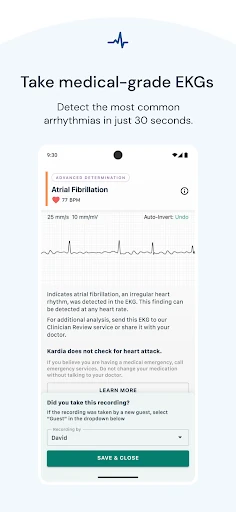
Imagine you have a Kardia device nearby and want to capture a reading before your next appointment. You open the app, use the hardware to record an EKG, and get an Instant Analysis result for normal, possible atrial fibrillation, bradycardia, or tachycardia. The recording takes about 30 seconds, so this is designed for a brief check-in rather than a long session of watching a live dashboard.
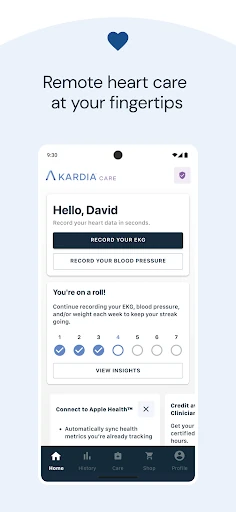
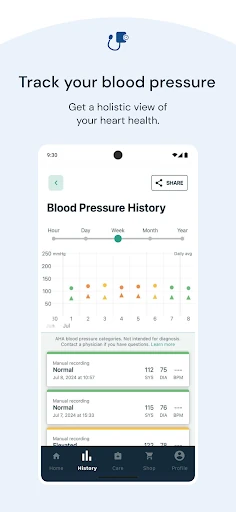
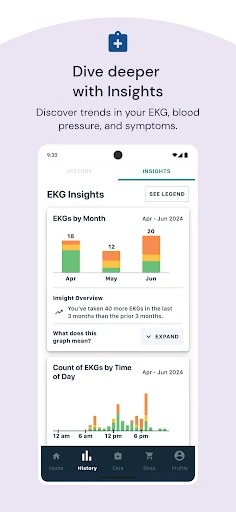
What matters in that moment is having a record you can share, not trying to interpret every detail alone. Kardia lets you send heart data to your physician remotely, and the app can keep a history of your health information. I can see the appeal for someone who wants readings available when a clinician asks about them, rather than relying only on memory between visits.
A Companion, Not a Monitor
Kardia is best compared with a dedicated home EKG tool, not a general wellness tracker or a replacement for an appointment. Its central job depends on compatible Kardia hardware: the app by itself does not record an EKG. That makes it a more specific choice than an app meant for broad activity tracking, but also a better fit for people who already have, or plan to use, one of the named devices.
I would treat the app as a way to capture and share information, not as a substitute for a doctor’s judgment. Instant Analysis gives a result for several common categories, and a clinician review may be available through the described service in certain countries. Those functions do not turn a phone into a full-time heart monitor. Its value is in supporting conversations and home recording.
Keep a Useful Record
A simple habit can make the app more useful: record when it is appropriate for your care routine, then keep the result organized in your history. If a doctor wants to see readings, having them available to share is more practical than trying to reconstruct dates and results from memory. I would follow the schedule and instructions given by a healthcare professional rather than inventing a testing routine based on the app.
It also helps to think ahead about who needs to see a reading. Kardia supports sending heart data to a physician, so the app can fit into a remote follow-up instead of requiring every discussion to start with a blank page. The recording itself is short; the more valuable workflow is capturing it, retaining the history, and bringing that information into a conversation with a clinician.
More From Our News Desk

Zoom Meetings, Google Meet, or Teams: Which Is Easiest to Join?

How I Build a Free Streaming Lineup With Tubi

Why Crunchyroll Is the Default Anime App for So Many Fans

YouTube TV: A Practical Guide to Cutting Cable

Rummikub and the Small Comfort of Phone Games

TeamViewer Remote Control or AnyDesk for Helping Family?
Who May Find It Useful
I would recommend Kardia to people who use compatible Kardia hardware and want a straightforward way to record EKGs at home. It is especially relevant if a clinician has asked you to collect readings or if you want heart data ready to share during remote follow-up. The app’s focused approach makes more sense when recording and communicating results are the goal, rather than browsing general health content.
It may not suit someone looking for an app-only EKG, a broad fitness tracker, or a replacement for professional care. Compatible hardware is required to record, and the app’s Instant Analysis should be understood as a result to discuss in context, not a complete assessment of health. If you do not have one of the supported devices, the main feature that defines Kardia is out of reach.
Kardia is made by AliveCor Inc. and is available on Google Play for Android. The store shows more than one million installs and a 4.7-star rating from about 67,000 ratings. It is free to download, with no in-app purchases or ads, and has an Everyone content rating. The listed release date is October 3, 2013.
The current listed version is 5.61.0-8a9f62a8b9, with a last update date of November 2, 2026. A minimum Android version is not provided in the supplied app information, so compatibility is worth checking on Google Play for the device you plan to use. Recording also requires a KardiaMobile, KardiaMobile 6L, or KardiaBand device.
A Practical Home EKG Workflow
Starting With the Hardware
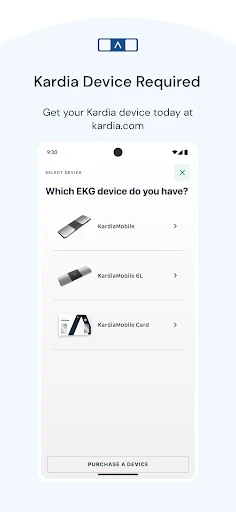
When I first opened the description of Kardia, the most important setup detail was not a menu or account feature; it was the device requirement. The app works with KardiaMobile, KardiaMobile 6L, or KardiaBand hardware. That is worth understanding before expecting to record anything, because the phone app is the companion to a personal EKG device rather than a standalone sensor.
Once you have compatible hardware, the intended process is easy to grasp: record an EKG through the device and use the app to review and manage the resulting heart data. The recording is described as taking about 30 seconds and needing no patches, wires, or gels. That makes the basic interaction sound deliberately brief, although it still depends on using the supported hardware.
The Everyday Experience
Day to day, Kardia is about capturing a reading when you need one, then keeping it available for later. I like that the app’s purpose is narrow. Rather than presenting heart care as another stream of numbers to check all day, it focuses on recordings, results, history, and sharing. For someone asked to keep readings between appointments, that focus can make the task feel more manageable.
The Instant Analysis provides an immediate category for a recording: normal, possible atrial fibrillation, bradycardia, or tachycardia. That is useful information to have attached to a reading, but I would not confuse a quick result with a full medical consultation. Kardia also supports sharing data with a physician, which gives the recording a sensible next step when a clinician needs to review it.
Results and Clinician Review
The standout feature is the combination of a short EKG recording and an immediate analysis. The app is built to detect several common arrhythmias, and the result arrives without waiting for a separate appointment. That makes it easier to capture information at home and have it ready for a healthcare conversation, rather than treating every reading as something that must be interpreted in isolation.
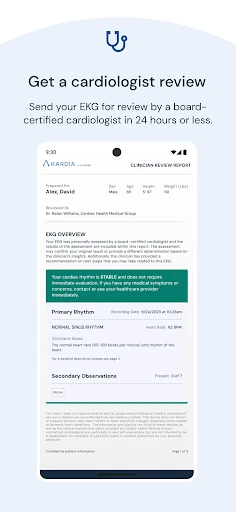
For additional analysis, the description says users can send a recording for Clinician Review. The listed availability differs by region: cardiologist review is described for the United States and Australia, while cardiac care physiologist review is described for the United Kingdom and Ireland. That geographic detail matters if you are considering this option; the basic recording and sharing workflow is the broader point of the app.
A Routine Between Visits
A practical routine could be to keep the compatible device where you normally handle health tasks, make a recording when it fits your care plan, and check that the result is saved in your health history. If a clinician has asked for information, you can share the heart data remotely. I would keep notes about the context of a reading in whatever way my care team recommends, rather than assuming the app supplies every detail.
This kind of routine is most helpful when it has a clear purpose. For example, a person preparing for a follow-up could gather the readings they were asked to capture and have them ready to discuss. The app’s short recording time lowers the effort of collecting a reading, while history and sharing help carry it forward. It is a supporting tool for care, not a reason to change a care plan on your own.
Limits to Keep in Mind
The clearest limitation is the required hardware. Without a KardiaMobile, KardiaMobile 6L, or KardiaBand, you cannot use the app to record an EKG. That makes it less appealing for someone casually browsing medical apps or hoping to use only a phone. The app is most compelling when the device is already part of your routine or has been chosen for a specific home-recording need.
There is also a natural limit to what a quick analysis can tell you. Kardia provides categories and a route to share recordings, but it is not described as a replacement for a clinician. Clinician Review availability depends on location, too. I would approach the app as a way to collect and communicate heart data, and keep medical interpretation and decisions within a conversation with a qualified professional.
Kardia has a clear job and carries it out through a short recording, an immediate result, a history of heart data, and sharing with a physician. The requirement for dedicated hardware narrows its audience, but it also makes the app’s purpose easy to understand. For the right person, it can make home readings easier to collect and bring into follow-up care.
I recommend it to people using a supported Kardia device who want a practical record of EKG readings to discuss with a clinician. I would skip it if you are looking for a standalone phone app or a general health tracker. Used as a companion to the hardware and professional care, Kardia is a focused, useful tool.
Kardia Frequently Asked Questions
What is the Kardia app used for?
Kardia works with KardiaMobile, KardiaMobile 6L, or KardiaBand hardware to record EKGs. It provides an Instant Analysis result for several common categories, keeps heart health data available, and lets you share recordings with a physician. It is intended to support home recording and communication with care providers, rather than replace professional medical care.
Which devices can I use Kardia on?
Kardia is an Android app available through Google Play. Recording requires compatible KardiaMobile, KardiaMobile 6L, or KardiaBand hardware. The minimum Android version is worth checking on the Google Play store page for the phone or tablet you plan to use, since compatibility can vary by device.
What Android version does Kardia require?
The minimum Android version can vary with app and device compatibility, so check the Kardia page on Google Play before installing. You will also need one of the supported Kardia devices to record an EKG. The app itself is not a substitute for the hardware required for its core recording function.
Does Kardia cost money to use?
Kardia is free to download on Google Play, and the supplied store facts show no in-app purchases or ads. However, recording requires a compatible KardiaMobile, KardiaMobile 6L, or KardiaBand device. Check the store for current details, since app availability and terms can vary.
Is Kardia suitable for everyone?
It is most suitable for people who have compatible hardware and want to record and share EKG data with a clinician. It may not suit someone seeking a phone-only monitor, broad fitness tracking, or a replacement for medical advice. Kardia gives analysis results and sharing options, but health decisions belong in discussion with a healthcare professional.
Pros
- Records a short EKG with compatible Kardia hardware.
- Provides an immediate result for several common rhythm categories.
- Keeps heart data available to share with a physician.
- Free to download, with no ads or in-app purchases.
Cons
- Requires separate KardiaMobile, KardiaMobile 6L, or KardiaBand hardware.
- Clinician Review availability depends on the user's region.
- An Instant Analysis is not a substitute for professional care.
- Category
- Medical
- Version
- 5.61.0-8a9f62a8b9











