CSL Plasma
- 10.94K
- 4
- Installs
- 1.00M
- Price
- Free
Screenshots
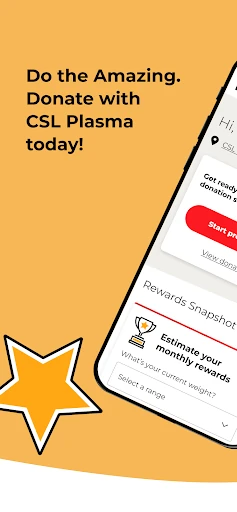
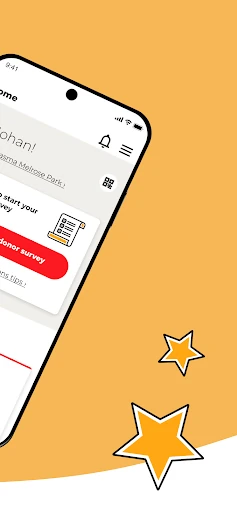
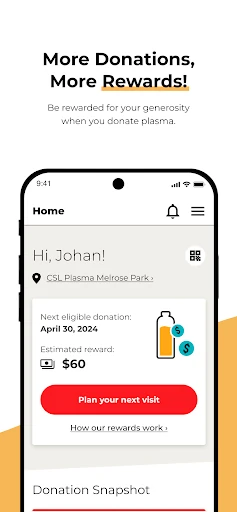
Analysis by Reviewed APKs
CSL Plasma is a companion app for people who donate, or are considering donating, plasma at CSL Plasma centers. It brings practical pieces of the process together: center information, visit reminders, health questionnaires, donation history, and reward details. I see it as a useful organizer rather than a general health app. It can make a donation routine easier to plan, though its usefulness naturally depends on using CSL Plasma.
Planning a Plasma Visit
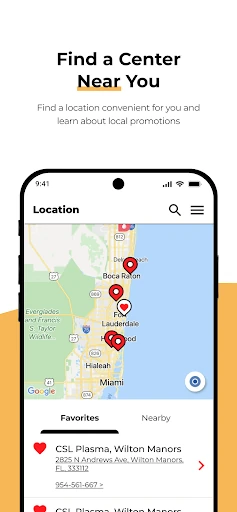
Imagine trying to fit a donation visit around work, errands, and a busy week. I’d use CSL Plasma to look up a nearby center and check its wait times before deciding when to go. The app also provides center tips, which can help me prepare for a visit without searching through several sources. For a returning donor, having those details close at hand makes the planning part feel more manageable.
Before heading out, I could complete the health questionnaire in the app, then set a visit reminder that syncs with my personal calendar. After donating, the snapshot lets me review donation history and rewards. That gives the app a clear role across the visit, from preparation to follow-up. It doesn’t remove the in-person center process, but it can help me arrive better prepared and keep track of the parts that happen around it.
A Donor Tool, Not a Health Hub
CSL Plasma is most useful if I already visit, or plan to visit, a CSL Plasma donation center. Its center finder, wait-time information, reminders, health questionnaire, and donation snapshot all support that specific routine. I wouldn’t treat it as a general medical reference or a way to compare every donation provider. Its purpose is narrower and more practical: helping donors handle parts of their CSL Plasma experience from a phone.
Compared with keeping appointment notes in a calendar and donation details in a separate document, the app gathers several donor tasks in one place. That convenience comes with a boundary: it is designed around CSL Plasma, not every possible plasma center or health need. The app also isn’t a substitute for talking with center staff when I have questions about my visit. Its FAQ links and customer-service chat offer routes to information, but the core use remains donation management.
Small Habits That Help
I’d make a habit of checking the center information before leaving, especially when my schedule is tight. Wait times can help me think through when to go, while center tips give me another place to review visit-related details. If I’ve arranged a visit, setting a calendar reminder is a simple way to keep it visible alongside work or family plans instead of relying on memory.
After a visit, I’d take a moment to look at the donation history and rewards snapshot. That creates a handy record to refer back to when planning future visits. New donors may also find it useful to explore the app before their first center visit, including its FAQs and health questionnaire. I’d keep expectations practical: the app organizes donor information, while the center remains where the donation itself takes place.
More From Our News Desk

Zoom Meetings, Google Meet, or Teams: Which Is Easiest to Join?

How I Build a Free Streaming Lineup With Tubi

Why Crunchyroll Is the Default Anime App for So Many Fans

YouTube TV: A Practical Guide to Cutting Cable

Rummikub and the Small Comfort of Phone Games

TeamViewer Remote Control or AnyDesk for Helping Family?
Who May Find It Useful
I’d recommend CSL Plasma to current donors who want center details, reminders, a pre-visit questionnaire, and donation or reward tracking in one app. It may also suit someone who is considering a first visit and wants to look for a nearby center or read answers to common questions. The calendar sync is especially handy for anyone who prefers appointments and reminders to live alongside the rest of their daily schedule.
It may not be a good fit for someone who doesn’t use CSL Plasma, since the tools are built around that donor experience. People looking for broad medical information, a general appointment manager, or a way to manage donations at multiple unrelated providers may find its scope too focused. I’d also keep in mind that an app can make planning easier, but it cannot replace center guidance or the in-person parts of donating.
CSL Plasma is developed by CSL PLASMA INC. On Google Play, it has over one million installs and a 4.0-star rating from about 10,900 ratings. The app is free to download, with no in-app purchases or ads reported in the provided store facts. Its content rating is Everyone, making the store age classification broad.
The Google Play version is 4.4.0. The app was released on July 22, 2020, and its latest recorded update is September 23, 2026. The minimum Android version is not included in the supplied facts, so anyone checking device compatibility should consult the Google Play store details for the current requirement.
A More Organized Donation Routine
A Focused First Look
When I first opened CSL Plasma, I found its purpose easy to understand: it is meant to support the donation journey, not serve as a broad lifestyle or health dashboard. The listed tools cover several stages of a visit, from locating a center to reviewing a donation snapshot. That focus is helpful because I can quickly picture when I’d reach for it: while planning a visit or keeping track of one I’ve completed.
The app is relevant to both new and returning donors. Someone who has not yet visited can look for a nearby center and consult the app’s FAQs, while a donor with an ID can use the tools for ongoing visits. That makes the starting point flexible, though the most useful parts naturally come with having a CSL Plasma donation routine. I’d explore the available information before relying on it for an upcoming visit.
The Day-to-Day Flow
The everyday value is in reducing small bits of planning work. I can check a nearby center and its wait times, put a visit reminder on my personal calendar, and complete the health questionnaire before arrival. Those are separate steps in a donor’s routine, but the app brings them together. I like that the tools are tied to practical moments rather than asking me to spend time maintaining an elaborate profile of my habits.
After a donation, the snapshot offers a place to review rewards and donation history. I’d use that as a quick check rather than expecting it to transform the experience into something more complicated. The app’s role is organizational: it helps me see relevant details and keep the next visit in view. It doesn’t replace the center visit itself, and the donation process still involves interacting with the center.
Useful Donor Features
The center finder is one of the most immediately practical features. Along with nearby locations, the app provides wait times and center tips, which can help me choose a time and get ready. The health questionnaire is another useful step because donors can complete it before arriving. These tools speak to the moments when a little preparation may make the overall check-in feel more straightforward.
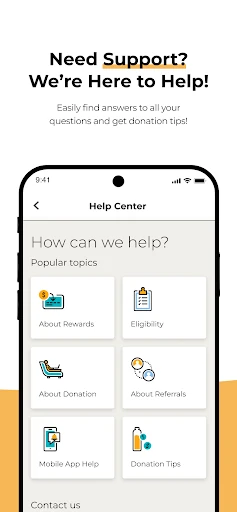
I also like the connection between visit reminders and a personal calendar. It gives an appointment a place in the schedule I already use, rather than leaving it as an isolated app notification. For ongoing donors, the snapshot brings donation history and rewards together. The app also includes a live customer-service chat and access to quick donation tips and common FAQs through CSLplasma.com.
A Simple Weekly Routine
If I were using CSL Plasma regularly, I’d begin by checking the center details when deciding which day to visit. I’d look at wait times and the center tips, then use the visit reminder to add the plan to my calendar. Before leaving, I’d complete the health questionnaire in the app. This gives me a repeatable sequence without turning a donation visit into a complicated scheduling project.
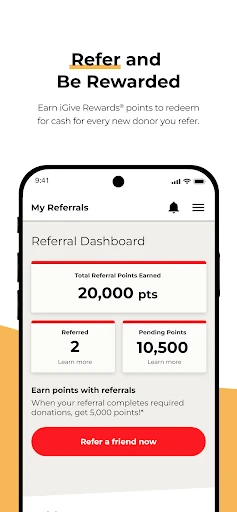
Once the visit is done, I’d check the snapshot to keep an eye on donation history and rewards. If a question came up while preparing, I’d look at the available FAQs or use the customer-service chat. The app also offers a friend referral tied to activating iGive Rewards. I’d treat that as an optional feature, not a reason to use the app; the everyday value is in the planning and tracking tools.
Keep Its Scope in Mind
The main limitation is also the clearest part of the app’s identity: it is built for CSL Plasma donors. If I don’t use CSL Plasma, its center and donation features won’t have much relevance to my routine. Even for donors, the app supports the process rather than replacing it. Center information and reminders are convenient, but the actual donation and any questions requiring staff input remain part of an in-person experience.
I’d also avoid assuming that every detail stays the same over time. Center wait times and visit information are the kinds of details I’d check close to when I plan to go. For device compatibility, the Android requirement is worth checking in Google Play before installing. Overall, these are reasonable limits for a focused companion app, but they matter if someone expects a broader health service or a universal donation planner.
CSL Plasma earns its place on my phone by gathering useful donor tasks in one focused app. Center details, calendar reminders, a pre-visit questionnaire, and donation tracking make sense together, especially for someone who visits regularly. I appreciate that its strengths are practical rather than sprawling, and that new donors can also use it to begin exploring the process.
I’d recommend it to current CSL Plasma donors and people preparing for a first visit who want a convenient planning companion. If you need general health tools or support for other donation providers, this is probably too specialized. For the right user, though, it offers a sensible way to keep the surrounding details of a donation routine organized.
CSL Plasma Frequently Asked Questions
What is the CSL Plasma app used for?
CSL Plasma helps donors manage parts of their donation routine. It can show nearby centers, wait times, and center tips; set visit reminders that sync with a personal calendar; and provide a pre-visit health questionnaire. Donors can also review donation history and rewards, find FAQs, and chat with customer service. The app supports the process but does not replace a center visit.
Can I use CSL Plasma on an iPhone or Android phone?
The supplied platform information identifies CSL Plasma as an Android app available through Google Play. The facts provided do not describe an iPhone version, so check the relevant store for current platform availability. If you use Android, consult the Google Play store details for the device requirements before installing, since requirements can vary by version.
What Android version does CSL Plasma require?
The minimum Android version is not specified in the supplied app facts. Requirements can change as the app is updated, so I’d check the Google Play store page on the device you plan to use. The current version in the supplied facts is 4.4.0, but that alone does not determine whether a particular phone is compatible.
Does CSL Plasma cost money or include purchases?
CSL Plasma is free to download on Google Play, and the supplied facts indicate that it does not contain ads or offer in-app purchases. Store details can change, so it is sensible to check the current Google Play information before installing. The app includes reward-related tracking, but that should not be confused with a fee to download it.
Is CSL Plasma a good choice for new donors?
It may be useful to someone considering a first CSL Plasma visit because it can help find a nearby center and offers donation tips and common FAQs. Returning donors can use its reminders, questionnaire, history, and rewards snapshot. It is designed specifically around CSL Plasma, so people seeking general medical information or tools for other providers may prefer something broader.
Pros
- Combines center details, wait times, visit reminders, and a pre-visit questionnaire.
- Calendar syncing helps keep donation visits alongside everyday appointments.
- Donation history and rewards are available in one snapshot.
- New donors can explore center information and common questions.
Cons
- Its tools are focused on CSL Plasma rather than other donation providers.
- The app supports visits but does not replace the in-person center process.
- Android compatibility details should be checked in Google Play.
- Category
- Medical
- Version
- 4.4.0











