ASDA
- 110.13K
- 4
- Installs
- 5.00M
- Price
- Free
Screenshots
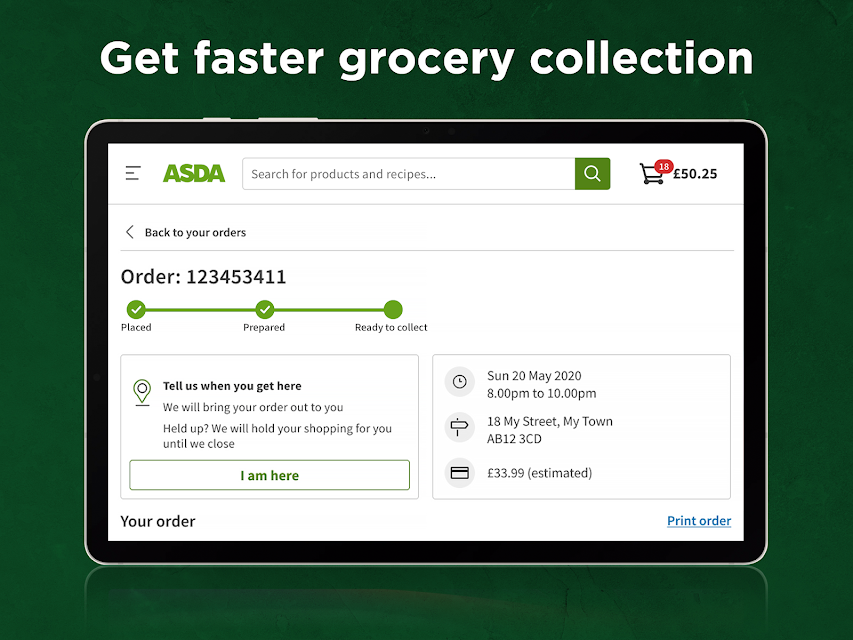
Analysis by Reviewed APKs
ASDA is a grocery-shopping app for people who want to arrange a food shop from their phone, whether they need delivery or collection. I like its practical focus: book a slot, add familiar items, and keep an eye on an order without making a separate trip just to plan it. It suits regular ASDA shoppers especially well, though it is centered on grocery orders rather than general shopping.
A shop from the sofa
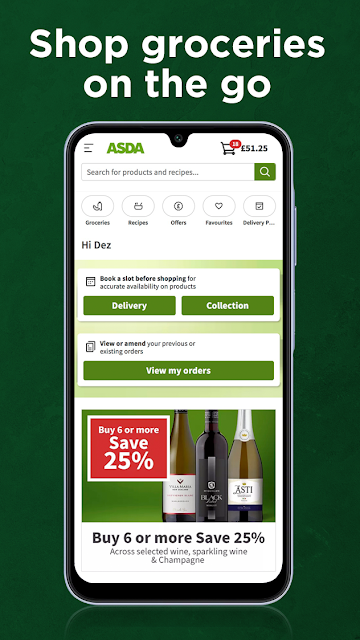
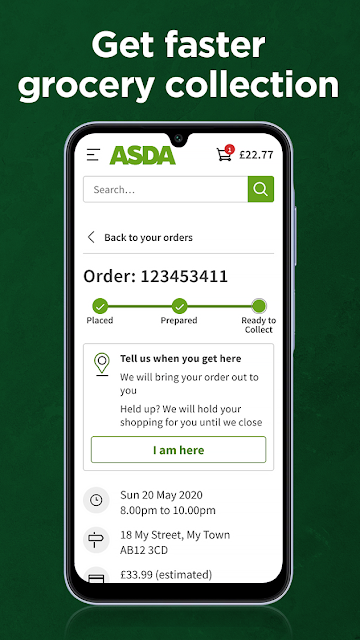
When I first opened ASDA, I thought about the familiar Sunday-night task of remembering what the fridge needs before a busy week begins. The app is built for that kind of planning: I can put together a grocery order, choose delivery or collection, and book a slot. It turns a job that often involves a paper list and a supermarket visit into something I can organize in spare moments.
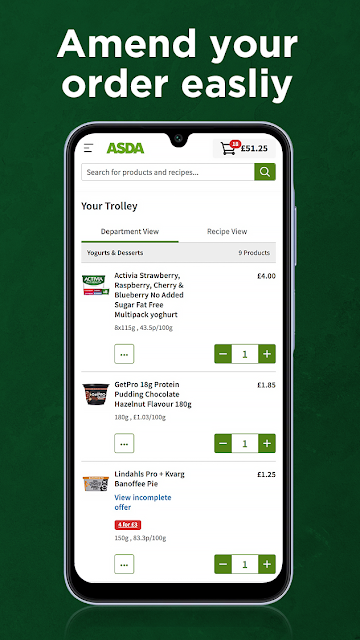
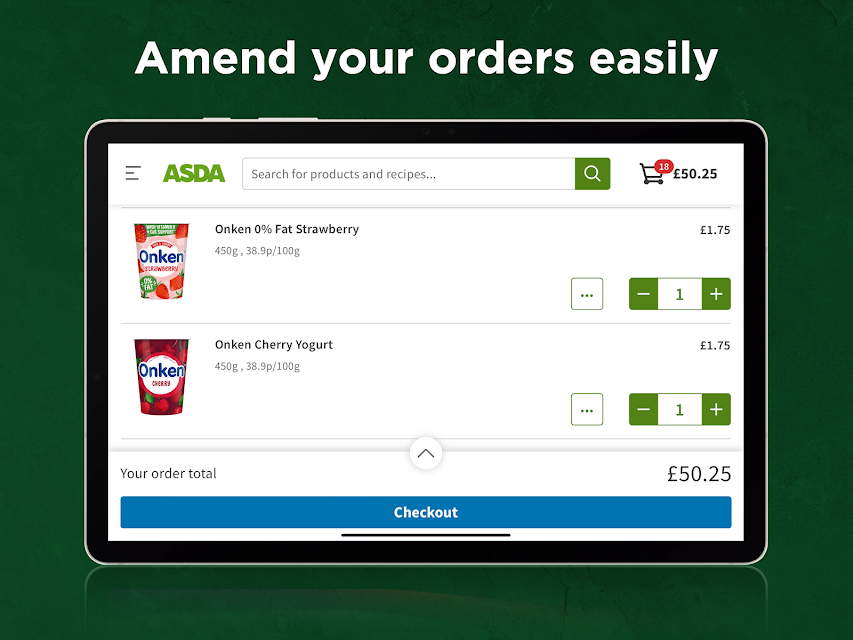
The most useful part of that scenario is being able to return to an order while life is happening around it. If I remember another staple later, the app supports amending an order on the go; if plans change, it also supports cancelling. Favourite items can be added to the trolley quickly, which is handy when the same milk, bread, or cupboard basics turn up on my list every week.
A focused grocery alternative
ASDA makes most sense next to a conventional supermarket trip or a grocery order arranged elsewhere. A physical shop lets me browse shelves and make spontaneous choices; this app is more about planning an order on a screen and arranging delivery or collection. For a household that already buys groceries from ASDA, it offers a direct route to repeat familiar purchases and manage the order without treating every shop as a fresh start.
I would not mistake it for a general-purpose marketplace or a meal-planning tool. Its stated job is grocery shopping, with order slots, favourite items, and order tracking at the center. That focus is a plus if I want to handle a food shop, but it may feel limiting if I want one app to plan recipes, compare every retailer, or organize purchases beyond groceries.
Make repeat shops easier
A small habit that helps is adding regular purchases to favourites as I go, rather than waiting until I am building the next trolley. Then the next weekly shop can start with the items I already know I need. I still have to think through the rest of the list, but getting the routine basics in quickly makes the first pass feel less like rebuilding the same order from scratch.
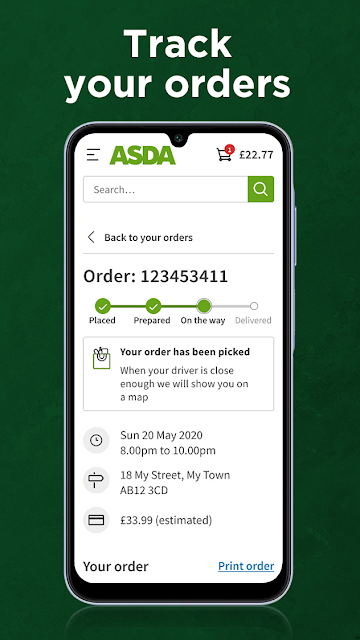
I would also leave myself time to choose a slot and revisit the order before it is due. Since the app supports order changes and cancellation, checking in when plans shift is a useful part of the workflow. After placing an order, tracking it can help me keep the delivery or collection in mind. Mobile data charges may apply, so I would factor that into shopping away from Wi-Fi.
More From Our News Desk

Zoom Meetings, Google Meet, or Teams: Which Is Easiest to Join?

How I Build a Free Streaming Lineup With Tubi

Why Crunchyroll Is the Default Anime App for So Many Fans

YouTube TV: A Practical Guide to Cutting Cable

Rummikub and the Small Comfort of Phone Games

TeamViewer Remote Control or AnyDesk for Helping Family?
Who will find it useful
I would recommend ASDA to people who already shop with the retailer and want to organize groceries from a phone. It is particularly appealing if a weekly routine includes repeated staples, because favourite items can speed up filling a trolley. The option to arrange delivery or collection also gives the app a clear role for people who would rather plan a shop than walk through the aisles.
It may be less compelling for someone who prefers choosing every item in person, or who wants one place to compare several grocery providers. ASDA is also not a substitute for meal planning: the available information describes shopping and order management, not recipe organization. If those limits match the job at hand, the app has a straightforward purpose; if not, a broader shopping routine may suit better.
ASDA is a free Android shopping app from Asda Stores Ltd. On Google Play it has over 5 million installs and a 4.0-star rating from about 110,000 ratings. The app is rated Everyone. Its listed release date is April 10, 2012, and the current version varies with device.
The app is free to download, with no in-app purchases or ads indicated in the supplied store facts. The minimum Android version and a most recent update date are not included in those facts. Mobile data charges may apply when using the app, so using it over a mobile connection can have costs from a data plan.
A practical companion for grocery orders
A straightforward first impression
My first impression is that ASDA is designed around getting a food shop arranged, not around turning grocery browsing into entertainment. The central idea is easy to grasp: shop on the go, choose delivery or collection, and keep an order manageable. That clarity matters when I open an app between other tasks and want to get on with the list rather than learn an elaborate system.
The app may ask for permissions, and its description explains some of their purposes. Identity access is used to save login details securely to the phone, location access is used to find store locations, and external storage access supports saving the app to an SD card. I appreciate having those purposes spelled out, especially when setting up a shopping app for the first time.
Keeping an order moving
The everyday experience is less about a single checkout moment and more about having an order that can fit around a changing day. I can place an order and, while it is on the way through the process, amend or cancel it using the app. That flexibility is useful when I remember something late or a household plan changes after I have already started organizing the shop.
Order tracking rounds out that practical loop. Instead of treating the app as a digital list that ends at checkout, I can use it to follow the order as well. I would still make a point of checking details and timing for myself, but having the order and its progress in the same app gives the shopping routine a more connected feel.
Favourites and order control
The feature I would expect to save the most time over repeated shops is quick access to favourite items. Many grocery lists are not entirely new from week to week; there are dependable basics alongside whatever has run out. Being able to add favourites to the trolley gives that repetitive part of shopping a shortcut, while leaving room to make a fresh list for the rest.
I also value that the app describes order changes and cancellation as part of its core job, rather than stopping at placing an order. Those tools are practical when I have made a shop early and need to revisit it later. They do not remove the need to keep track of my plans, but they make the app more useful across the life of an order.
A weekly shopping routine
For a simple weekly routine, I would start by checking what is running low and adding the usual favourites to the trolley. Next I would fill in the less predictable items, choose whether delivery or collection works better that week, and book a slot. Splitting the job into a quick first pass and a later review is easier than trying to remember the whole household shop in one sitting.
Once the order is placed, I would check its progress in the app and return to the order if something changes. That makes ASDA useful in short sessions: a few minutes to begin a list, another moment to finish it, and a quick check later. It is not a complicated workflow, and that is part of the appeal for an ordinary grocery run.
Limits to keep in mind
ASDA's usefulness depends on wanting to arrange groceries through ASDA. Someone who mainly shops elsewhere will get less from shortcuts tied to favourite items and order management. The app's description emphasizes food shopping, delivery or collection, and order tracking; I would not choose it expecting a broader set of planning or general retail tools.
There are also practical details to consider before relying on it for a particular routine. Mobile data charges may apply, and the app can request identity, location, and external storage permissions for the purposes it describes. Android requirements vary by device in the supplied version information, so checking the Google Play details for a specific phone is sensible before installing.
ASDA does a useful, clearly defined job: it helps me arrange grocery orders, reuse favourite items, and keep track of what I have placed. The ability to amend or cancel an order makes it more practical than a simple shopping list. I would see it as a companion to a regular ASDA grocery routine, not a replacement for every kind of shopping.
If you already shop with ASDA and want to plan a delivery or collection from your phone, I think it is worth trying. People who prefer in-person browsing or need a multi-retailer planner may be better served by another approach. For repeat grocery orders, though, the combination of favourites and order control is a sensible convenience.
ASDA Frequently Asked Questions
What is the ASDA app used for?
ASDA is used to shop for groceries on the go and arrange an order for delivery or collection. It supports booking a slot, quickly adding favourite items to a trolley, tracking an order, and placing, amending, or cancelling an order. It is best understood as a grocery-shopping app rather than a general shopping or meal-planning tool.
Which phones and devices support the ASDA app?
The supplied store facts describe ASDA as an Android app, and its description says it is available on all devices. The Android version varies with device, and the minimum Android requirement can depend on the current store information. Check Google Play for compatibility with your particular phone or tablet before installing.
What Android version does ASDA require?
The minimum Android version is not given in the supplied app facts, while the listed app version varies with device. Requirements can change as the app is updated and may differ across devices. I would check ASDA's Google Play page from the Android phone you plan to use for the current compatibility details.
Does the ASDA app cost money?
ASDA is free to download, and the supplied facts indicate no in-app purchases or ads. Mobile data charges may still apply when you use it over a mobile connection, depending on your data plan. Store details can change, so Google Play is the place to check the current cost and app information.
Is ASDA a good fit for my shopping routine?
I would recommend ASDA if you already shop with the retailer and want to arrange groceries, reuse favourites, or keep track of an order. It may not suit people who prefer shopping entirely in person or want a tool for comparing several retailers. Its main focus is grocery orders for delivery or collection.
Pros
- Supports delivery or collection orders and lets shoppers book a slot.
- Favourite items offer a useful shortcut for repeat grocery purchases.
- Orders can be tracked, amended, or cancelled through the app.
- Free to download, with no in-app purchases or ads indicated.
Cons
- Most useful for people who already shop with ASDA.
- Focused on grocery orders rather than general shopping or meal planning.
- Mobile data charges may apply when using the app away from Wi-Fi.
- Category
- Shopping