Wegmans
- 11.42K
- 2.7
- Installs
- 1.00M
- Price
- Free

Screenshots
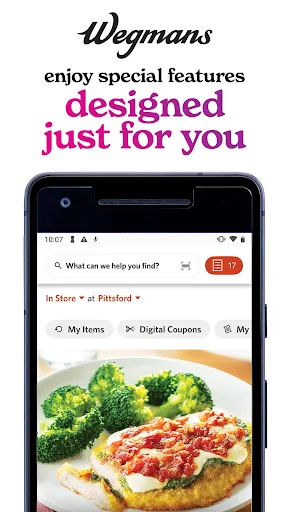
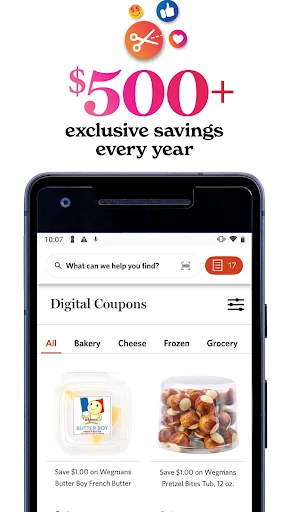
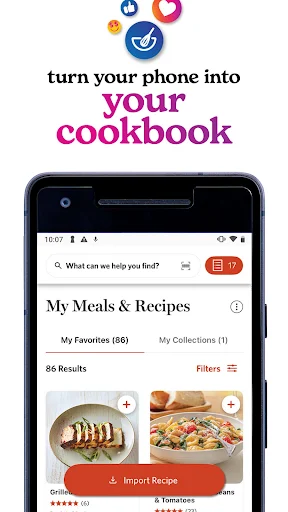
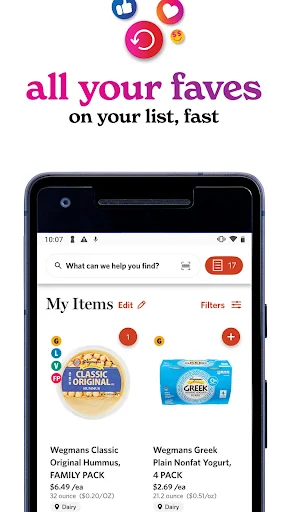

Analysis by Reviewed APKs
Wegmans is a grocery shopping app for people who want to plan meals, keep a useful shopping list, find digital coupons, or arrange pickup or delivery. I like that it connects recipes and shopping rather than treating a grocery list as an isolated chore. It makes the most sense if Wegmans is already part of your routine; for shoppers who use other stores, its store-specific tools are a narrower fit.
From Dinner Idea to List
When I first opened Wegmans, the clearest use case was planning a meal without letting the ingredients slip through the cracks. I could look for recipes, save one that sounded appealing, and turn its ingredients into a grocery list. That sequence is practical on an ordinary weeknight: choose something to cook, check what the recipe calls for, then bring the missing items along when shopping.
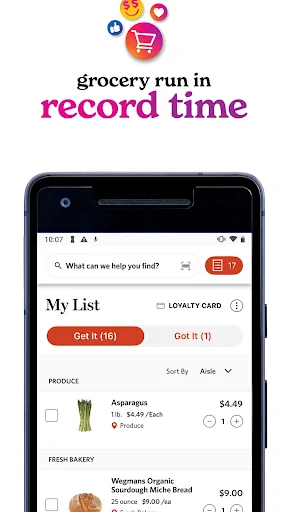
The list has a useful store-aware angle, too. Wegmans says it can organize items by their location in your local store, which can make a quick trip feel less like backtracking between aisles. I can imagine checking the list before leaving home and working through it as I shop. That is a more specific job than a basic notes app, especially when the list is tied to a recipe.
A Store-Specific Shopping Companion
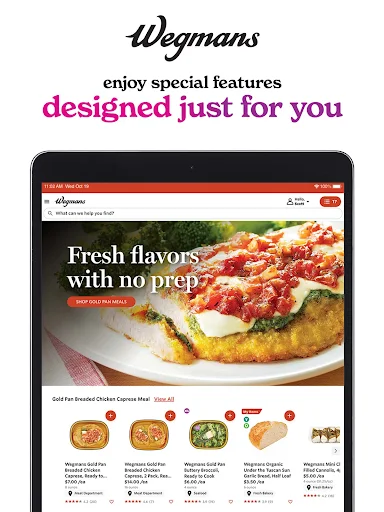
Compared with a general-purpose list app, Wegmans brings together recipes, digital coupons, and shopping options for the same grocery retailer. That combination is handy when I already plan to shop at Wegmans: I can move from meal ideas to ingredients and check for digital savings in one place. The app also supports grocery pickup or delivery, so it can serve both an in-store trip and an order placed from home.
It is not a universal grocery planner, though. Its most distinctive tools revolve around Wegmans, so someone who shops across several unrelated stores may still need another way to organize those trips. Nor is it simply a recipe app: the emphasis is on connecting meal discovery to shopping. If I want inspiration without a grocery run, a standalone cooking resource may be a better fit.
Small Habits That Help
I would get the most out of Wegmans by adding to my list as soon as I decide on a meal, rather than trying to remember ingredients later. Saving recipes that I may actually cook keeps meal planning connected to a real shopping trip. Before heading out, I would scan the list and any available digital coupons. Those are small steps, but they make the app more useful than opening it only once I am already in the store.
For a busy day, I would also decide early whether I want to shop in person or use pickup or delivery. That lets the app support the plan from the start instead of becoming a last-minute place to check one item. The location-organized list is especially relevant when I am visiting my local store. A little preparation should make it easier to use the app as a repeatable routine.
More From Our News Desk

Zoom Meetings, Google Meet, or Teams: Which Is Easiest to Join?

How I Build a Free Streaming Lineup With Tubi

Why Crunchyroll Is the Default Anime App for So Many Fans

YouTube TV: A Practical Guide to Cutting Cable

Rummikub and the Small Comfort of Phone Games

TeamViewer Remote Control or AnyDesk for Helping Family?
Who Will Find It Useful
I would recommend Wegmans to regular customers who want one place for recipes, shopping lists, digital coupons, and grocery ordering. It is particularly appealing if meal planning tends to end with a list of ingredients and a trip to the same store. People who alternate between shopping in person and ordering pickup or delivery may also appreciate having those options connected to their grocery routine.
It may be less useful if Wegmans is not where you shop, or if you want a store-neutral tool for coordinating purchases across retailers. The Google Play rating is 2.7 from around 11,400 ratings, so the overall reception is worth considering alongside the feature set. I would treat it as a focused convenience app, not a must-have for every grocery shopper.
Wegmans is developed by Wegmans Food Markets, Inc and is a shopping app for Android. Google Play shows more than one million installs and a 2.7-star rating from 11,422 ratings. Its content rating is Everyone. The app's listed version is 31.19.0, and its release date is January 2, 2013.
The app is free to download, with no in-app purchases or ads indicated in the supplied store facts. Its listed last update is November 2, 2026. A minimum Android version was not included among the available facts, so check Google Play for the requirement that applies to your device.
A Closer Look at Grocery Planning
A Meal-Planning First Impression
My first impression is that Wegmans is organized around the practical path from deciding what to eat to getting the groceries. The headline features are easy to understand: discover or save recipes, build a list, use digital coupons, and choose in-store shopping or an order. That makes the app feel like a companion to a familiar errand, rather than a broad lifestyle app with grocery tools tucked away.
I would start by choosing a recipe or making a short list for an upcoming meal. That gives the app a clear purpose right away. The setup I can describe from the available details is straightforward in concept, but the most useful first step is simply to decide which part of the shopping routine I want it to handle.
Using It Across a Shopping Trip
Day to day, the list is likely to be the feature I return to most. I can add ingredients from saved recipes, then use the resulting list as a reminder before and during a store visit. Wegmans says lists can be organized by item location at the local store, an approach that suits shoppers who want to gather items in a more deliberate order instead of wandering back and forth.
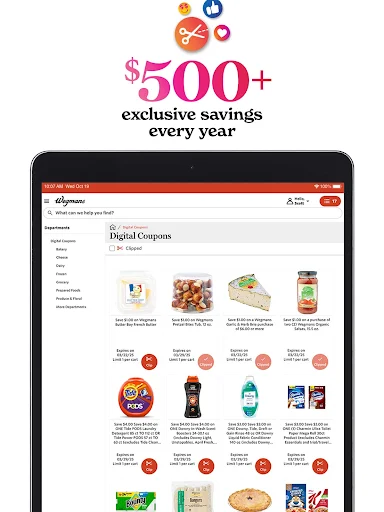
Digital coupons add another reason to check the app before shopping. I would make reviewing them part of the same small pause in which I confirm what I need. For a trip that I do not want to make in person, pickup and delivery are also supported. The app therefore covers planning and shopping choices, although the details of an order are best judged in the app itself.
Recipes, Coupons, and Lists
The recipe-to-list connection is the standout idea for me. Finding a recipe is useful on its own, but being able to save or import recipes and turn them into grocery lists gives that discovery a practical next step. It reduces the mental handoff between reading an ingredient list and remembering to buy each item later.
Digital coupons are the other clear draw. They give shoppers a way to look for savings inside the same app they use to plan a trip. Store-location sorting is a smaller but thoughtful feature: it acknowledges that a list is not just a collection of items, but something a shopper has to navigate in a particular place.
Pickup and delivery round out the shopping side. I would not assume every shopping mode works identically, but their inclusion makes the app relevant whether I want to walk the aisles or arrange groceries for another time.
A Low-Fuss Weekly Routine
A realistic routine would start when I am deciding what to cook for the next few days. I would browse and save recipes that fit, then use their ingredients to build a list. Before going to the store, I would check the list against what I already have and review digital coupons. The app's value comes from making those steps part of one planning session.
On the shopping day, I could use the location-organized list to guide an in-store visit, or choose pickup or delivery instead. Afterward, I would keep the recipes I liked for a future meal and add new ingredients as plans change. That is not a complicated system, which is part of its appeal: the app supports ordinary grocery habits rather than asking for a new planning method.
Limits to Keep in Mind
Wegmans is most compelling when Wegmans is already your grocery destination. Its store-aware list and shopping options are less relevant to someone who buys groceries elsewhere, and the app does not present itself as a cross-retailer organizer. That focus is not a flaw for its intended audience, but it does set a boundary around who will get much use from it.
The store rating is a modest 2.7 stars from 11,422 ratings, so I would keep expectations measured and consider recent feedback before relying on it for every trip. The provided details explain the main features but do not specify a minimum Android version. For device compatibility or current ordering details, checking the Google Play store information is sensible.
Wegmans brings meal discovery and grocery planning together in a way that feels useful for regular shoppers: recipes can become lists, coupons are close at hand, and shopping can happen in store or through pickup and delivery. I like its practical focus, especially the store-organized list.
I would try it if Wegmans is already part of my weekly routine and I want help keeping meals and shopping connected. If I need a retailer-neutral planner, I would look elsewhere. The low Play rating is a reason to approach it with sensible expectations, but the feature mix is relevant for its intended audience.
Wegmans Frequently Asked Questions
What is the Wegmans app used for?
Wegmans is a grocery shopping app for discovering, importing, and saving recipes, building grocery lists, and using digital coupons. Lists can be organized by item location at a local store. The app also supports grocery pickup or delivery, making it useful for planning and carrying out a Wegmans shopping trip.
Which devices can run the Wegmans app?
Wegmans is an Android app available through Google Play. The minimum Android version may vary by release or device, so check the Google Play store information for the current requirement. The supplied details describe the Android app and do not establish availability on other platforms.
Does the Wegmans app cost anything?
The app is free to download, and the supplied Google Play facts indicate no in-app purchases or ads. Grocery orders and other store services are separate from the app download; their terms may vary, so check the app or store information for details relevant to your order.
Can I use Wegmans to plan meals and shop?
Yes. The app lets you discover, import, and save recipes, then turn recipes into grocery lists. It also offers digital coupons and supports shopping in store, pickup, or delivery. The list can be organized by item location at your local Wegmans, which may help when you shop in person.
Is the Wegmans app a good fit for every shopper?
It is best suited to people who shop at Wegmans and want recipes, lists, coupons, and ordering options together. Shoppers who need a retailer-neutral list tool may find its store-specific focus limiting. Google Play shows a 2.7-star rating from 11,422 ratings, which is worth weighing before trying it.
Pros
- Connects saved recipes with grocery lists, making meal planning more actionable.
- Includes digital coupons alongside practical shopping tools.
- Supports in-store shopping as well as pickup or delivery.
- Can organize lists by item location at a local store.
Cons
- Its store-specific tools are less useful for shoppers who use other retailers.
- The Google Play rating is relatively low at 2.7 stars.
- A minimum Android version is not included in the available facts.
- Category
- Shopping
- Version
- 31.19.0











