Stater Bros. Markets
- 3.27K
- 4.6
- Installs
- 100.00K
- Price
- Free

Screenshots
Analysis by Reviewed APKs
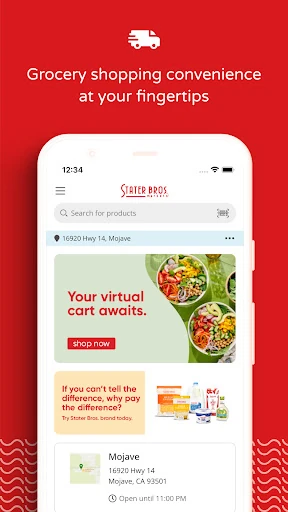
Stater Bros. Markets is a grocery shopping app for customers who want to plan a store trip, place an order for pickup or delivery, or keep useful shopping information on their phone. I found its appeal is practical rather than flashy: it brings lists, past orders, a barcode scanner, and order tracking together. It suits regular Stater Bros. shoppers especially well, though it is not a general-purpose grocery marketplace.
A Less Rushed Grocery Run
When I first opened the app, I pictured using it on an ordinary weeknight: I had a few staples to replace, no desire to wander every aisle, and needed to remember everything before leaving home. A shopping list gives that kind of trip a simple starting point. I could collect items as I thought of them, then use the list to keep the errand focused instead of relying on a half-remembered note.
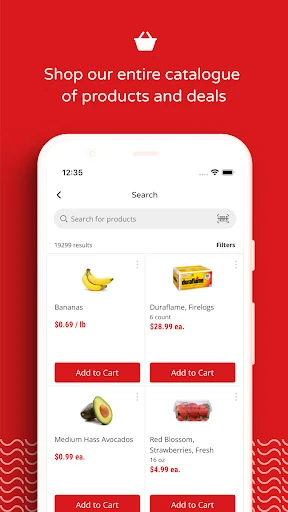
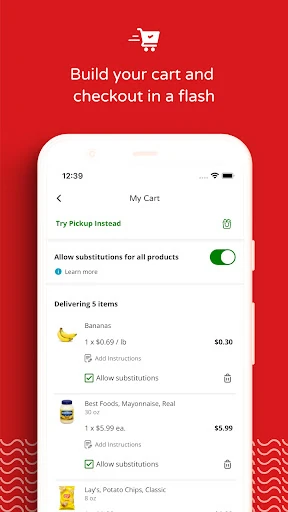
For a fuller shop, online ordering offers a way to choose groceries without browsing the aisles in person. The app supports curbside pickup, with the order brought to the car when it is ready, and grocery delivery to the door. I like that these options are part of the same grocery tool as lists and reordering. That makes it useful for both a quick store visit and a planned order, depending on the day.
A Store-Specific Shopping Tool
The main point of difference is its focus: this is for shopping with Stater Bros. Markets, not for comparing a wide range of grocery chains in one place. If I already shop at Stater Bros., being able to make a list, browse for an order, and reorder past purchases in one app feels more direct than keeping a separate note and starting from scratch each time.
It is also not a replacement for every part of a traditional store trip. Someone who wants to choose every item in person can use the list as a companion, while pickup or delivery is there for people who prefer to order ahead. The app description does not make it a general recipe, nutrition, or rewards hub, so I would judge it on shopping convenience rather than expect it to cover every food-related task.
Small Habits That Help
I would get the most from the app by adding things to a list as soon as I notice they are running low, rather than trying to rebuild the whole list at the kitchen counter. Lists can be saved and shared, which is handy when more than one person is contributing to the household shop. That small routine also makes a store visit feel more deliberate: check the list, shop, and avoid relying on memory.
Past-order reordering is another useful habit for repeat purchases. Once I have ordered the basics I tend to buy again, I can use an earlier order as a starting point instead of entering everything anew. For an item I cannot locate, the in-app barcode scanner can help find it. These features are modest, but they make more sense when used as part of a regular shopping routine than as one-off novelties.
More From Our News Desk

Zoom Meetings, Google Meet, or Teams: Which Is Easiest to Join?

How I Build a Free Streaming Lineup With Tubi

Why Crunchyroll Is the Default Anime App for So Many Fans

YouTube TV: A Practical Guide to Cutting Cable

Rummikub and the Small Comfort of Phone Games

TeamViewer Remote Control or AnyDesk for Helping Family?
Who Gets the Most from It
I would recommend Stater Bros. Markets to people who already shop at the chain and want a straightforward way to organize groceries or order ahead. It is particularly appealing if pickup or delivery fits your routine, or if you buy many of the same items from one trip to the next. Store locating, shared lists, and order tracking add practical value without requiring the app to become the center of every household task.
It may be less useful to shoppers who do not use Stater Bros. Markets or who want one app to coordinate shopping across several grocery businesses. It also will not suit someone whose only goal is browsing recipes or comparing nutrition details, since those are not the core uses described. For an occasional customer, a saved list may still help, but the repeat-order benefits matter more when shopping there is part of a regular routine.
Stater Bros. Markets is the developer. On Google Play, the app has over 100,000 installs and a 4.6-star rating from about 3,300 ratings. It is free to download, and the supplied store facts say it contains no ads and offers no in-app purchases. Its content rating is Everyone, so the store categorizes it as suitable for a general audience.
The current version is 2.36.1, and the minimum requirement is Android 11. The app was released on October 11, 2022, and last updated on January 20, 2026. The latest change note mentions bug fixes and performance improvements. These details provide a useful snapshot of the Android app, though version and device requirements can change with later updates.
Making Grocery Shopping More Manageable
A Practical First Impression
When I first opened Stater Bros. Markets, the clearest idea was that it is meant to help with the actual grocery shop, not just provide a digital signpost to a store. Ordering, lists, and location finding are all connected to that job. I appreciate that focus: when I reach for a grocery app, I usually want to remember what to buy or get an order moving, not spend time learning a sprawling set of unrelated tools.
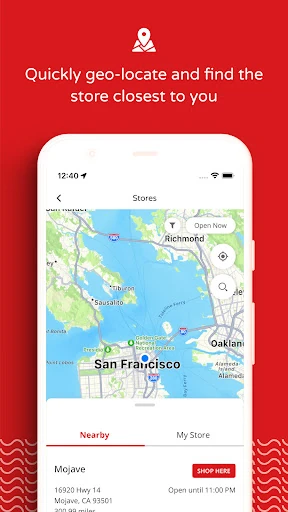
The app supports online ordering for curbside pickup and delivery, so the first decision is really how I want to receive the groceries. The store locator is also useful when I need to find a nearby Stater Bros. Markets location. I would begin by locating a store and building a list, then decide whether the trip is easier to handle in person or by placing an order.
The Everyday Shopping Flow
The list is the feature I can imagine returning to most often. Instead of trying to remember everything while walking through the store, I can keep items together and refer back to them when it is time to shop. The option to share a list makes it more practical for households where one person starts the list and another person picks up the groceries.
If I choose to order, the app offers real-time order tracking and live notifications. That is a welcome detail for pickup or delivery: after placing an order, I can follow its progress rather than treating it as a silent transaction. Reordering a past order also addresses a common bit of grocery repetition. Many weekly shops include familiar basics, and having a previous order to work from can save re-entering those items.
Useful Extras, Not Gimmicks
The barcode scanner stands out because it has a clear, narrow purpose. If I cannot find a product, I can scan its barcode in the app to look it up. I would not expect that to replace asking store staff or checking the shelf, but it gives me another way to search when I have the product in hand and want to find it in the app.
The store locator rounds out the experience for shoppers who need to find a nearby location. Alongside lists, shared finds, tracking, and past-order reordering, it keeps the app grounded in everyday errands. What I like is that these functions are easy to understand as parts of one grocery routine: plan, locate, shop or order, then keep track of what is on the way.
A Routine for Repeat Shops
For a weekly shop, I would start the list during the week rather than waiting until the last minute. When I notice that a staple is running low, I can add it then; when another person remembers something, the shared list gives them a place to put it. Before ordering or heading out, I can review what has accumulated and remove anything that is no longer needed.
If I place an order, I can use a previous one as a starting point for the next shop, then adjust it to fit what I need now. I would follow the order through the app’s notifications and tracking. For an in-store trip, the list is still useful, and the barcode scanner can help when a product is difficult to locate. None of this requires an elaborate system; the value is in keeping small decisions together.
Keep the Scope in Mind
The app’s usefulness depends on whether Stater Bros. Markets is already part of my shopping routine. It is a store-specific tool, so it does not answer the needs of someone trying to coordinate groceries across unrelated chains. I would also avoid assuming that every order method or item is available in every situation; delivery restrictions and fees may apply, as the app description notes.
I would treat it as a practical helper rather than a complete guide to food or household spending. The supported features focus on shopping, ordering, lists, locating a store, and finding products with a barcode. If those are the jobs I need done, that is a sensible scope. If I want a broader set of services, I should check whether those needs are actually met before making this my main app.
Stater Bros. Markets gets the basics of grocery convenience into one place: lists, online ordering, pickup and delivery, order tracking, and help finding stores or products. I like its focused approach, particularly for repeat shoppers who can benefit from shared lists and reordering. It feels built around ordinary errands, not around features that distract from them.
I would recommend it to regular Stater Bros. customers who want to plan ahead or avoid starting each order from scratch. Shoppers who need a multi-store service or a broader food reference app should look elsewhere. For its intended audience, though, it is a practical companion for making the next grocery run a little easier to manage.
Stater Bros. Markets Frequently Asked Questions
What is the Stater Bros. Markets app used for?
Stater Bros. Markets is a grocery shopping app. It lets customers create and share shopping lists, place online orders for curbside pickup or delivery, reorder past orders, find a store, and track an order. Its barcode scanner can also help find a product. Delivery restrictions and fees may apply, so check the app or store information for details that affect a particular order.
Which devices can run the Stater Bros. Markets app?
The facts provided are for the Android app on Google Play, which requires Android 11 or later. Device compatibility can depend on the phone and the app’s current release, so it is worth checking the Google Play store entry on the device you plan to use. The supplied platform information covers Android.
Does Stater Bros. Markets cost money?
The app is free to download on Google Play, and the supplied facts say it has no in-app purchases and contains no ads. Grocery delivery may involve restrictions and fees, according to the app description. Those order-related details can vary, so check the store information when arranging a delivery.
What Android version does Stater Bros. Markets require?
The listed minimum is Android 11. If your device runs an older version, check the Google Play store entry to see whether it can install the current release. Requirements can change as the app is updated, and compatibility may also depend on the specific device.
Is Stater Bros. Markets a good fit for me?
It is best suited to people who shop at Stater Bros. Markets and want help with lists, online orders, pickup or delivery, and repeat purchases. It may be less useful if you shop at other chains or want a multi-store grocery app. Whether pickup or delivery fits your needs can depend on the available service and any applicable restrictions.
Pros
- Combines shopping lists with online ordering for curbside pickup or delivery.
- Shared lists and past-order reordering can simplify repeat household shops.
- Real-time tracking and notifications help keep customers updated on orders.
- A barcode scanner and store locator support practical shopping tasks.
Cons
- Its store-specific focus makes it less useful for shoppers elsewhere.
- Delivery may come with restrictions and fees.
- Android support requires version 11 or later.
- Category
- Shopping
- Version
- 2.36.1











