ShopGoodwill
- 1.59K
- 2.8
- Installs
- 500.00K
- Price
- Free

Screenshots
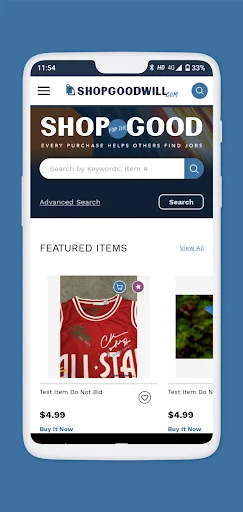
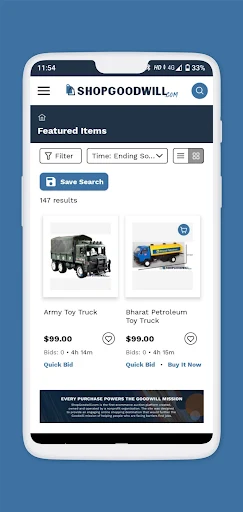
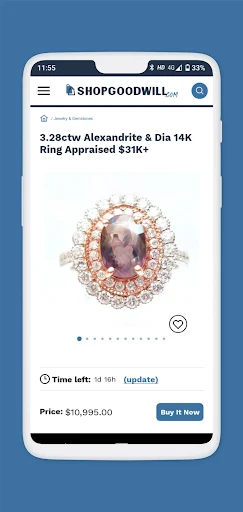
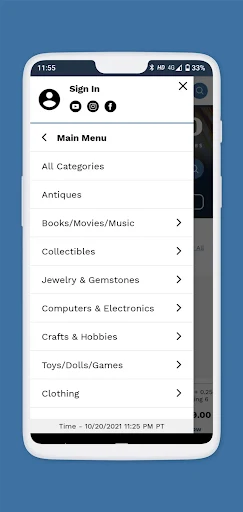
Analysis by Reviewed APKs
ShopGoodwill brings listings from more than 130 Goodwill organizations into one shopping app, with auctions and items available to buy right away. I found it best suited to people who enjoy browsing for secondhand finds and do not mind comparing listings or waiting on an auction. Its mix of search tools and saved interests makes casual treasure hunting easier, though the experience is more involved than ordinary online shopping.
A browsing break with a purpose
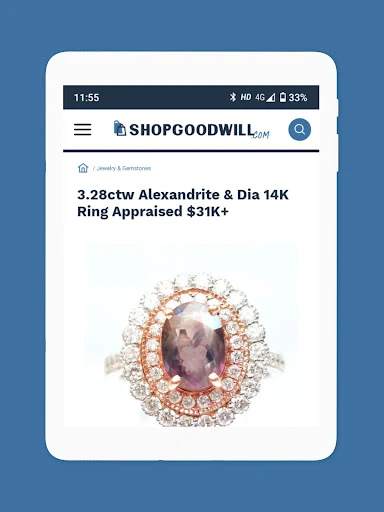
When I want to browse without a particular purchase in mind, ShopGoodwill gives me plenty of different kinds of listings to explore. I can move among categories such as fashion, home goods, technology, jewelry, and collectibles, then narrow the results with filters. It feels a little like wandering through a varied secondhand shop from the couch, except the listings come from Goodwill organizations around the country.
A practical session might start with a quick search for something specific, then turn into a longer look through related items. If a listing catches my eye but I am not ready to act, I can save it to Favorites. For something I want to track more broadly, saved searches and the personal shopper email feature can help me return to relevant listings later instead of starting from scratch.
Not quite a standard shop
The main difference from a conventional online retailer is the combination of auctions and immediate purchase listings. Some items invite a bid and require waiting for the auction to end; others can be bought right away. That makes ShopGoodwill a better fit for patient browsing than for a rushed errand where I want a predictable item, straightforward checkout, and a delivery timeline I can assess at a glance.
It is also not a local store inventory finder in the usual sense. The app gathers listings from many Goodwill organizations, and it supports filters for sellers and shipping options, as well as pickup scheduling for pickup orders. I would use it to explore individual listings and compare what is available, rather than expecting a uniform catalog or identical terms across every seller.
Make saved searches useful
I get more out of the app when I treat it as a place to check in regularly rather than a one-time catalog. Saving a search means I can fetch those results again quickly, and the personal shopper feature can email me when an item matching my interest is listed. Those options make sense for categories or particular finds that may not appear every day.
Filters are worth using early, especially when I am browsing a broad category. I can sort by price, narrow by size or seller, look for items marked with one-cent shipping, and check what is new today. I also like keeping likely purchases in Favorites so I can revisit them without trying to remember which listing caught my attention during an earlier scroll.
More From Our News Desk

Zoom Meetings, Google Meet, or Teams: Which Is Easiest to Join?

How I Build a Free Streaming Lineup With Tubi

Why Crunchyroll Is the Default Anime App for So Many Fans

YouTube TV: A Practical Guide to Cutting Cable

Rummikub and the Small Comfort of Phone Games

TeamViewer Remote Control or AnyDesk for Helping Family?
Who will enjoy browsing
I would recommend ShopGoodwill to people who enjoy secondhand shopping, unusual finds, and the small thrill of seeing what turns up across many sellers. Auction fans may appreciate being able to bid, while shoppers who prefer a definite purchase can look for listings with a Buy it Now option. The filters, saved searches, and Favorites are especially useful for anyone who browses in short sessions and wants to pick up where they left off.
It may not suit someone who wants every item to follow the same simple checkout pattern or who dislikes the uncertainty of auction shopping. Listings span different Goodwill organizations, so comparing the item, seller, and shipping options is part of the experience. I would also point impatient shoppers toward a more conventional retailer when they already know exactly what they need and want the fastest, least exploratory route.
ShopGoodwill is a free Android shopping app from ShopGoodwill.com. Google Play shows more than 500,000 installs and a 2.8-star rating from about 1,600 ratings. The app is rated Everyone. Its listed version is 2.3.23, with a release date of November 18, 2021, and a last update dated September 30, 2026.
The app is free to download and is listed as containing ads, with no in-app purchases. It supports payments through PayPal or Stripe, and the description also mentions a PayPal Credit option. The minimum Android version is not included in the supplied app details, so check Google Play for the requirement that applies to your device.
A Closer Look at the Hunt
First look and setup
My first impression is that ShopGoodwill is built around browsing rather than a single streamlined purchase funnel. There is a large spread of item types to explore, and the basic idea is easy to understand: find a listing, decide whether it is an auction or available to buy now, and take the next step accordingly. The range of Goodwill organizations gives the catalog a distinctly varied feel.
I would start by searching for an item or category I already care about, then try a couple of filters to see how much they improve the results. The app supports advanced search, so there is room to be more precise than a quick keyword search. It also offers customer service tickets for items and orders, a useful route to keep in mind if a question comes up.
The everyday shopping rhythm
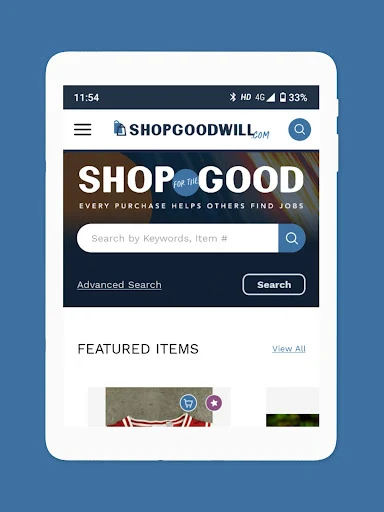
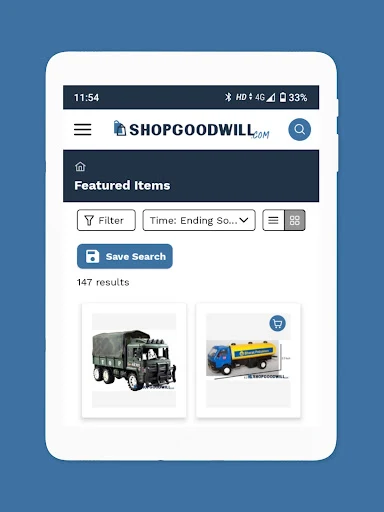
Day to day, the experience is a loop of searching, comparing listings, and deciding whether to save, bid, or buy. Quick bid and Quick buy options are available from listing pages, which can reduce the number of steps when I already know what I want to do. Featured items offer another entry point when I am browsing without a particular search in mind.
Auctions bring a different pace from buying immediately. I need to pay attention to whether an item is being auctioned or can be purchased outright, since the next step depends on the listing. For an auction, the app describes bidding and buying after it ends; for eligible items, Buy it Now provides the more direct route. That distinction is central to using the app comfortably.
Tools for finding a match
The strongest feature set is about narrowing down a broad collection. I can filter by category, size, price order, seller, shipping options, and whether an item is new today. There is also a specific filter for one-cent shipping items. These choices are useful when a search brings back an assortment that would otherwise take a long time to scan.
Favorites, saved searches, and personal shopper emails each serve a different purpose. Favorites keep particular listings handy; saved searches make it easier to pull up a query again; and the personal shopper can send email when an item matching my interests is listed. Together, they turn an occasional browse into something I can revisit without relying on memory.
A routine for regulars
A simple routine would be to save a few searches for the kinds of things I genuinely want, check them when I have a spare moment, and use the new-today filter when I want a fresh look. If a specific listing stands out, I can add it to Favorites and review the details before deciding. This feels more manageable than repeatedly searching the entire catalog from the beginning.
When I am ready to purchase, I would check the listing's buying format and shipping or pickup details before choosing a route. The app supports payments through PayPal and Stripe, and it mentions PayPal Credit as an option. For pickup orders, scheduling pickup is available. Those details help the browsing-to-order process, while customer service tickets provide a way to raise issues about items or orders.
A few things to weigh
A low Google Play rating is worth keeping in mind: ShopGoodwill has 2.8 stars from about 1,600 ratings. Ratings do not tell me exactly how a particular shopping session will go, but they are a reason to approach the app with realistic expectations rather than assuming every part of the experience will feel polished.
The catalog's variety is part of the appeal, but it also means the app is not a uniform store with one style of listing. Auctions take patience, and shoppers should pay attention to each item's format and shipping options. Ads are present, too. I would not choose this app for a quick, predictable purchase when I have no interest in browsing or comparing individual listings.
ShopGoodwill makes a broad assortment of Goodwill listings easier to browse from an Android device, and its filters and saved-search tools are practical for repeat visits. I especially like the choice between bidding and buying immediately, since it accommodates different shopping moods without hiding the nature of each listing.
I recommend it to curious secondhand shoppers who enjoy the search as much as the purchase and are comfortable checking listing details. If I wanted a fast, consistent retail checkout, I would look elsewhere. For patient bargain hunters and collectors, though, ShopGoodwill offers a distinctive way to browse.
ShopGoodwill Frequently Asked Questions
What is the ShopGoodwill app used for?
ShopGoodwill is a shopping app for browsing items listed by more than 130 Goodwill organizations. It includes categories such as fashion, home goods, technology, jewelry, and collectibles. Depending on the listing, shoppers can bid in an auction or buy an item right away. Search filters, Favorites, and saved searches help people explore and return to items.
Which devices can run ShopGoodwill?
ShopGoodwill is an Android app available through Google Play. The minimum Android version is worth checking on its Google Play store page, since the requirement may vary. The app's description also refers to shopping from the website, but the details here cover the Android app rather than other device versions.
How much does ShopGoodwill cost?
ShopGoodwill is free to download, and its app details say it contains ads but has no in-app purchases. Listings may be bought outright or through auctions, and the description names PayPal and Stripe as payment options, with PayPal Credit also available. Item costs and shipping details depend on the listing, so review those before purchasing.
Does ShopGoodwill have an Android version requirement?
ShopGoodwill is listed for Android, but the minimum Android version is not included in the app details provided here. Check Google Play for the current device requirement before installing, since compatibility details may change. The store page is also the best place to check the app's current version information.
Is ShopGoodwill a good fit for me?
It is likely to suit people who enjoy secondhand browsing, auctions, and comparing unusual listings from different Goodwill organizations. Filters, saved searches, and Favorites support repeat visits. It may be less suitable if you want a quick, uniform shopping experience or dislike waiting for auctions to end. Ads are present, which may also matter to some shoppers.
Pros
- Combines listings from more than 130 Goodwill organizations in one browsing experience.
- Offers both auction bidding and Buy it Now options for eligible listings.
- Useful filters cover categories, size, seller, price, shipping, and new items.
- Favorites, saved searches, and personal shopper emails support ongoing browsing.
Cons
- The 2.8-star Google Play rating suggests a mixed overall user response.
- Auction listings require more patience than a straightforward immediate purchase.
- Ads are present, and individual listings may require careful comparison.
- Category
- Shopping
- Version
- 2.3.23











