Shaw's Deals & Delivery
- 48.94K
- 4.7
- Installs
- 500.00K
- Price
- Free

Screenshots
Analysis by Reviewed APKs
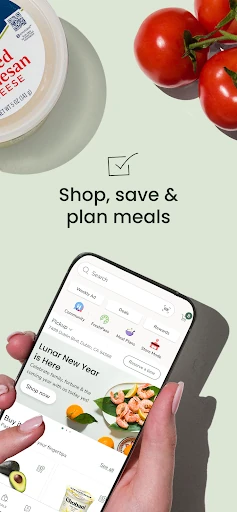
Shaw's Deals & Delivery is a grocery shopping app for browsing products, finding offers, planning meals, and arranging pickup or delivery. I see it as most useful for people who already shop at Shaw's and want to bring deals and order planning into the same routine. It covers more than a digital cart, though the number of tools means it works best when you focus on the ones you actually need.
A More Organized Grocery Run
Imagine planning a weekday grocery run between work and dinner. I can start a list with the basics, check weekly offers, and add ingredients from a recipe before deciding whether to shop in person or place an order. The app also lets me revisit past orders, which is handy when the household staples are running low and I do not want to rebuild the same cart item by item.
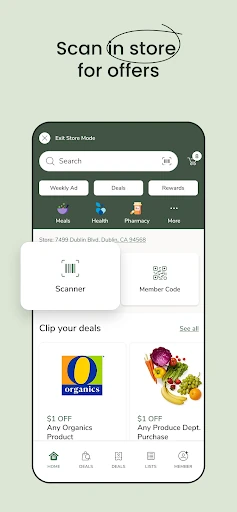
At the store, the in-store mode makes the app more than a place to browse from the couch: it can show aisle locations, and scanning an item lets me check prices and deals. For a delivery or pickup order, the app provides order-status tracking and notifications. These options give the shopping trip a clear shape, whether I am walking the aisles or waiting for groceries to arrive.
Store Companion, Not a Universal Market
Compared with a general-purpose shopping list, Shaw's Deals & Delivery ties planning to grocery shopping at Shaw's: offers, rewards, past orders, store information, and ways to receive an order all sit under one roof. That makes it a more useful companion for regular Shaw's customers than a bare list app, especially when saving offers or checking aisle locations matters to the trip.
It is not a general marketplace for comparing every nearby grocer, and its role is not just to collect recipes or track household chores. Its shopping tools are centered on Shaw's, with delivery and pickup available through the app. If someone rarely shops at Shaw's, the store-specific deals and order history are less likely to justify adding another app to their phone.
Small Habits That Pay Off
I would get the most from the app by checking the weekly offers before making a list, then adding the items I actually plan to buy. That keeps coupon browsing connected to a real meal or pantry need rather than turning into a long scroll through discounts. When a recipe catches my eye, using its ingredients as a starting point can help make the list feel purposeful.
Past orders are another useful shortcut for routine shopping. I can use them as a reminder of familiar items, then adjust the cart for the week instead of starting from scratch. For an in-store trip, checking aisle locations before I set off can help me plan the walk. These are modest habits, but together they make the app feel less like a catalogue and more like a practical shopping aid.
More From Our News Desk

Zoom Meetings, Google Meet, or Teams: Which Is Easiest to Join?

How I Build a Free Streaming Lineup With Tubi

Why Crunchyroll Is the Default Anime App for So Many Fans

YouTube TV: A Practical Guide to Cutting Cable

Rummikub and the Small Comfort of Phone Games

TeamViewer Remote Control or AnyDesk for Helping Family?
Who Will Find It Useful
I would recommend Shaw's Deals & Delivery to people who shop at Shaw's often enough to benefit from store offers, rewards, and a reusable order history. It suits anyone who likes to plan groceries on a phone, whether that means building a list for an in-person visit, choosing pickup, or arranging delivery. The combination of shopping, deals, and meal planning is especially practical for households juggling repeat purchases and weeknight meals.
It may be less compelling for someone who shops across many grocery chains and wants one app to compare them all. The app's tools are built around Shaw's shopping rather than serving as a neutral grocery planner. It also brings several areas together, including recipes, pharmacy functions, and wellness features, so people who want only a very simple list may prefer a more focused tool.
Shaw's Deals & Delivery is a free Android shopping app from Albertsons Companies, Inc. Google Play shows over 500,000 installs and a 4.7-star rating from around 49,000 ratings. The app contains ads, and it is rated Everyone. Its listed minimum requirement is Android 7.0, so older Android devices may not be supported.
The listed version is 2026.2.0, with a last update dated February 9, 2026. The app was released on January 25, 2018. The Google Play price is free, and the supplied app facts say it does not offer in-app purchases. Availability of particular store services can depend on the location and store.
A Grocery Routine With More In One Place
Getting Started
When I first open a grocery app, I want to know whether it can help before the next shopping trip, not after a lengthy setup. Shaw's Deals & Delivery asks users to sign up or sign in to shop, save, and plan. From there, the main idea is easy to grasp: browse groceries, make a list or cart, and choose the tools that fit the way I shop.
The breadth is noticeable early on. Shopping sits alongside deals and rewards, meal planning, pharmacy services, and wellness tracking. That can make the app useful for more than one errand, but it also means I would not try to explore every section in one sitting. I would start with the shopping list and offers, then branch out if another feature solves a real need.
The Weekly Shop
The day-to-day shopping flow is the app's center of gravity. I can add products to a list or cart, draw on frequent purchases and recommendations, and return to past orders when I need familiar items. Those shortcuts suit ordinary replenishment better than making every grocery trip feel like a new project. I can also shop for fresh produce, deli orders, pet food, and other listed grocery needs.
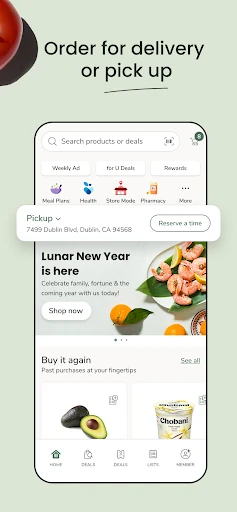
The receiving options cover different routines. I can arrange delivery to home or use DriveUp & Go to have an order brought to my vehicle, with order tracking, notifications, and curbside check-in described in the app information. Pickup and delivery can save a store visit; in-store mode instead supports the trip itself by helping locate products and check prices and deals.
Deals, Meals, and More
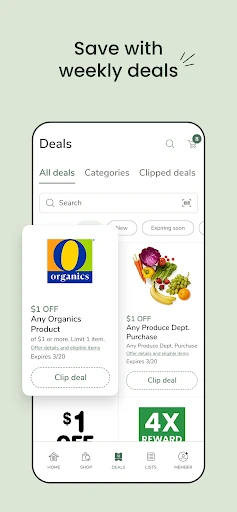
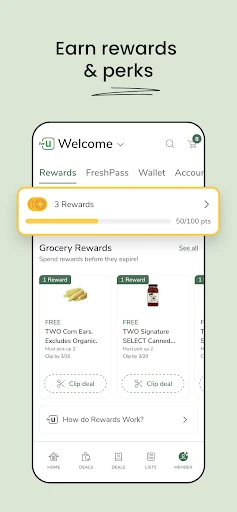
Weekly coupons, deals, and other offers give the app a clear savings angle. Users can earn, track, and redeem rewards while shopping, and a recent update adds paying for fuel and redeeming Points in the app at stores with a fuel station. That is a useful extension for people whose regular Shaw's location offers the service, though it is not a reason to assume every store has the same options.
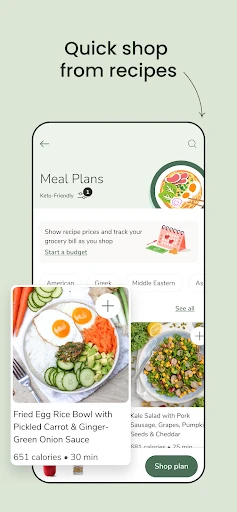
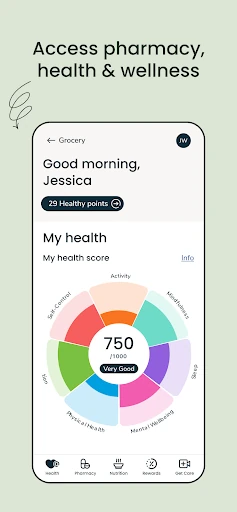
Meal planning adds another route from idea to cart. The app offers recipes and lets users consider the ingredients they need alongside a budget. I like that this connects meal inspiration to practical shopping rather than treating recipes as a separate destination. The description also includes prescription management for family and pets, plus vaccines, tests, and records, as well as nutrition, steps, sleep, and activity tracking.
A Practical Weekly Routine
A simple routine could begin with a quick look at deals, followed by a meal choice and a list of missing ingredients. I would then check the past-order shortcuts for staples, make any necessary changes, and decide whether the week calls for an in-store trip, pickup, or delivery. Keeping each step tied to a real need helps the range of features feel useful rather than distracting.
If I shop in person, I can use the aisle information to group the run and scan items to check prices and deals. If I order ahead, checking status notifications and using curbside check-in are the relevant parts of the workflow. The app supports both styles, so I do not have to treat online ordering as the only way to get value from it.
A Few Boundaries
The main limitation is its store-centered focus. Offers, order history, aisle locations, and the receiving options are most useful to someone who shops at Shaw's, rather than someone seeking a store-independent grocery planner. The app also has a wide scope, and not every user will want pharmacy or wellness tools mixed in with grocery shopping. Starting with a few core features is likely the calmer approach.
Some services are conditional: the fuel payment and Points feature is for stores with a fuel station, and delivery or pickup choices can depend on the store. The app contains ads, which is worth keeping in mind if I prefer a shopping tool with no advertising. Even so, its list, past-order, and deal features can be useful without adopting every part of the app.
Shaw's Deals & Delivery brings a substantial set of grocery tasks into one place: lists, past orders, offers, rewards, recipes, in-store help, and order fulfillment. I like that it supports both a planned delivery and a quick walk through the aisles. Its strongest advantage is convenience for people whose shopping already revolves around Shaw's.
I would try it if I were a regular Shaw's shopper who wants deals and planning close at hand, and I would begin with the list and weekly offers. If I wanted a chain-neutral shopping organizer or only a bare-bones checklist, I would look elsewhere. For its intended audience, it is a capable, broad shopping companion.
Shaw's Deals & Delivery Frequently Asked Questions
What is Shaw's Deals & Delivery used for?
Shaw's Deals & Delivery is a grocery shopping app for browsing and ordering items, making lists, viewing weekly offers, and earning or redeeming rewards. It also supports meal planning and recipes, in-store aisle and price checks, and delivery or pickup options. The app includes pharmacy and wellness features as well.
Which devices can run Shaw's Deals & Delivery?
The app is available for Android, and its listed minimum requirement is Android 7.0. The supplied app information does not give other device requirements. For current compatibility details or changes, check the Google Play store entry for Shaw's Deals & Delivery before installing.
Does Shaw's Deals & Delivery cost anything?
The app is free to download on Google Play, and the supplied facts say it does not offer in-app purchases. It does contain ads. Any costs connected to a particular order or service may vary, so check the app or store information for details that apply to your shopping.
Can Shaw's Deals & Delivery arrange grocery pickup or delivery?
Yes. The app describes home delivery and DriveUp & Go, along with order tracking, notifications, and curbside check-in. It also supports shopping in store. The services available can depend on the store and location, so check the app for the options offered where you shop.
Is Shaw's Deals & Delivery a good fit for me?
It is best suited to people who shop at Shaw's and want grocery lists, offers, rewards, past orders, and ordering options together. Someone looking for a store-independent planner or a very simple checklist may find its broad set of tools unnecessary. You can focus on the shopping features without using every section.
Pros
- Combines grocery lists, past orders, weekly offers, and rewards in one app.
- Supports in-store shopping as well as delivery and DriveUp & Go.
- Connects recipes and meal planning with the ingredients needed for a shop.
- Includes pharmacy and wellness tools beyond grocery ordering.
Cons
- Its store-specific features are less useful for shoppers who rarely use Shaw's.
- The broad mix of grocery, pharmacy, and wellness tools may feel busy.
- The app contains ads, and some services depend on the store.
- Category
- Shopping
- Version
- 2026.2.0