Meijer - Delivery & Pickup
- 79.07K
- 3.8
- Installs
- 5.00M
- Price
- Free

Screenshots
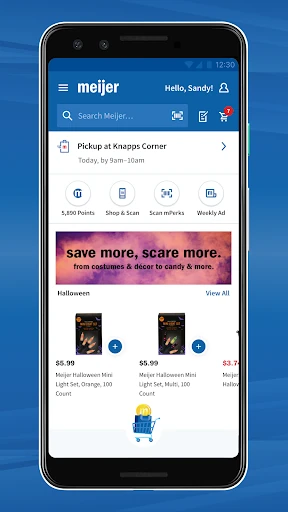
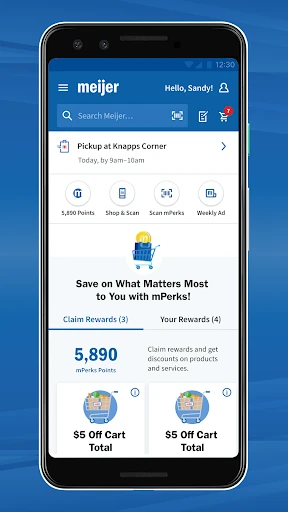
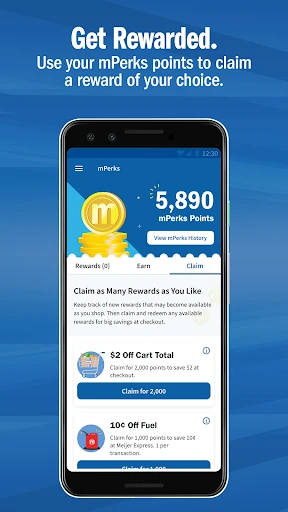
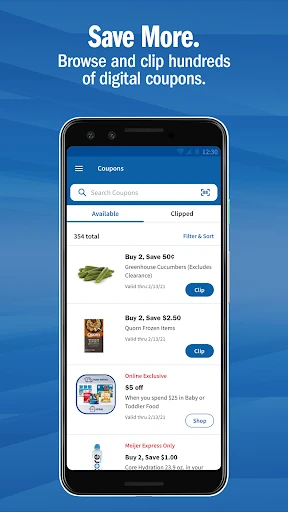
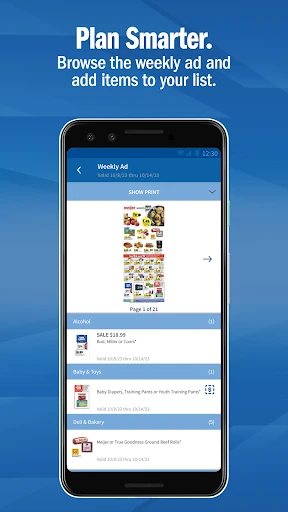
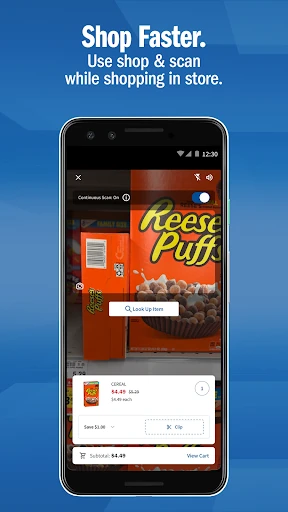
Analysis by Reviewed APKs
Meijer - Delivery & Pickup is a shopping app for planning a grocery run, placing pickup or delivery orders, and using mPerks coupons and rewards. It suits people who already shop at Meijer and want one place for both online orders and in-store errands. After looking through its range of shopping tools, my overall take is that it is most useful as a practical companion to a Meijer trip, rather than a general-purpose shopping app.
A Less Rushed Grocery Run
When I’m planning groceries around a busy day, the app’s pickup and delivery options give me a way to build an order before I have time to visit the store. I can choose a service from the home screen, then use a shopping list to start filling a cart. That makes it easier to think through dinner ingredients and household basics in separate moments instead of trying to remember everything in one aisle.
The Orders section is a useful place to return to after placing an order: Meijer says shoppers can review, edit, or cancel order details there. I also like that coupons and mPerks rewards can be used with pickup or delivery orders. The app’s central job is straightforward—help me prepare and manage a Meijer shop—without turning grocery planning into a separate project of its own.
Built Around Meijer
The obvious alternative is shopping in person without an app, and that can still make sense when I want to browse shelves or already know exactly what I need. Meijer’s app adds online ordering, lists, coupons, and Shop & Scan for people who want those tasks in a digital place. It is most compelling if Meijer is already part of the household routine, since its shopping and rewards tools are tied to that retailer.
This is not a broad comparison-shopping service or a general directory of grocery stores. Its product browsing, weekly-ad deals, and mPerks program are all centered on Meijer. I would not choose it to organize shopping across unrelated retailers. Instead, I see it as a practical extension of one store’s shopping experience, with options for both preparing an order at home and getting through an in-store visit.
Small Habits That Help
I’d get more from the app by adding items to a shopping list as soon as I notice they’re running low, rather than trying to reconstruct the pantry just before a trip. The list can also help divide a larger shop into manageable decisions. When it is time to build a pickup or delivery cart, having those items gathered already gives me a clearer starting point.
Coupons and rewards are worth making part of the same routine. I can browse coupons while building a cart, or look through deals in the weekly ad, instead of treating savings as an afterthought at checkout. For an in-store trip, Meijer describes Shop & Scan as a way to scan items into a cart and clip associated coupons. Checking reward progress and order details can round out the habit.
More From Our News Desk

Zoom Meetings, Google Meet, or Teams: Which Is Easiest to Join?

How I Build a Free Streaming Lineup With Tubi

Why Crunchyroll Is the Default Anime App for So Many Fans

YouTube TV: A Practical Guide to Cutting Cable

Rummikub and the Small Comfort of Phone Games

TeamViewer Remote Control or AnyDesk for Helping Family?
Who Will Find It Useful
I’d recommend Meijer - Delivery & Pickup to regular Meijer shoppers who want to plan grocery purchases, place pickup or delivery orders, and keep coupons and rewards close at hand. It can also suit someone who prefers shopping in person but wants a digital list or wants to try Shop & Scan. The mix is helpful for households that switch between a quick store visit and a more deliberate online order.
It may be less useful for people who rarely shop at Meijer, or anyone looking for one app to manage several retailers. Shoppers who prefer to browse without using digital lists, coupons, or online ordering may have little reason to add it to their routine. I’d also keep expectations grounded: this is a retailer’s shopping companion, not a replacement for deciding what to buy or checking the details of an order.
Meijer - Delivery & Pickup is published by Meijer and is a free Android shopping app on Google Play. It has over 5 million installs and a 3.8-star rating from about 79,000 ratings. Google Play gives it an Everyone content rating. The app’s listed version is 10.73.0, and its release date is January 8, 2013.
The app is listed without in-app purchases or ads. Its last update date is October 13, 2026. The Android version requirement is not included among the supplied app facts, so check the Google Play store page for device compatibility before installing. Store details, including ratings and availability, can change over time.
A Meijer Shopping Routine, In One App
Getting Started
The first impression is practical: the app is organized around the main ways someone might shop, including pickup, delivery, and in-store browsing. Meijer directs new shoppers to choose pickup or delivery from the home screen and use personalized grocery and shopping lists to begin a cart. That gives the experience a clear starting point, especially if I open the app with a particular errand in mind.
An account also connects shoppers with mPerks, since creating one automatically signs them up for the rewards program. I like that this puts the rewards feature alongside the shopping tools rather than making it feel like a completely separate service. The setup is most useful when I already know whether I’m planning an online order or preparing for a visit to a Meijer store.
Everyday Shopping
The day-to-day experience is less about novelty and more about keeping a shop organized. I can browse grocery categories such as produce, meat, and dairy, as well as household items and snacks. Seasonal and holiday collections provide another way to explore what’s available. For a routine restock, I’d start with the list, then fill in the cart with the items I need.
For an in-store trip, the shopping list is a simple planning aid, while Shop & Scan is intended to scan products into a cart and skip the checkout line. Meijer also describes scanning an mPerks barcode at checkout, or linking mPerks to a credit card in the Accounts section. Those options make the app relevant even when I’m not ordering groceries for delivery.
Coupons And Rewards
Coupons are woven into more than one part of the shopping flow. I can browse them in the Coupons section, find them while building a cart, or look for deals in the weekly ad. Meijer says clipped coupons can be applied to pickup or delivery orders, and used in store by entering an mPerks ID at checkout. That flexibility is useful if my shopping habits change from week to week.
The Rewards section tracks progress toward mPerks rewards, and shoppers can opt in to email or push notifications for updates. Meijer says it starts a qualifying reward automatically. I’d treat this as a way to keep track of available offers while shopping, rather than a reason by itself to buy something. The app puts the relevant information close to the cart and the store trip.
A Simple Weekly Workflow
A sensible routine would start with the shopping list during the week. I can add everyday essentials when I think of them, then check the list before choosing pickup, delivery, or an in-store trip. If I’m ordering online, I can browse the weekly ad and coupons while assembling the cart. That gives me a natural point to review deals without interrupting the rest of my planning.
After placing an order, I’d return to the Orders section to review its details and make changes if needed. For a store visit instead, I’d check the list, look through relevant coupons, and use Shop & Scan if it suits the trip. Reward progress can be checked separately in its section. The benefit is having several parts of a Meijer shop gathered in one app.
Keep Expectations Practical
The biggest limitation is also the app’s defining focus: it is designed for Meijer shopping. Its coupons, weekly ad, mPerks rewards, and product browsing are not presented as tools for shopping at other retailers. If I wanted a single place to compare several grocery stores or manage a wider range of errands, this would not cover that broader need.
The experience also depends on choosing the right way to shop for the occasion. A digital cart and order-management tools are helpful when I’m planning ahead, while a list and Shop & Scan are aimed at in-store visits. I’d keep an eye on order details and the store information in the app, rather than assuming every shopping trip will follow the same pattern. Its best role is a useful companion, not an automatic substitute for the whole process.
Meijer - Delivery & Pickup brings online ordering, in-store shopping tools, coupons, lists, and mPerks rewards together around one retailer. I find that focused approach appealing for regular Meijer customers who want to make a grocery run easier to plan and manage. Its strongest value is convenience across different ways of shopping, not a promise to change how grocery shopping works.
I’d try it if Meijer is already one of my usual stops, especially if I alternate between pickup and in-store trips or want to keep coupons handy. If I rarely shop there, or need a multi-store shopping organizer, I’d look elsewhere. For the right shopper, it is a sensible app to have ready before the next grocery run.
Meijer Frequently Asked Questions
What is Meijer - Delivery & Pickup used for?
Meijer - Delivery & Pickup is for shopping Meijer’s grocery and household products. It supports pickup and delivery orders, shopping lists, in-store shopping with Shop & Scan, and access to mPerks coupons and rewards. Shoppers can also review, edit, or cancel order details in the Orders section. It is centered on Meijer rather than multiple retailers.
Which devices can run Meijer - Delivery & Pickup?
The app is available for Android through Google Play. The Android version requirement can vary with app updates and device compatibility, so check the Google Play store page for the current requirement before installing. The provided app information does not describe versions for other platforms, so store availability is the best place to confirm supported devices.
Is Meijer - Delivery & Pickup free?
The app is free to download on Google Play. It is listed without in-app purchases or ads. Pickup and delivery are app features, but details that may affect a particular order or service can vary; check the app or store information before placing an order.
What Android version does Meijer - Delivery & Pickup require?
The Android version requirement is not provided in the available app facts, and requirements can change as the app is updated. Check the Google Play store page for the current compatibility information for your device. The listed app version is 10.73.0, but that does not by itself establish which Android versions it supports.
Who should use Meijer - Delivery & Pickup?
It is best suited to people who shop at Meijer and want to plan a list, order groceries for pickup or delivery, or use mPerks coupons and rewards during a store visit. It may be less useful if you rarely shop at Meijer or want one app for several retailers. The Google Play page is a good place to check current details.
Pros
- Combines pickup and delivery ordering with tools for in-store Meijer shopping.
- Shopping lists help organize both online orders and visits to the store.
- Coupons and mPerks rewards are connected to shopping and order workflows.
- Shop & Scan offers an in-store way to scan items into a cart.
Cons
- Its shopping, coupons, and rewards are focused on Meijer rather than multiple retailers.
- The Android version requirement needs to be checked on Google Play.
- The range of tools may be unnecessary for shoppers who rarely visit Meijer.
- Category
- Shopping
- Version
- 10.73.0











