Gumtree – Buy & Sell
- 209.84K
- 4.4
- Installs
- 10.00M
- Price
- Free

Screenshots
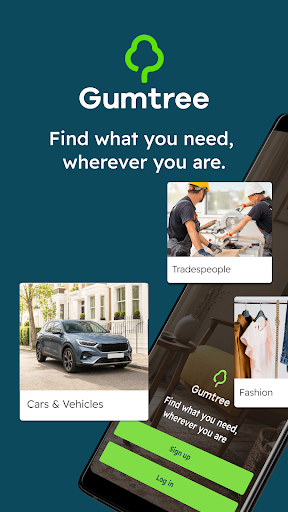
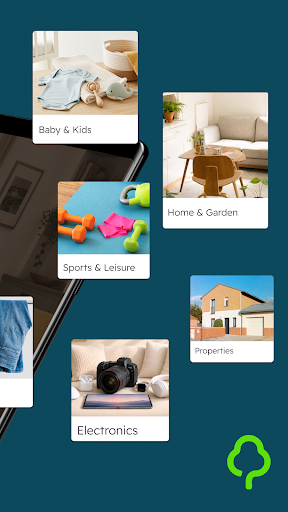
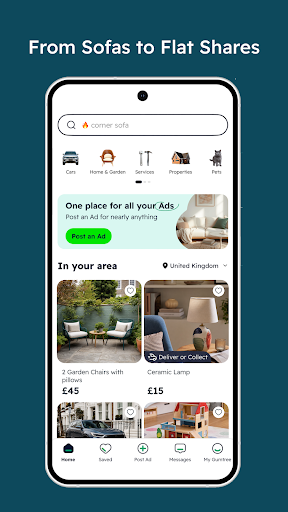
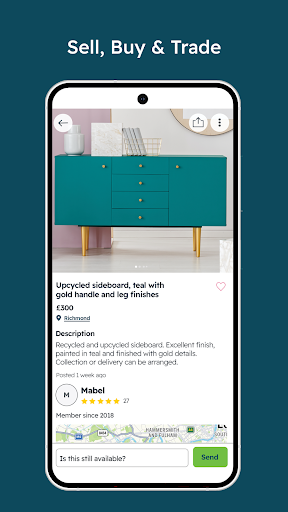
Analysis by Reviewed APKs
Gumtree – Buy & Sell is a classifieds app for browsing second-hand goods, cars and local services, or placing ads for things you no longer need. I’d look to it when clearing a room, hunting for a used piece of furniture or trying to find a nearby tradesperson. Its appeal is the mix of buying, selling and messaging in one place, though the experience depends on what people nearby have posted.
A Local Search in Practice
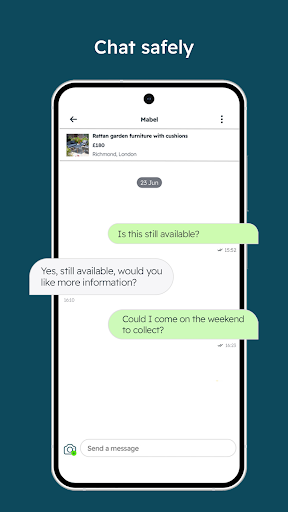
When I’m trying to furnish a room without buying everything new, Gumtree gives me a place to look for used furniture alongside other everyday items. I can browse ads, find a listing that seems promising and use the app’s messaging to contact the seller. That makes it a practical companion to a small home project: I can search between errands, then follow up when I have time to discuss the item.
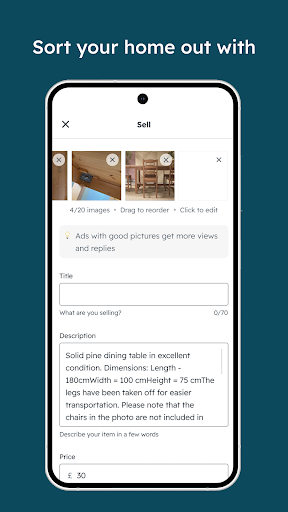
The same basic flow works in reverse when I’m clearing space. I can take a picture of an item, write an ad and wait for interested buyers to get in touch through the in-app messages. I like that the app covers both sides of a local transaction, rather than making me switch between a selling service and a separate place to search. It suits occasional clear-outs as much as regular browsing.
Classifieds, Not a Shop
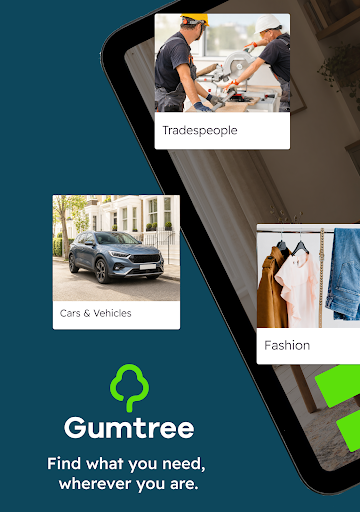
Gumtree feels closer to a local classified-ad service than a conventional online shop. Its listings cover second-hand items and cars as well as services such as plumbing, so I can use the same app for quite different searches. That breadth is useful when I’m looking for something specific in my area, but it also means browsing can feel less curated than shopping from a retailer with a narrower catalogue.
I would not treat it as a dedicated delivery retailer or as a place where every listing follows the same buying process. Gumtree connects people around ads and provides in-app messaging; the app is not a replacement for making sensible arrangements with an individual seller or service provider. If I want a standard checkout experience or a tightly focused catalogue, a specialist store may be a better fit.
Make Browsing More Useful
I get more from a classifieds app when I approach it with a clear idea of what I need. For example, before looking for a chair or a tool, I decide what kind of item would work and what details I need to ask the seller. That helps me compare ads on their actual merits instead of opening every vaguely relevant result. For service searches, I keep the same habit and prepare a concise question before starting a conversation.
On the selling side, I’d make the photo and description do useful work: show what the item is and explain its condition plainly. Then I can check the in-app messages when I have a moment rather than losing track of a conversation among other notifications. The app supports posting ads and chatting with interested people; a little preparation makes those simple tools easier to use for a real-world sale.
More From Our News Desk

Zoom Meetings, Google Meet, or Teams: Which Is Easiest to Join?

How I Build a Free Streaming Lineup With Tubi

Why Crunchyroll Is the Default Anime App for So Many Fans

YouTube TV: A Practical Guide to Cutting Cable

Rummikub and the Small Comfort of Phone Games

TeamViewer Remote Control or AnyDesk for Helping Family?
Who Might Find It Useful
I’d recommend Gumtree to people who like looking locally for second-hand goods, especially when they’re furnishing a home, replacing a tool or trying to sell something they no longer use. It also makes sense for someone who wants to search for cars or local services without opening a separate app for each category. The combination of ads and in-app messaging keeps the basic process together.
It may be less appealing if you prefer a polished shop catalogue, a uniform checkout or a narrowly focused shopping app. Gumtree relies on ads from other users and service providers, so the range and relevance of what you find depend on what has been posted. People who dislike contacting sellers directly may also prefer a retailer where products and purchasing steps are more standardized.
Gumtree – Buy & Sell is a shopping app from Gumtree UK. Google Play shows more than 10 million installs and a 4.4-star rating from about 210,000 ratings. It is free to download and contains ads. The supplied app details give its content rating as Teen, and identify version 10.2.70 as the current version.
The app was released on June 26, 2014, and its recorded last update is November 4, 2026. Gumtree says selling is free for most listings, with pet listings and business accounts excluded from that statement. Google Play indicates no in-app purchases. An Android minimum version is not included in the supplied details, so check the store page for device compatibility.
How Gumtree Works in Everyday Use
Opening the App
My first impression of Gumtree is that its purpose is easy to grasp: it is a place to find ads, put up an ad of my own and talk with the people involved. The variety is immediately part of the proposition. Furniture, tools, cars and services all sit within the app’s broad remit, making it more useful for general local searches than a single-category marketplace.
Getting started depends on what I’m trying to do that day. A buyer can begin by looking through available ads; a seller can think about which item to photograph and describe. I appreciate that neither activity needs an elaborate workflow in principle. The app’s value comes from the listings and conversations it brings together, not from turning a simple classified ad into a complicated project.
The Daily Browse
For everyday browsing, Gumtree is most compelling when I have a particular need in mind. I might be checking for a used table after measuring a corner of the room, or looking for a tool before starting a weekend job. Searching with a purpose helps me keep the range of categories manageable. The app also covers cars and services, so I can return to it for a different kind of local search later.
When an ad catches my eye, the in-app messaging gives me a direct way to contact the person behind it. Gumtree describes its chat as including instant replies and read indicators, which can help me keep track of whether a conversation is moving along. That matters in a classifieds setting, where questions and replies are often part of deciding whether an item or service is suitable.
Messaging and Listings
The most distinctive part of the experience is the pairing of ads with in-app conversation. A listing gives people something specific to discuss, and messaging keeps that exchange inside the app. I find that more coherent than discovering an item in one place and immediately having to move to an unrelated service just to ask a question. Read indicators and prompt replies are intended to make it easier to follow the exchange.
Posting an ad is another central feature. Gumtree describes the process as taking a photo and creating a listing, which suits the sort of occasional decluttering many people do. The service also spans more than personal belongings: users can browse cars and local services, including trades such as plumbing. Those categories give the app a broader role than a simple second-hand goods board.
A Small Selling Routine
If I were using Gumtree to clear out a cupboard, I’d start by choosing one item rather than trying to list everything in a rush. I would take a clear photo, write a direct description and publish the ad, then return to the app to check messages. That manageable routine gives me a way to make progress without turning a weekend tidy-up into a full-time selling effort.
For a purchase, I’d keep a short list of what I need to find and what I want to ask about each ad. A furniture search might begin with the measurements I have available; a service search might start with a concise description of the job. These are not extra app features, just practical ways I can use its listings and chat without losing sight of the decision I’m trying to make.
Keep Expectations Grounded
Gumtree’s wide remit is useful, but it means the app’s value can vary from one search to another. A category with suitable ads may be worth exploring, while a more specific need may not turn up the right option at the moment I look. Since the app brings together user-posted ads, I would judge it by the listings and conversations relevant to my own search rather than assume every category will be equally active.
It is also worth remembering what the app provides: a place to browse ads, post listings and message people. It does not turn local classifieds into the standardized experience of a conventional retailer. Buyers and sellers still need to communicate about the details that matter to them. The app’s free-to-post description also has exceptions for pet listings and business accounts, so that wording should not be read as applying to every kind of ad.
Gumtree – Buy & Sell is a practical choice for local classified ads, particularly when I want to browse second-hand goods, post an item or contact someone about a service. Its range and built-in messaging make it convenient to keep those tasks together. The trade-off is that the experience depends on the ads available and involves dealing directly with other people.
I’d try it if I regularly look for used items or occasionally need to sell things around the house. It is less suited to anyone who expects the consistency of a standard online shop or wants a highly specialized catalogue. For casual local buying and selling, though, Gumtree covers the essentials in a straightforward way.
Gumtree Frequently Asked Questions
What is Gumtree – Buy & Sell used for?
Gumtree – Buy & Sell is used to browse classified ads for second-hand items, cars and services, as well as to post ads for things you want to sell. The app also includes in-app messaging for conversations with buyers, sellers and service providers. It is aimed at people who want to explore listings and contact others about them.
Which devices can run Gumtree – Buy & Sell?
Gumtree – Buy & Sell is available as an Android app through Google Play. The supplied details do not give a minimum Android version, and compatibility can depend on the device and current app requirements. Check the Google Play store page for the latest device information before installing.
Does Gumtree – Buy & Sell cost anything?
Gumtree – Buy & Sell is free to download, and its Google Play details indicate no in-app purchases. The app contains ads. Gumtree says selling is free except for pet listings and business accounts, so people planning to post those kinds of ads should check the current terms in the store or app.
What Android version does Gumtree – Buy & Sell require?
The minimum Android version is not included in the supplied app details. Requirements can change as an app is updated and may differ by device, so check the Google Play page for Gumtree – Buy & Sell to see whether your phone or tablet is compatible.
Is Gumtree – Buy & Sell right for me?
It may suit you if you want to look for local second-hand goods, cars or services, or if you have items to advertise. Its messaging feature lets people discuss ads within the app. If you prefer a standardized retailer checkout or a focused catalogue, a conventional shop or specialist app may fit better.
Pros
- Combines second-hand goods, cars and local services in one classifieds app.
- Supports creating ads with photos for everyday selling and decluttering.
- In-app messaging keeps conversations with buyers and providers together.
- Free to download, with no in-app purchases indicated on Google Play.
Cons
- The usefulness of a search depends on the ads available in each category.
- Classifieds involve direct conversations rather than a uniform retail checkout.
- The app contains ads, and free selling has stated exceptions.
- Category
- Shopping
- Version
- 10.2.70











