Food Lion
- 40.17K
- 4.4
- Installs
- 1.00M
- Price
- Free
Screenshots
Analysis by Reviewed APKs
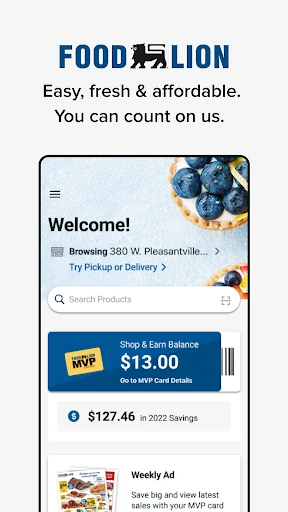
Food Lion is a grocery-shopping app for checking local deals, saving coupons and Shop & Earn Rewards, and using an MVP Card at checkout. I found its appeal in the way it brings store savings and a digital loyalty card together, whether I’m planning a shop at home or standing in an aisle. It suits Food Lion shoppers who want fewer paper coupons and an easier way to keep track of offers.
Planning a Grocery Run
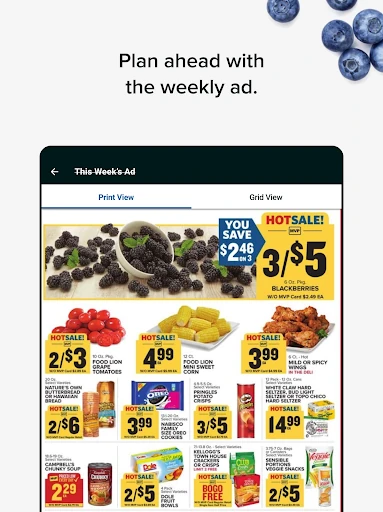
When I’m getting ready for a grocery run, I’d rather check the week’s offers before I fill a basket than try to remember what was on sale once I’m at the store. Food Lion gives me a place to browse the local weekly ad, coupons, and other deals, then save offers to my account. That makes the planning feel connected to the actual shop, instead of leaving me to juggle a stack of paper or separate notes.
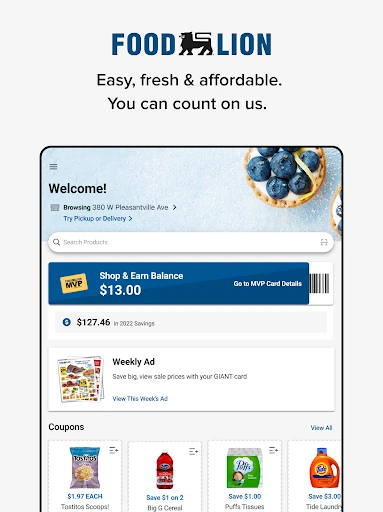
The MVP Card is the link between those saved offers and checkout. I can sign in to reach a digital card and scan it in-store, while clipped coupons and rewards can be used with it. For an ordinary trip, the useful part is having the loyalty card and savings in one app. I still have to choose the offers and remember to use the card, but the app gives that routine a more straightforward home.
A Store-Specific Shopping Companion
Compared with a general grocery list or coupon app, Food Lion is most useful when Food Lion is already where I shop. Its weekly ad, coupons, MVP Card, and Shop & Earn Rewards all relate to the same store, so I can review offers and use them through one account. The app also supports shopping online as well as in-store, with savings designed to work across both ways of shopping.
That focus is also the main boundary. I wouldn’t treat Food Lion as a universal grocery price-comparison service or a general meal-planning tool; the described features center on Food Lion deals and rewards. If I’m shopping at several different chains, I may still need other store apps or my own planning method. For a shopper who regularly visits Food Lion, though, keeping the store’s savings together is a practical benefit.
Make Offers Part of the Routine
I’d get the most from the app by checking the weekly ad and available coupons before making a list. Saving the offers I expect to use gives me a short, relevant set to keep in mind while shopping, rather than relying on memory at the shelf. Since the app also lets me access Shop & Earn Rewards after signing in, it makes sense to include those in the same quick pre-shop check.
A small checkout habit matters, too: bring up the digital MVP Card and scan it in-store so clipped coupons and rewards can be applied. Online, saved offers can be redeemed when checking out with the MVP Card. Rewards can go toward grocery savings or be donated to charity. These steps don’t remove the need to pay attention, but they make it easier to keep loyalty savings within the normal shopping flow.
More From Our News Desk

Zoom Meetings, Google Meet, or Teams: Which Is Easiest to Join?

How I Build a Free Streaming Lineup With Tubi

Why Crunchyroll Is the Default Anime App for So Many Fans

YouTube TV: A Practical Guide to Cutting Cable

Rummikub and the Small Comfort of Phone Games

TeamViewer Remote Control or AnyDesk for Helping Family?
Who Will Get the Most From It
I’d recommend Food Lion to people who already shop at Food Lion and want a convenient way to review the local weekly ad, save coupons, and reach their MVP Card. It is especially sensible for anyone who tends to forget paper coupons or wants to check Shop & Earn Rewards before heading out. The mix of online and in-store shopping support also gives regular customers a reason to keep the app handy beyond a single trip.
It may be less useful to someone who rarely shops at Food Lion, wants one app to compare many grocery chains, or prefers to avoid store accounts and loyalty programs. The savings features depend on signing in and using the MVP Card, so they work best for shoppers willing to make that part of checkout routine. I’d also keep expectations focused on shopping and offers rather than looking for broader planning tools.
Food Lion is published by Food Lion, LLC. Google Play shows more than one million installs and a 4.4-star rating from about 40,000 ratings. The app is free to download, and the supplied store facts indicate that it contains ads. They also indicate no in-app purchases. Its content rating is Everyone.
The supplied version number is 9.4.3. The app was released on January 11, 2017, and its last update is dated October 6, 2026. An Android minimum version is not provided in the supplied facts, so check the Google Play page for device compatibility before installing.
How Food Lion Fits a Real Grocery Trip
A Practical First Look
When I first opened a store-shopping app like this, the useful question for me was whether I could get to the savings without hunting around. Food Lion’s stated focus is clear: shop coupons, the local weekly ad, deals, and rewards, with easier navigation and simpler redemption as part of the app experience. That gives a new user a fairly concrete starting point: sign in, connect an MVP Card, and look for offers relevant to the next trip.
The app supports signing up for an MVP Card or registering an existing one. That distinction is helpful because a shopper who already uses the card can connect it rather than treating the app as an entirely separate loyalty program. Once signed in, the digital card is available in-store. I’d set this up before leaving home, when there’s time to sign in, rather than waiting until I’m at the checkout.
Savings in the Daily Shop
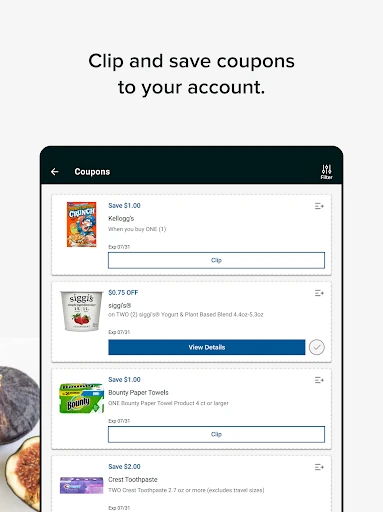
The day-to-day job is gathering store offers and making them usable when buying groceries. I can browse coupons, the local weekly ad, and deals, then save offers to my account. Food Lion says saved offers can be redeemed automatically in-store or online when checkout uses the MVP Card. That links the browsing step to the purchase instead of leaving every coupon as something I have to retrieve separately.
In-store, the digital MVP Card can be scanned to access savings and use clipped coupons and rewards. Online shopping is included as well, and Shop & Earn offers are intended to apply in both settings. I like that this supports more than one way of shopping without changing the basic loyalty-card idea. The important everyday detail is to sign in and use the card at checkout, since that is how the offers connect to the account.
Rewards With a Choice
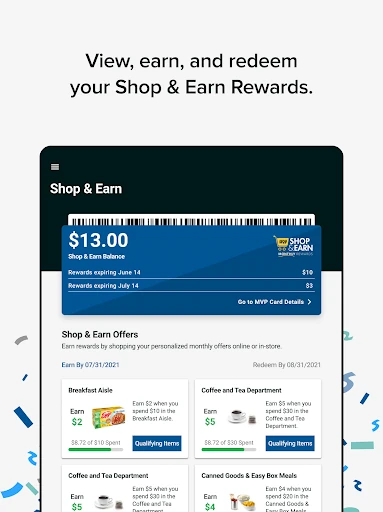
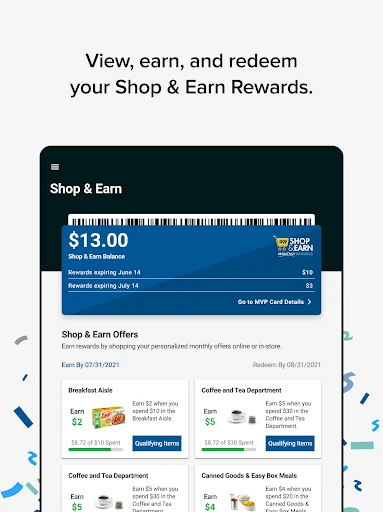
Shop & Earn Rewards are one of the more distinctive parts of the experience because they are not limited to reviewing offers. After signing in, I can access rewards and apply them toward grocery savings. Food Lion also gives shoppers the option to donate rewards to charity. That makes the rewards section more than a list of discounts, while keeping the choice between using them on a shop or directing them elsewhere with the customer.
I’d treat the rewards as a reason to check the app regularly, not as a promise that every trip will have the same offers. The supported feature is access to Shop & Earn Rewards and the ability to apply or donate them; the practical value depends on what is available in the account. Keeping the app tied to the MVP Card means those rewards sit alongside the coupons and store deals I’m already checking.
A Simple Before-and-During Routine
For a typical shop, I’d start at home by opening the local weekly ad and browsing the available coupons and deals. I’d save the offers that matter to the trip, then check Shop & Earn Rewards while I’m signed in. That short preparation makes it easier to remember which savings I meant to use, without turning grocery shopping into a complicated project or requiring a separate paper-coupon session.
At the store, I’d bring up the digital MVP Card and scan it at checkout. If I’m shopping online, I’d use the same account and MVP Card at checkout so saved offers can be redeemed there too. Afterward, I could revisit rewards and decide whether to apply them to groceries or donate them. The routine is straightforward: check, save, shop, and use the card.
Keep the Scope in Mind
Food Lion’s biggest limitation is simply its store-specific nature. The app’s offers and loyalty features are built around Food Lion, so it won’t replace a broad tool for comparing grocery prices across competing chains. Shoppers who split their grocery trips among different retailers may find themselves maintaining more than one store account or using another method to keep track of everything.
There is also a little participation involved: sign in, connect or register an MVP Card, save relevant offers, and scan the digital card or use it at online checkout. That is manageable for a regular customer, but not as hands-off as browsing deals without an account. The supplied facts say the app contains ads, another consideration for people who prefer a completely ad-free shopping experience.
Food Lion does a focused job of bringing store deals, coupons, Shop & Earn Rewards, and an MVP Card into one shopping companion. I like that its savings can fit both in-store and online checkout, and that rewards can be used for groceries or donated. Its usefulness is strongest for people who already shop at Food Lion and are comfortable using a loyalty account.
If Food Lion is part of your regular grocery routine, I’d give the app a try as a way to make offers easier to review and use. If you want a cross-store comparison tool or don’t want to sign in and scan a loyalty card, it is a less natural fit. The core idea is practical, as long as your shopping habits match its store-specific focus.
Food Lion Frequently Asked Questions
What is the Food Lion app used for?
Food Lion lets shoppers browse coupons, the local weekly ad, and deals, save offers to an account, and access Shop & Earn Rewards and an MVP Card. Shoppers can scan the digital card in-store, and the app also supports online shopping. Rewards can be applied to grocery savings or donated to charity.
Which devices can run the Food Lion app?
Food Lion is an Android app available through Google Play. The supplied facts do not give a minimum Android version, and device compatibility can vary. Check the Google Play page for the current requirements and whether the app supports your particular device before installing.
What Android version does Food Lion require?
The minimum Android version is not stated in the supplied app facts. Requirements can change as the app is updated and may depend on the device, so check Food Lion’s Google Play page for the latest compatibility information before downloading.
Does the Food Lion app cost money?
The app is free to download, and the supplied facts indicate that it has no in-app purchases. They also indicate that the app contains ads. Store details can change, so check the Google Play page for current information before installing.
Is Food Lion useful if I shop at other grocery stores?
Food Lion is best suited to shoppers who use Food Lion and want its weekly ad, coupons, MVP Card, and Shop & Earn Rewards in one place. Its described offers are store-specific, so it is not a general tool for comparing multiple grocery chains. People who shop elsewhere may need additional store apps.
Pros
- Keeps Food Lion coupons, weekly-ad deals, rewards, and the MVP Card together.
- Supports savings for both in-store and online shopping.
- Lets shoppers apply rewards to groceries or donate them to charity.
- Free to download, with no in-app purchases indicated in the supplied facts.
Cons
- Its savings and loyalty features are focused on Food Lion shoppers.
- Using the offers relies on signing in and checking out with an MVP Card.
- The app contains ads, according to the supplied store facts.
- Category
- Shopping
- Version
- 9.4.3











