Family Dollar
- 41.09K
- 3.7
- Installs
- 10.00M
- Price
- Free

Screenshots
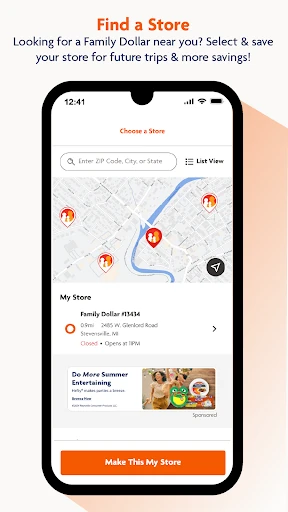
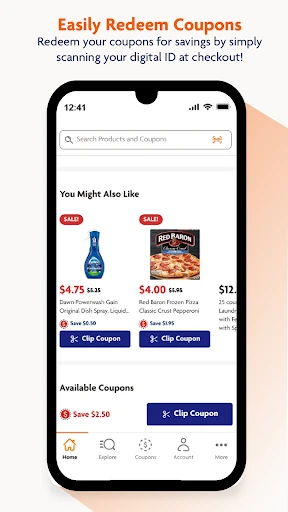
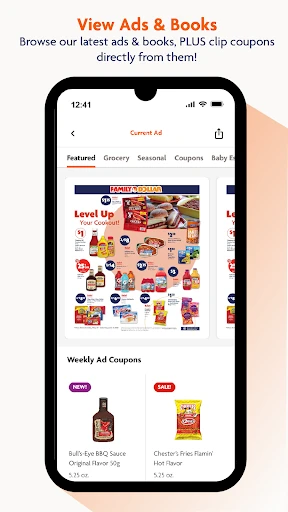
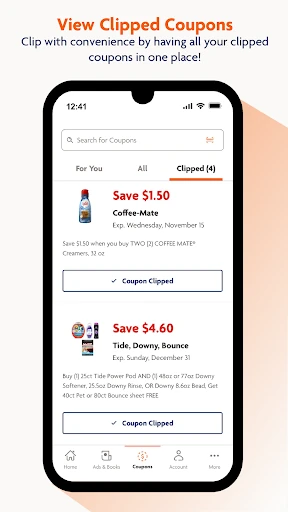
Analysis by Reviewed APKs
Family Dollar is a shopping app built around finding and using Smart Coupons on everyday products. I see it as most useful for people who already shop at Family Dollar and are willing to check offers before heading to the register. The coupon tools give a routine shopping trip a practical savings angle, though the app is less compelling if you rarely shop at this chain.
A coupon run, made simpler
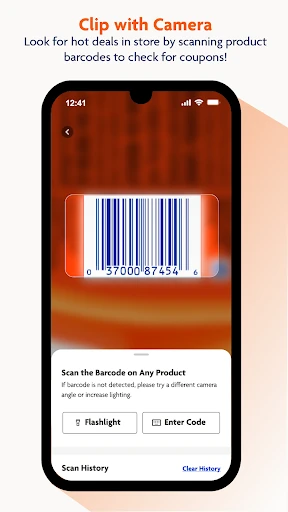
Picture a quick trip for household basics: you have a few items in mind, but you want to see whether any coupons apply before you pay. Family Dollar gives that task a place to start. I can browse offers, clip the ones I want, and use the app’s barcode scanner to check products while shopping. That makes it easier to connect a specific item on the shelf with a coupon rather than relying on memory.
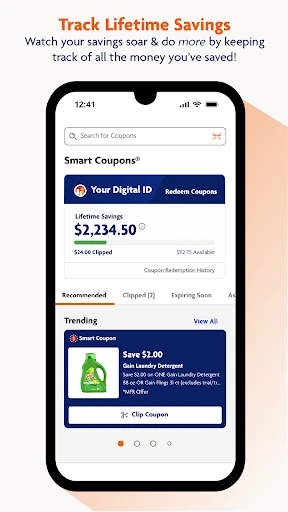
When I first considered the checkout flow, the useful detail was that redemption centers on scanning a unique barcode in the app. That gives the trip a clear sequence: look through offers, clip relevant coupons, shop, then bring up the barcode at checkout. The app also says it tracks savings over time. I like that the steps are tied to an actual shopping routine, rather than being a collection of deals with no obvious path to use them.
Built for one retailer
Compared with a general shopping or coupon app, Family Dollar is focused on offers for Family Dollar products and trips. That narrow focus can be an advantage if the store is already part of my routine: I can check the retailer’s coupons and scan items in one place. It is not a broad comparison tool for finding the cheapest price across different chains, and I would not treat it as a substitute for a general-purpose shopping list.
The app makes most sense when I am planning to shop at Family Dollar or already browsing its shelves. If I mainly shop elsewhere, its personalized offers and coupon events may not be enough to make it a regular habit. It is also not presented as a delivery or ordering service; the described flow is about clipping coupons and redeeming them in store. That distinction helps set expectations before downloading.
Small habits that help
A quick offer check before leaving home is likely the most useful habit. I would look through the current coupons, clip the ones that match what I actually need, and avoid treating every discount as a reason to add another item. The app also supports clipping directly from ads and books, which can make an offer easier to save when I spot it there instead of searching through a separate coupon list.
In the aisle, I would use the barcode scanner for an item I am considering, especially when I am unsure whether a coupon applies. Then, at checkout, I would have the app’s unique barcode ready rather than waiting until the last moment to find it. Checking the app regularly also matters because it features weekly, seasonal, and personalized offers. A light routine is more practical than trying to track every promotion.
More From Our News Desk

Zoom Meetings, Google Meet, or Teams: Which Is Easiest to Join?

How I Build a Free Streaming Lineup With Tubi

Why Crunchyroll Is the Default Anime App for So Many Fans

YouTube TV: A Practical Guide to Cutting Cable

Rummikub and the Small Comfort of Phone Games

TeamViewer Remote Control or AnyDesk for Helping Family?
Who may get the most from it
I would recommend Family Dollar to regular shoppers who like using coupons and are comfortable checking an app during a shopping trip. The combination of offer browsing, one-click clipping, product barcode scanning, and in-store redemption gives coupon users several ways to connect a deal with a purchase. People who enjoy keeping an eye on seasonal promotions or personalized offers may also find a reason to open it between trips.
It may be a poor fit for someone who rarely shops at Family Dollar, dislikes advertising, or prefers not to manage coupons while shopping. The app is centered on retailer-specific savings, so its value depends on whether those offers line up with a person’s normal purchases. I would also avoid assuming that every product has a coupon or that every offer will suit a particular basket; the practical benefit comes from checking what is available.
Family Dollar is a free Android shopping app from Family Dollar Stores. Google Play shows over 10 million installs and a 3.7-star rating from around 41,000 ratings. The app contains ads, and its content rating is Everyone. Its stated release date is June 5, 2017, and the current version is 8.3.0.
The app is free to download, and the provided store details show no in-app purchases. The listed last update is August 14, 2026. A minimum Android version is not included in the available app details, so check Google Play for device compatibility before installing. The app’s stated purpose is to help shoppers find and redeem Family Dollar coupons and offers.
How Family Dollar Fits a Shopping Trip
A direct first impression
The app’s purpose is easy to understand: it puts Family Dollar coupons and offers on a phone so shoppers can use them in store. I appreciate that the main actions described—browsing, clipping, scanning, and redeeming—form a straightforward path. There is no need to think of it as a separate shopping destination; it is a companion to a trip I am already making.
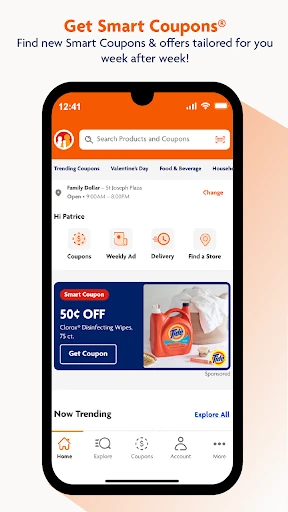
Getting started, in practical terms, means opening the app to see available offers and choosing which ones to clip. I would begin with coupons for things already on my list instead of trying to learn every promotion at once. That keeps the first visit manageable. The app also describes personalized content and offers, giving regular use a more tailored angle without changing the basic coupon-first workflow.
The everyday coupon loop
The central experience is a repeatable loop: find an offer, clip it, shop for an applicable item, and scan the app’s unique barcode at checkout. That structure is helpful because each action has a clear place in the trip. I would check offers before shopping, then leave the app available for the occasional product scan when I am in the aisle.
I also like that the app describes savings tracking, including a growing lifetime total. It gives coupon use a small sense of progress without making that number the point of the trip. What matters more is whether the offers match what I planned to buy. I would treat the savings display as a record of use, not as a reason to spend more just to increase it.
Scanning and offer discovery
The barcode scanner is one of the more useful features for a real store visit. Rather than guessing whether an item has a coupon, I can scan its barcode and check for offers on that product. It is a simple idea, but it connects the digital coupon list with the package in front of me. That can be especially handy when I am comparing a few items on the shelf.
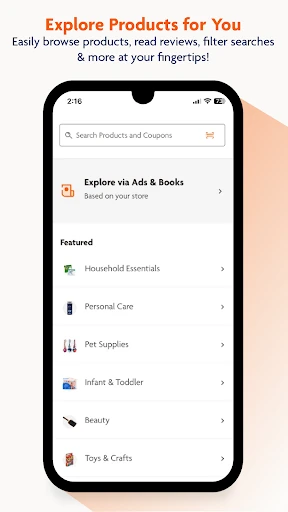
Offer discovery has more than one route. The app describes one-click clipping from ads, special coupon events, personalized offers, and the ability to clip directly from ads and books. Seasonal savings are part of the mix as well. I would not expect every category or shopping occasion to have a relevant deal, but having several ways to find coupons gives regular shoppers a reason to check back.
A routine for planned trips
For a planned trip, I would start with the items I already need and check the app for matching coupons. I would clip the relevant offers, then use the scanner in store if I want to check a particular product. At checkout, I would bring up the unique barcode for redemption. This routine keeps the app useful without turning a short errand into a long session of browsing promotions.
For an unplanned stop, I would use the app more selectively. A quick look at current offers or a scan of an item I am considering may be enough. The app promotes regular checks for new weekly, seasonal, and personalized offers, but I would set a modest expectation: a deal is useful when it fits the basket. That approach makes the app a tool for planned savings rather than a shopping prompt.
Limits to keep in mind
The biggest limitation is the narrow retailer focus. Family Dollar’s coupons are most relevant to people who shop there, and the app is not described as a way to compare prices across stores or place an order for delivery. If I do not have a Family Dollar trip coming up, there may be little reason to spend time browsing its offers.
The app contains ads, which may be a drawback for people who want a completely ad-free shopping tool. Coupon use also asks for a little attention: I need to find and clip offers, check products when useful, and bring up the barcode at checkout. Finally, the advertised savings potential is not a promise about what any one shopper will save; the result depends on available offers and what I actually buy.
Family Dollar is a focused coupon companion, not a general shopping hub. Its strongest features are practical: browsing and clipping retailer offers, scanning products for coupons, redeeming through an in-app barcode, and keeping a savings tally. For someone already shopping at Family Dollar, those steps can make checking for relevant deals part of an ordinary trip.
I would try it if I regularly shop at the chain and do not mind using an ad-supported app to manage coupons. I would skip it if I shop elsewhere most of the time or want cross-store price comparisons. The key is to clip offers that match a real list, then let the app support the trip rather than shape it.
Family Dollar Frequently Asked Questions
What is the Family Dollar app used for?
Family Dollar is a shopping app for finding and using the retailer’s Smart Coupons and offers. Shoppers can browse and clip coupons, scan product barcodes to check for coupons, and scan a unique in-app barcode to redeem clipped offers at checkout. The app also describes personalized offers and savings tracking, so it can support both trip planning and in-store coupon checks.
Which phones can run the Family Dollar app?
Family Dollar is an Android app available through Google Play. The minimum Android version is worth checking on its Google Play page, since compatibility requirements can vary by device and app version. The app details describe shopping features for use in store, including product barcode scanning and an in-app barcode for coupon redemption.
Does Family Dollar cost money?
The Family Dollar app is free to download, and the provided app details show no in-app purchases. It does contain ads. Coupon savings depend on the offers available and the products a shopper chooses, so the app’s general savings claims should not be read as a set amount every shopper will receive. Check Google Play for current store details.
Can I use Family Dollar coupons in store?
The app describes an in-store redemption process: clip the coupons you want, then scan your unique barcode in the app at checkout. Its barcode scanner can also check products for available coupons while you shop. Offer terms and availability may vary, so it is sensible to review the current coupon details in the app before relying on a particular deal.
Who is the Family Dollar app best for?
It is best suited to people who shop at Family Dollar and want to check retailer-specific coupons before or during a trip. Coupon users may appreciate browsing, clipping, product scanning, and savings tracking in one app. It may be less useful for shoppers who rarely visit the chain, want deals across multiple retailers, or prefer not to use an app with ads.
Pros
- Combines coupon browsing, clipping, product scanning, and in-store redemption.
- Lets shoppers clip coupons directly from ads and books.
- Includes personalized offers and a lifetime savings tracker.
- Free to download with no in-app purchases shown.
Cons
- Its offers are centered on Family Dollar rather than multiple retailers.
- Contains ads, which may distract shoppers who prefer a cleaner experience.
- Using coupons requires some planning and attention during a shopping trip.
- Category
- Shopping
- Version
- 8.3.0











