Consumer Reports
- 4.64K
- 3.3
- Installs
- 500.00K
- Price
- Free

Screenshots
Analysis by Reviewed APKs
Consumer Reports is a shopping research app for people who want a second opinion before buying appliances, electronics, cars, and other products. I found its mix of ratings, comparisons, buying guides, and deal-finding tools more useful for narrowing a decision than for casual browsing. It suits careful shoppers who value independent testing, though getting the full experience requires a membership.
A More Informed Shopping Trip
When I’m standing in a store comparing two appliances, I don’t want to juggle several browser tabs while trying to remember which model had the better reviews. Consumer Reports is built for that moment: I can look up ratings and product information, compare options, and use Image Scan to scan a barcode or photograph a product. It turns a quick shopping question into a more organized check before I decide.
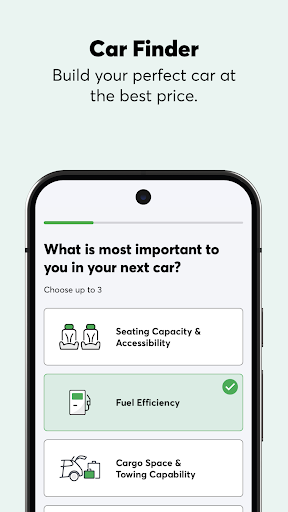
The app can also help earlier in the process, when I’m still figuring out what kind of product fits my needs. I can look through buying guides and collections, ask a question through AskCR, or compare products and cars side by side. When I first explored those tools, the appeal was having research and decision-making in one place instead of starting from scratch for each purchase.
Research, Not Just Recommendations
Compared with a retailer’s shopping app, Consumer Reports is more focused on evaluating products than completing a purchase. Its ratings and reviews draw on the organization’s testing, research, and consumer surveys, while comparison tools help put candidates next to each other. I’d use it alongside a store app: first to work out what is worth considering, then to check availability and make the purchase elsewhere.
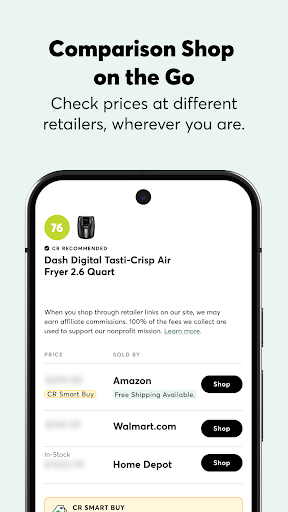
It is not simply a shopping feed or a price-comparison service. The app includes product collections, videos, deals, and a Best Time to Buy tool, but its main value is research and guidance. That makes it less useful if I already know exactly what I want and only need the cheapest checkout. Some of the deeper research features are reserved for members, so free access has limits.
A Few Useful Habits
I’d start a bigger purchase by reading a relevant buying guide before searching individual models. That gives me a better sense of what to compare and which details matter for the category. From there, I can use ratings and side-by-side comparisons to narrow the shortlist, then save products or comparisons to revisit when I’m ready to make a decision.
For an in-store visit, I’d keep Image Scan in mind rather than trying to memorize model names beforehand. At home, I’d check collections and videos for ideas, and look at available deals or Best Time to Buy when timing is flexible. These small steps make the app feel more like a research companion than another list of products to scroll through.
More From Our News Desk

Zoom Meetings, Google Meet, or Teams: Which Is Easiest to Join?

How I Build a Free Streaming Lineup With Tubi

Why Crunchyroll Is the Default Anime App for So Many Fans

YouTube TV: A Practical Guide to Cutting Cable

Rummikub and the Small Comfort of Phone Games

TeamViewer Remote Control or AnyDesk for Helping Family?
Who May Find It Useful
I’d recommend Consumer Reports to shoppers who like to compare options before spending on a major purchase. It is especially relevant when the choice involves appliances, electronics, cars, or other products covered by its ratings and buying guides. The ability to save comparisons is handy if a decision takes several days, and AskCR offers another way to research questions as they come up.
It may be less appealing if you want every feature without paying for membership, or if you prefer quick user opinions over structured testing and research. The free version does include select features, but membership unlocks broader access. Someone who mainly wants to browse retailer prices or place orders may also find a store’s own app more direct.
Consumer Reports, Inc. is the developer. On Google Play, Consumer Reports has over 500,000 installs and a 3.3-star rating from 4,641 ratings. The app is free to download, and its content rating is Everyone. The store information gives version 5.23.0-1276 and a release date of June 24, 2014.
The app offers in-app purchases, with listed items ranging from $10.00 to $39.00 each. It contains no ads. Its last update date is October 20, 2026. Consumer Reports says members can unlock the full experience, while nonmembers can use select features, including buying guides, videos, product collections, Bill Negotiator, and limited AskCR access.
How Consumer Reports Fits Into Shopping
Getting Oriented
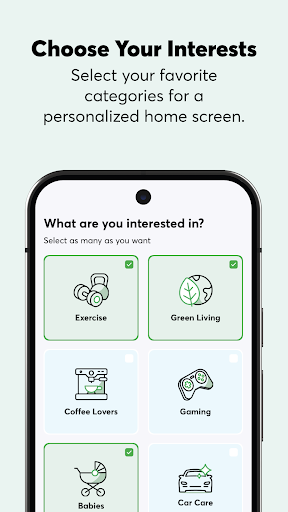
My first impression is that Consumer Reports has several entry points rather than one single shopping workflow. I can browse curated product collections, watch videos, read buying guidance, or go straight to a particular research task. That variety is useful when I have only a rough idea of what I need, though it also means the app is best approached with a question in mind.
The free download gives newcomers a way to explore select features before deciding whether broader access matters to them. I’d begin with a buying guide or collection related to a real purchase instead of browsing everything at once. That makes it easier to see whether the app’s style of research suits me and whether membership features would be useful.
Everyday Research
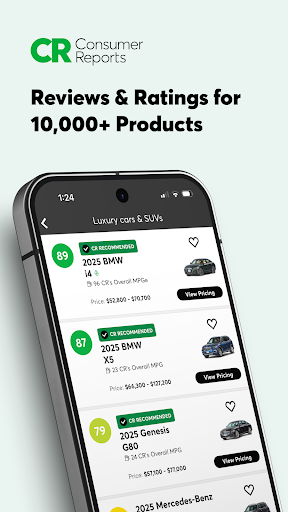
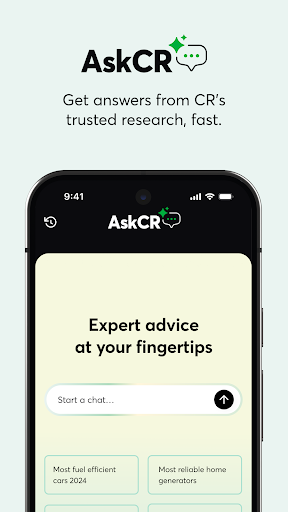
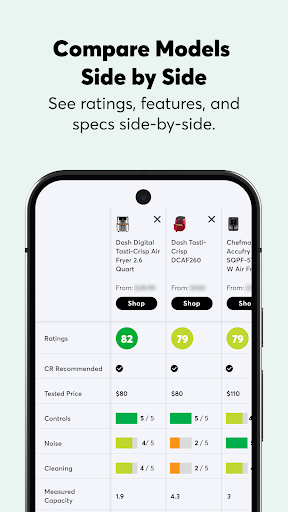
In day-to-day use, the app is most compelling when I have a specific decision to make. Ratings and reviews cover thousands of products, cars, and services, while product comparisons let me examine options side by side. AskCR adds a question-and-answer route for researching a product or narrowing choices, with limited access available to nonmembers.
I like that these tools support different stages of a purchase. A buying guide can help me understand what to look for, ratings can help assess candidates, and a comparison can clarify how two finalists stack up. Saving products and comparisons gives me somewhere to return when I’m not ready to buy immediately.
Tools With a Purpose
Image Scan is one of the app’s clearest practical features. When shopping in person, I can scan a barcode or take a product photo to find CR ratings and information and compare options. It is a more direct way to check a particular item than trying to reconstruct its name or model number later.
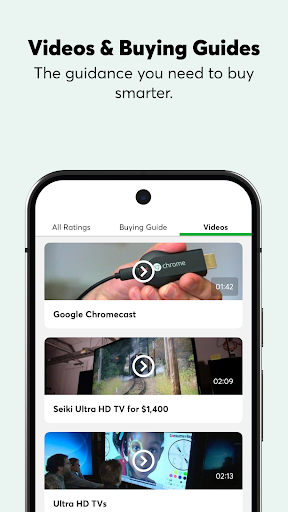
The app also brings together deals, discounts, and Best Time to Buy, which can help when timing is part of the decision. Product collections and videos offer a broader way to discover ideas and consumer insights. These features support the research experience, but the central draw remains the ability to evaluate and compare products.
A Purchase Planning Routine
For a planned purchase, I’d use the app in stages. First, I’d read a buying guide to understand the category and make a shortlist. Next, I’d compare a few candidates and save the comparison, so I can come back to it after checking other information or talking it over with someone at home.
If I’m shopping in a store, I can use Image Scan to look up an item on the spot. If I’m still undecided, AskCR may help me research the remaining questions, depending on my access. I’d also check deals and Best Time to Buy when my schedule allows some flexibility. The routine keeps the app focused on the decision rather than endless browsing.
Access Has Its Limits
The main limitation is the divide between select free features and the full member experience. Consumer Reports lists unlimited AskCR conversations, ratings and reviews, CR Recommended products, Image Scan, member deals, and Best Time to Buy among membership features. That means the tools that make the app especially useful for product research may not all be available to someone who only downloads it.
The Google Play rating is 3.3 stars, so the overall response from users is mixed. I’d try the free features against an actual shopping need before committing to membership. The app is also centered on research rather than buying directly, so it works best as one part of a shopping routine, not as a replacement for every retailer or price-checking tool.
Consumer Reports gives careful shoppers a practical way to research, compare, and revisit potential purchases. I especially like the combination of buying guides, ratings, side-by-side comparisons, and an in-store scanning tool. It is a focused aid for decisions that deserve more thought than a quick glance at a product page.
I’d suggest trying the free features if you are planning a purchase and want expert-backed research in one app. It is a stronger fit for deliberate comparison than for deal hunting alone, and membership is needed for the full feature set. If that trade-off works for you, Consumer Reports can be a useful companion from shortlist to decision.
Consumer Reports Frequently Asked Questions
What is the Consumer Reports app used for?
Consumer Reports helps shoppers research and compare products, cars, and services. It offers ratings and reviews, buying guides, product comparisons, AskCR, and Image Scan for looking up a product in a store. Collections, videos, deals, and Best Time to Buy can also support product discovery and purchase planning.
Which devices and platforms support Consumer Reports?
Consumer Reports is an Android app available through Google Play. It can be used for product research and, with Image Scan, for looking up products while shopping in person. For the current device and system requirements, check the Google Play store information, since requirements can vary with app updates.
What Android version does Consumer Reports require?
The Android version requirement can vary, so check Consumer Reports on Google Play for the requirement that applies to your device. The app’s store information gives version 5.23.0-1276 and a last update date of October 20, 2026, but those details do not establish which Android versions are compatible.
Does Consumer Reports cost money?
Consumer Reports is free to download and offers in-app purchases. Listed in-app items range from $10.00 to $39.00 each. The app provides select features to nonmembers, while membership unlocks the full experience. Check Google Play and the app for current purchase details, since available offers and prices may vary.
Is Consumer Reports a good fit for every shopper?
It may suit shoppers who want to compare products and consult ratings, research, and buying guides before making a decision. It may be less suitable if you want every research feature without membership or mainly need a retailer for checkout. Its content rating is Everyone, and it contains no ads.
Pros
- Combines ratings, buying guides, comparisons, and AskCR for purchase research.
- Image Scan can look up products while shopping in person.
- Saved products and comparisons are easy to revisit later.
- Includes collections, videos, deals, and Best Time to Buy.
Cons
- Membership is required for access to the full feature set.
- The app focuses on research rather than completing purchases.
- Its Google Play rating is mixed at 3.3 stars.
- Category
- Shopping
- Version
- 5.23.0-1276











